Week 7 - Creating connection for Rear door
This week, the connections for the front door by using different 1D elements are taught in detail.
Now for the given Rear door FE model, Create and Apply different PIDs for different components. By using the same technique and the elements as shown in the video, Perform suitable connections. (No thickness need to be assigned to FE as intention is just to deploy connections)
OBJECTIVE:
To set PID and perform connections for the given rear door model with different connection techniques using ANSA.
PROCEDURE:
1. The given model is imported into the ANSA software. It is observed that a default PID is set for the model. The imported model is shown in the figure below.
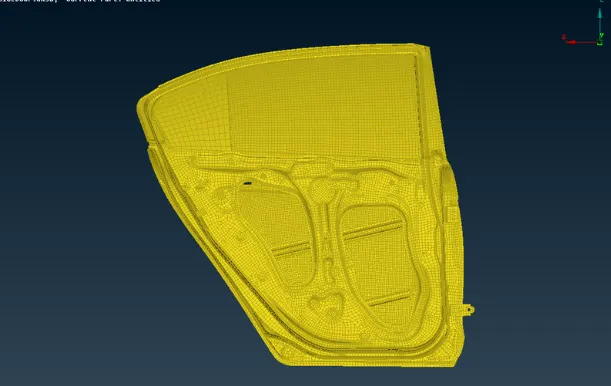
Since the given FE is modelled using shell elements, we create PID for shell elements PSHELL in ANSA.
To create PID: LISTS > PROPERTIES > RIGHT CLICK / NEW > NEW > PSHELL > PSHELL
Apply the PID to the desired elements in the model.
2.Creating connections.
RBE2 connection:
a) many nodes RBE2
MODULES > DECKS > ELEMENTS > RBE2 > MANY NODES
Select the nodes that are to be connected.
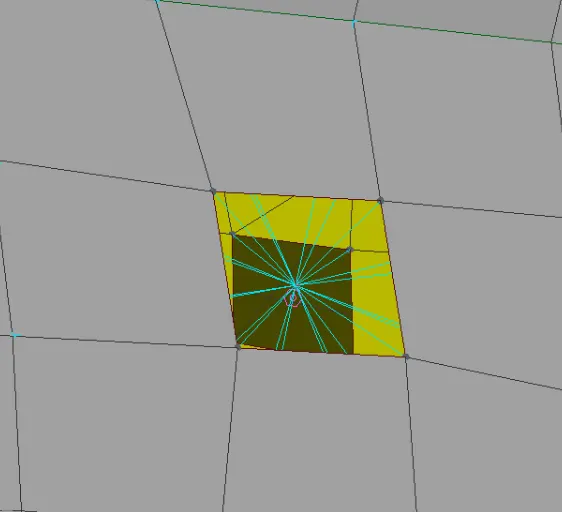
Seam connection
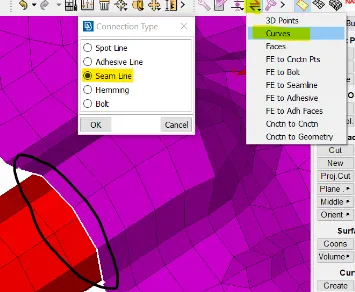
To create a seam connection a curve needs to be defined which acts as a seam line for the connection
Connect the lines using CURVES > CONNECT > MULTI option
Convert the curve to seam line: ASSEMBLY > CONVERT > CURVES > SELECT THE CURVE > SEAM LINE > OK
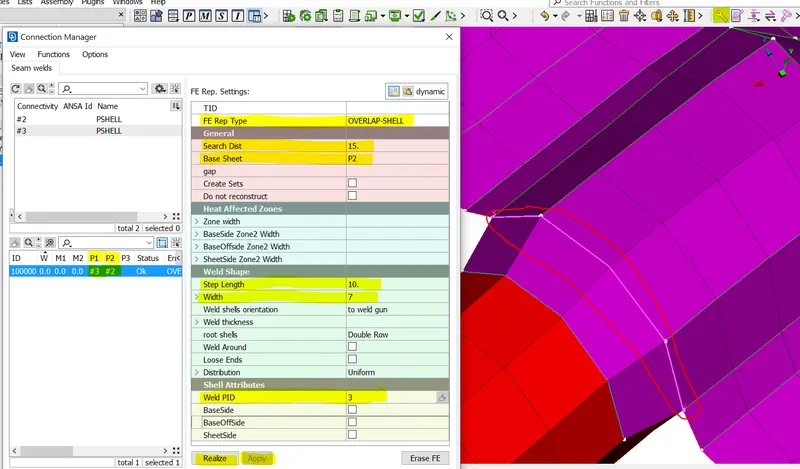
The next step is to deploy the overlap-shell connection on the created seam line as shown in the below figure.
4)RBE3-CBUSH-RBE3
The connection between the door window and the weatherstrip will have a CBUSH connection which has stiffness in 3 directions.
To create a CBUSH connection we need a spot line(weld line) at the location of the connection.
connect the curve and convert the curve to spot line as shown below.
To deploy a CBUSH connection go to ASSEMBLY > CONNECTION MANAGER >SELECT THE CURVE > SELECT FE TYPE = RBE3-CBUSH-RBE3, and select the P1 and P2 as door and window respectively
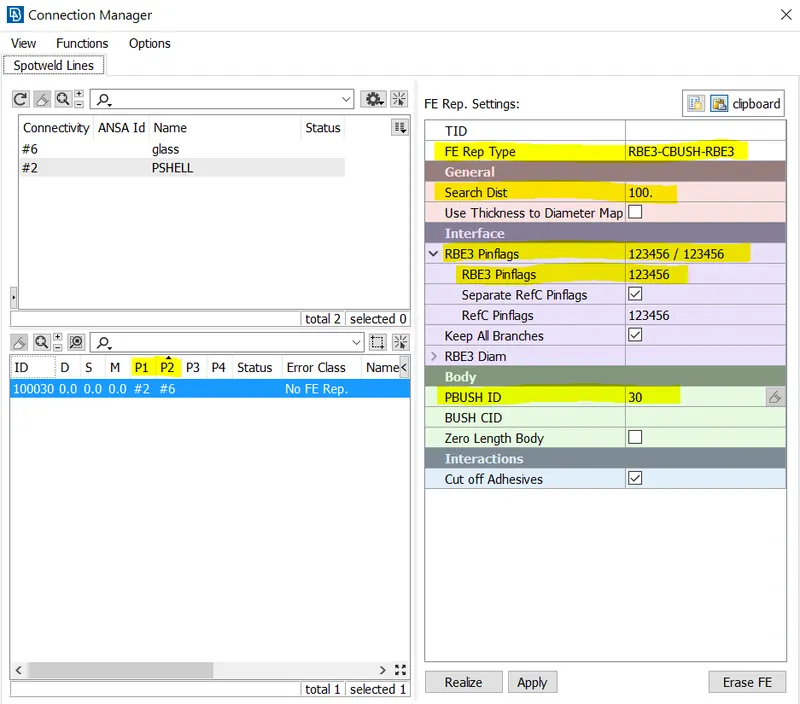
Create a separate PID for PBUSH ID and apply it to the connection.
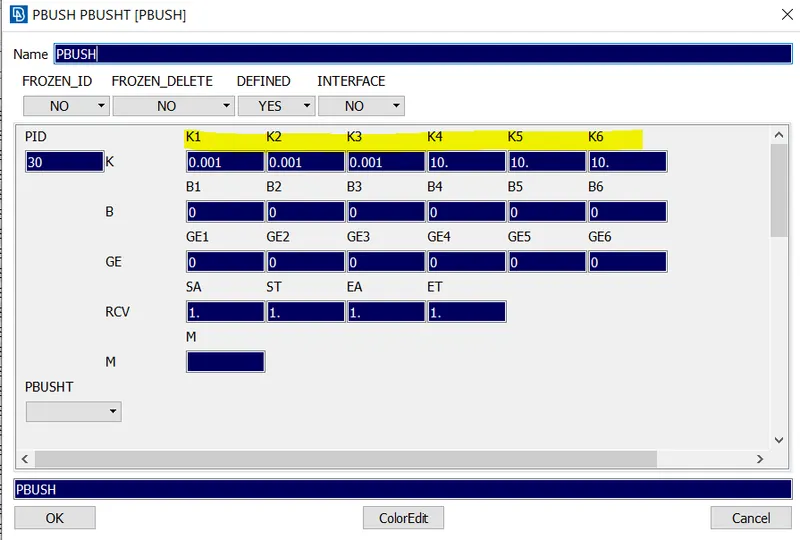
PBUSH PID will allow applying 6 different stiffness values(K1-K6) to the property, as shown in above image.
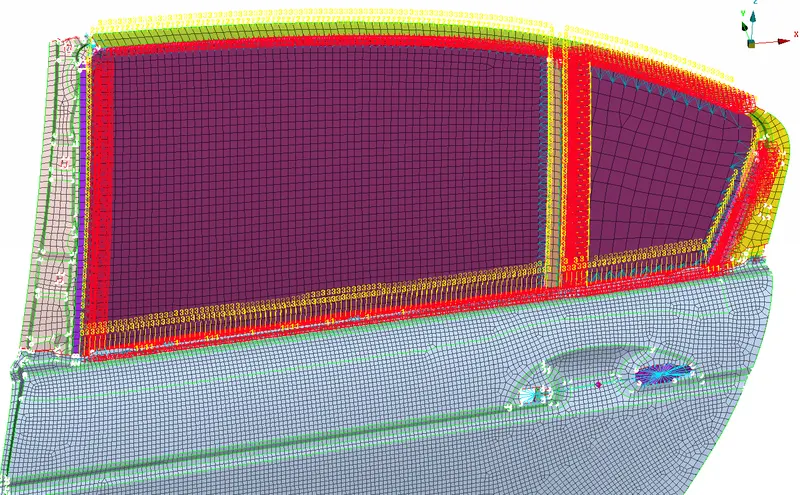
The orientation of the CBUSH needs to be changed to the global orientation