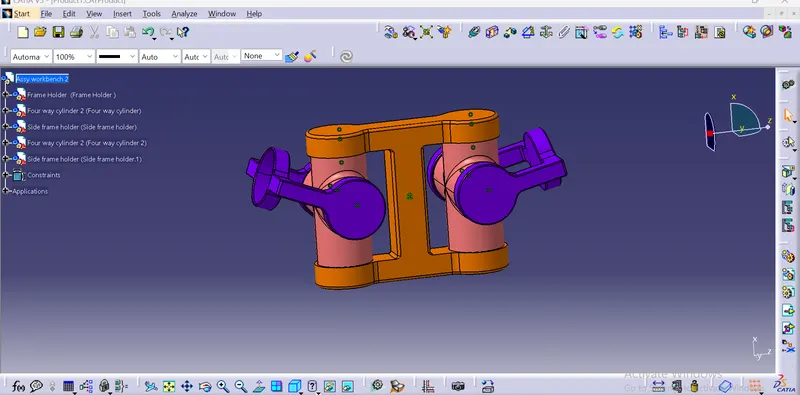
Week 7 Challenge - Assembly Workbench
AIM :-
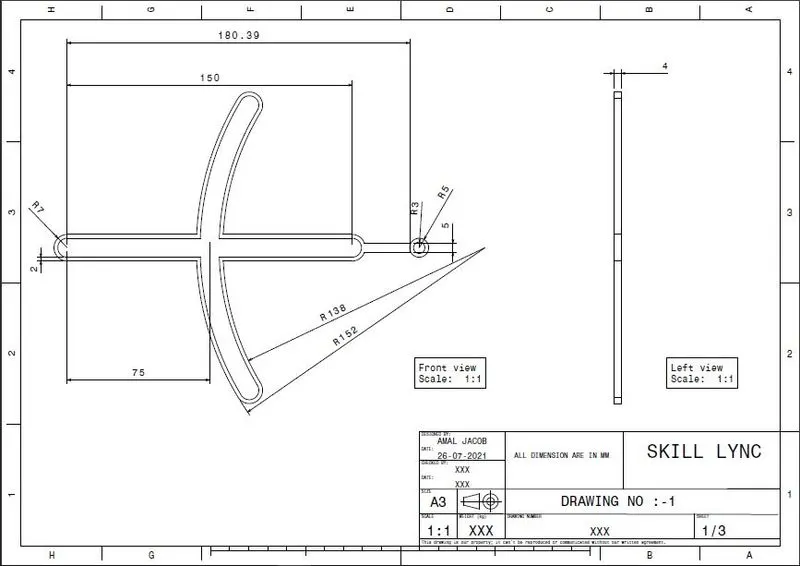
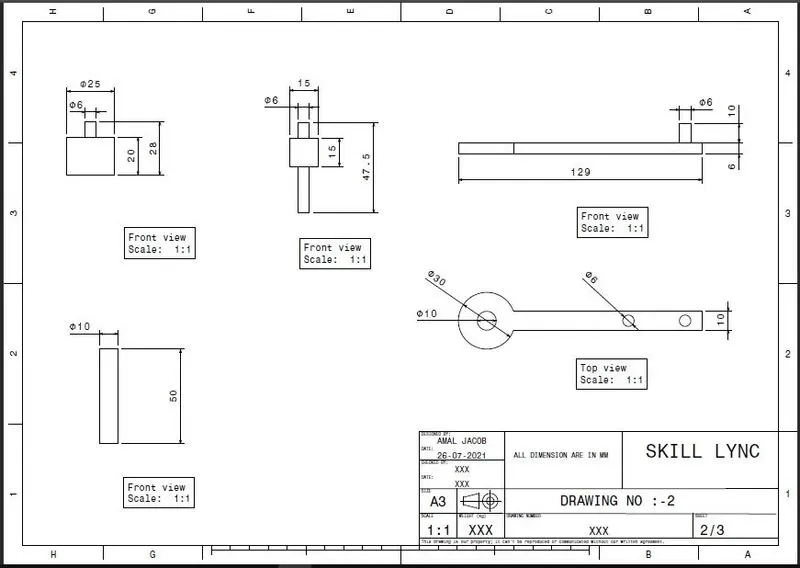
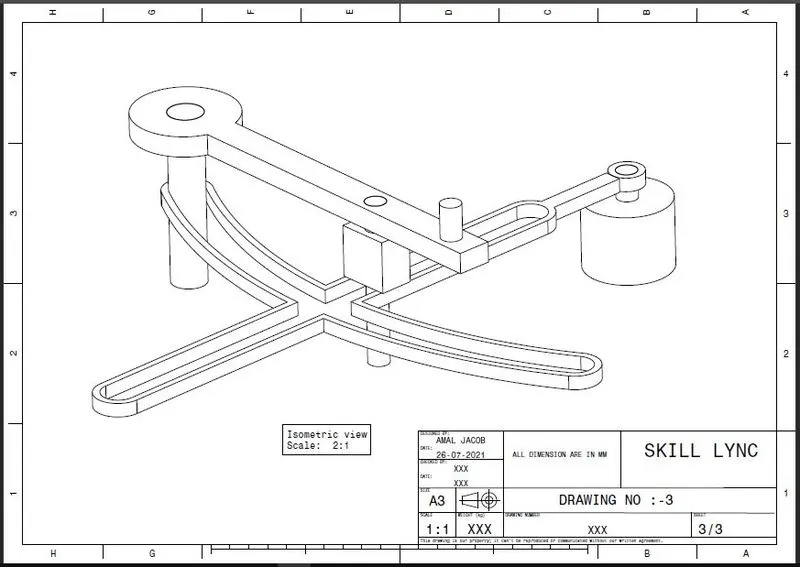
To create assemblies of Quick return mechanism and CV joint and to also create 2D drawing of the given assemblies in CATIA.
ASSEMBLY :-
Assembly modeling is a technology and method used by computer-aided design and product visualization computer software systems to handle multiple files that represent components within a product. The components within an assembly are represented as solid or surface models.
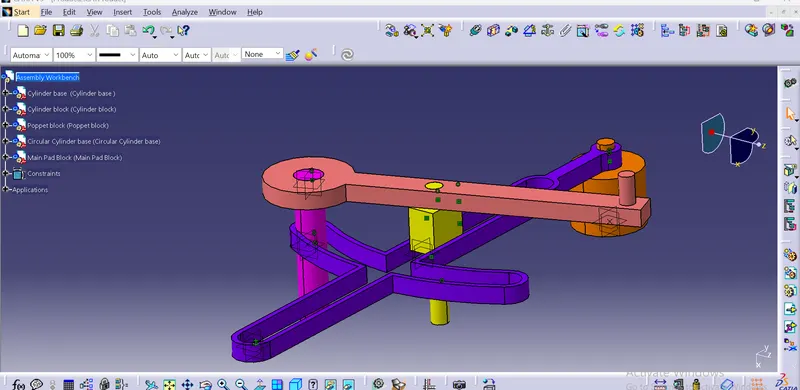
QUICK RETURN MECHANISM:
1) A quick return mechanism is an apparatus to produce a reciprocating motion in which the time taken for travel in return stroke is less than in the forward stroke. It is driven by a circular motion source (typically a motor of some sort) and uses a system of link with three turning pairs and a sliding pair. A quick return mechanism is a subclass of a slider crank linkage, with an offset crank.
2) Quick return is a common feature of tools in which the action is performed in only one direction of the stroke, such as shapers and powered saws because it allows less time to be spent on returning tool to its initial position.
Procedure :-
1) Create a all sketch by using positioned sketch command
2) Ensure that all the sketches in iso- constrained
ASSEMBLE ALL CATPART
1) Create a new CATproduct and insert all the above separate CATPART by using existing component command.
2) Create a reference elements for all catparts.
3) Add Reference elements like axis, points wherever we need
4) Use publication tool to make all the necessary elements like planes,points,axis to make visible.
5) Make the reference part fixed.
6) Now using Constrain, Offset tools assemble the each parts to one another.
CV JOINT ASSEMBLY :-
1) Create a all sketch by using positioned sketch command
2) Ensure that all the sketches in iso- constrained
ASSEMBLE ALL CATPART
1) Create a new CATproduct and insert all the above separate CATPART by using existing component command.
2) Create a reference elements for all catparts.
3) Add Reference elements like axis, points wherever we need
4) Use publication tool to make all the necessary elements like planes,points,axis to make visible.
5) Make the reference part fixed.
6) Now using Constrain, Offset tools assemble the each parts to one another.
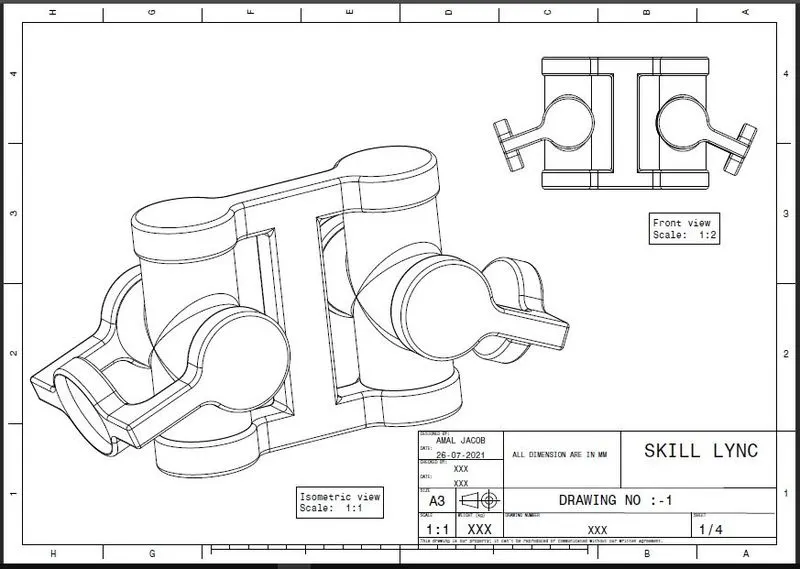
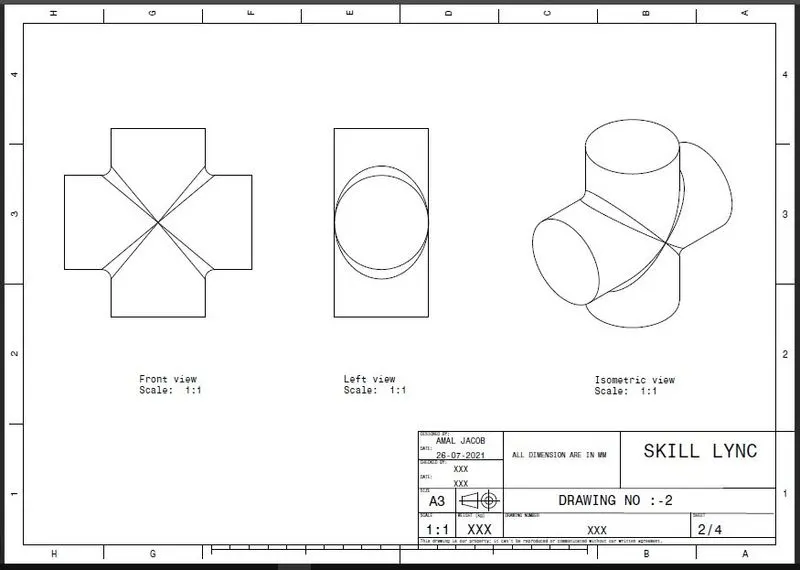
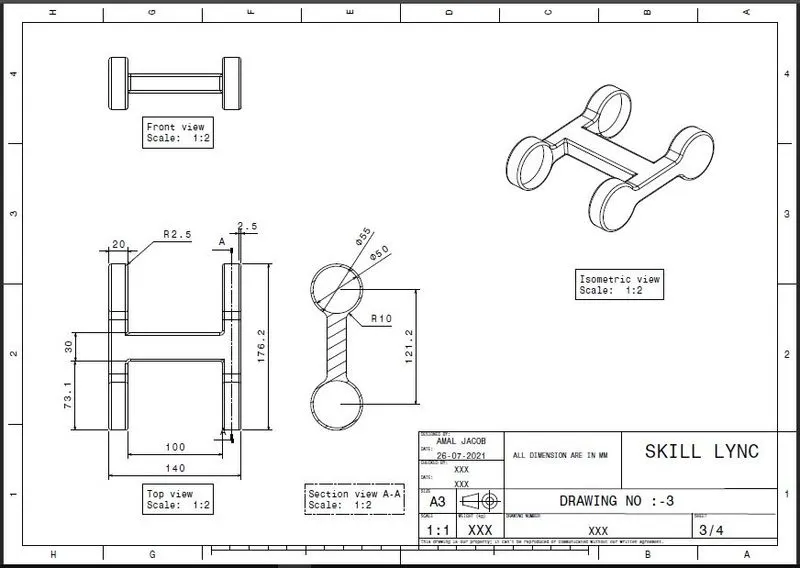
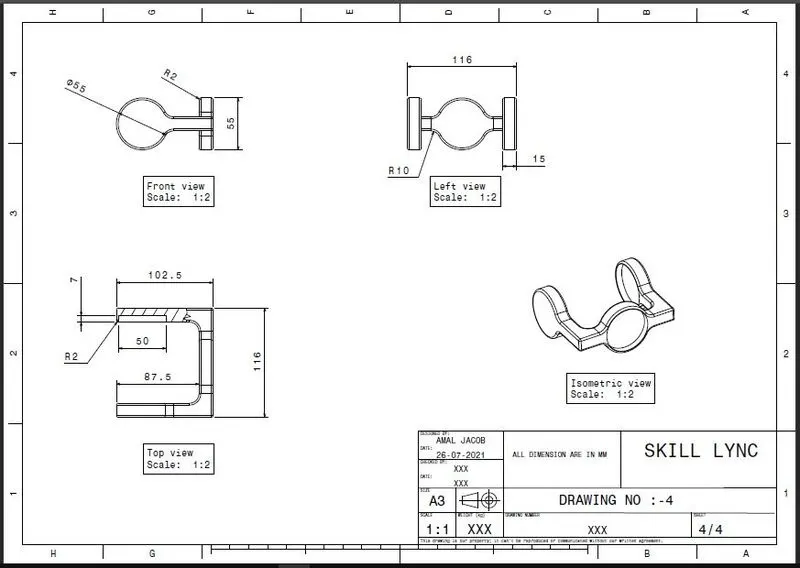
DRAFTED DRAWINGS :-