Week- 6 - Solid meshing
AIM:-
To create the solid mesh the given Rear View mirror and check quality criteria’s without any failure in the elements.
Project description:-
REAR VIEW MIRROR GIVEN:-
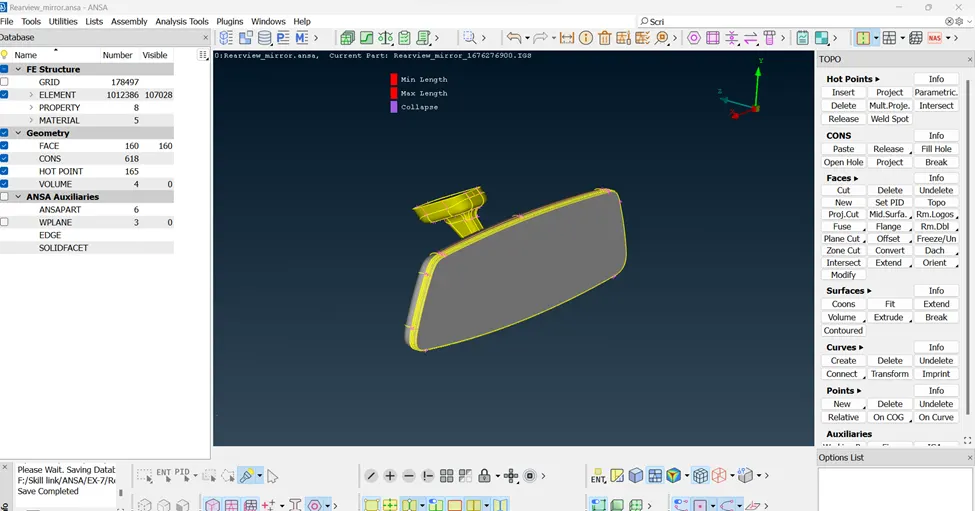
i) Importing the CAD model into ANSA:-
The cad model is imported into the Ansa software by clicking File ---> New command.
ii) Geometry Checks:-
Then the important step is to check the geometry of the CAD model. This will helps us to clear all the surface errors, unwanted cons and also for any disruptions placed in the CAD model.
This can be done by giving the command Tools ---> Checks ---> Geometry. And when you check for the geometry, some of the errors will be thrown out by ANSA.
And hence all the CAD models were check for clean geometry and all their surface imperfections are fixed in the geometry check. And once again release all the cons and give Faces ---> Topo.
Some of these errors can be automatically resolved by the ANSA by using the command Right click + Fix in the geometry check dialog box. And some of the errors like unchecked faces will be cleared manually using Faces ---> Delete & Faces ---> New commands.
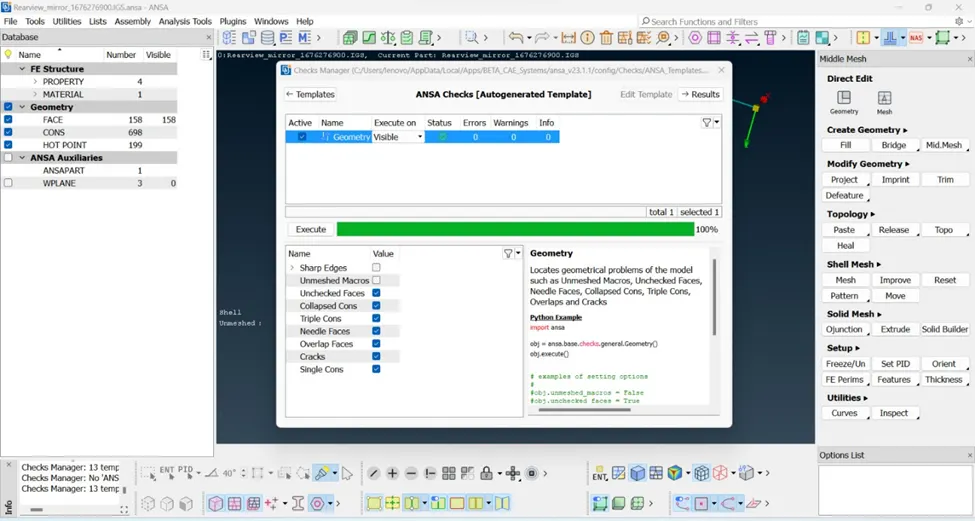
After when all these errors were fixed, the component is again checked for geometry and is fine to be cleared all the geometry checks.
Surface Meshing:
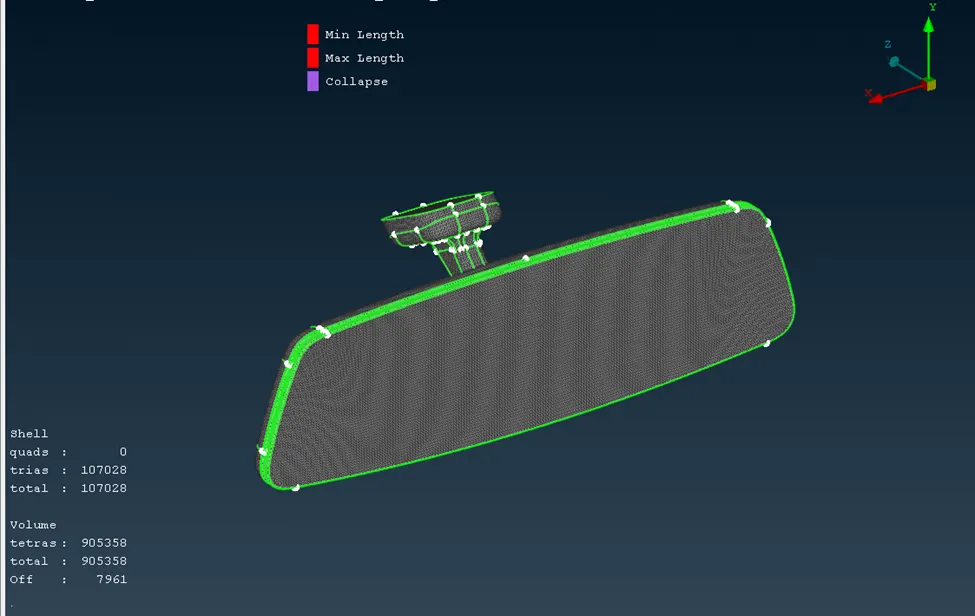
<!-- [if !supportLists]-->1. <!--[endif]-->The model surface is meshed starting with the curvy area with Ortho tria element type using Spot mesh. (Mesh --à Spot mesh(Ortho tria)
<!-- [if !supportLists]-->2. <!--[endif]-->The flat area is meshed with the tria element using spot mesh. (Mesh --à Spot mesh( Tria)
<!-- [if !supportLists]-->3. <!--[endif]-->To reconstruct the mesh creation (Mesh--à Shell mesh --à Reconstruct)
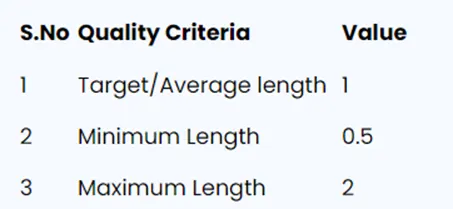
Quality Criteria:
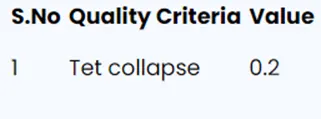
Only one criteria needs to consider that is
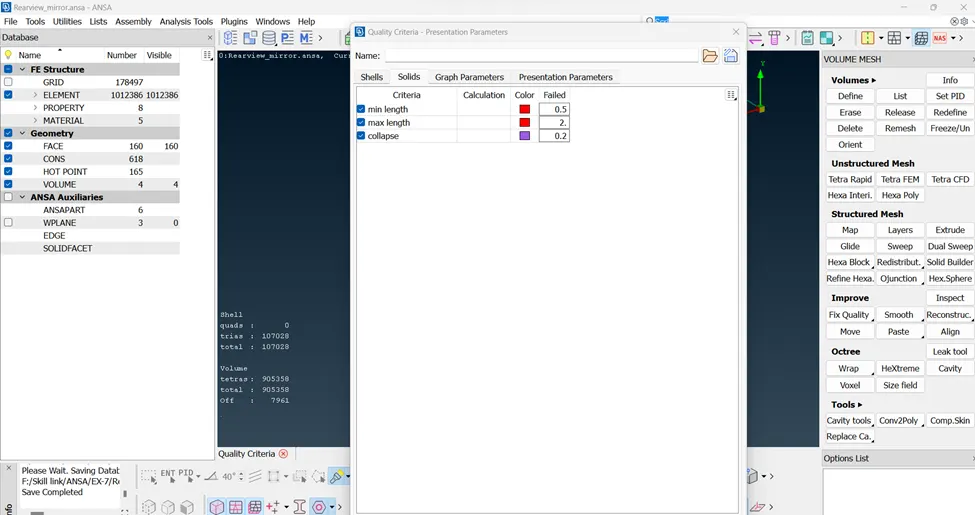
Volume Define
<!-- [if !supportLists]-->1. <!--[endif]-->Mesh-à Volumes--àselected --à Drag--à ok
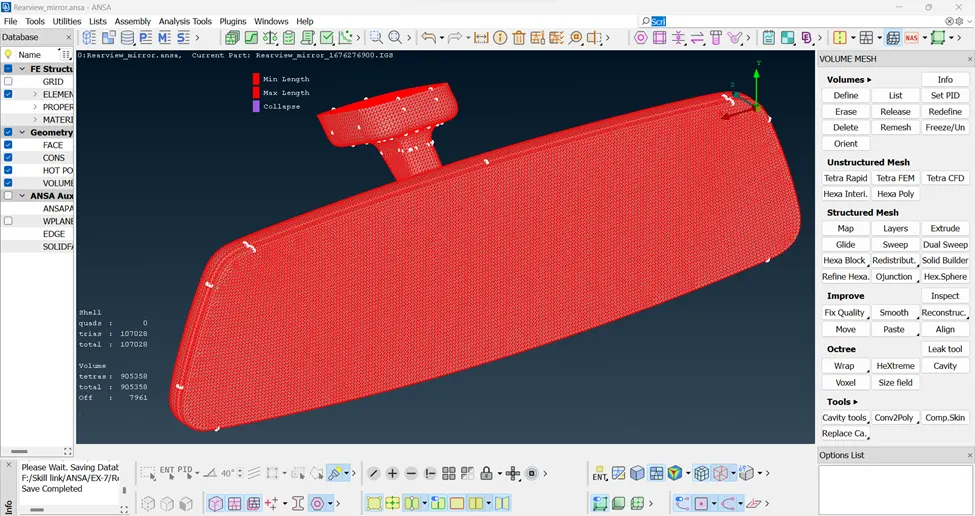
<!-- [if !supportLists]-->2. <!--[endif]-->Volume mesh --à Volumes --à List --à New--à PSOLID--àType--àTETRA FEM--àClick ok
Conclusion:
Successfully we have completed the solid mesh on the Rear view mirror & clear the Quality Criteria
Learning:
<!-- [if !supportLists]-->1. <!--[endif]-->Learned to create Shell mesh using Tria & Ortho Tria element type.
<!-- [if !supportLists]-->2. <!--[endif]-->Unstructured mesh = Tetra Mesh
<!-- [if !supportLists]-->3. <!--[endif]-->Worked with Volume Mesh .
<!-- [if !supportLists]-->4. <!--[endif]-->Use Tetra Fem & Tetra Rapid Algo.