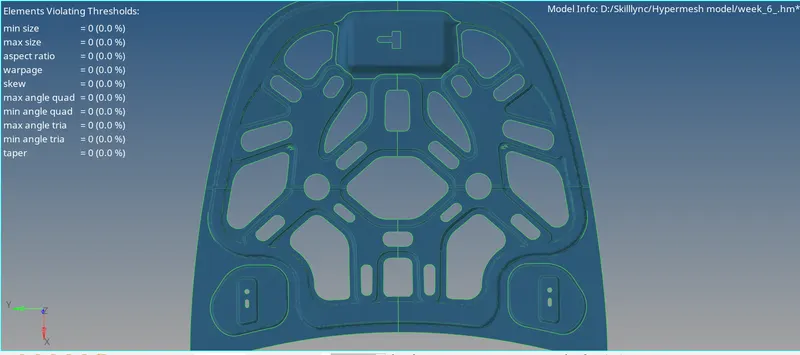
Week 6-Meshing of Hood Challenge
OBJECTIVE:
To Mesh the component by using the given quality criteria below and assign thickness.
| S.N | Quality Criteria | Value |
| 1 | Aspect Ratio | 5 |
| 2 | Skewness | 45 |
| 3 | Warping | 15 |
| 4 | Taper | 0.5 |
| 5 | Min. Length | 2mm |
| 6 | Max. Length | 8mm |
| 7 | Min angle Quad | 45 |
| 8 | Max angle Quad | 135 |
| 9 | Min angle Tria | 20 |
| 10 | Max angle Tria | 120 |
| 11 | Tria % | 10 |
Target Element Length = 5mm.
PROCEDURE:
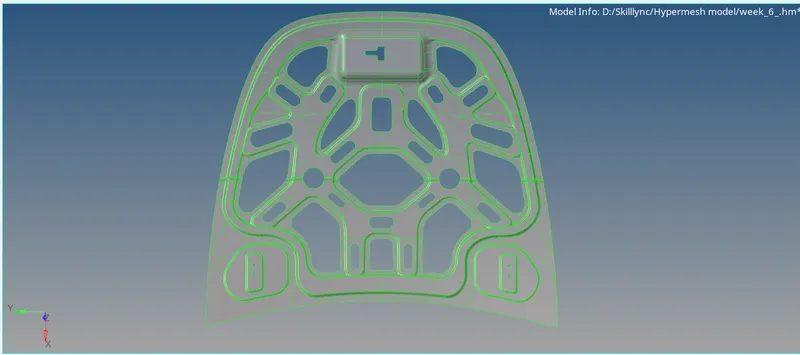
F11 > filter surf > Lines > to fill the gapes.
F11 > Toggles edges > by changing the tolerance value to fill the gapes / Suppresse some Line which are below the target element size.
F11 > Split Surf-line > To delete and recreate a new line.
Geom > Surfaces > Spline/Filler or Ruler or Skin these option are used to cleanup free and non manifold edges.
7. After the Cleaning up the geometry, Go to 2d > Automesh > surfs > Displayed > Element size: 5mm > Mesh type: mixed > Mesh. After meshing is done,Go to feature tree delete the
particular component.
8. Check the mesh flow. And then remesh the improper mesh area.
9. F10 > Quality Criteria > Enter the Given Criteria.
F11 > filter surf > Lines > to fill the gapes.
F11 > Toggles edges > by changing the tolerance value to fill the gapes / Suppresse some Line which are below the target element size.
F11 > Split Surf-line > To delete and recreate a new line.
Geom > Surfaces > Spline/Filler or Ruler or Skin these option are used to cleanup free and non manifold edges.
7. After the Cleaning up the geometry, Go to 2d > Automesh > surfs > Displayed > Element size: 5mm > Mesh type: mixed > Mesh. After meshing is done,Go to feature tree delete the
particular component.
8. Check the mesh flow. And then remesh the improper mesh area.
9. F10 > Quality Criteria > Enter the Given Criteria.
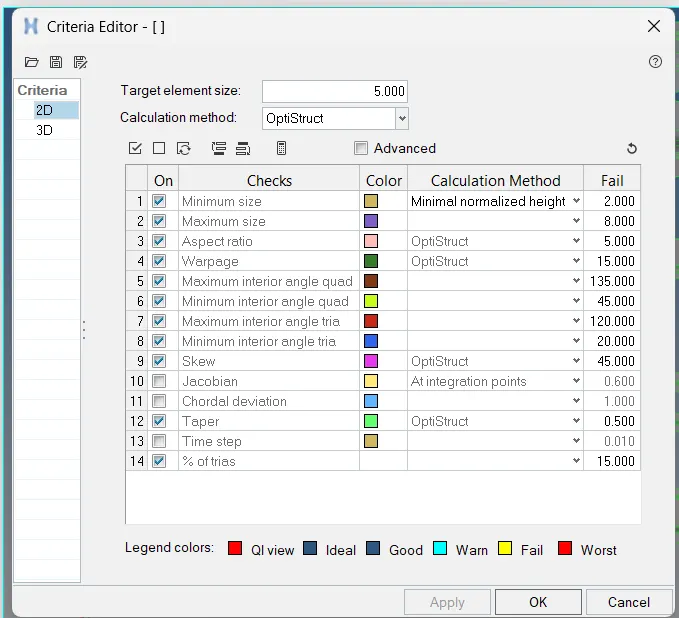
10. Check Individually all types of elements in which the value has been entered.
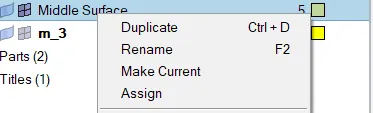
11. Some elements can fail in this Quality criteria, They can be rectified by using some options.
Tool > Check elems > Save Failed.
Tool > Mask > elems > Retrieve > Mask > Reverse. ( Only the failed elements will be shown in the display )
F12 > elems > Select elements > Mesh ( Some failed elements can be removed by remeshing them )
2d > Qualityindex > cleanup tools > Display Threshold : fail > there are lot of options there in cleanup tools, By using these option we can remove the failed elements.
10. Check Individually all types of elements in which the value has been entered.
11. Some elements can fail in this Quality criteria, They can be rectified by using some options.
Tool > Check elems > Save Failed.
Tool > Mask > elems > Retrieve > Mask > Reverse. ( Only the failed elements will be shown in the display )
F12 > elems > Select elements > Mesh ( Some failed elements can be removed by remeshing them )
2d > Qualityindex > cleanup tools > Display Threshold : fail > there are lot of options there in cleanup tools, By using these option we can remove the failed elements.
12. Mesh and clean up the quality criteria for half ofthe componenent and reflect it on other side
>tool>reflect>duplicate>current model
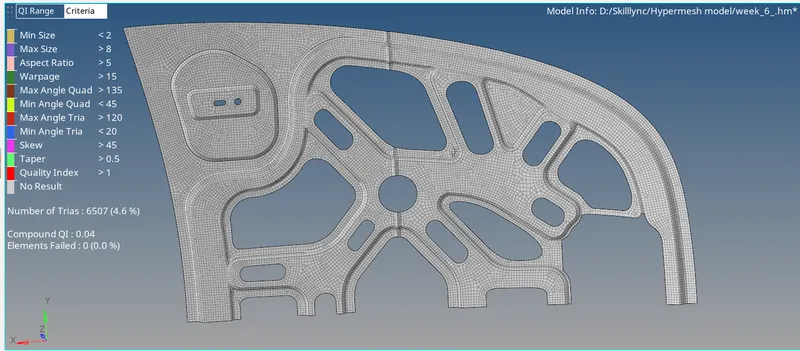
13. And then again check elements in the given Quality criteria. If there is no elements failed then the components is perfectly meshed with the given criteria.
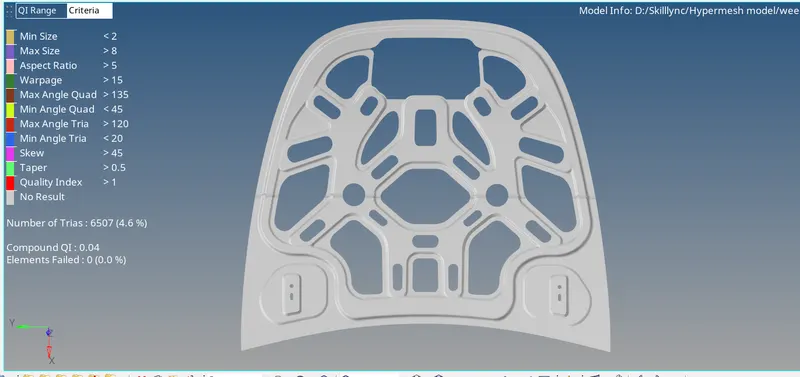
FINAL COMPONENT