Week 6-Meshing of Hood Challenge
Objective:- To clean the given geometry along with proper midsurface of given model and proper mesh within given quality criteria with proper mesh flow.
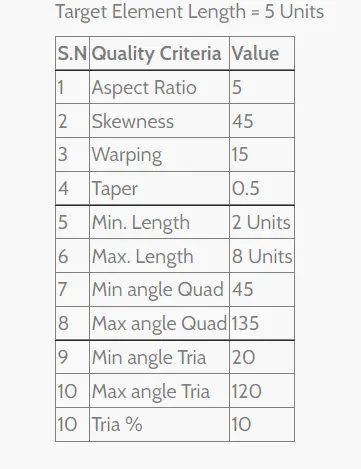
Procedure:-
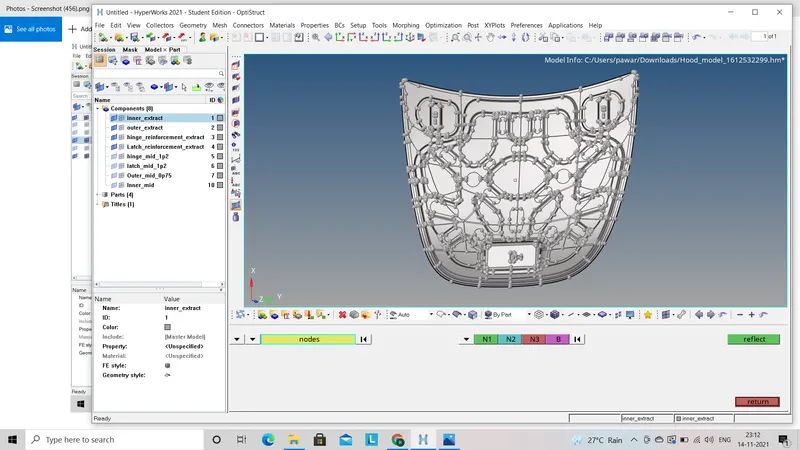
- First step we have to do is to import given file (.IGS, .STEP) from download to the hyperwork interface.
- There are four different components in given model. we have to do all the process on that components seperately to avoid complexity. so we will work on all this component as follows:
1) Inner Extract Part :-
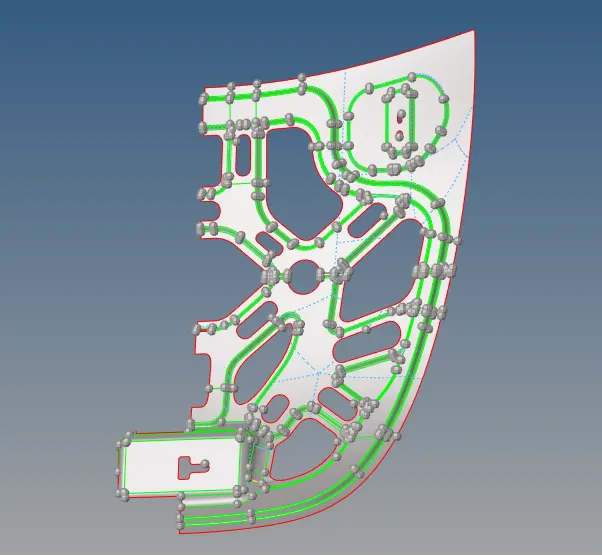
- First we have to do is to delete solid from given component for get proper midsurface by using (Delete - Solids - Displayed).
- Now we have to observe whether geometry of given component is proper or not. To see this properly we have to see given component in wireframe mode.
- If there are some error in geometry then we have to remove all the geometrycal errors.
- Now after deleting the solid we will go for extracting midsurface by using auto midsurface method by using (Geometry - Midsurface - Offset extraction - Auto mid - Create).
- After extracting the midsurface we should check the midsurface is proper or not. As giveen inner extract part is symmetrical part so we dont have to work on whole component because it will decrease time for further process.
- For this we have to first understand that along which axis should given component is symetric so that we have to delete half part of given component. Now we will work on only half part of the component.
- Now we will check this half midsurface whether there is any distortion or breake in given geometry, If yes then we remove all the errors in geometry by using toggle and filler surface option (Geometry - Quick edit - Toggle edge).
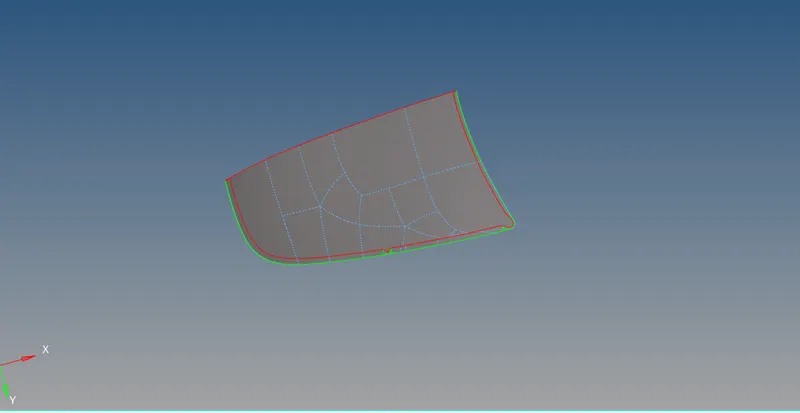
- Now we have to delete some extra unneccesary hard points and extra feature lines which will affect the mesh of the component. Some actions should done on given geometry to clean the geometry like we should toggle some feature lines which will not affect the given geometry by using (Geometry - Quick edit - Toggle edge). Also points which are nearer to each other we should replace them with each other by using (Geometry - Quick edit - Replace point - Select the points).
- Now after clean the geometry we will go for meshing of given component step by step by using (2D - Auto mesh - Select the element size - Select element types).
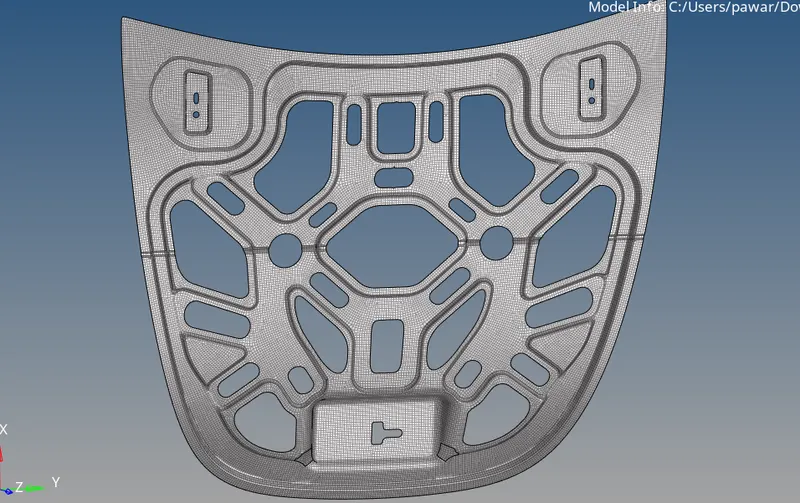
- Now we will work on mesh flow where we have to remove opposite tria, trias near to edge of geometry by using split, swap, element optimization etc. option.
- After that we have to assign quality criteria as per given information and then see given component in By element quality option.
- Now elements which are not in given quality criteria we have to improve them by remesh those elements. also we can use element optimization option by using (2D - Quality index - Quality tools - Element optimization).
- After clearing all the elements to given quality criteria we will go for reflect option to reflect given geometry by using (Tool - Reflect - Select the elements - Select the axis of reflection - Base point).

2) Outer part :-
- First we have to do is to delete solid from given component for get proper midsurface by using (Delete - Solids - Displayed).
- Now we have to observe whether geometry of given component is proper or not. To see this properly we have to see given component in wireframe mode.
- If there are some error in geometry then we have to remove all the geometrycal errors.
- Now after deleting the solid we will go for extracting midsurface by using auto midsurface method by using (Geometry - Midsurface - Offset extraction - Auto mid - Create).
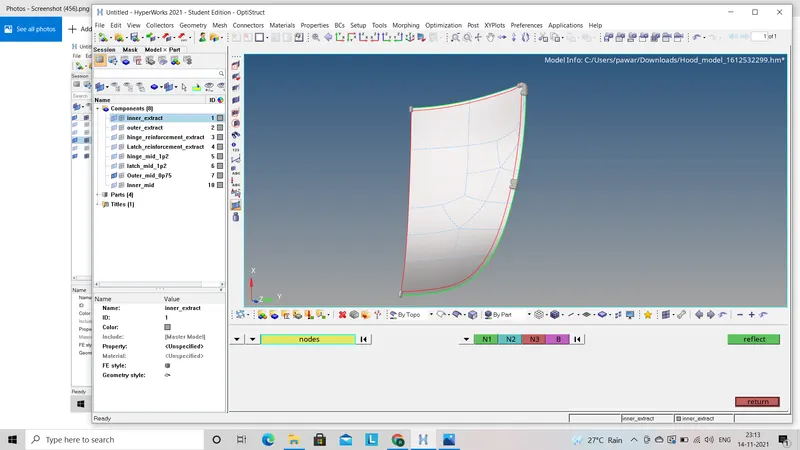
- After extracting the midsurface we should check the midsurface is proper or not. As giveen inner extract part is symmetrical part so we dont have to work on whole component because it will decrease time for further process.
- For this we have to first understand that along which axis should given component is symetric so that we have to delete half part of given component. Now we will work on only half part of the component.
- Now we will check this half midsurface whether there is any distortion or breake in given geometry, If yes then we remove all the errors in geometry by using toggle and filler surface option (Geometry - Quick edit - Toggle edge).
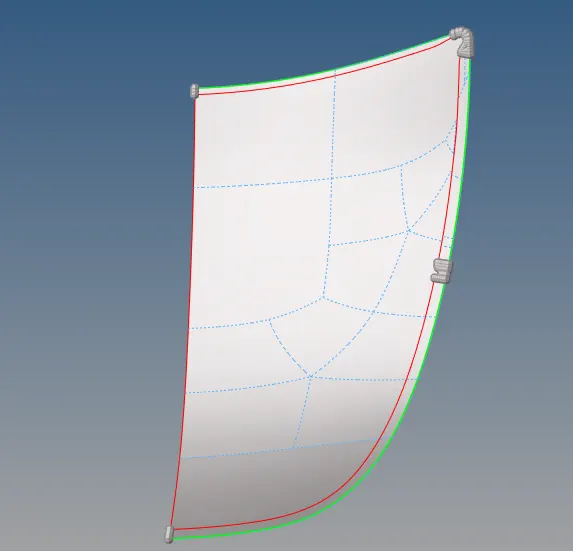
- Now after clean the geometry we will go for meshing of given component step by step by using (2D - Auto mesh - Select the element size - Select element types).
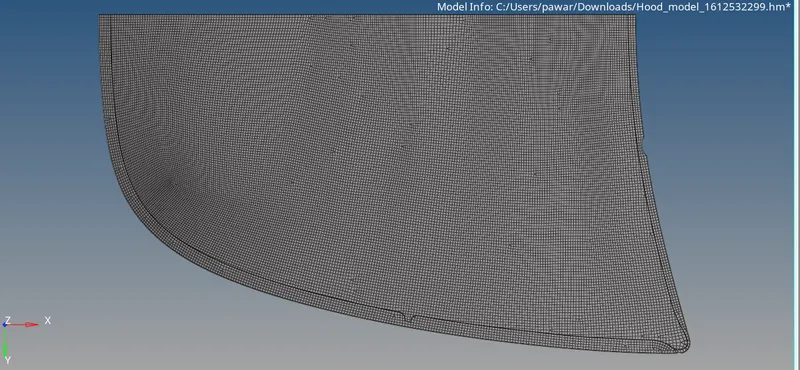
- Now we will work on mesh flow where we have to remove opposite tria, trias near to edge of geometry by using split, swap, element optimization etc. option.
- After that we have to assign quality criteria as per given information and then see given component in By element quality option.
- Now elements which are not in given quality criteria we have to improve them by remesh those elements. also we can use element optimization option by using (2D - Quality index - Quality tools - Element optimization).
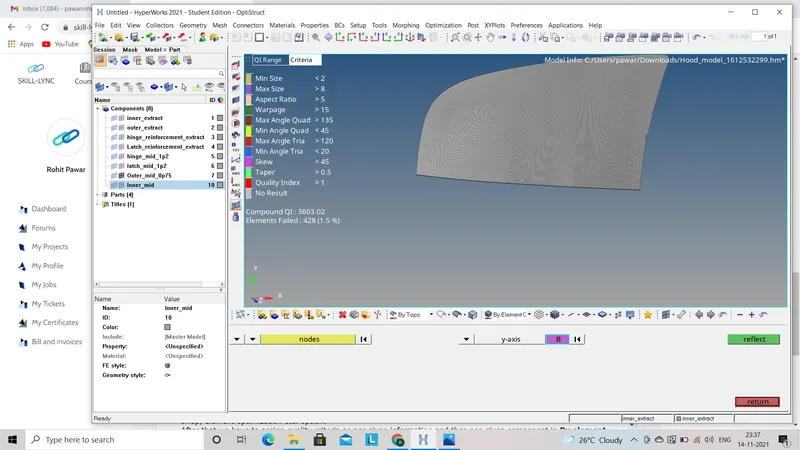
- After clearing all the elements to given quality criteria we will go for reflect option to reflect given geometry by using (Tool - Reflect - Select the elements - Select the axis of reflection - Base point).
3) Latch renforcement extract :-
- similar to the above components we have to delete solid from given component and go for auto midsurface by using (Geometry - Midsurface - offset extraction - Auto mid).
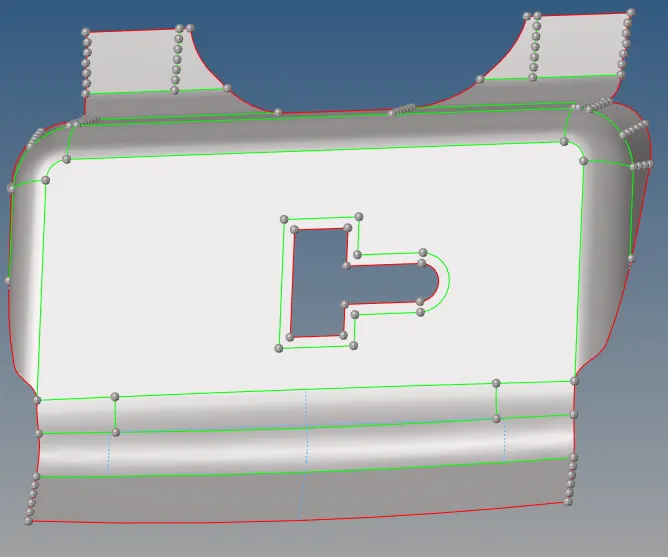
- Now we will go for clean the geometry if there is any distortion or breake in geometry. also we will remove some extra feature line and hard points which will affect the mesh flow by using toggle option, remove point option.
- Now after clean the geometry we will go for meshing of given component step by step by using (2D - Auto mesh - Select the element size - Select element types).
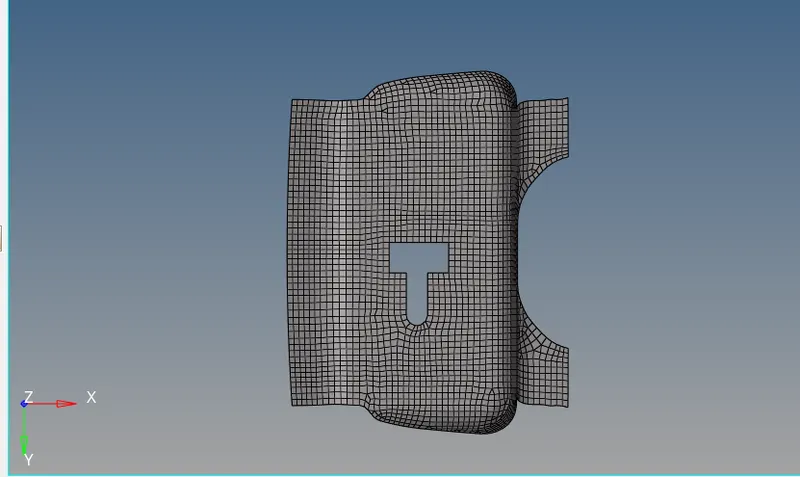
- Now we will work on mesh flow where we have to remove opposite tria, trias near to edge of geometry by using split, swap, element optimization etc. option.
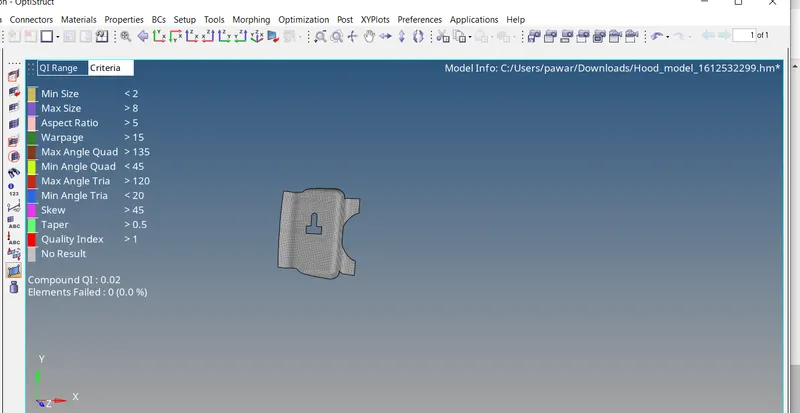
- After that we have to assign quality criteria as per given information and then see given component in By element quality option.
- Now elements which are not in given quality criteria we have to improve them by remesh those elements. also we can use element optimization option by using (2D - Quality index - Quality tools - Element optimization).
4) Hinge renforcement extract :-
- similar to the above components we have to delete solid from given component and go for auto midsurface by using (Geometry - Midsurface - offset extraction - Auto mid).
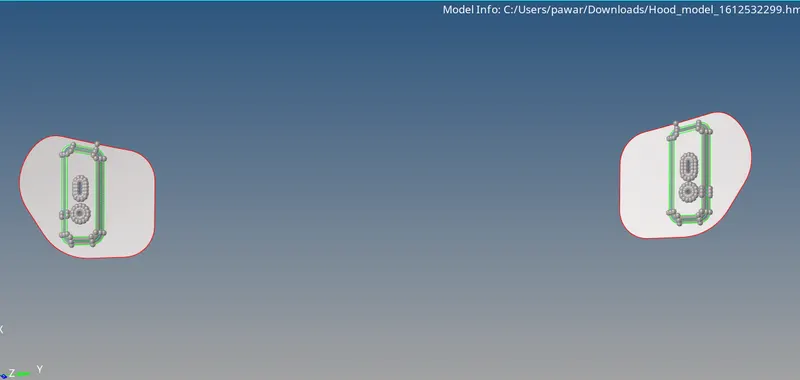
- Now we will go for clean the geometry if there is any distortion or breake in geometry. also we will remove some extra feature line and hard points which will affect the mesh flow by using toggle option, remove point option.
- Now after clean the geometry we will go for meshing of given component step by step by using (2D - Auto mesh - Select the element size - Select element types).
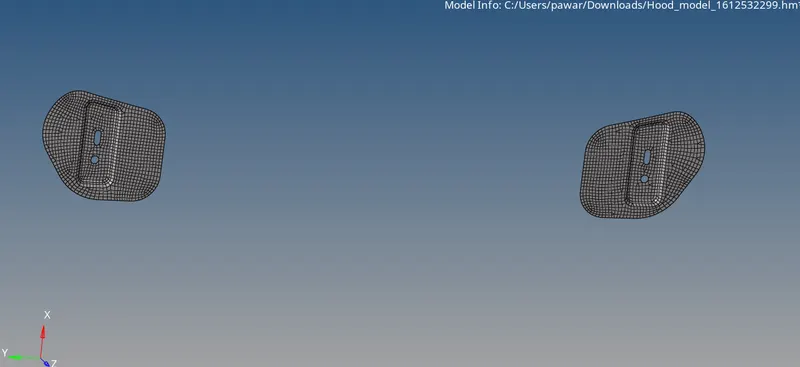
- Now we will work on mesh flow where we have to remove opposite tria, trias near to edge of geometry by using split, swap, element optimization etc. option.
- After that we have to assign quality criteria as per given information and then see given component in By element quality option.
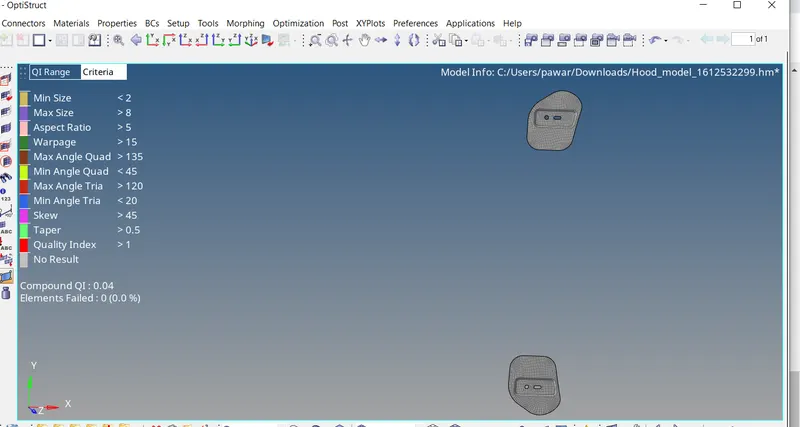
- Now elements which are not in given quality criteria we have to improve them by remesh those elements. also we can use element optimization option by using (2D - Quality index - Quality tools - Element optimization).
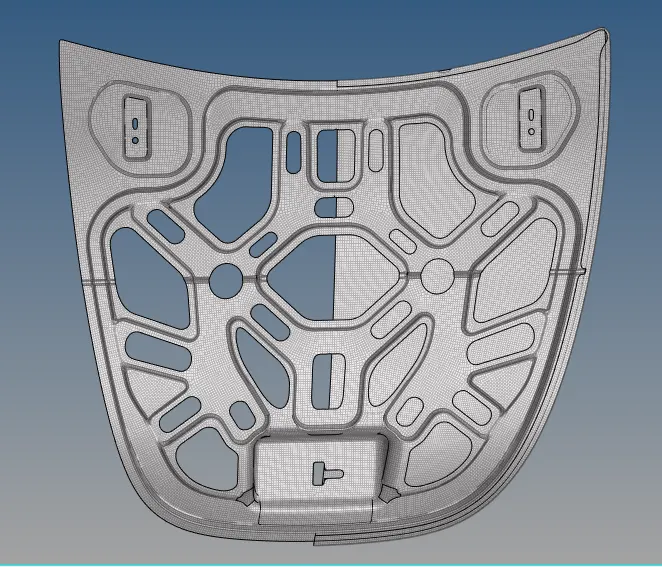
Final model
Conclusion :-
In this challenge I learn about how to clean the geometry manually by using differeent tools also how to extract midsurface by auto method and mesh the given model properly with good mesh flow within given quality criteria.