Week 6-Meshing of Hood Challenge
week 6 challange (hood)
following steps are used to complete this challange
1. Import the geometry.
2. Delete the solid.
3. Extract the mid surface of inner, outer panel, latch and hinge reinforcements of hood (geometry- midsurface).
4. Auto clean the geometry (geometry- autocleanup) using offset planes option.
5. Create the washer splits at hole area (grometry- quick edit- washersplit)
6. Set the quality criteria (Preferences-criteria file setting).
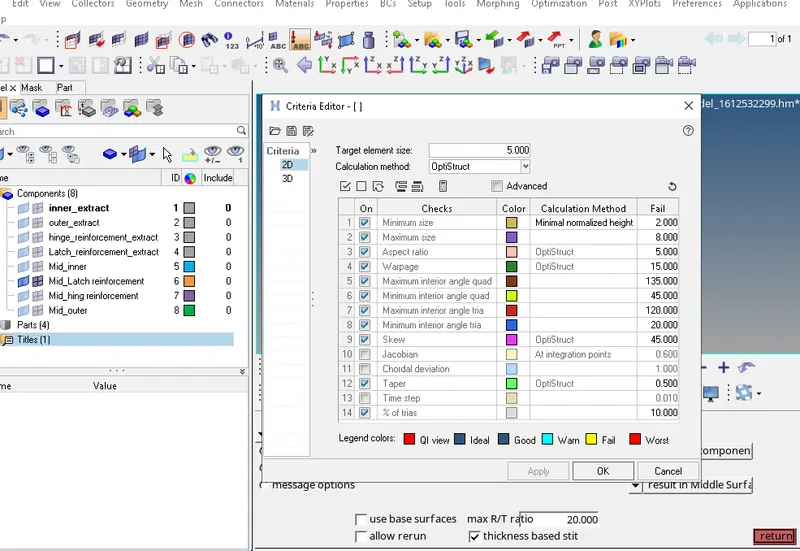
7. Split the surface by making cut to create better mesh flow (geometry-quick edit-split surf node/ split surf line)
8. Create the mesh (2D- automesh) on selected area. Taking element size-5mm and mesh type- mixed.
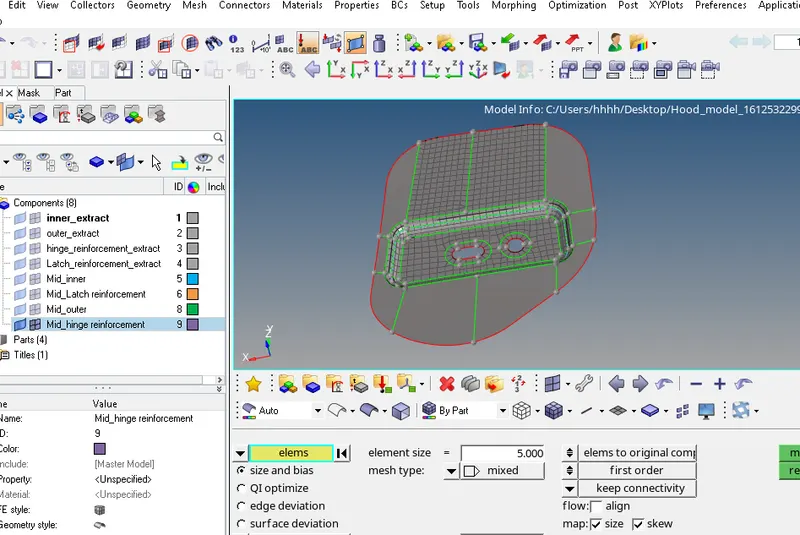
Simultaneously reduce the tria percentage on that area by changing the number of elements and remesh the elements.
Check and remove the quality failure (2D- quality index-cleanup tools)
9. Mask the half part of outer panel (tool-mask) and then mash it by selecting area.
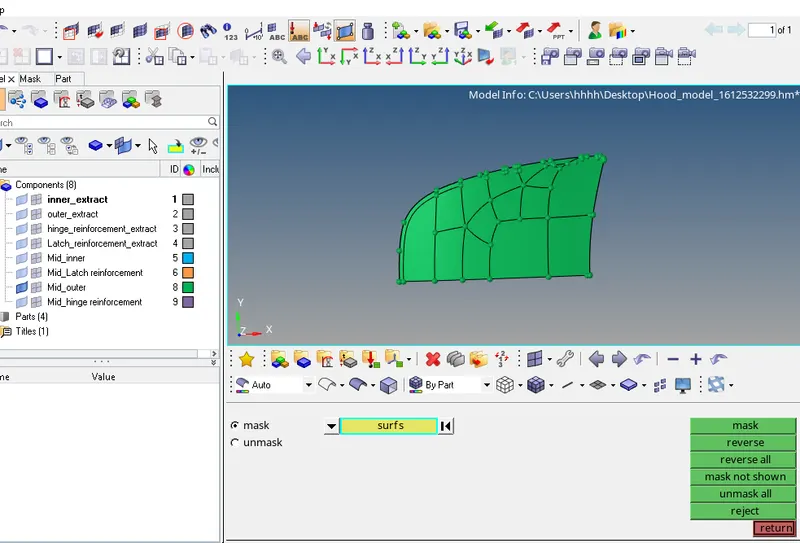
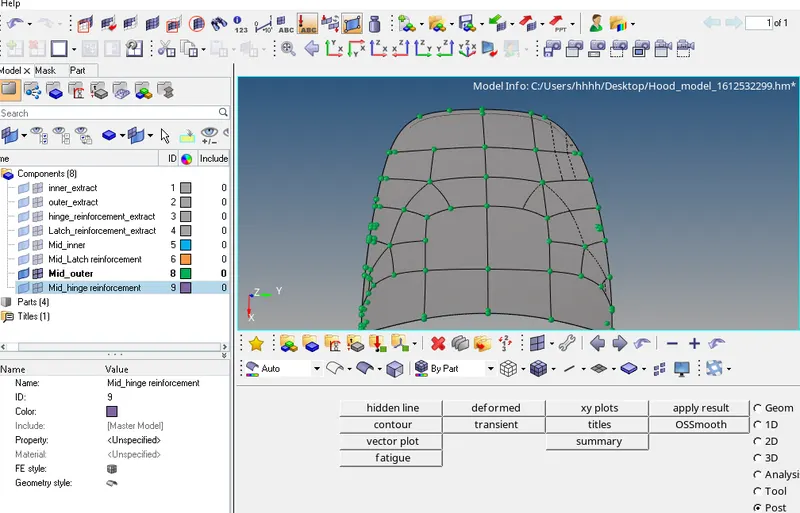
9.1. Reflect the meshed elements in other half unmeshed part (tool- reflect)
10. Mask the half part of inner panel and autoclean it.
After that add washer splits at the hole area. Then start meshing
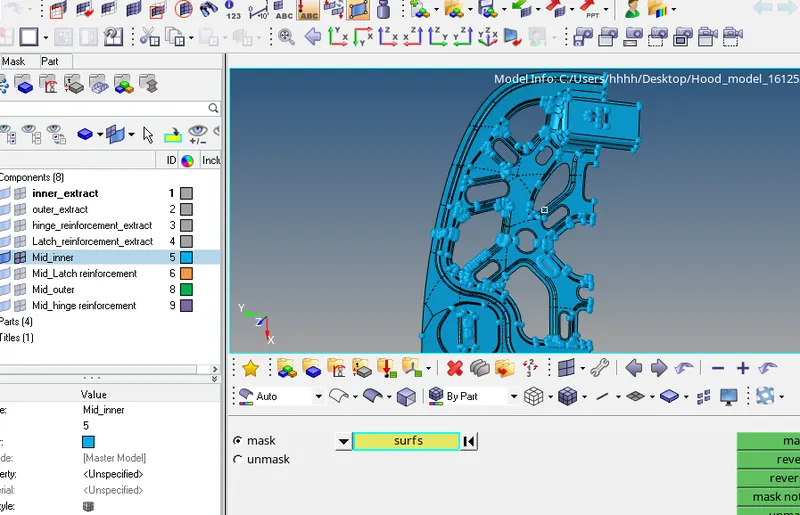
11. Free edges are also removed using
(a) Tool- edge- equivalence
(b) Replacing the nodes (2D- replace)
Learning outcomes
From the above challenge I leant to-
1- Meshing the component
2- Clear the quality of mesh
3- Clear the duplicate elements
4- Find and clear the free edges
5- Reflect the elements from one half to another half part of component
6- Project the element on line (F7- remap)