Week 6 - Creating connection for Rear door
Creating connection for rear door
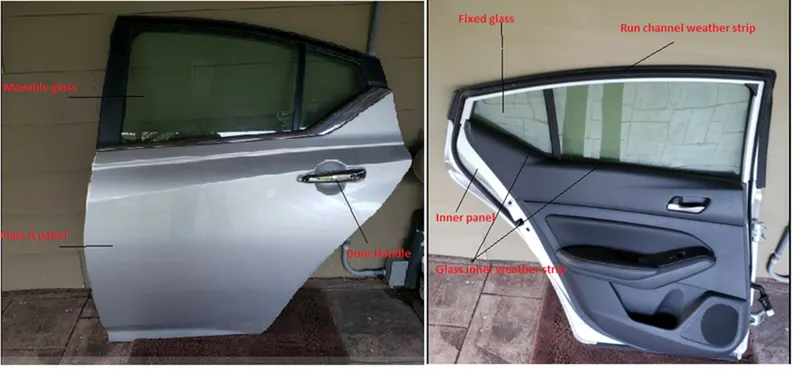
|
AIM |
|
Employing Suitable connection on components with respect to neighbouring components of CAD model by NATRAN DECK. |
Objective
Performing suitable connection on various sub parts of integrated model.· Employing connection RBE2 using manual method. (cluster method and multi node method) · Performing RBE2 connection using automatic method and COG method. · Assigning CONMASS to RBE2 door handle connection. · Performing HING connection using two node RBE2 element. · Performing MIRROR and RIB connection Using MVFREE and MULTINODE RBE2 · Performing SPOT WELD connection using HEXA RBE3 elements. · Performing WINDOW Connection using CBUSH RBE3 elements. · Aligning the coordinates to GLOBAL AXIS then reviewing and fixing errors if present. PROCEDURE STEP 1: INSPECTING THE GIVEN MODEL WITH RESPECT TO GEOMETRY, MESHING AND REQUIRED CONNECTION SITES ON MODEL.
|
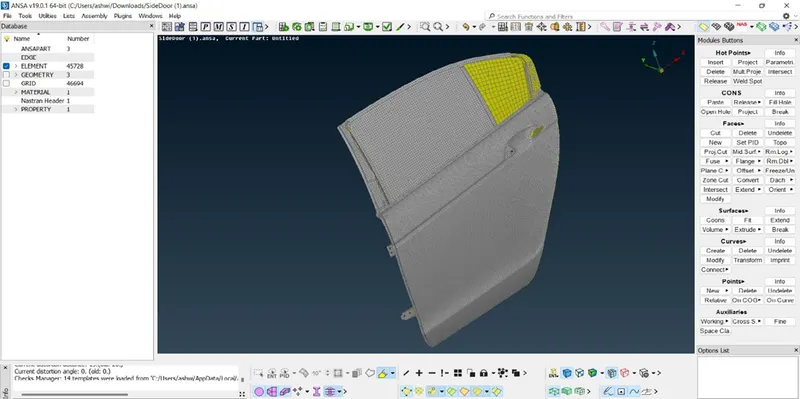
Checking for PID and assigning new PID to all components to employing proper connection.
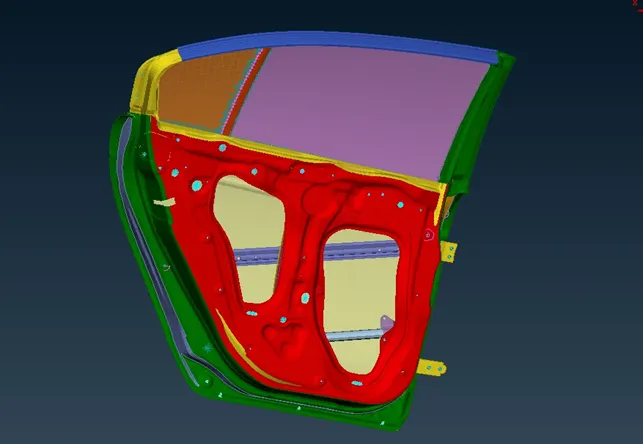
STEP 2:
Performing suitable connection on various components of model.
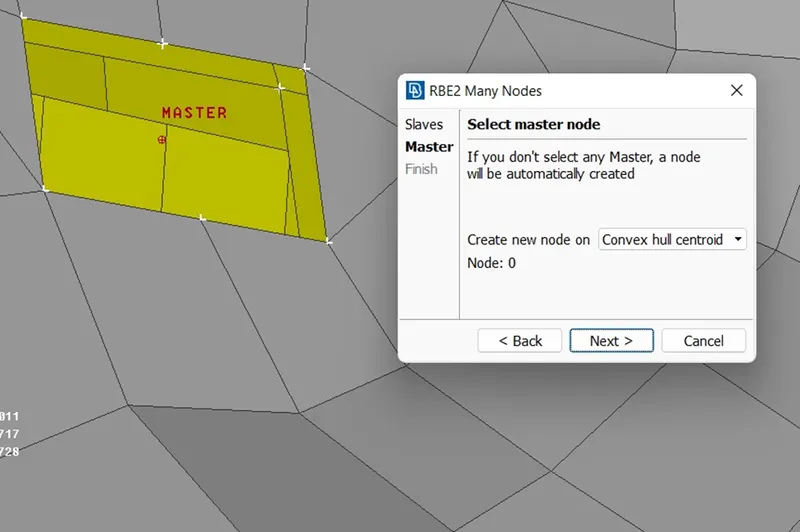
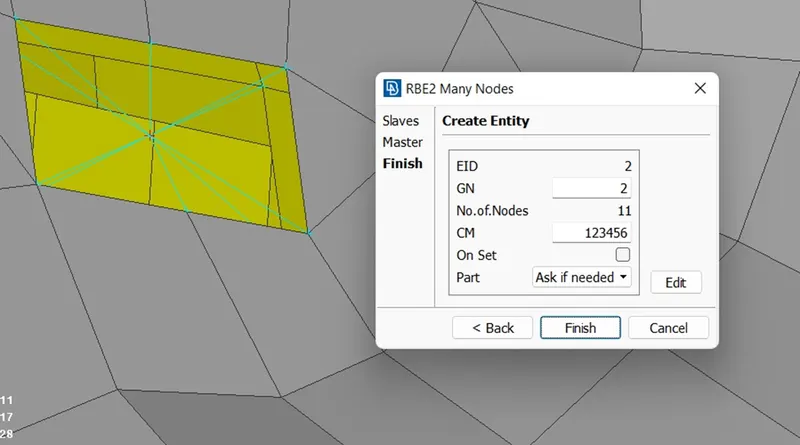
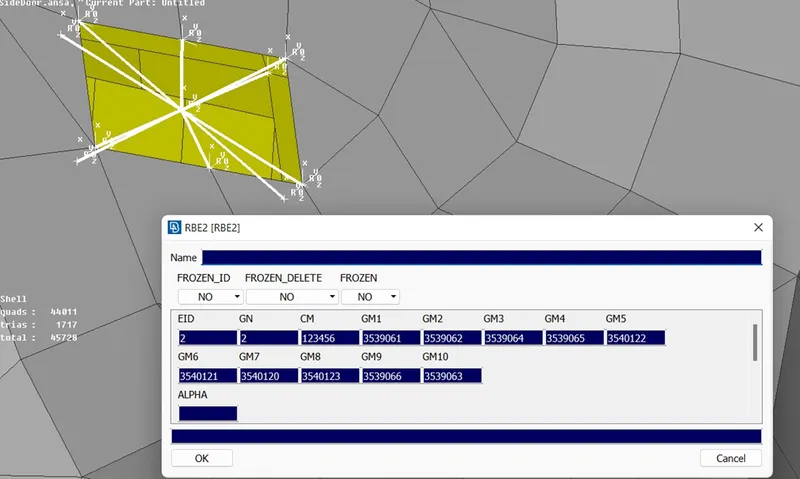
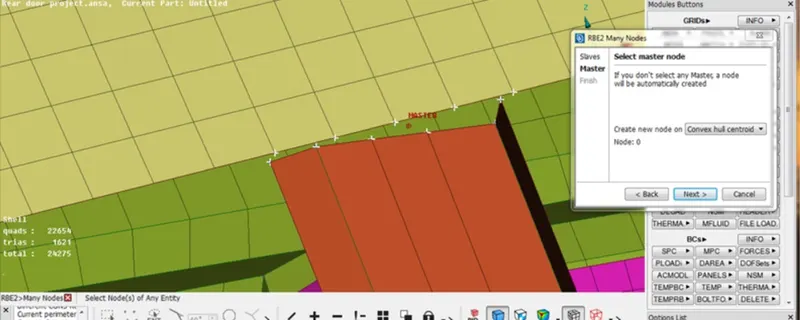
Creating RBE2 connection using multi node method manually.
The RBE2 entry defines a rigid body whose degrees of freedom are specified at a single grid point and whose dependent degrees of freedom are specified at an arbitrary number of grid points. This option allows you to create a rigid body by giving a list of grid points.
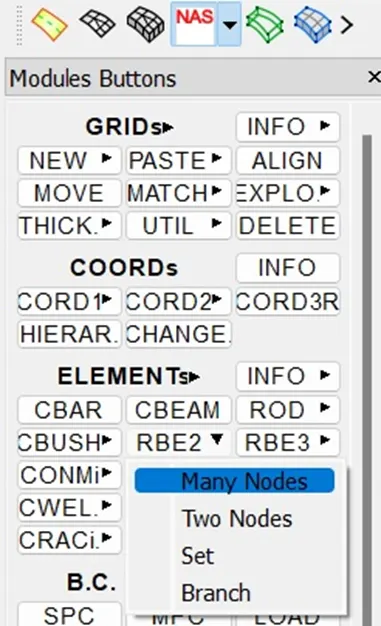
In manual process-
NASTRAN DECK>>RBE2 ELEMENT>>MANY NODES>>SLECT SLAVE NODES>>SLECT MASTER NODE>>CREATE ENTITY>>CREATE NEW PART ID>>DONE.
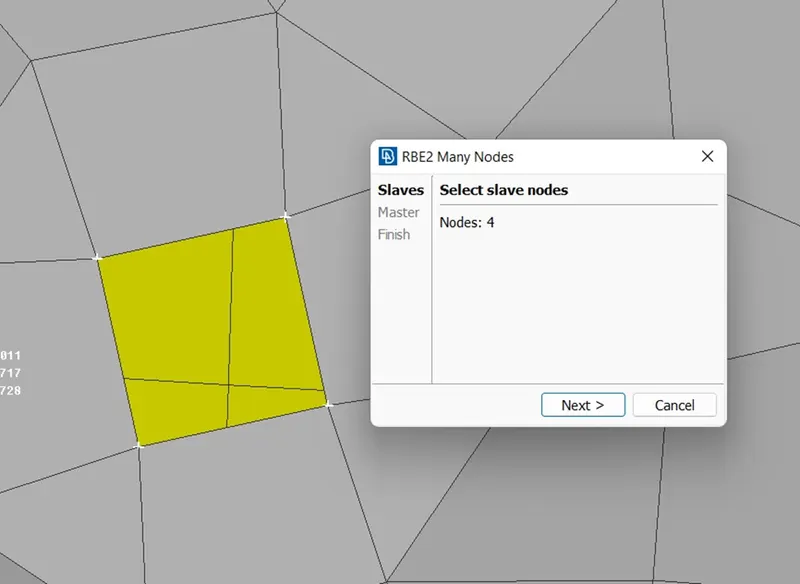
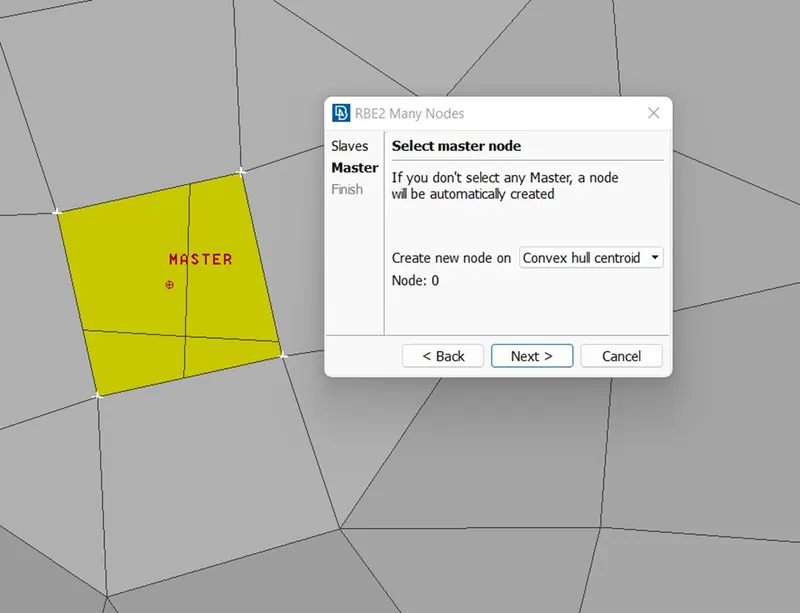
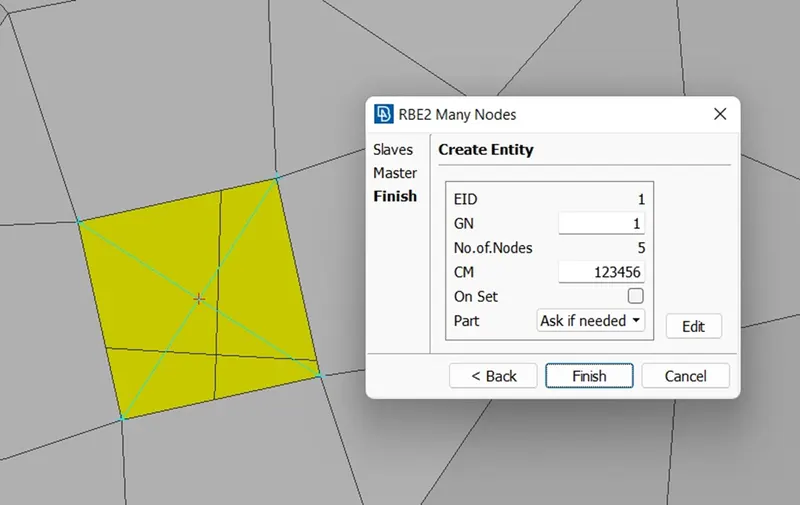
Creating cluster RBE2 elements
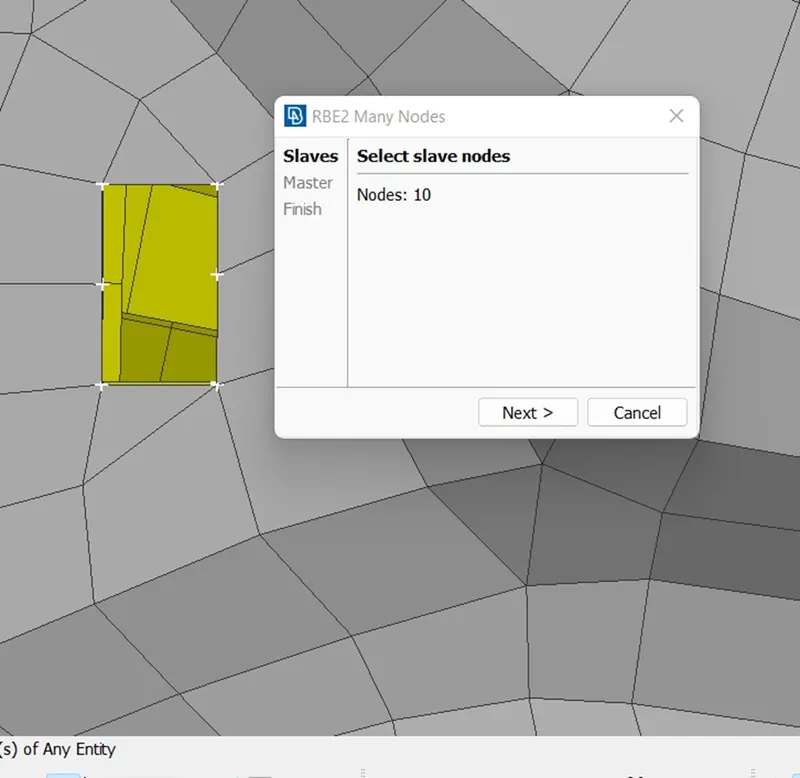
CREATING RBE2 CONNECTION USING AUTOMATIC METHOD/ COG METHOD/ BOLT METHOD.
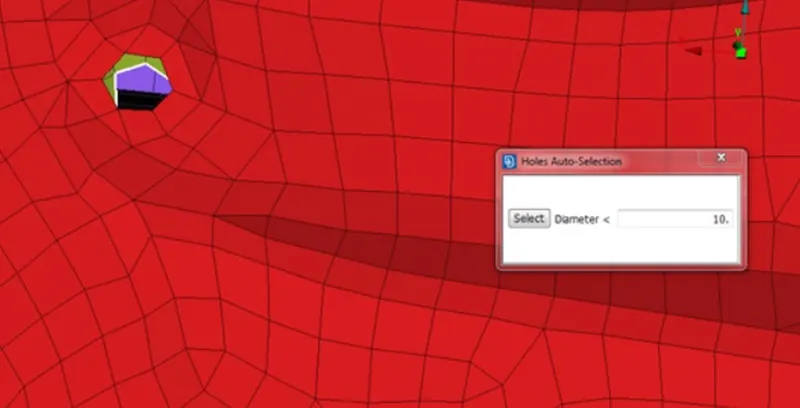
In this method we can create multiple connection in less time by slecting n number of holes.
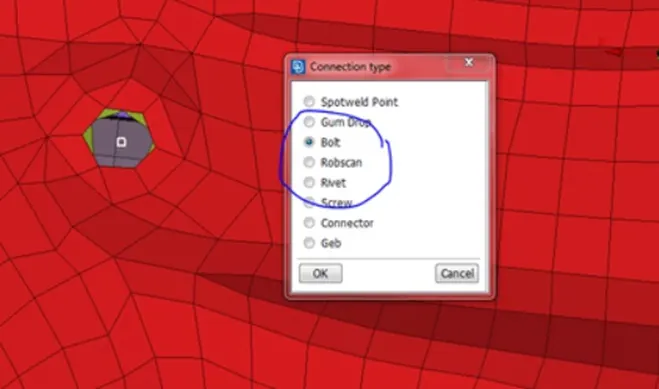
STEPS- TOPODECK>>POINTS>>ON COG>>OK>>CONVERT>>3D POINTS>>SLECT ENTITY>> BOLT>>OK>>CONNECTION MANAGER>SLECT BOLT>>SLECT PROPERTY 1 AND PROPERTY 2>>SLECT REPRESENTATION TYPE>>BOLT>>GIVE SEARCH DISTANCE>>APPLY>>REALIZE>>OK.
CREATINNG 3D POINT
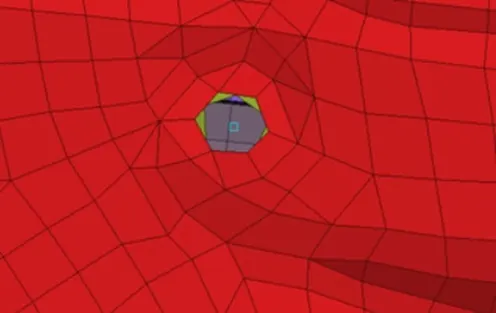
DEFINING CONNECTION TYPE ON CREATED 3D POINT
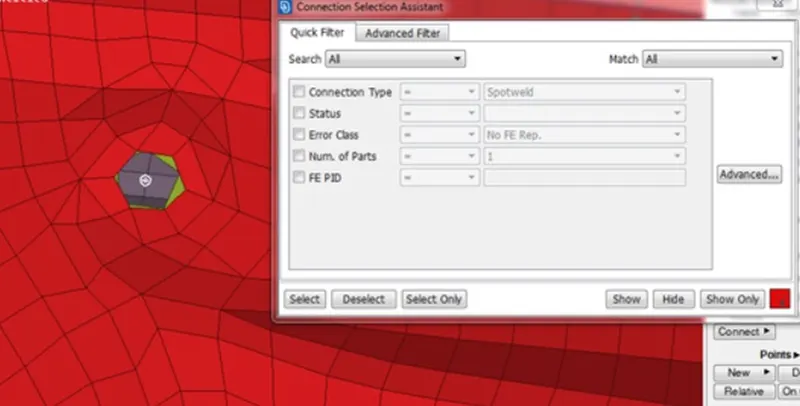
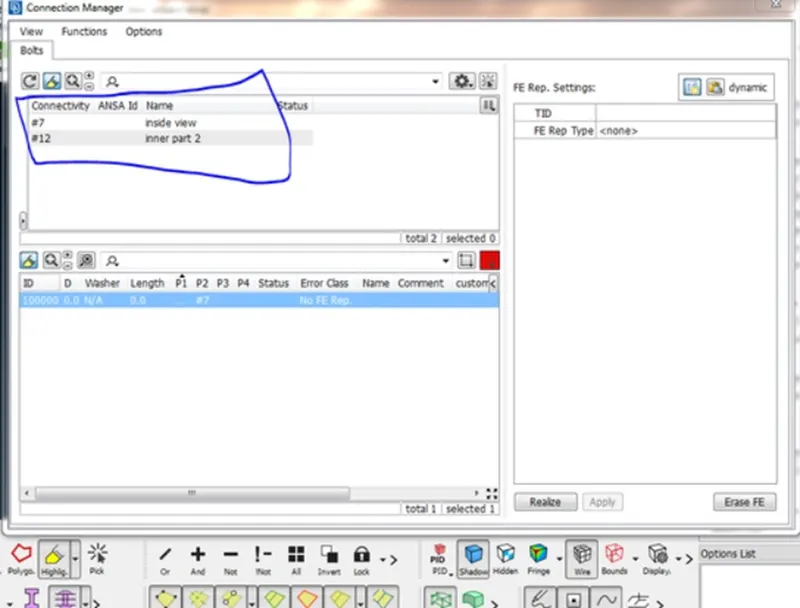
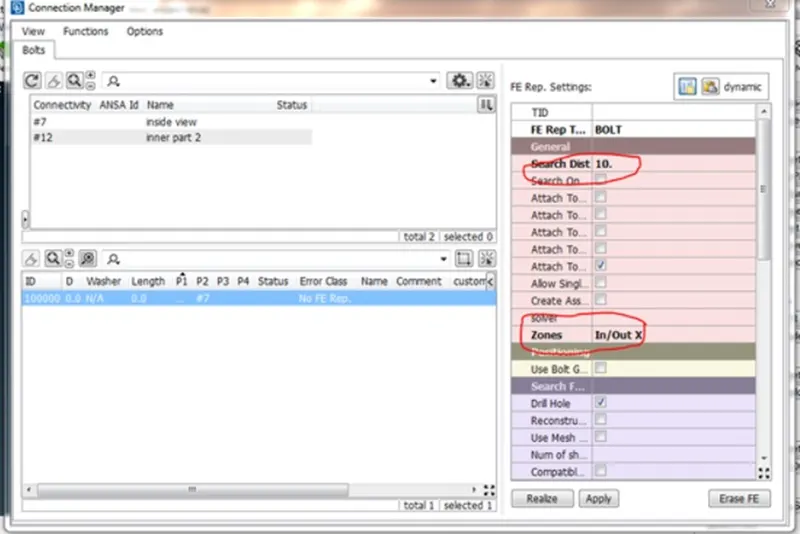
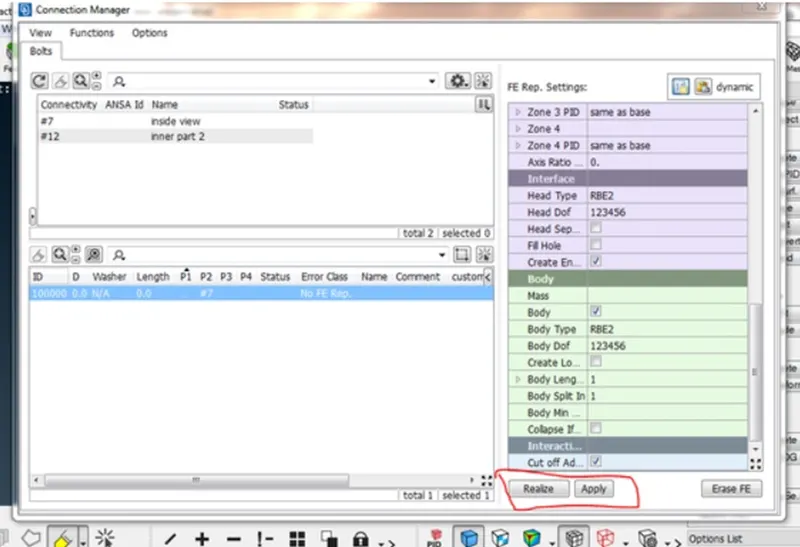
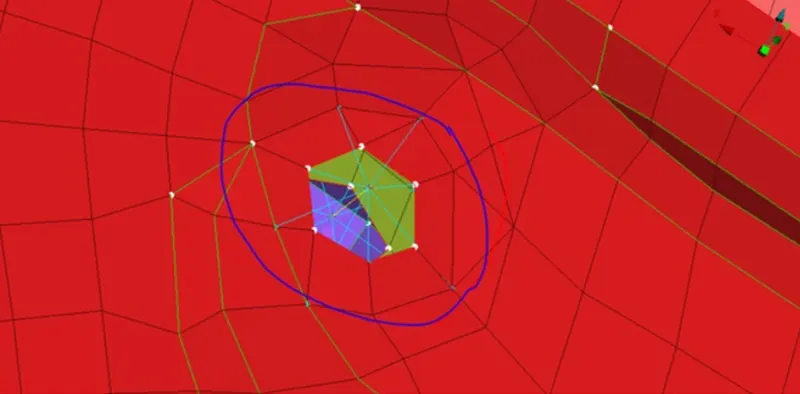
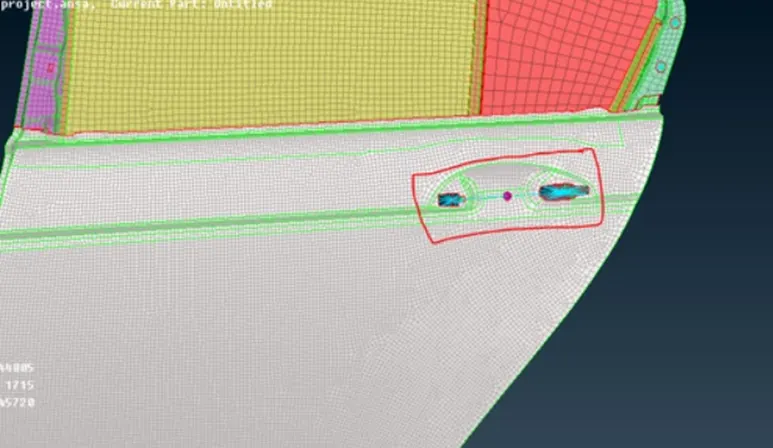
Creating door handle connection by using cluster RBE2 elements and assigning conmass to it.
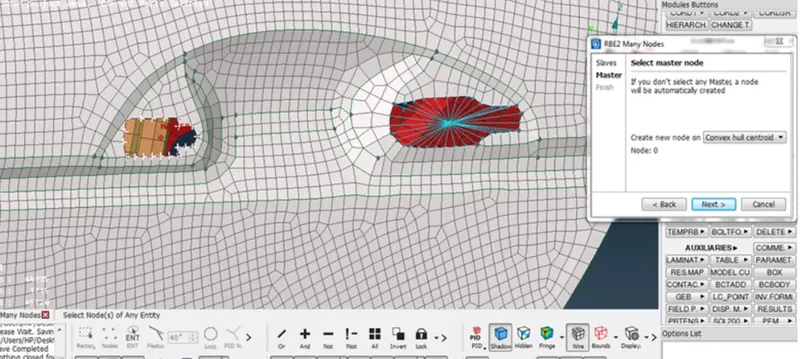
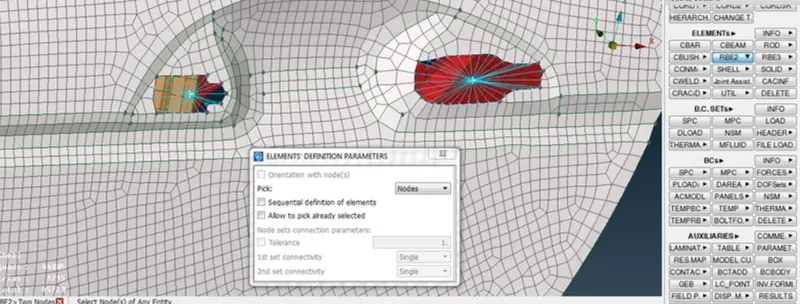
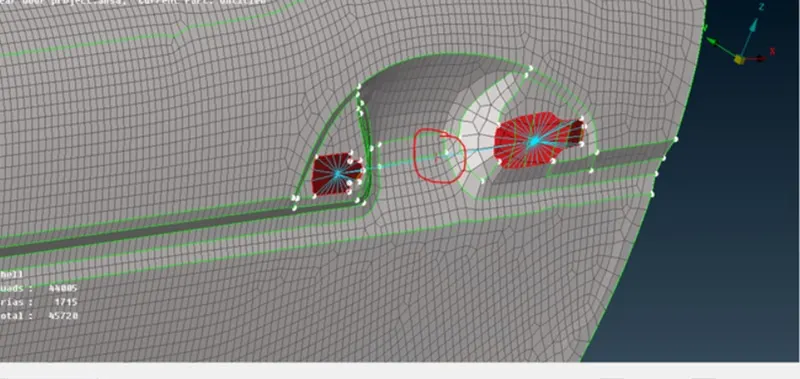
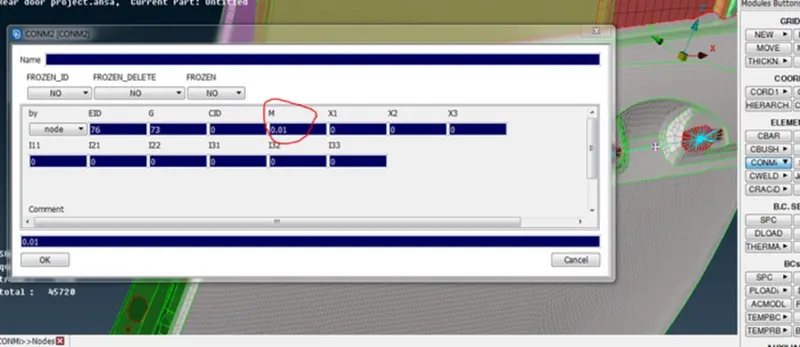
Assigning conmass in tones using CONMi2.
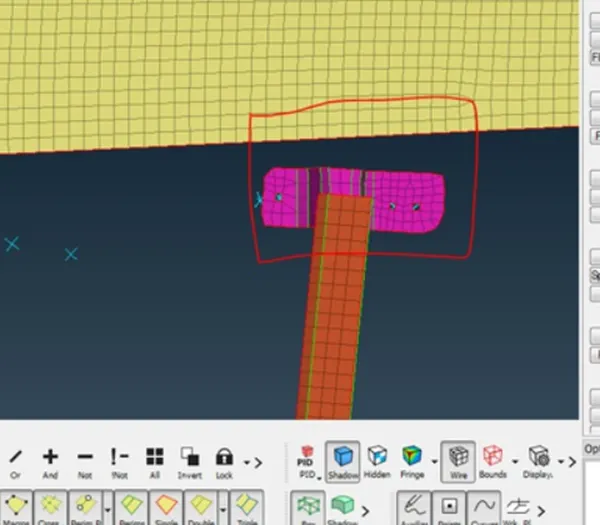
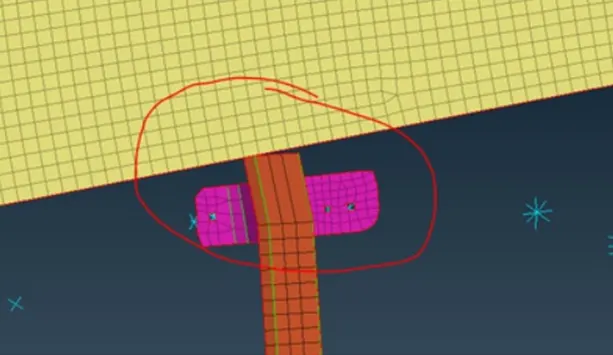
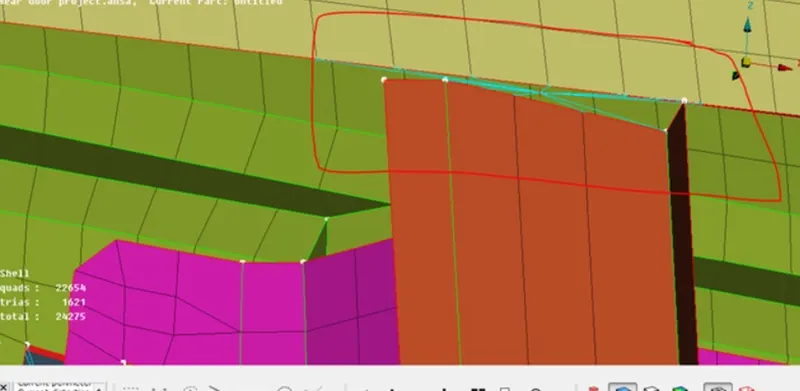
CREATING MIRROR AND RIB CONNECTION- using MVFREE and MULTINODE RBE2.
STEPS- VMESH>>GRIDS>>MV FREE>>SLECT NODE>>EXTEND>>OK.
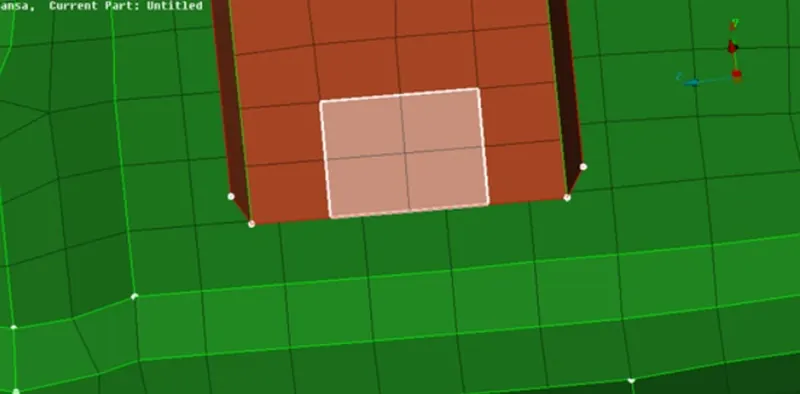
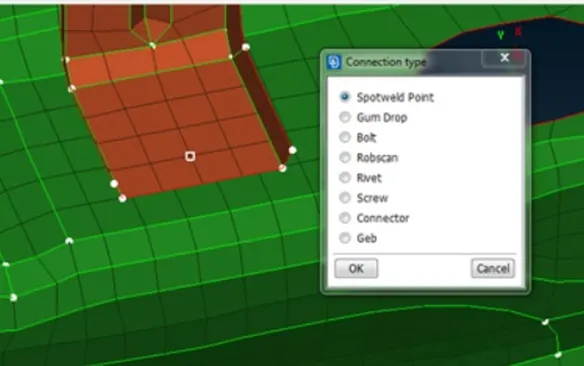
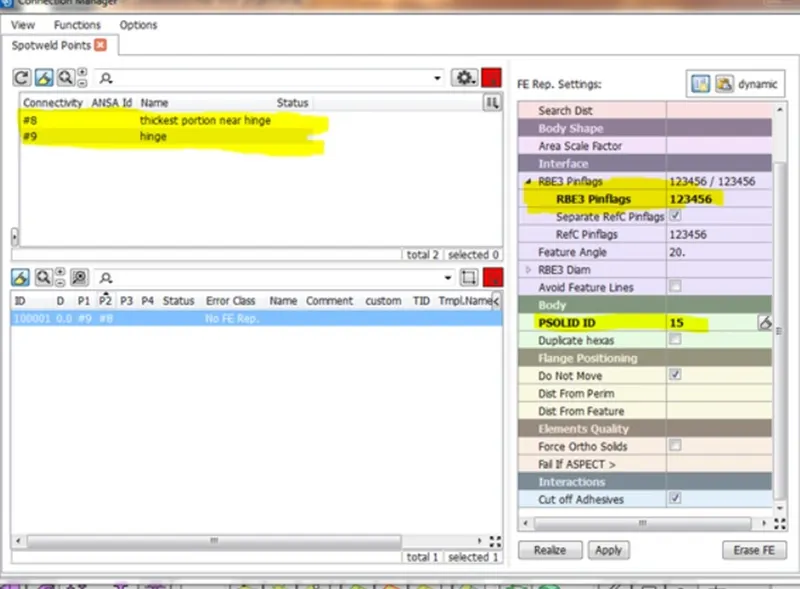
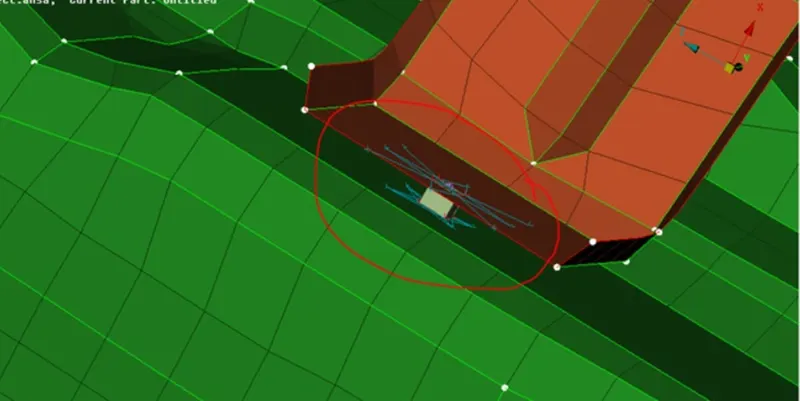
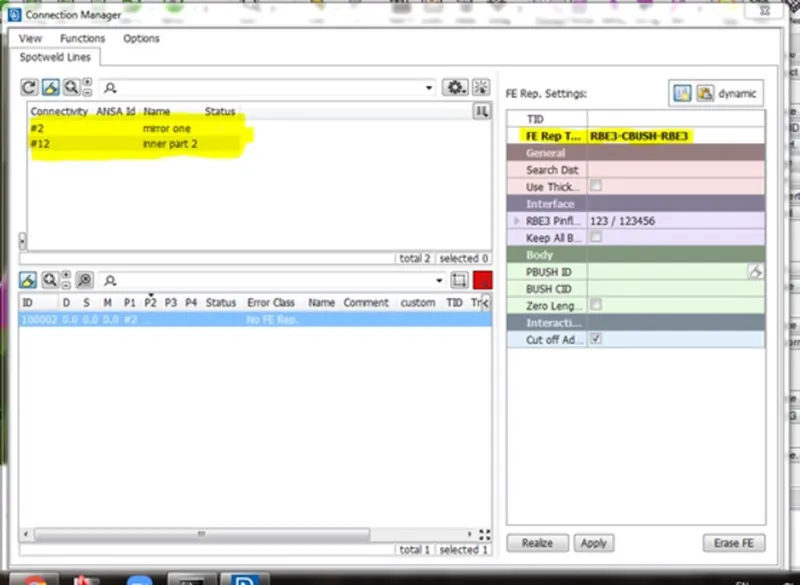
CREATING SPOT WELD CONNECTION USING HEXA RBE3 ELEMENT
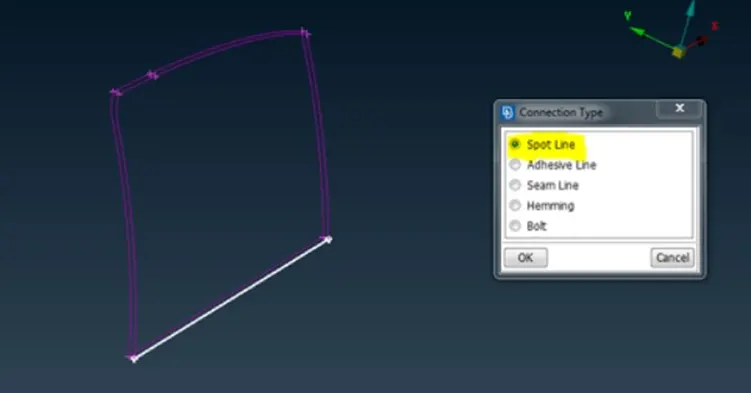
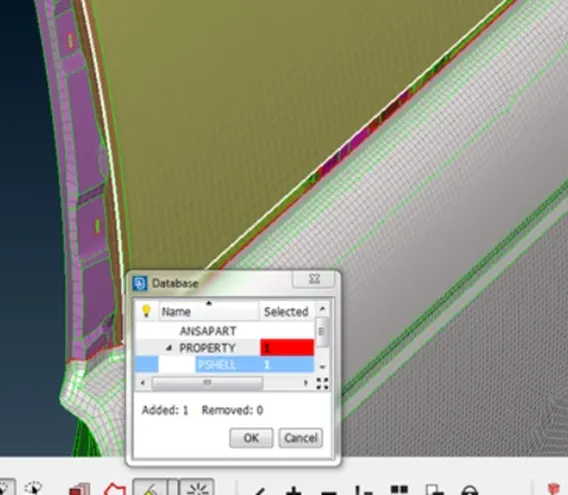
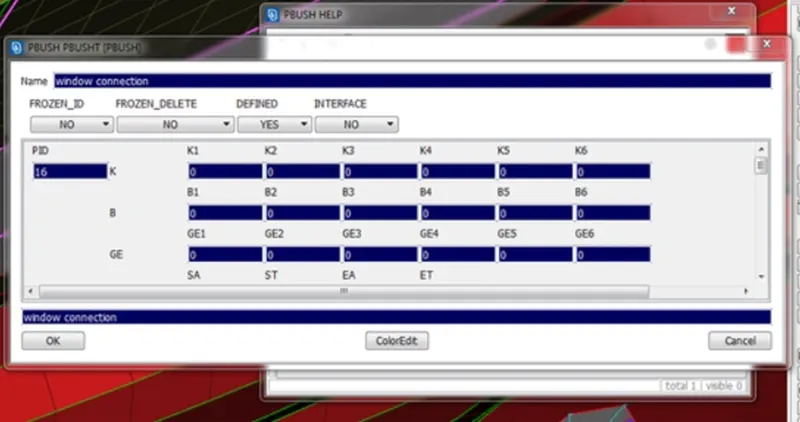
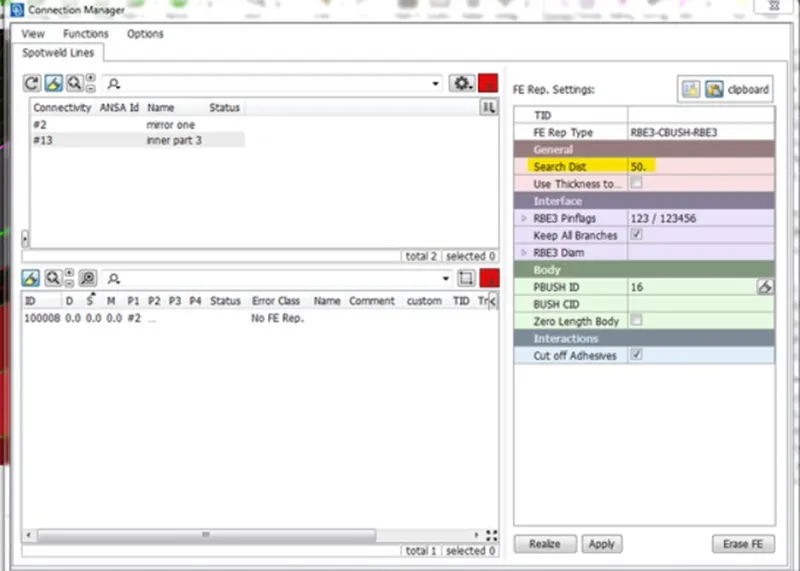
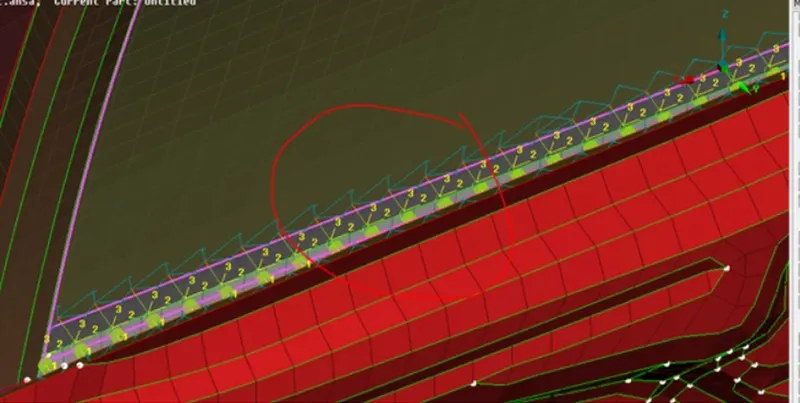
PERFORMING WINDOW CONNECTION USING RBE3 CBUSH ELEMENT AND ALIGN TO GLOBAL COORDINATE AXIS.
Most critical connection in window door model is window connection.
Steps- MESH DECK>> PERIMETER MODULE>> FEAT 2 CURVE>> SLECT THE WINDOWS EDGES>> BORDER CURVE CREATED.
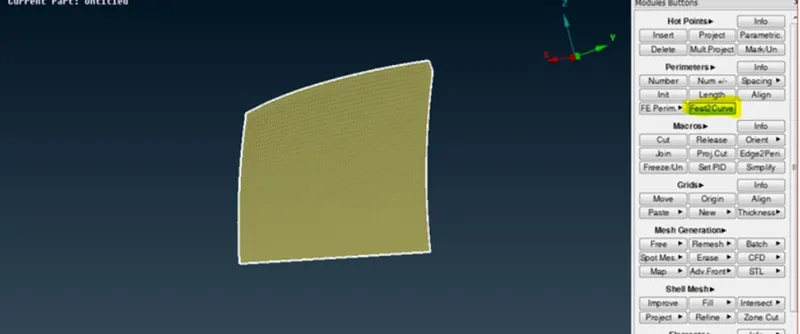
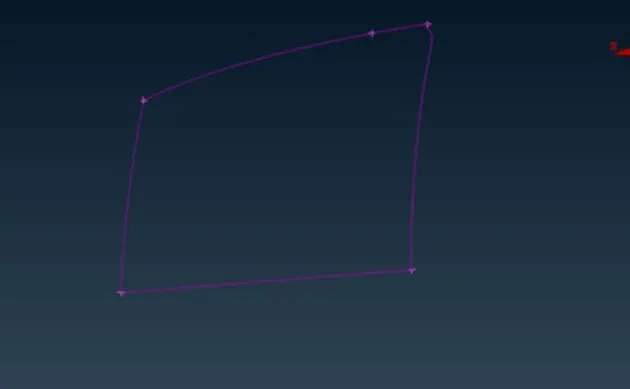
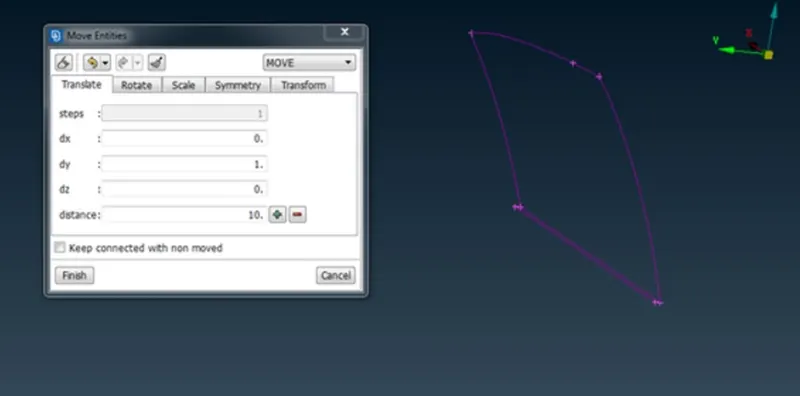
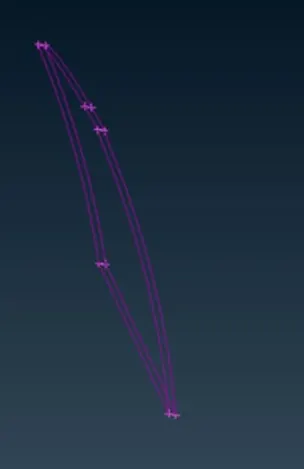
ALIGNING THE COORDINATES TO THE GLOBAL AXIS.
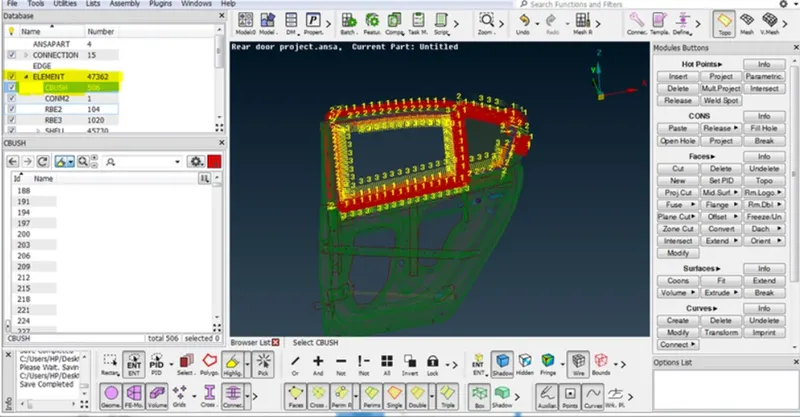
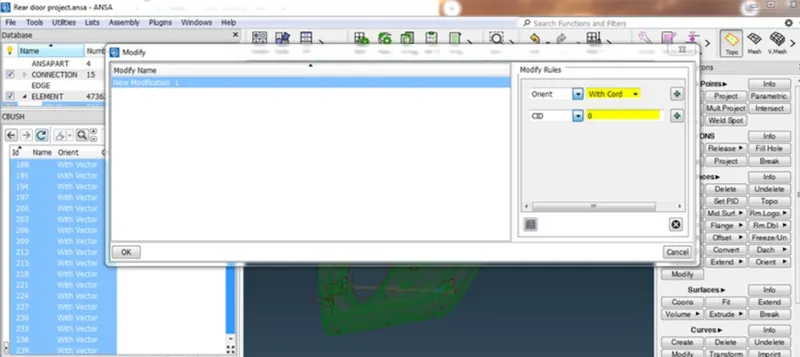
For stable connection, we have to align subsystem with respect global axis.
Press F12>>DATABASE>> SLECT ELEMENTS>> CBUSH>> SEARCH ORIENT AND CID>> SLECT ALL MODIFY>> ORIENT WITH CORD>> CID=0>>OK>>DONE.
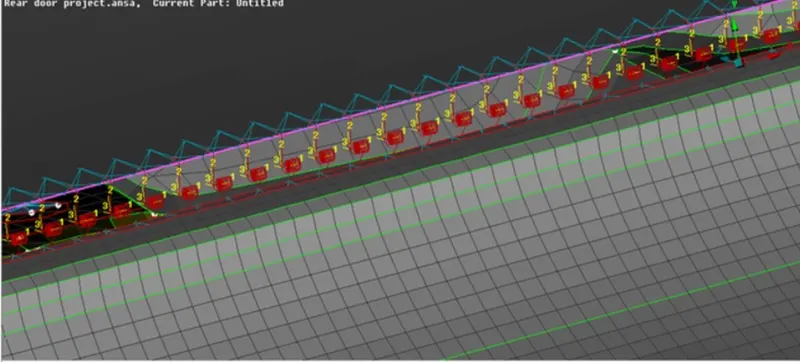
REVIEWING AND CORRECTING THE ERRORS IF PRESENNT.
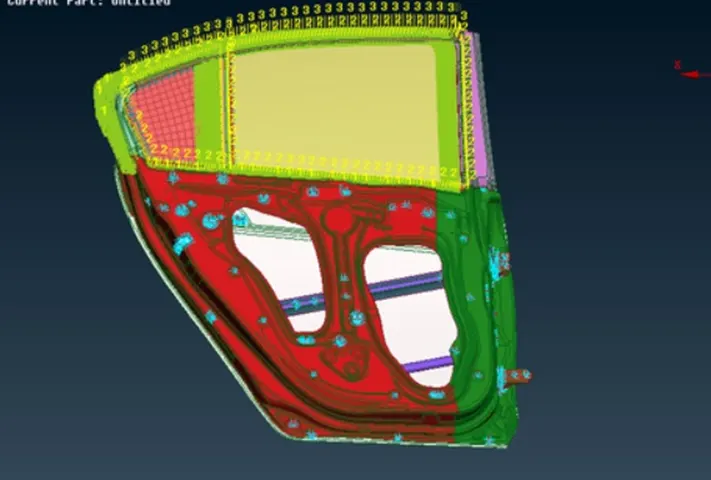
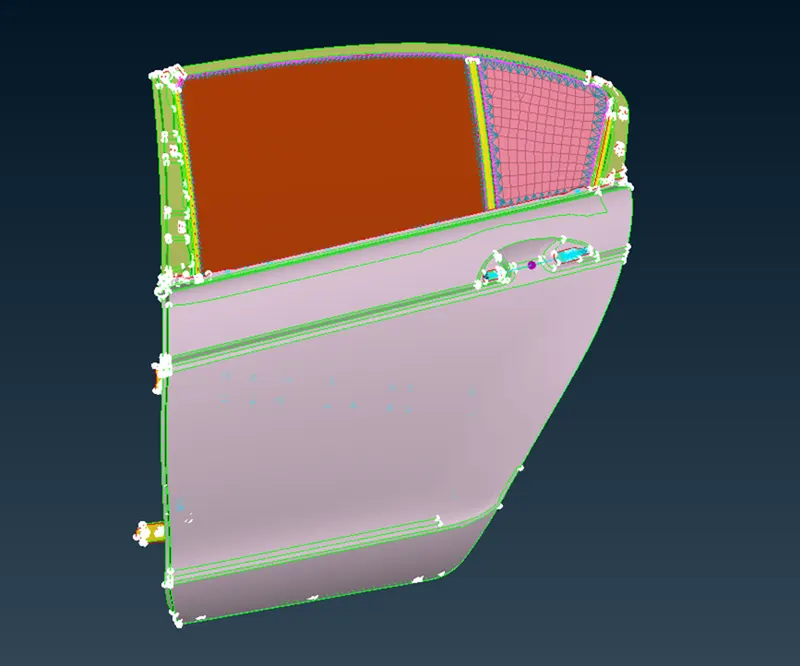
ALL CONNECTIONS ARE DEPLOYED SUCCESSFULLY.
LEARNING OUTCOME
- Understand types of elements and its importance with respect to type of simulation or analysis .
- Understand how to handle window connection , door connection, etc.
- Understand RBE2 and RBE3 element clearly.
CONCLUSION
Develops good understanding of connection and its types, all connections are successfully deployed in given rear door model.