Week-6 Calculate the Stretch Ratio by comparing the ELFORM (-2,-1,1,2) with Ogden_Material Model.
Aim:
The Aim of this Challenge is to compare the stretch Ratio of Cubic Rubber Material model with different Element formulations.
Procedure:
The following steps are followed inorder to complete this challenge
1. Element Creation
2. Solver Preference Discussion
3. Solver setup
4. Loading Conditions
4. Post Processing Results in Excel.
1. Element Creation:
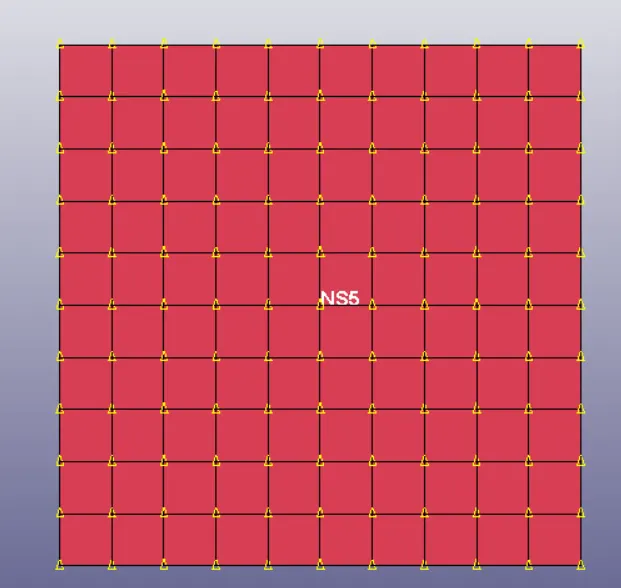
A Block of 10mmx10mmx10mm dimension with 10 elements in Each Direction is created using the Option Shape Mesher under the Elements & Mesh tab.
Solver Preference Discussion:
After the Elements created, it is time to decide which solver we need to use to solve this problem. Explicit solver is normally used to solve highly transient non-linear Dynamic problems like Crash Analysis. In this Challenge we are interested only to find out stress values for each Stretch ratio (end states). The Material non-linearity is present in this problem as the material is hyperelastic in nature, but the Geometry is very simple, which means stiffness matrix inversion wouldn't take lot of time. There are no nonlinear Contacts needed for simulation, Hence there is no Boundary Nonlinearity. Since there is only the material nonlinearity is present and the Geometric and Boundary Nonlinearity is not significant, we can solve this Problem using Implicit Manner which will save us lot of time compared to solving with Explicit method.
Normally the Explicit method should be used if the strain rates are significant and we need to consider the Dynamic effects of Inertial mass accelerations. In this Challenge the strain rates are significant but considering the hyperelastic material model, it is became less significant. Since the Hyper Elastic model includes lot of deformations, the Internal Energy will be very high compared to the Kinetic Energy which means the mass acclerations are negligible compared to Internal Energy. This problem becomes Quasi-static, Hence this given problem can be convinently solved by implicit method.
2. Solver Setup:
Since implicit solver is selected for analysis, The following cards are activated.
2.1CONTROL_IMPLICIT_GENERAL:
The "IMFLAG" in the Keyword CONTROL_IMPLICIT_GENERAL is set to 1 Hence the Model is solved by Implicit Method.
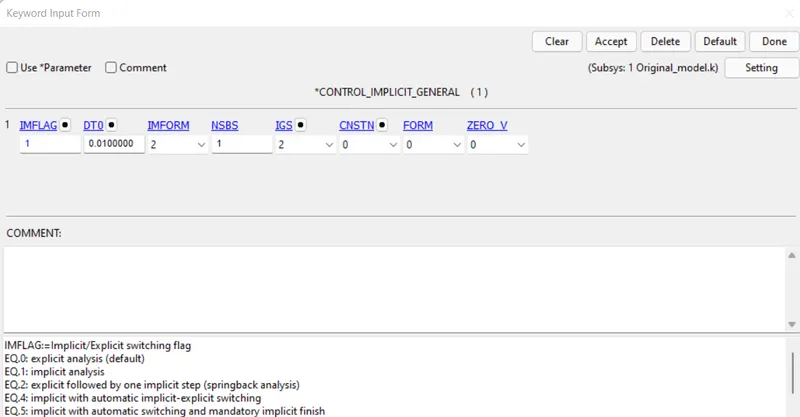
The IMFORM is set to 2 hence the Element formulation specified in SECTION Card only apply.
2.2 CONTROL_IMPLICIT_AUTO
The IAUTO in Control_Implicit_Auto is set to 1, Hence the Timestep will be adjusted based on the number of iterations in each time step or load step. ITEOPT & ITEWIN is set to Default Values, DTMAX and DTMIN is specified.
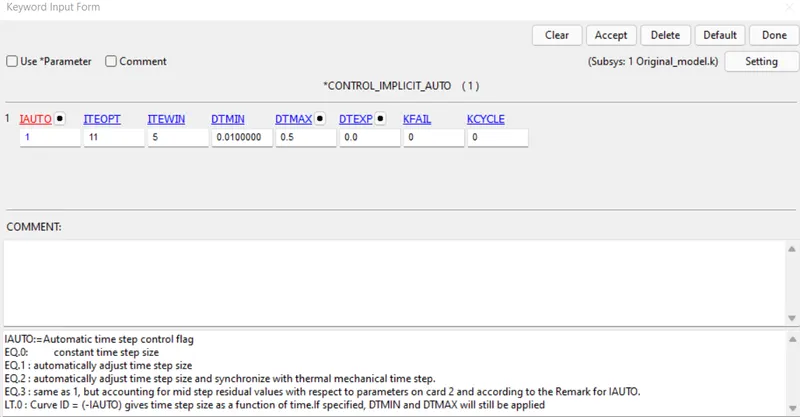
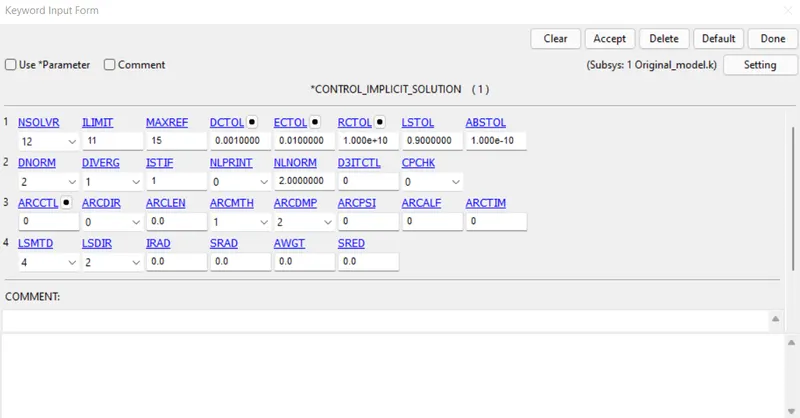
2.3 CONTROL_IMPLICIT_SOLUTION:
The NSOLVER is set to 12 (Non-linear solver), The DCTOL, ECTOL,RCTOL is set to Default Values & DNORM is set to 2
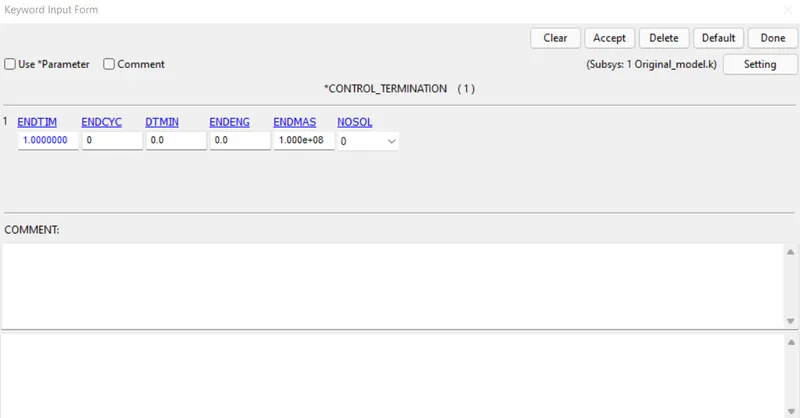
2.4 CONTROL_TERMINATION:
The Termination time is set as 1.
3 BOUNDARY CONDITIONS:
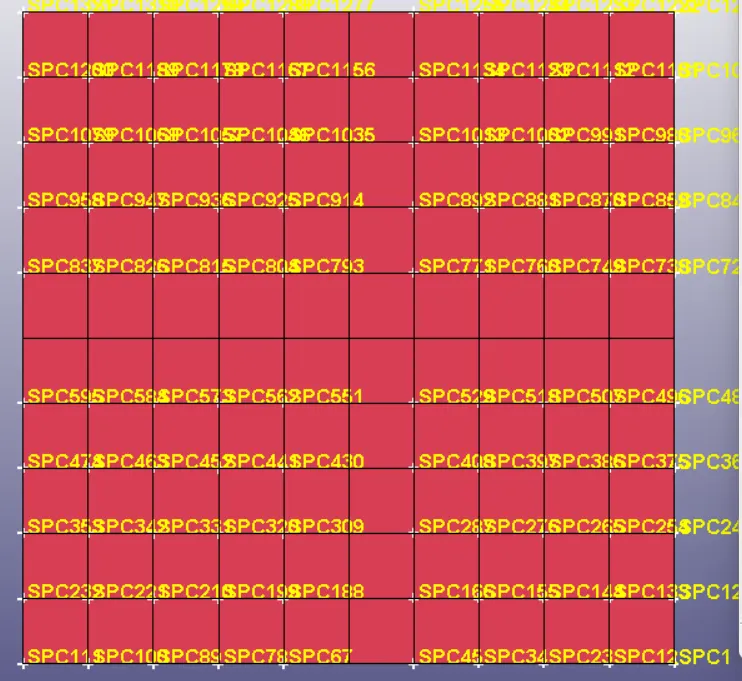
The Central Node shown below is constrained in all translation & rotational degress of freedom.
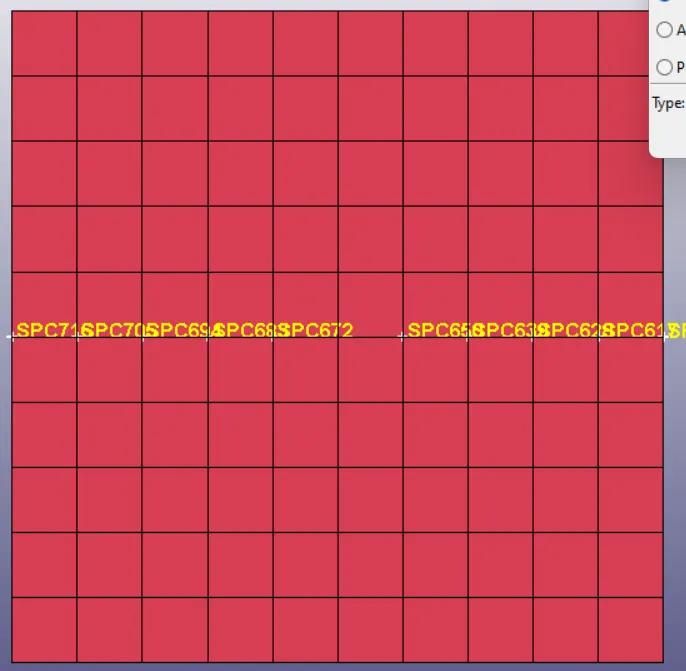
The Middle Horizondal nodes shown below is constrained in Translational Y and X degrees of freedom and all rotational degrees of freedom.
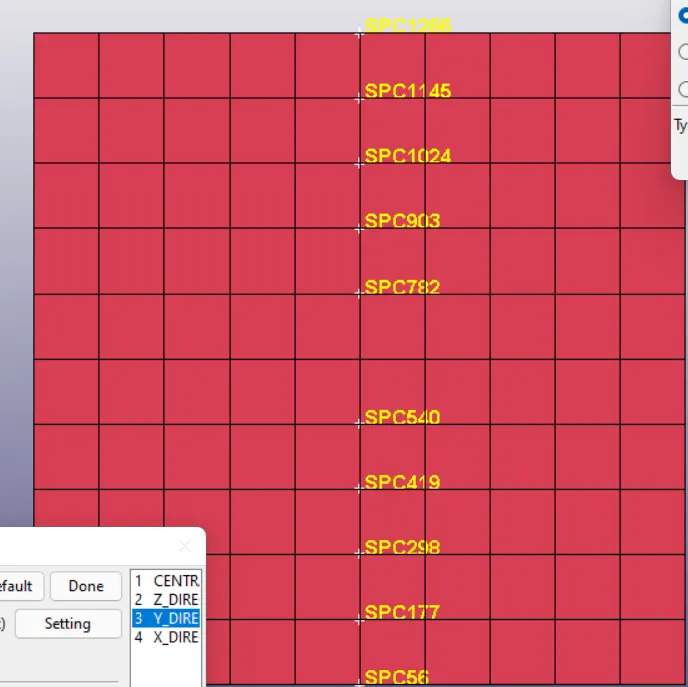
The Below node points are Constrained in Translational Z and X degrees of freedom and all rotational degrees of freedom.
The Nodes shown below are Constrained only in Translational X degree of freedom and in all rotational degrees of freedom.
4. lOADING CONDITIONS:
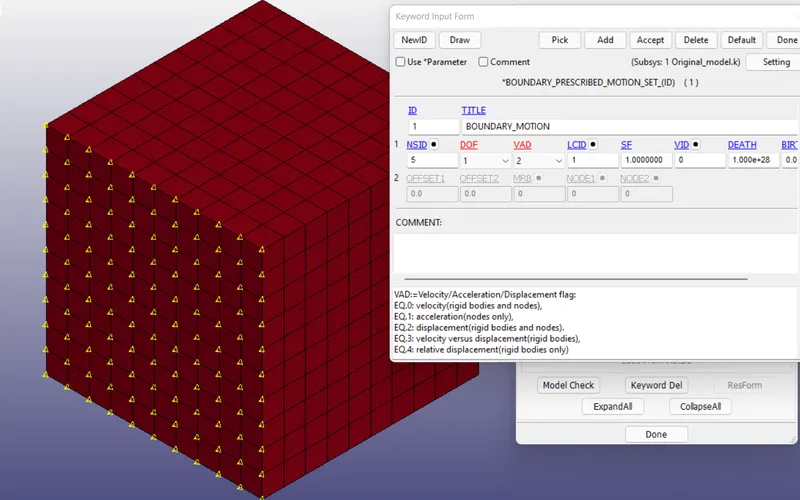
The Prescribed Boundary Conditions are the applied for the nodes sown below. The VAD specified as 2 which corrosponds to Displacement and the DOF specified as 1 corrosponds to displacement in X-direction.
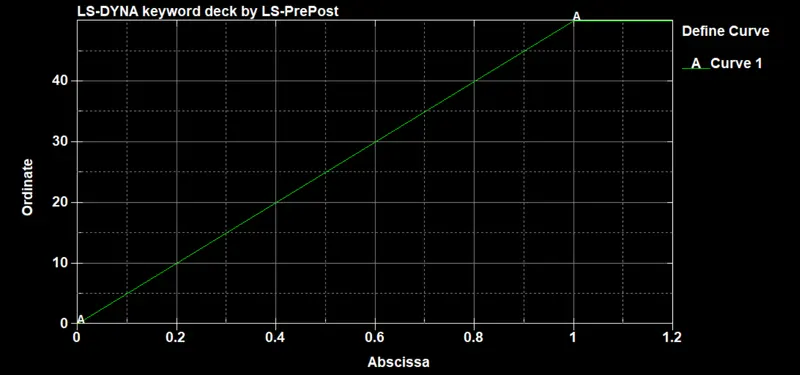
The Load Curve for displacement is shown below. The Displacement of 50mm is applied.
The Material model used for simulation is OGDEN Material model with Properties of Vulcanized Rubber.
5. SOLVING
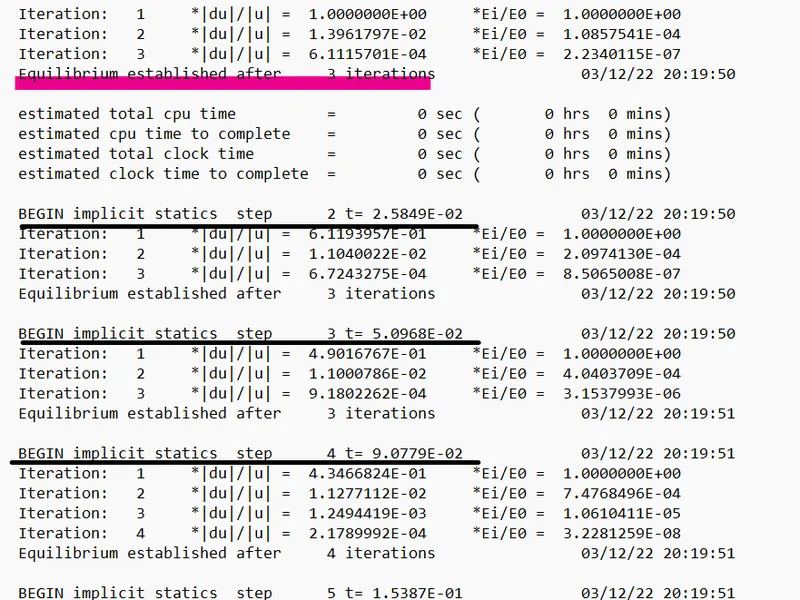
During Implicit Problem solving, each step will involve iterations to enfoce the equillibrium.
6. RESULTS:
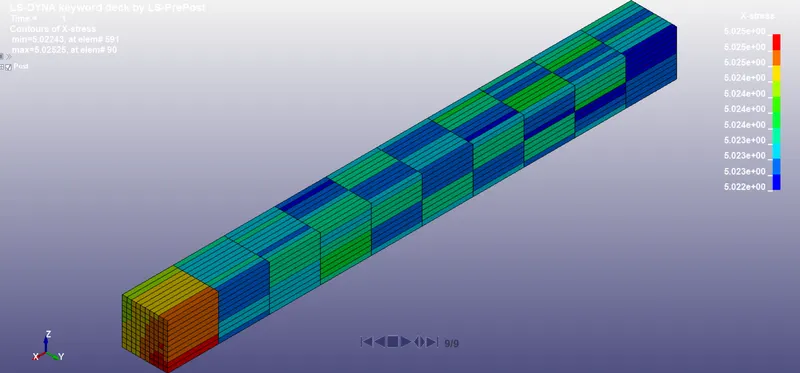
Element Formulation-1
X-Stress Contours:
X-Strain Contours:
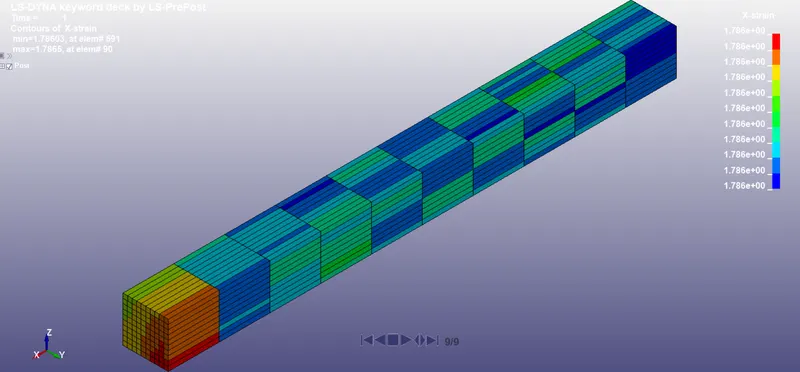
The True X-Strain & Stress Results of Element 946 is extracted for Stretch Ratio & Engineering Stress Calculations. The results are given below.
| Formulation | 1 | ||||
| Element | 946 | ||||
| Time | X Stress | True X-strain | Plastic Strain | Stretch Ratio | Engineering Stress |
| 0 | 0 | 0 | 0 | 1 | 0 |
| 0.154 | 0.804 | 0.57 | 0.217 | 1.768267051 | 0.454682453 |
| 0.254 | 1.27 | 0.817 | 0.473 | 2.263698545 | 0.561028765 |
| 0.354 | 1.73 | 1.02 | 0.771 | 2.773194764 | 0.623829246 |
| 0.512 | 2.49 | 1.27 | 1.3 | 3.560852562 | 0.699270738 |
| 0.671 | 3.29 | 1.47 | 1.88 | 4.349235141 | 0.756454846 |
| 0.829 | 4.13 | 1.63 | 2.5 | 5.103874719 | 0.809189141 |
| 0.988 | 4.96 | 1.78 | 3.15 | 5.929856419 | 0.83644521 |
| 1 | 5.02 | 1.79 | 3.2 | 5.989452466 | 0.838140052 |
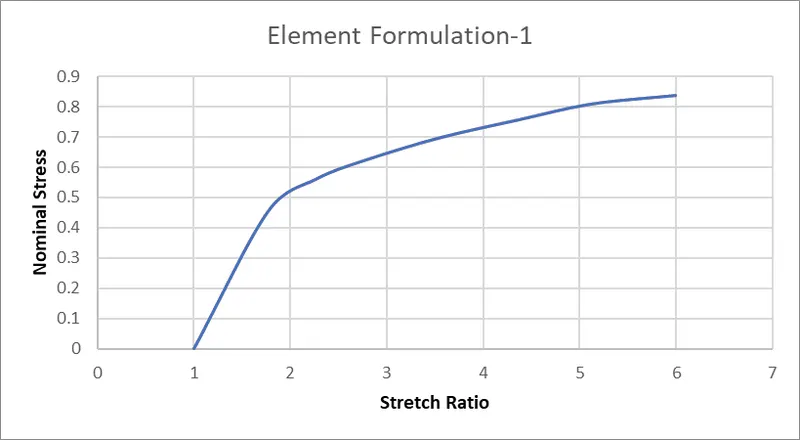
Plot of Nominal Stress (Mpa) & Stretch Ratio is shown below.
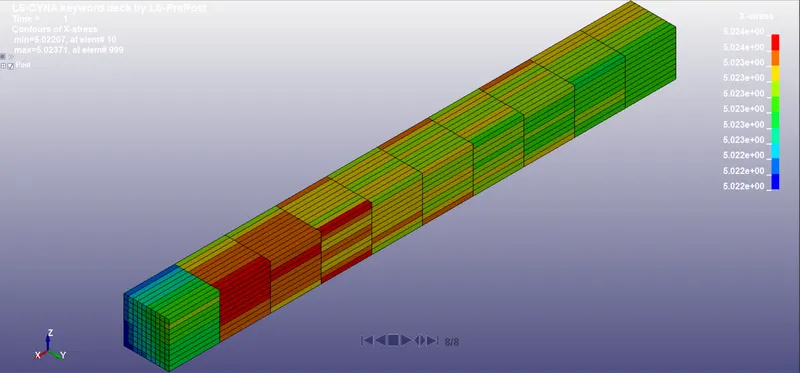
Element Formulation-2:
X-Stress Contours:
X-Strain Contours:
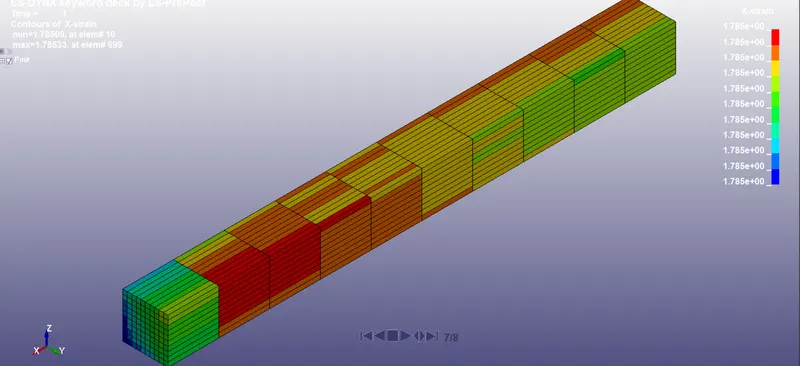
The True X-Strain & Stress Results of Element 946 is extracted for Stretch Ratio & Engineering Stress Calculations. The results are given below
| Formulation | 2 | |||
| Element | 946 | |||
| Time | Xstress | True X strain | Stretch Ratio | Engineering Stress |
| 0 | 0 | 0 | 1 | 0 |
| 0.154 | 0.804 | 0.57 | 1.76826705 | 0.454682453 |
| 0.254 | 1.27 | 0.817 | 2.26369855 | 0.561028765 |
| 0.412 | 2.01 | 1.11 | 3.03435839 | 0.662413512 |
| 0.571 | 2.78 | 1.34 | 3.81904351 | 0.727930959 |
| 0.729 | 3.6 | 1.53 | 4.61817682 | 0.779528402 |
| 0.888 | 4.44 | 1.69 | 5.41948071 | 0.819266687 |
| 1 | 5.02 | 1.79 | 5.98945247 | 0.838140052 |
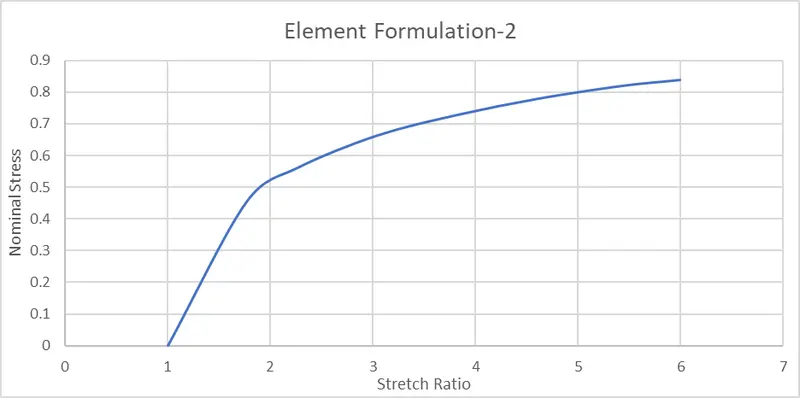
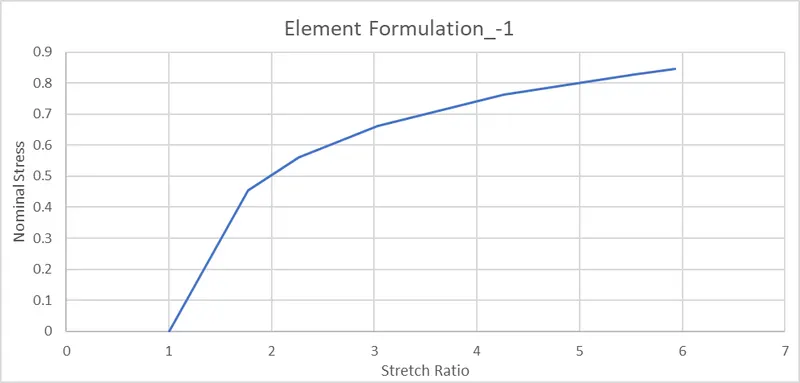
Element Formulation:-1
X-Stress Contour:
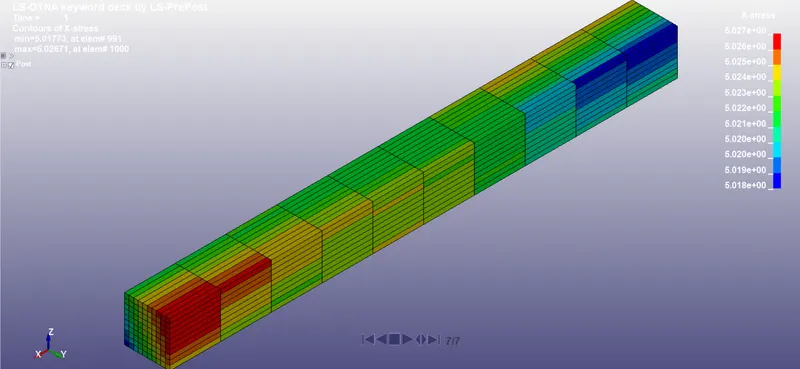
X-Strain Contour:
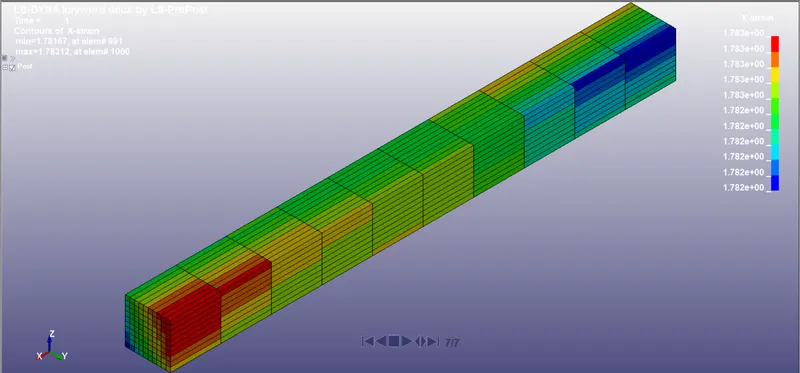
| Formulation | -1 | |||
| Element | 946 | |||
| Time | Xstress | True X strain | Stretch Ratio | Engineering Stress |
| 0 | 0 | 0 | 1 | 0 |
| 0.154 | 0.804 | 0.57 | 1.76826705 | 0.454682453 |
| 0.254 | 1.27 | 0.817 | 2.26369855 | 0.561028765 |
| 0.412 | 2.01 | 1.11 | 3.03435839 | 0.662413512 |
| 0.664 | 3.25 | 1.45 | 4.26311452 | 0.762353436 |
| 0.915 | 4.58 | 1.71 | 5.52896148 | 0.82836533 |
| 1 | 5.02 | 1.78 | 5.92985642 | 0.846563499 |
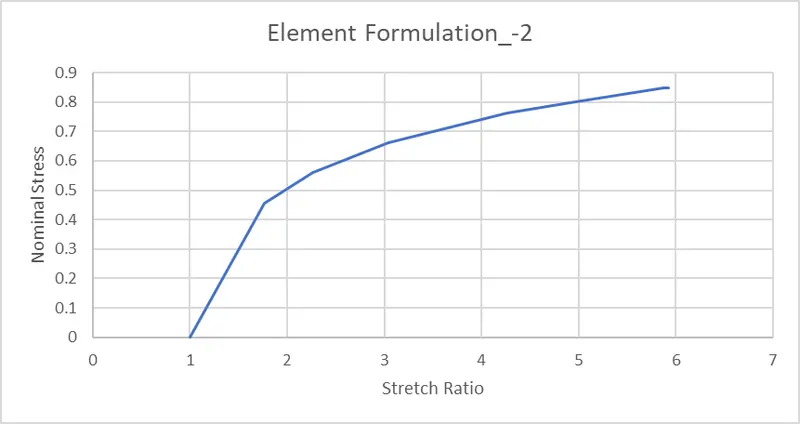
Formulation:-2
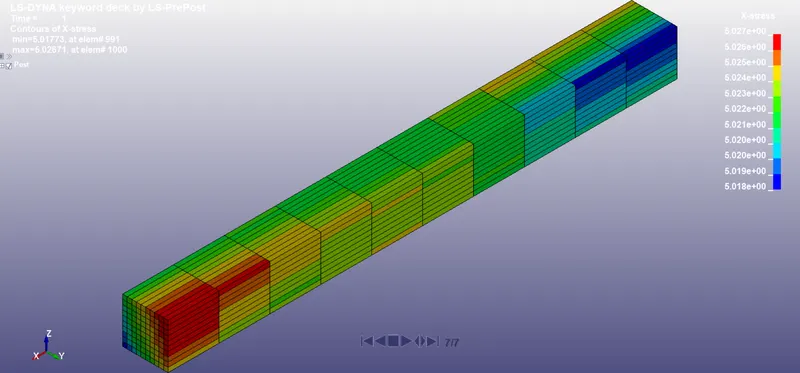
X-Stress Contour:
X-Strain Contour:
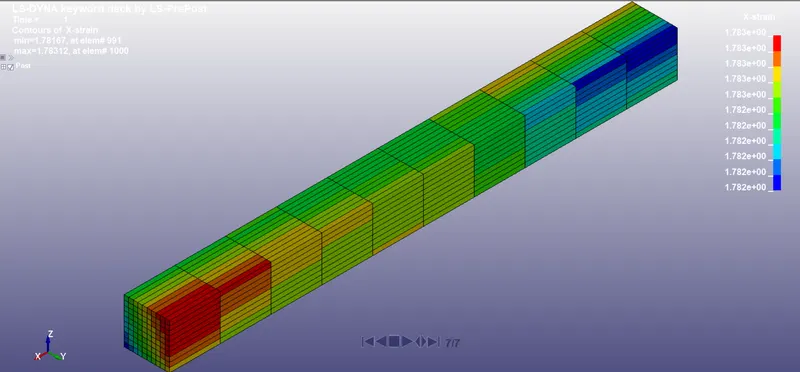
| Formulation | -2 | |||
| Element | 946 | |||
| Time | Xstress | True X strain | Stretch Ratio | Engineering Stress |
| 0 | 0 | 0 | 1 | 0 |
| 0.154 | 0.804 | 0.57 | 1.76826705 | 0.454682453 |
| 0.254 | 1.27 | 0.817 | 2.26369855 | 0.561028765 |
| 0.412 | 2.01 | 1.11 | 3.03435839 | 0.662413512 |
| 0.664 | 3.25 | 1.45 | 4.26311452 | 0.762353436 |
| 0.789 | 3.91 | 1.59 | 4.90374893 | 0.797349142 |
| 0.989 | 4.97 | 1.77 | 5.87085336 | 0.846554954 |
| 1 | 5.02 | 1.78 | 5.92985642 | 0.846563499 |
Results Comparison:
It is seen from the Below Graph for this Particular Problem, all the Element formulations gives the More or less same Results.
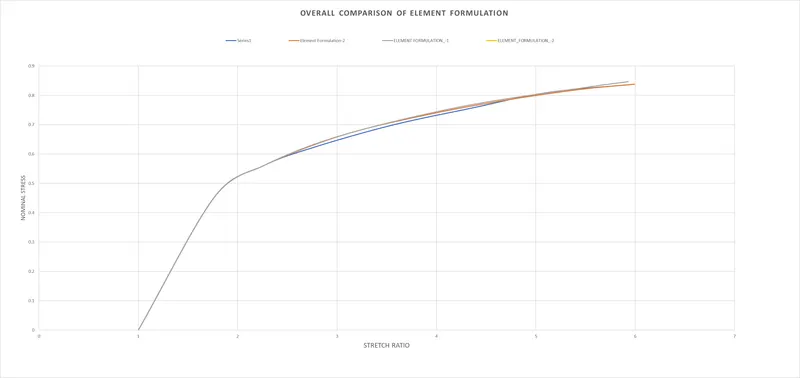
Observations from Simulation Results:
1. All Element formulation gives the same Results in the problem under study.
2. The Results obtained from Experienments tends to be deviating from the Results obtained from Simulation, hence the Element size must be reduced further.