Week-6 Calculate the Stretch Ratio by comparing the ELFORM (-2,-1,1,2) with Ogden_Material Model.
Objective:
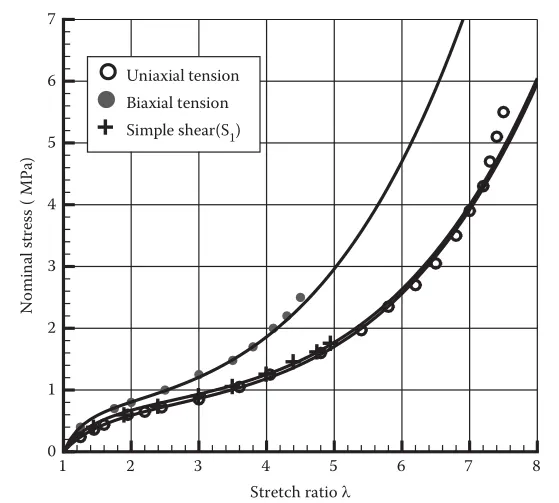
Create a block of 10mmx10mmx10mm dimension with 10 elements for each direction and use the material card attached (Ogden_Material.k) that is representative of the material properties from the above figure.
Use appropriate boundary conditions to simulate tensile behavior for the model and finally compare the results from your simulation to the plot above up to stretch ratio 5. Only the uniaxial plot is to be compared.
Compare the results for the simulation using ELFORM = 1, 2, -1, -2
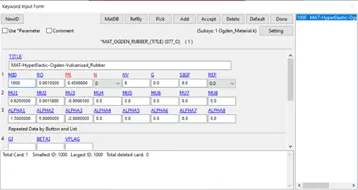
The unit of µ in the material definition is in MPa and α is a dimensionless quantity. Modify those quantities according to your unit systems.
Use a proper solver (Implicit/Explicit) and also explain the reason.
Hints:
- LS-DYNA the output of stress and strains from Post Fringe Comp Stress/Strain is given as true stress and strain.
- Stretch ratio l is defined as the ratio between the final length L and the initial length L0 of a component i.e., it is equal to (1 + engineering strain)
- Your boundary condition should be relatable to the real-time boundary condition.
- You need to add *Database_Extend_Binary card and activate the STRFLG to get the strain data.
Deliverables:
- An excel sheet with proper conversion and calculation of Stress/Strain and the Stretch Ratio for all the ELFORM.
- A proper image of the plot comparison of various ELFORMS against the Uniaxial Plot is given in the challenge.
Procedure:
- Open the given material input card (Ogden_Material.k) keyword file in the LS-PrePost.
- Create a block of 10mmx10mmx10mm using Mesh – Shape Mesher – Box Solid
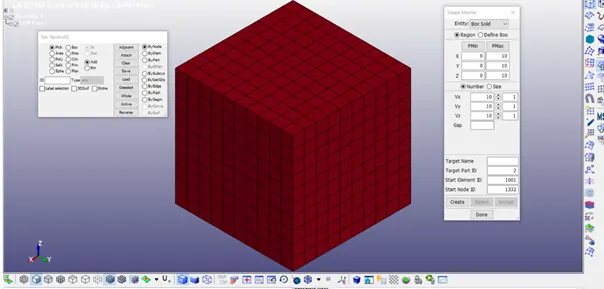
- Check the Material Card from the keyword manager.
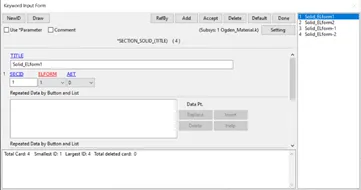
- Create Section_Solid with Different ELFORM (1, -1, 2, -2)
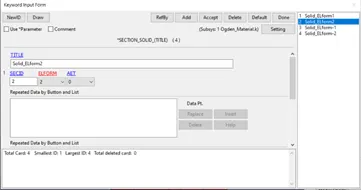
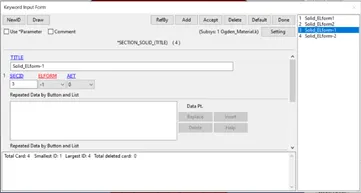
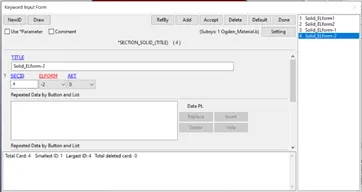
- Assign the Material ID & Section ID to the Part of the Box_Solid.
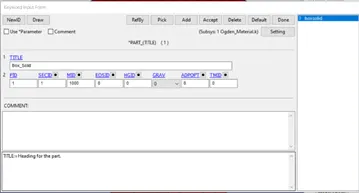
- Create Boundary conditions (Spc in the Entity Creation) as per the below image for the tensile stress.
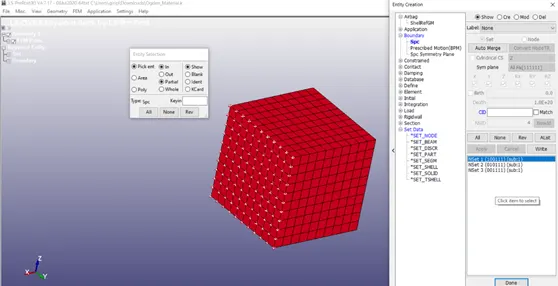
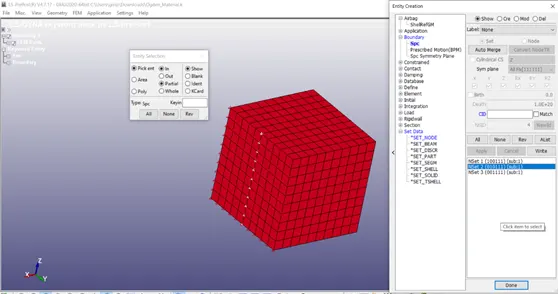
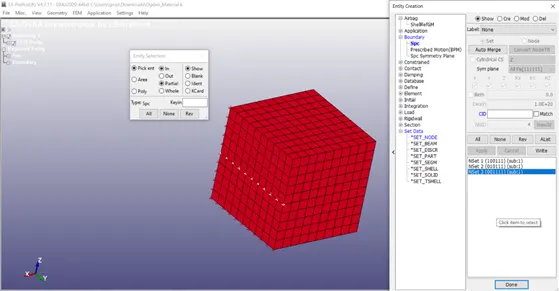
- Define the curve for the displacement,
Stress Ratio (λ)= 1 + Ɛe
Engineering Strain Ɛe = ΔL/L
Given λ = 5, L = 10, therefore ΔL = 40
Let’s take displacement of 45 mm.
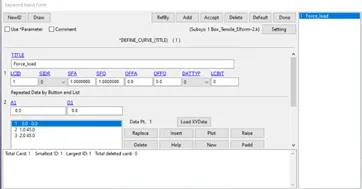
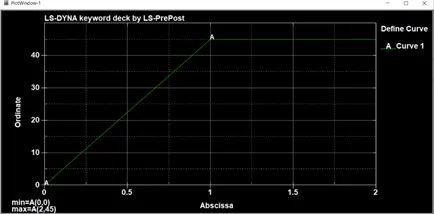
- Select the nodes opposite to the ones selected for boundary conditions – to apply the displacement curve in the negative X-axis.
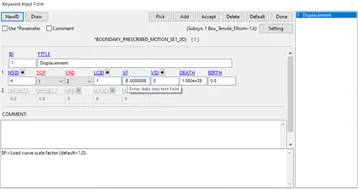
9. Create Control Cards as follows
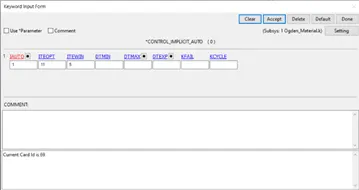
For Implicit Analysis,
CONTROL_IMPLICIT_AUTO: IAUTO = 1 – Implicit Analysis
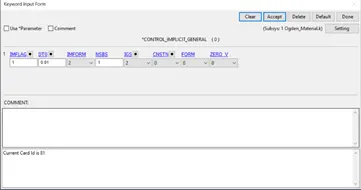
CONTROL_IMPLICIT_GENERAL: IMFLAG=1, DT0 =0.01
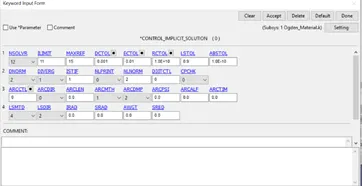
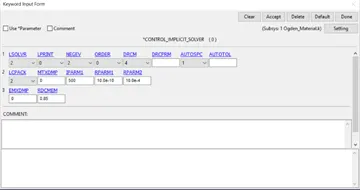
CONTROL_IMPLICIT_SOLUTION & CONTROL_IMPLICIT_SOLVER
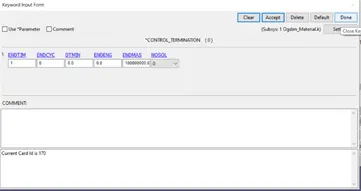
CONTROL_TERMINATION: ENDTIM =1
- Create Database cards as follows.
DT = 0.01
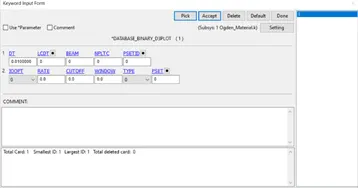
Set STRFLG = 1 for Strain in Database_Extent_binary
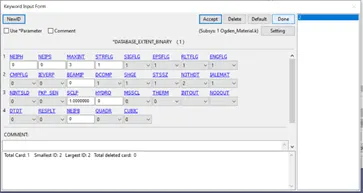
Add the required ASCII files in the Database Keyword. - ELOUT, GLSTAT, MATSUM, NODOUT
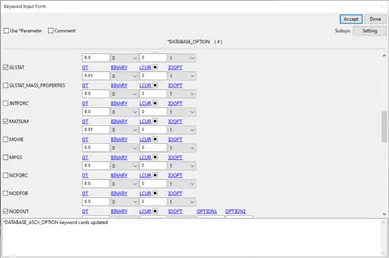
11. Save the Keyword file as (ELFORM1.k, ELFORM-1.k, ELFORM2.k, ELFORM-2.k) in a new folder and run the keyword files in LS – Run.
12. Open LS – PrePost, Import the D3 plot file created during the simulation.
13. In the Fringe Component option, Select Von-mises stress for the contour plot and save the von-mises animation videos.
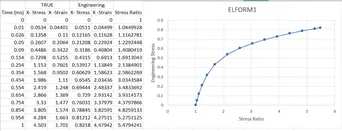
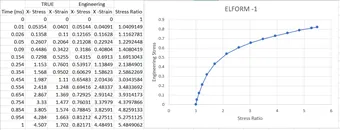
- In the Fringe Component option, Select X-stress and X- strain for the contour plot – Note down the max of each time step to calculate the Engineering Stress & Strain – with Stress Ratio.
True Stress σt = σe (1 + Ɛe )
Therefore, Engineering Stress σe = σt / (1 + Ɛe )
True Strain Ɛt = ln (1 + Ɛe )
Therefore, Engineering Strain Ɛe = eƐt -1
Stress Ratio (λ)= 1 + Ɛe
ELFORM1
ELFORM-1
ELFORM2
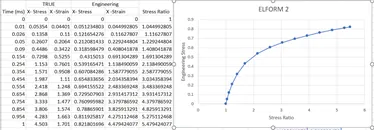
ELFORM-2
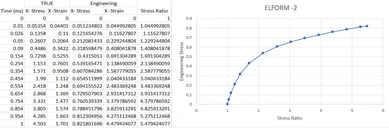
All plots look similar since the model we simulated is very less complex to get significant results.
Learning Outcome:
Setting up a Solid model for Tensile test and calculating the results with Implicit Analysis, And Calculating Stress Ratio for the given Simulation.