Week 6
Objective:-
To provide proper connection in rear door FE model at required location.
Procedure:-
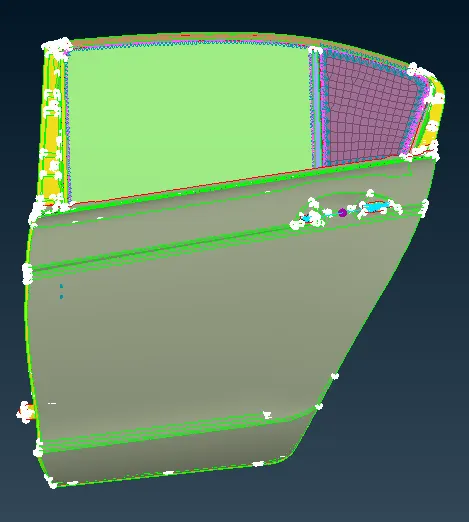
Different parts are assigned seperate PID. Below is FE model in PID mode...
Connection
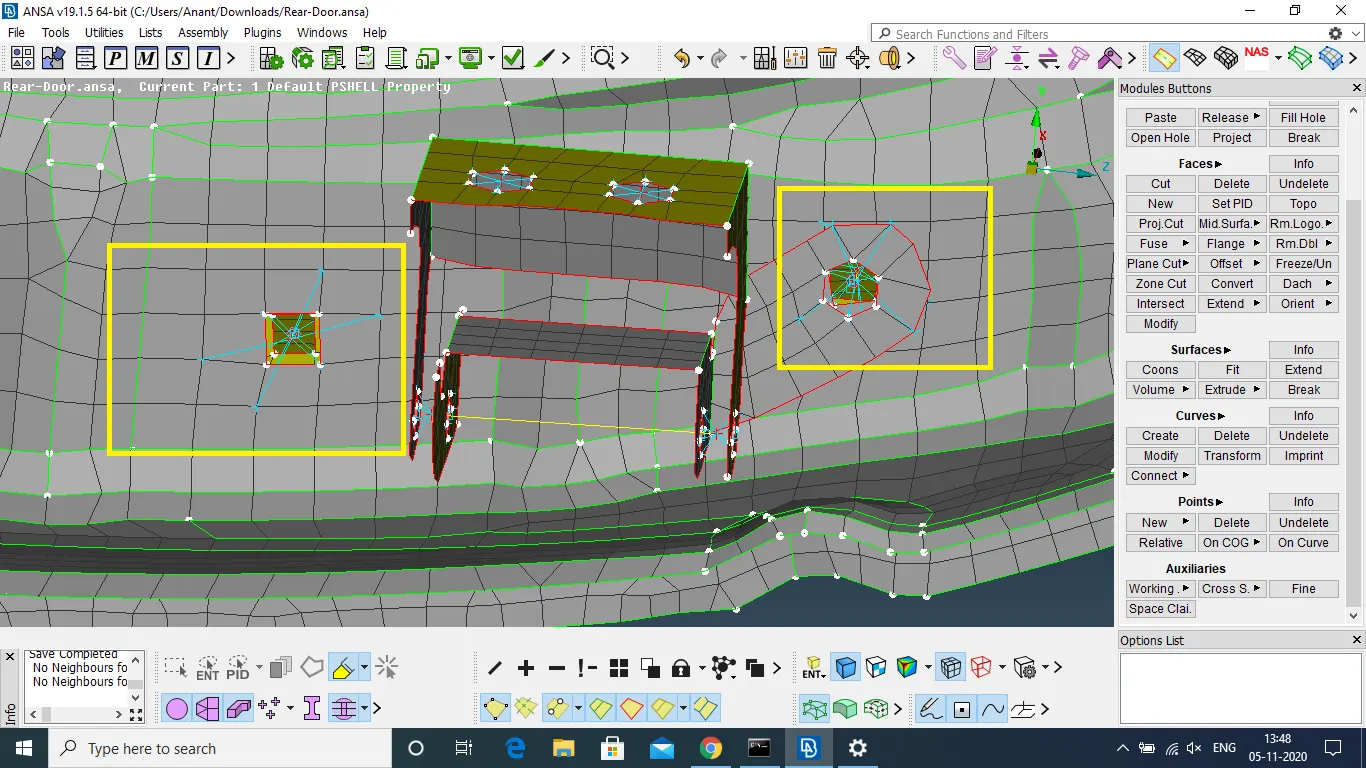
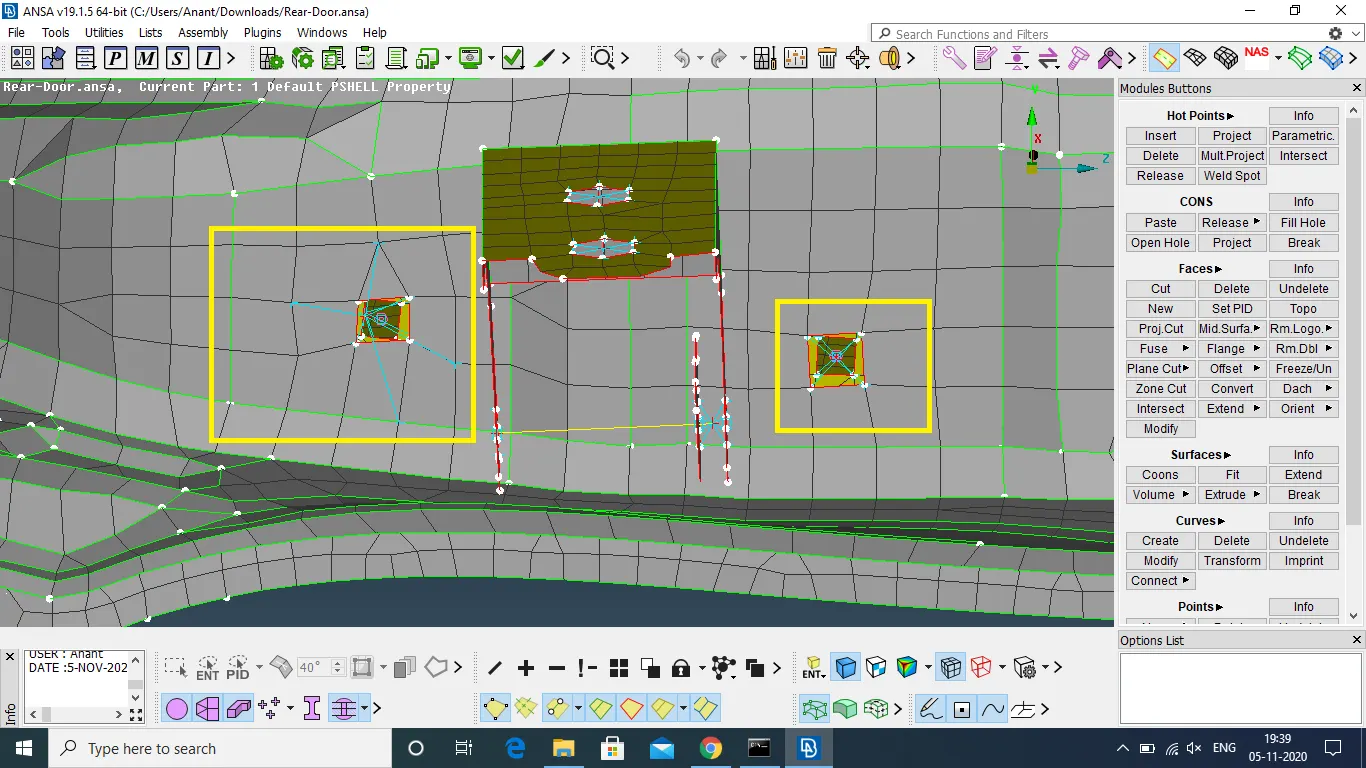
1. Bolt
Hinge will be attached to door with bolt.
Create 3-D point and convert it to bolt.
Select the parts to be bolted and povide connection from the connection manager.
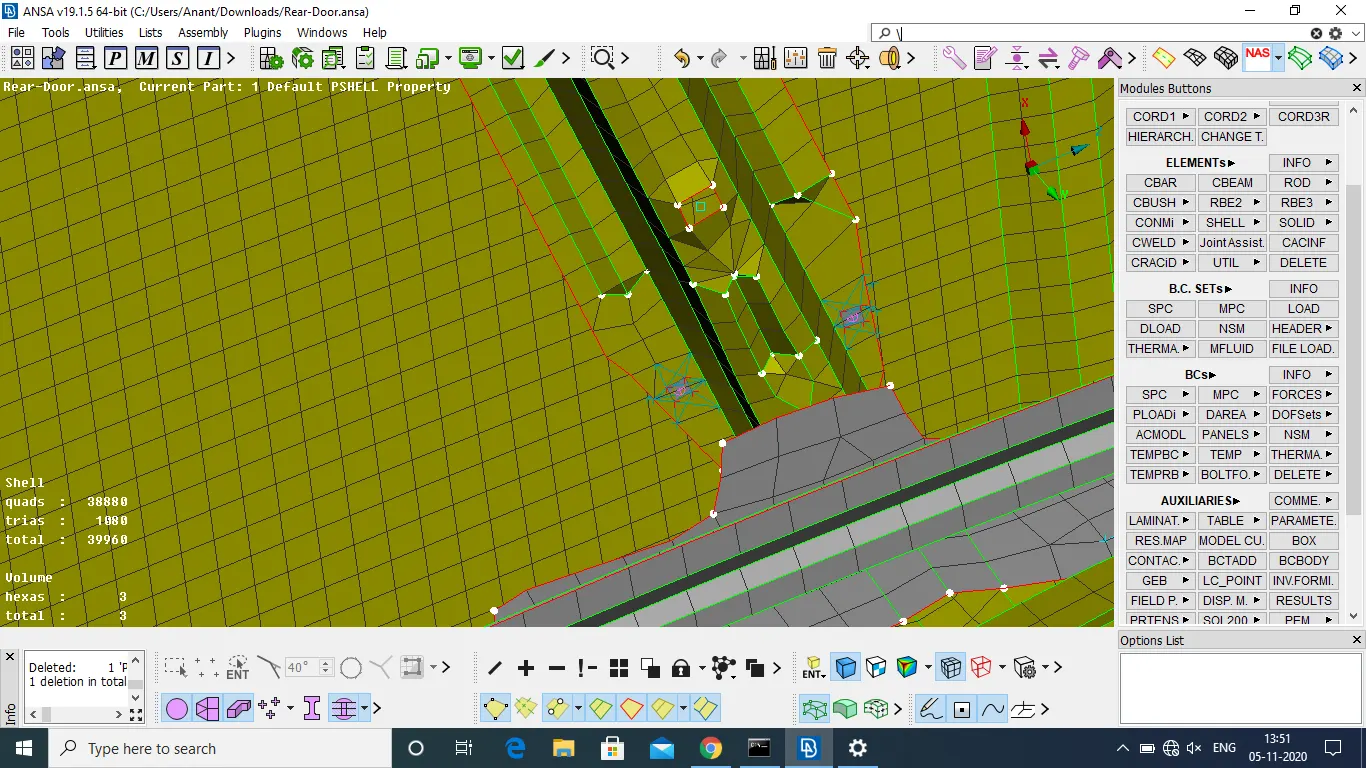
2. Spot Weld
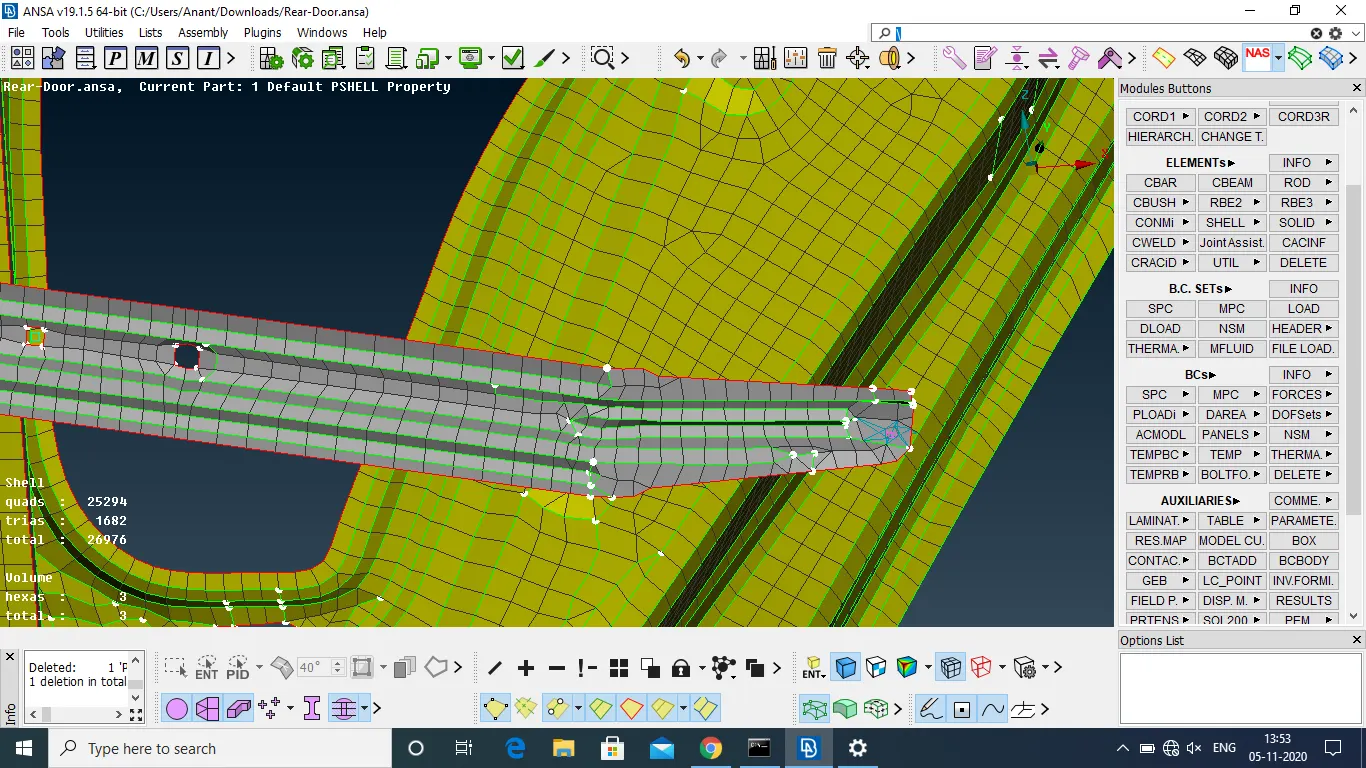
3-D point is created and coverted into spotweld point. After selecting parts RBE3-HEXA-RBE3 connection is provided.
3. RBE2 connections
Select the node and apply RBE2 connection
RBE2 Elements
Door Hinge
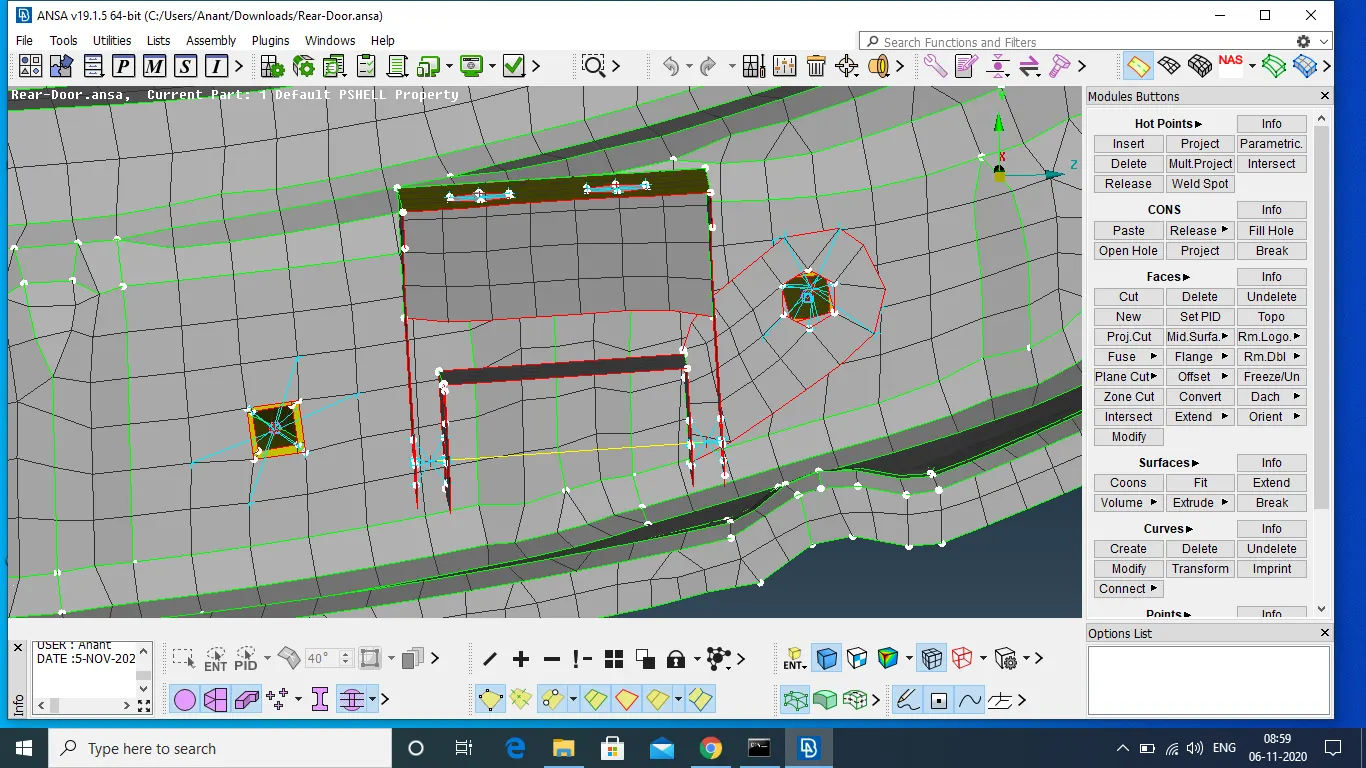
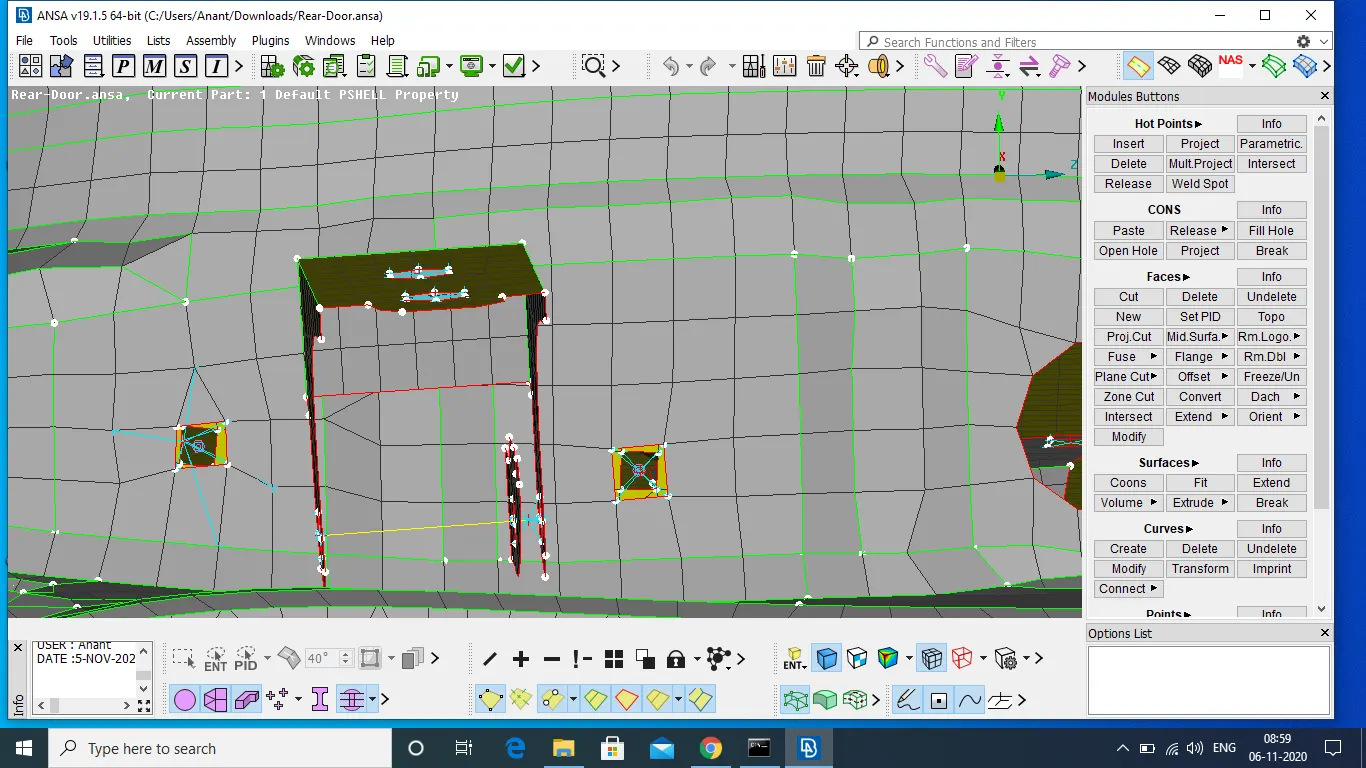
Connection made here are cluster RBE2. Two cluster is joined by two node RBE2 with freedom to rotate about z axis.
Handle
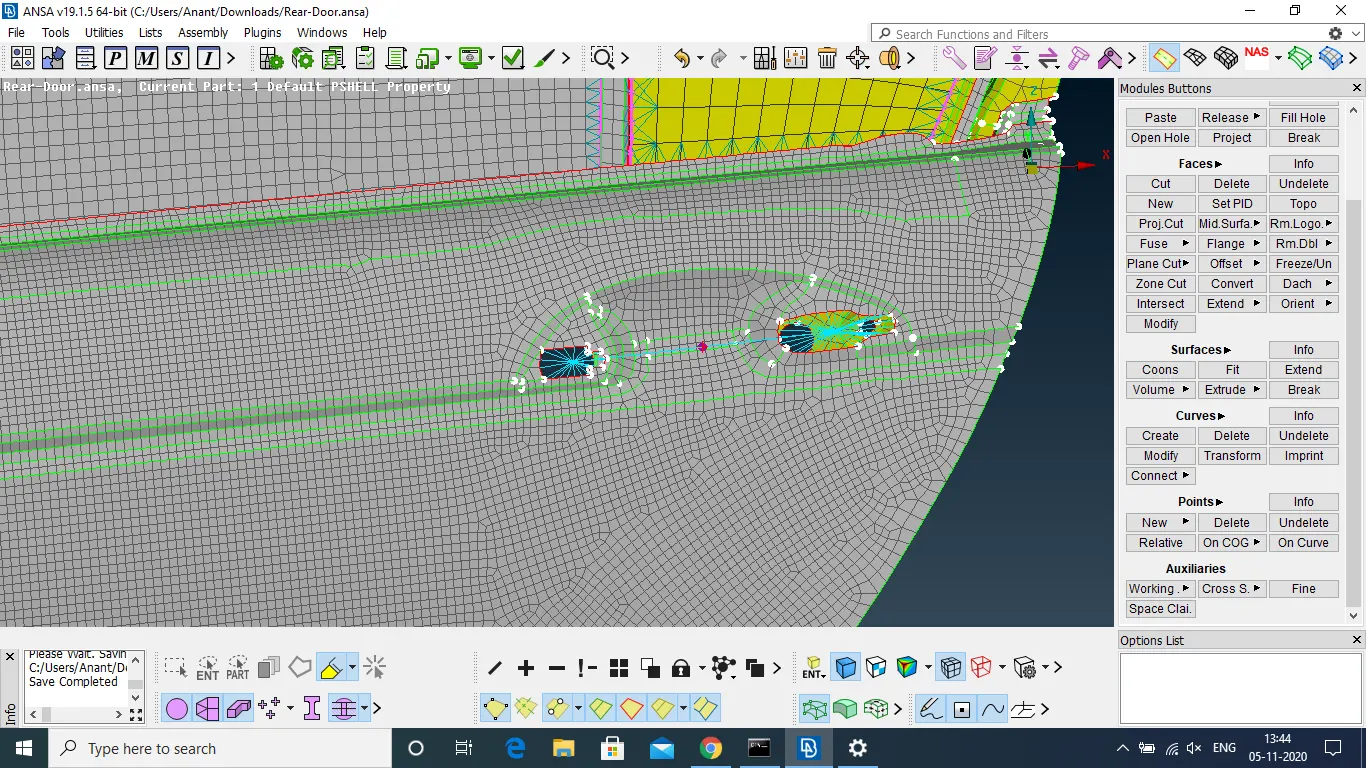
Coneection is made with RBE2 and mass is assigned at middle using CONMi->CONM2->Node
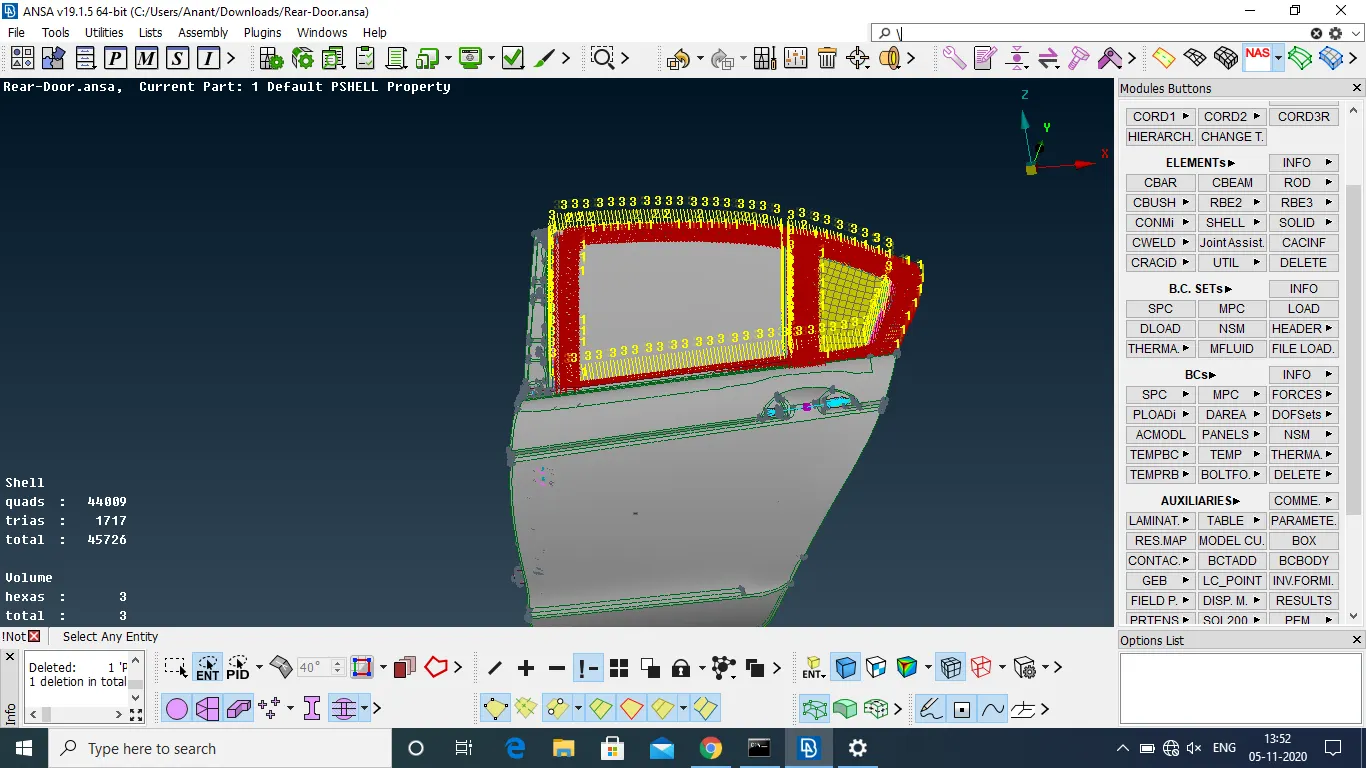
Window
Curve is created at perimeter of gass of window using FE2Curve
Curve is converted into spotweld line.
Connection is made between glass and door using RBE3-CBUSH-RBE3.
Learning Outcomes
- learnt to provide bolt connection
- learnt to provide RBE2 and RBE3 connection
- learnt to assign mass of handle
- learnt to provide CBUSH connection and allign with global axis
Conclusions
Variuos connection is provided for rear door FE model. So, proper knowgle and intuition is required to select best possible connection.