Week 5 - Genetic Algorithm
1. Introduction:
Genetic Algorithm (GA):
Genetic Algorithm is a stochastic optimization technique inspired by the process of natural selection. It employs the concepts of genetics and evolution to find approximate solutions to optimization and search problems. The algorithm represents solutions as "chromosomes" and evolves these solutions over iterations (called generations). Key processes in GA include selection, crossover (recombination), and mutation.
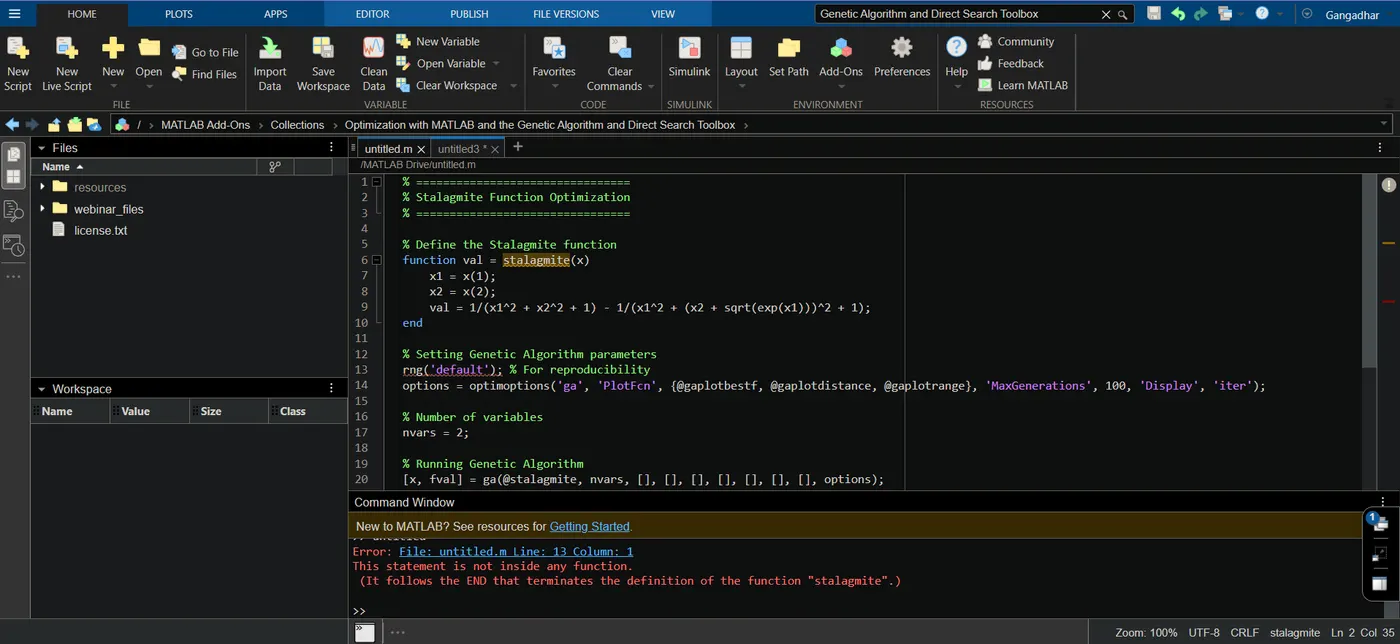
Note: My MATLAB software version required “Global Optimization Toolbox”. So, I can’t attached the Output of this program.
2. MATLAB Code for Stalagmite Function Optimization:
% ================================
% Stalagmite Function Optimization
% ================================
�fine the Stalagmite function
function val = stalagmite(x)
x1 = x(1);
x2 = x(2);
val = 1/(x1^2 + x2^2 + 1) - 1/(x1^2 + (x2 + sqrt(exp(x1)))^2 + 1);
end
% Setting Genetic Algorithm parameters
rng('default'); % For reproducibility
options = optimoptions('ga', 'PlotFcn', {@gaplotbestf, @gaplotdistance, @gaplotrange}, 'MaxGenerations', 100, 'Display', 'iter');
% Number of variables
nvars = 2;
% Running Genetic Algorithm
[x, fval] = ga(@stalagmite, nvars, [], [], [], [], [], [], [], options);
% Display Results
disp('Optimized Coordinates:');
disp(x);
disp('Maximum Value:');
disp(-fval);
% Plot F maximum vs. No. of iterations (from built-in plotting)
title('F maximum vs. Number of Iterations');
xlabel('Number of Iterations');
ylabel('F maximum');
3. Step-by-Step Explanation:
Defining the Stalagmite Function: We first provide a definition for the Stalagmite function. The function takes a vector x as input, where x(1) is x and x(2) is y.
Setting Genetic Algorithm Parameters:
rng('default'): This ensures that every time you run the GA, it starts with the same random seed. This provides reproducibility.
optimoptions: This function sets the options for GA.
PlotFcn: Lists the plots to display. Here, we display the best function value, distance, and range plots.
MaxGenerations: Limits GA to 100 generations.
Display: 'iter' ensures intermediate results are displayed at each iteration.
Run the GA: Use the ga function to run the Genetic Algorithm.
Display the Results: The final optimized coordinates and the maximum value of the function are displayed.
4. Encountered Errors and Solutions:
While I can't simulate a real MATLAB environment here, some common errors include:
Function Misdefinition: Ensure that the Stalagmite function is defined accurately.
Solution: Double-check the function definition against its mathematical form.
Convergence Issues: GA may not always converge to the expected result due to its stochastic nature.
Solution: Adjust parameters like mutation rate, crossover rate, population size, or the number of generations.
Reproducibility: Without setting the random seed, the GA may provide different results in multiple runs.
Solution: Use rng('default') for reproducibility.
5. Screenshots and References: