Week - 5 - Checking and correcting the Normals
Objective:
Write a code to display normals and to reverse the normals for selective elements.
Create a widget consist of two buttons for reverse normals and normals off.
Assign the code to keyboard shortcuts.
Procedure:
STEP I: Initially to display normals, the following set of code is executed.
*clearmarkall 1
*setnormalsdisplaytype 1
*createmark elements 1 "displayed"
*normalsdisplay elements 1
The clearmarkall command is used to unselect all the previously selected elements or surfaces so that there wont be error or problem occurs.
In the next command the type in which the vectors should be displayed is executed. 0- arrows 1-colour display.
create mark is used to select the elements.
normaldisplay to show the vectors of each elements.
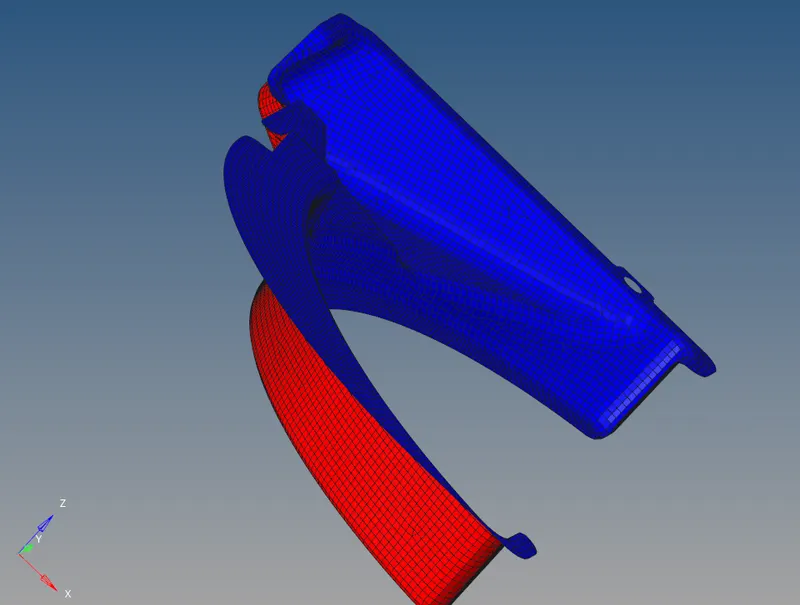
STEP II: Not all the time the obtained vectors are in right direction. theresfore sometimes its necessary to change the vectors manually.
so the normals panel should be executed.
*createmarkpanel elements 2 "Select the elements you want to reverse normals for"
set a [hm_marklength elements 2]
The above set of commands collect the selected elements into the mark id 2. and the marklength for the selected elements are stored in a variable name 'a'.
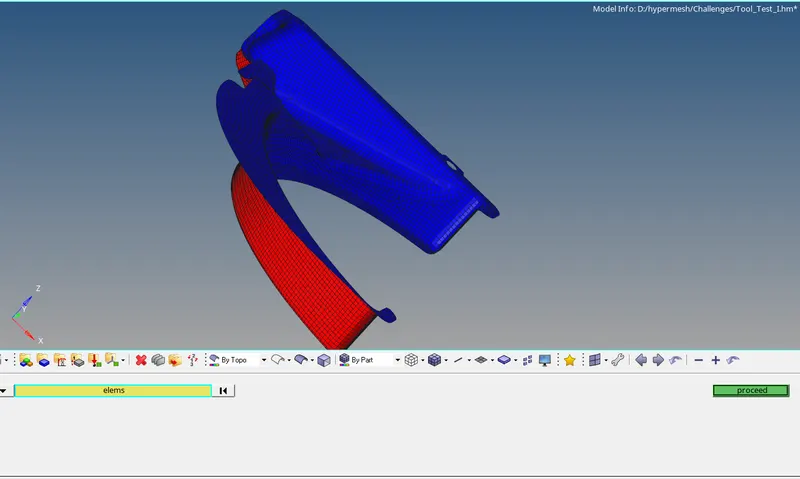
Therefore select "proceed" and reverse the respective elements.
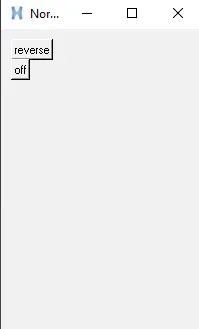
To create the above obtained widget, the following commands were executed.
set normals .window
catch {destroy $normals}
toplevel $normals -class TopLevel
wm title $normals "Normals"
wm geometry $normals 200x300+100+30;
wm deiconify $normals
In the widget, there 2 buttons to execute 2 different operations.
The first operation is to reverse the vectors. Here occurs a suitation where no elements were selected.
Therefore ifelse condition is used to execute reverse the elements. As the marklength is already stored in variable 'a' ifelse statement is execute for null cases also.
In button "off" the vectors showing in elements are turned off.
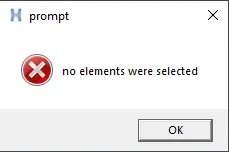
As above mentioned, for null case there should be a pop-up box which alert the users about no selection of elements. The above all commands are shown below.
button $normals.01 -text "reverse" -command {
if {$a != 0} {*normalsreverse elements 2; *createmark elements 1 "displayed"; *normalsdisplay elements 1} else {puts [set prompt [box]]}}; place $normals.01 -x 10 -y 10
button $normals.02 -text "off" -command {*normalsoff}; place $normals.02 -x 10 -y 30
proc box {} {tk_messageBox -message "no elements were selected" -icon error -type ok -title prompt}
Null Case:
Result:
The commands for element reversal and pop-up box for null cases are executed using commands tool language.
The procedures to obtained the panel, widgets and pop-up box are explained.