Week 5 Challenge : Surface wrap on Automotive Assembly
Aim: Surface Wrap on Automotive Assembly
Procedure:
Cleaning the geometry
- Remove the unnecessary surfaces present in the model geometry to achieve the desired shape of the models.
- Delete all the rings, donuts and spheres that are not important to the given model of engine, transmission and gear box.
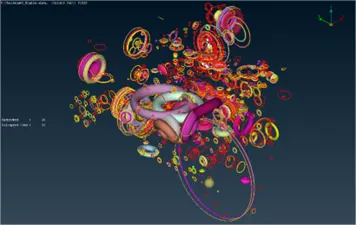
- From the engine geometry, delete the power transmission belts and exhaust pipes present in on the right side and back side of the geometry.
- Check for overlap surfaces present in the geometry and resolve any such issues.
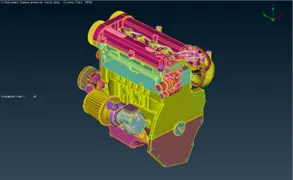
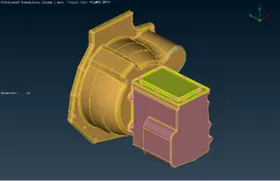
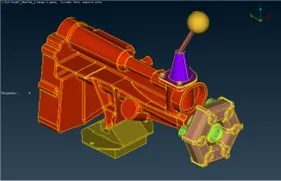
- The final geometry of the given models should resemble the following illustrations.
Merging the models
- Open the cleaned geometry Engine model.
- Go to File>Merge
- Select desired file containing the model to be merged with the existing model from the dialog box.
- Set the merge parameter as shown and click OK.
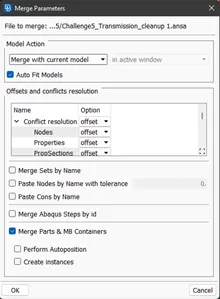
- Verify the merged model.
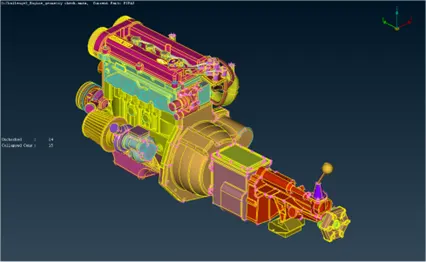
- The merged model should look as shown in figure below.
- Fill all the holes present in the model to avoid meshing of smaller surface and to prevent the surface mesh from reaching the internal volume.
Deploying Surface Wrap
- Compress the geometry using compress option to remove the PIDs of deleted surfaces.
- To deploy surface wrap, go to the mesh module.
- Select Wrap>Constant Length to open the following dialog box.
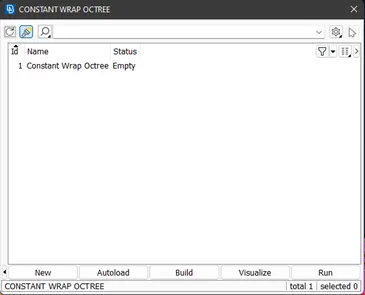
- Double Click on the displayed name (Constant Wrap Octree) to open the following dialog box.
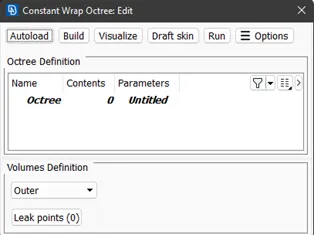
- Select the Parameters (Untitled) to open the following dialog box. Set the parameters as shown below.
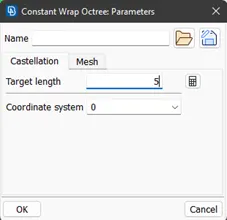
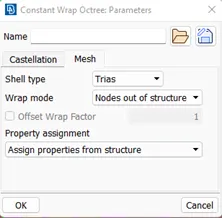
- Select Contents (0) to open the following dialog box and select all the contents of PID to deploy surface mesh.
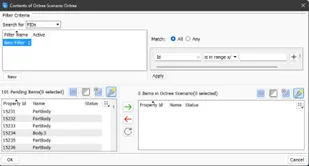
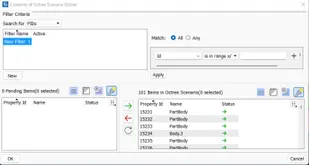
- Deploy Surface Mesh.
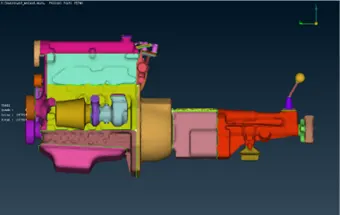
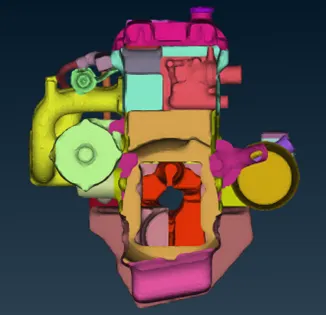
- To verify the deployed surface mesh hide the meshed surfaces at left and right ends of the geometry using NOT tool in Entity mode. If the opening at the other end is visible through the geometry then the surface mesh has been deployed perfectly.
Learning Outcomes:
- Learned the clearing of complex design details in a geometry.
- Learned the merging of geometry using ANSA software.
- Learned to deploy surface mesh on the merged geometry model comprised of engine, transmission and gear box.
- Learned technique to verify successful deployment of surface mesh.
Result:
- The provided engine, transmission and gear box geometry were cleaned and merged.
- Surface mesh was successfully deployed on the merged geometry.
- The deployed surface mesh was verified.
Conclusion:
The provided engine, transmission and gear box geometry were merged together. A surface mesh comprised of tria elements with constant length of 5 mm was successfully deployed over the geometry. The deployed surface mesh was also verified.