Week 5 Challenge : Surface wrap on Automotive Assembly
OBJECTIVE
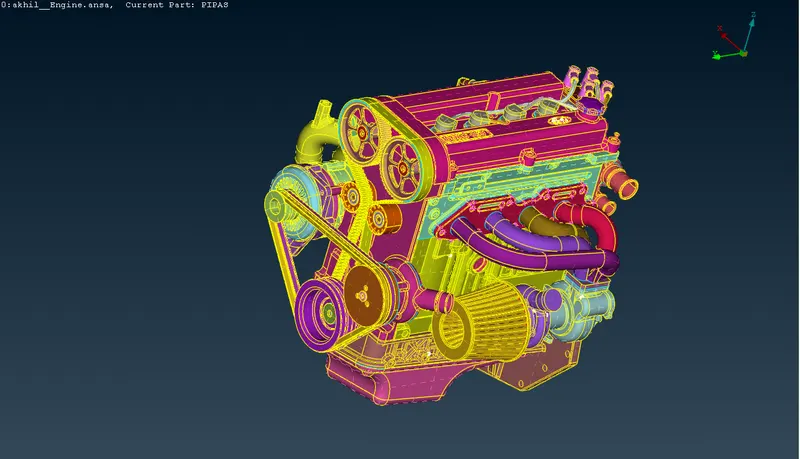
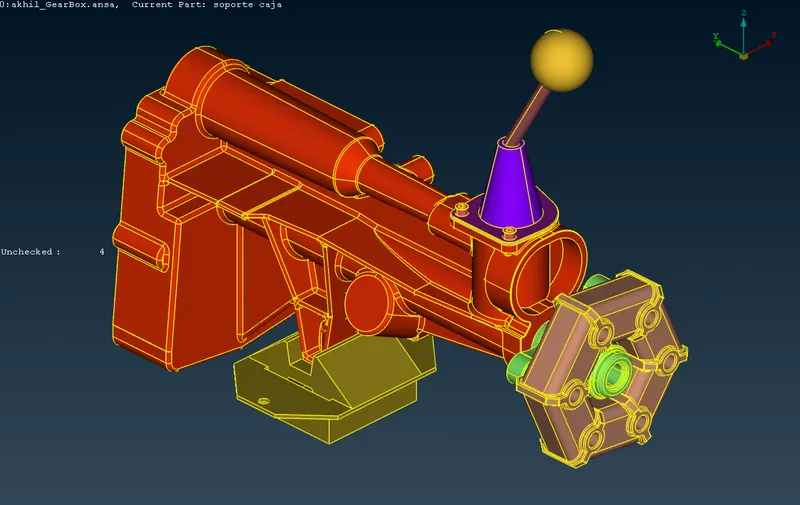
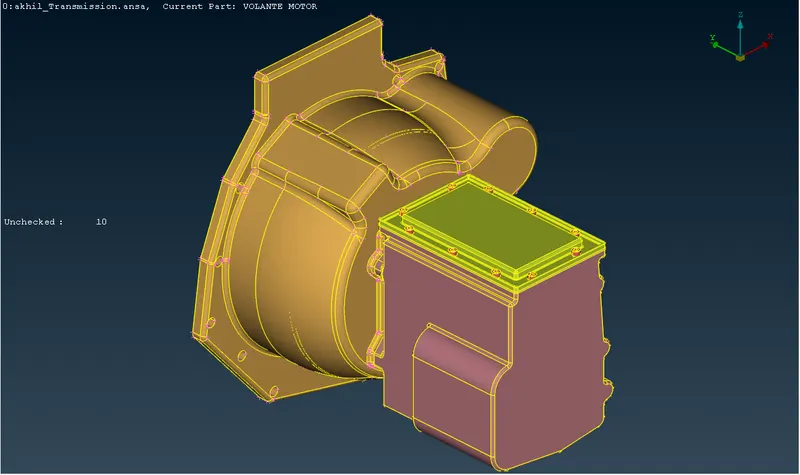
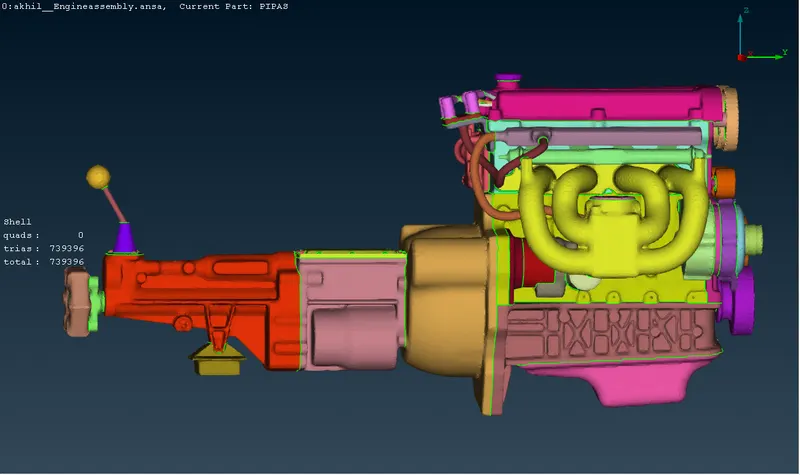
For the given models, check for the geometrical errors and delete surfaces which are unwanted for surface wrap.After clearing geometry,merge all 3 models and perform surface wrap.
Target length for wrap= 3mm
PROCEDURE
Step 1: Topological cleanup
- Delete unwanted extra surfaces from the outside of model.
- Hide the part using PID s select option.
- Model containss ring surfaces, overlapped surfaces, small pipes and small extra surfces. Delete all these surfaces.
- Check for any single cons present on the outer perifery. IF any delete or convert into double or triple cons using paste and topo option.
Step 2: Merge models
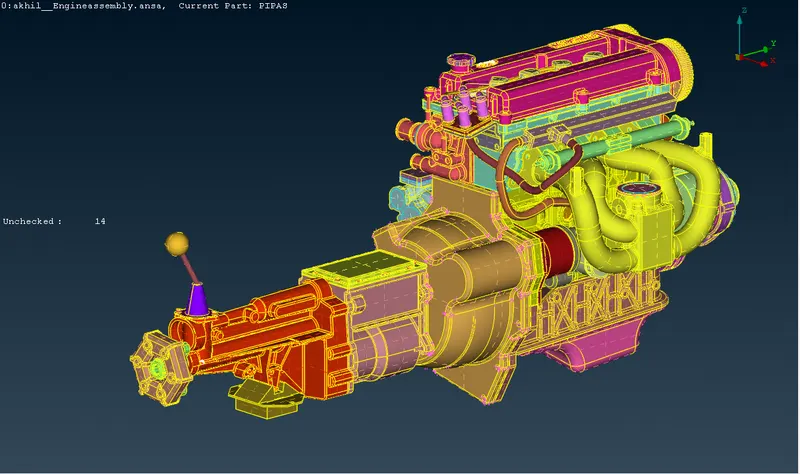
- Open engine model.
- Go to file - merge option.
- Select ansa file that we want to merge with engine file.
- Select next ansa file and merge it.
- Close all large hole outside the surface
Step 3: Surface wrap
- Delete all empty PIDs.
- Go to mesh mode.Click on wrap.Select constant length. Double click on parameters and give target length as 3mm.
- Double click on contents and import all PIDs. Run the wrap.
LEARNING OUTCOMES
- Understood how to remove unwanted ring surfaces, pipe surfaces and overlapped surfaces from the body.
- Understood how to merge the models.
- Understood how to perform surface wrap.
RESULT
For the given models, checked for the geometrical errors and deleted surfaces which are unwanted for surface wrap.After clearing geometry,merged all 3 models and performed surface wrap.
CONCLUSIONS
- Small value of target length takes more in in surface wrap. bUt improves quality.
- Surface which are open will give bad surface wrap.