Week 5
SOLID MESHING ON A CAR REARVIEW MIRROR(TETRA HEXA)
AIM: To obtain a solid meshing( tetra hexa) on a given car rareview mirror model
PROCEDURE:
STEP 1: Import the geometry to the ANSA to perform the solid meshing.
- Open Ansa software in your system and and then go to files command in the menu bar and open the requred model to perform the solid meshing.
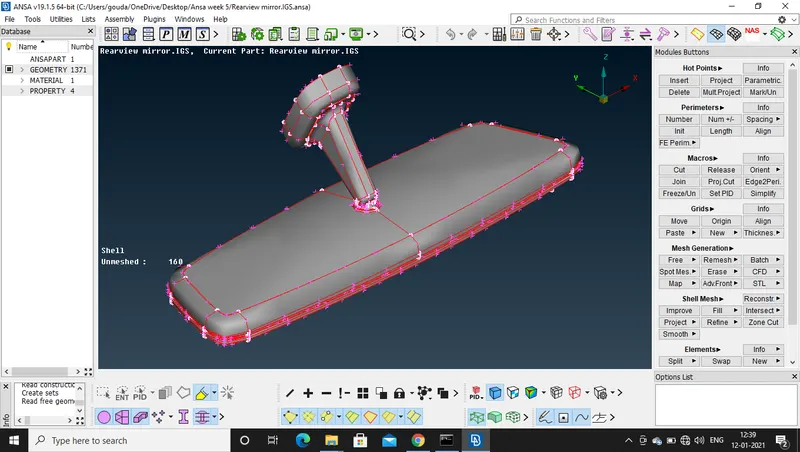
"Image 1: Importing the geomery"
STEP 2:
- Perform the topologi clen up on ur model by using the TOPO command in the faces option.
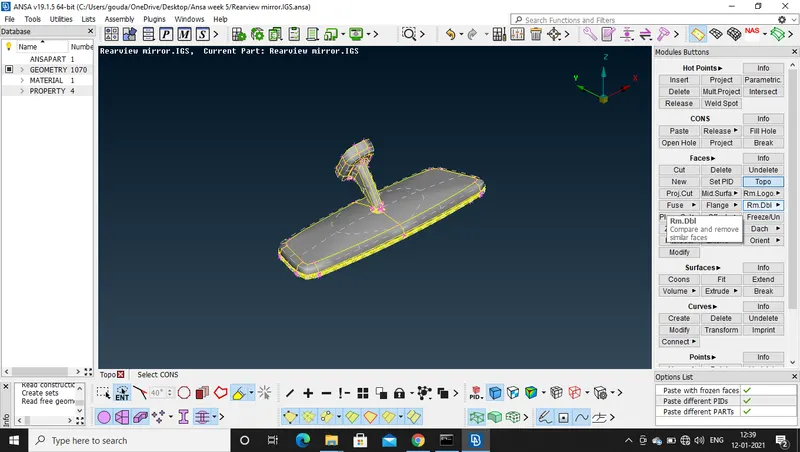
"Image 2: Topo clean up on the model"
STEP 3:
- check the geometry of the model and if here are any errors fix them by using GOMETRY option the CHECK MANAGER.
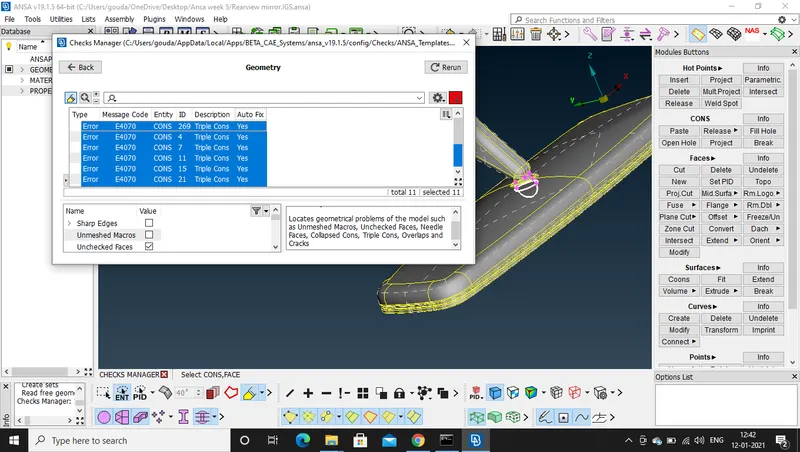
"Image 3: Errors are been fixed by AUTO FIX option"
- Finally the reeros are fixed in the model and the model is ready to be executed and worked.
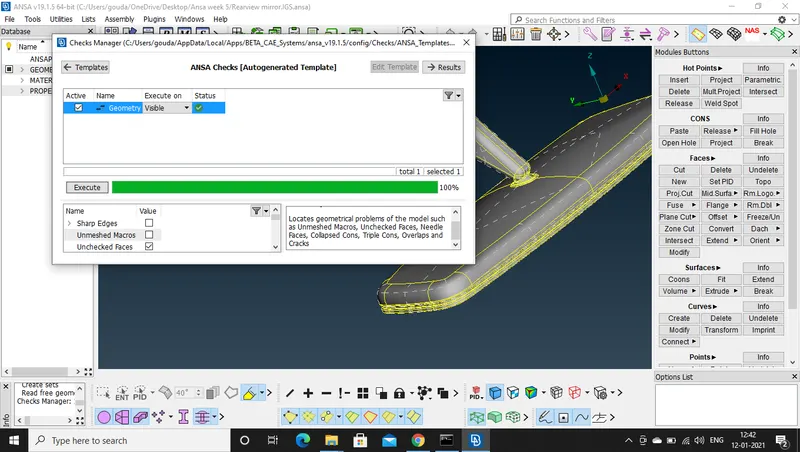
"Image 4: Errors are fix and moeld is ready to execute and work "
STEP 4:
- According to the given quality requirements set the quality criteria and the mesh parameters for the model.
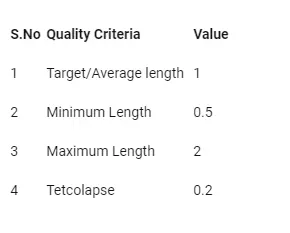
- Before setting the quality criteria set the length perimeters(Perimeters and Macros) in the mesh mood with the mimimum length in the quality requirements.
- After setting the perimeters set the quality crieria according to the quality requriments of the meshing.
- As we are performing the solid meshing, we use tetra meshing method. So we set the meshing parameters like avarage minimum and maximum lenghth and set the mesh type as ORTHO TRIA
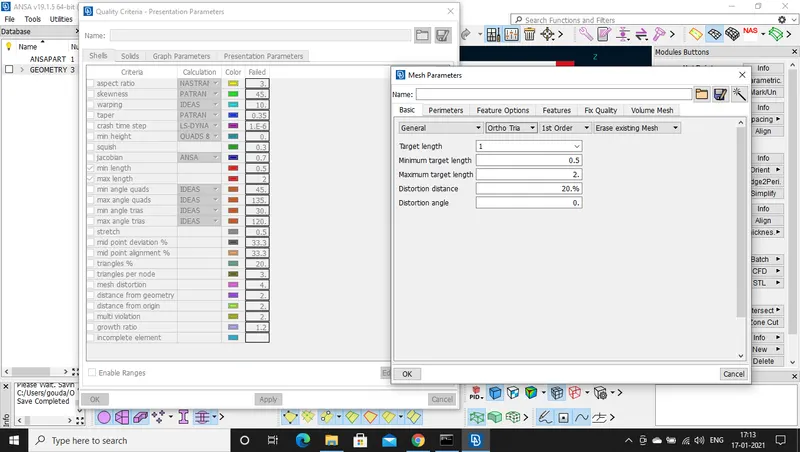
"Image 5: Quality and mesh parameters setup"
- The TETCOLAPSE is set in the solid option in the quality criteria.
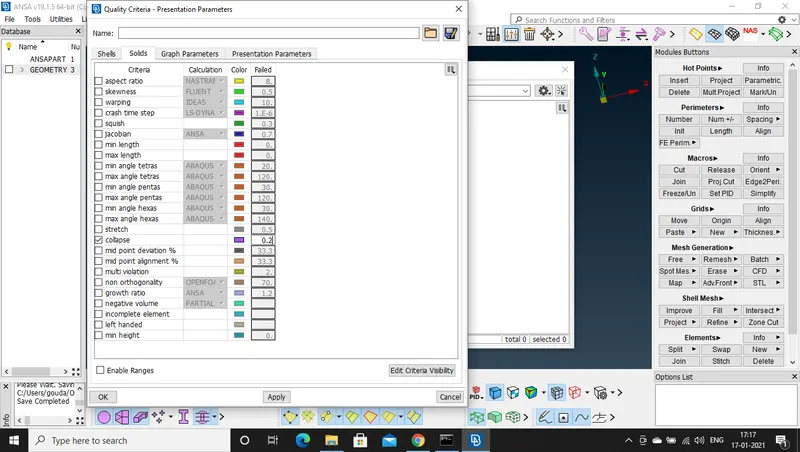
"Image 6: TETCOLAPSE setup in quality criteria"
STEP 5:
- After the quality is fixed ckeck the distanve between the cones and correct them if ther are less then the minimum length by doing some geometry clean up.
- check the length between the cones by using measure command.
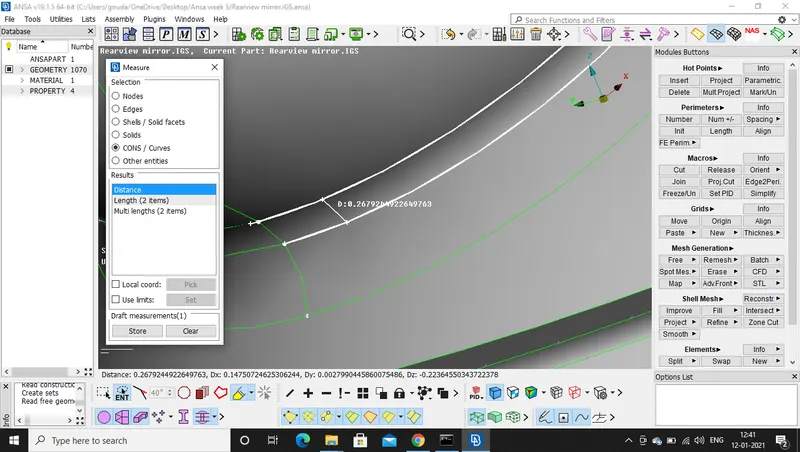
"Image 7: Measuring the length between the cons and Performing geometry cleanup if required "
STEP 6:
- After the geometry clea up we have to start the Meshing on the given geometry.
- Divide the model into parts and assign saparate PIDs in property manager.
- To perform the meshing we have to go to mesh mood , and in modules buttons use SPOT meshing option for meshin the surface.
- For curved surface or fillet liked surfaces use ORTHO TRIA option and perform the meshing.
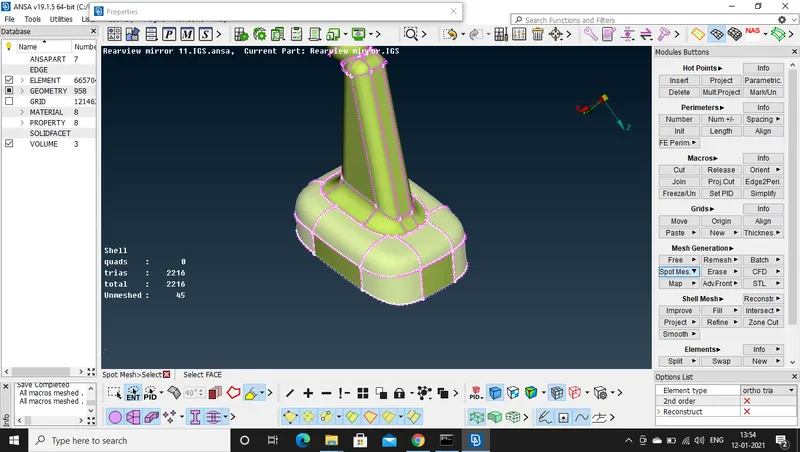
"Image 8: Using Ortho tria for curved regions for meshing"
- For plane surfaces use TRIA option for meshing.
- Use Reconstruct option in the shell mesh option for improving the mesh quality and fixing the off elements.
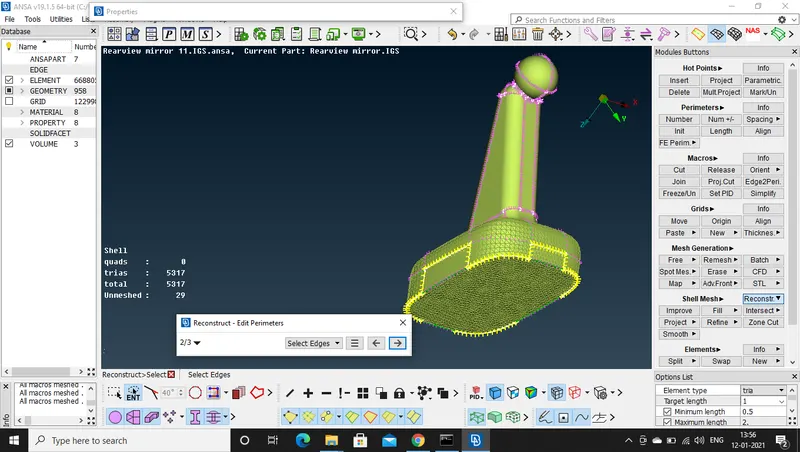
"Image 9: using Tria for meshing plane surfaces and reconstruct for improving the mesh and fixing OFF elements "
STEP 7:
- After completing the meshing on the given MODEL we have to define the the volume for the model in the volume mesh command.
- For defining the Volume we have to use Defne option in the volume modules buttos in volume meshing.
- After the volume is define we have to use TETRA RAPID OR TETRA FEM in UNSTRUCTRED MESHING to obtain the solid meshing for the model
- And finally we have to solve the OFF elements in the object if ther are any.
CONCLUSION: The solid meshing( TETRA) is obtained for the given car rearview mirror.
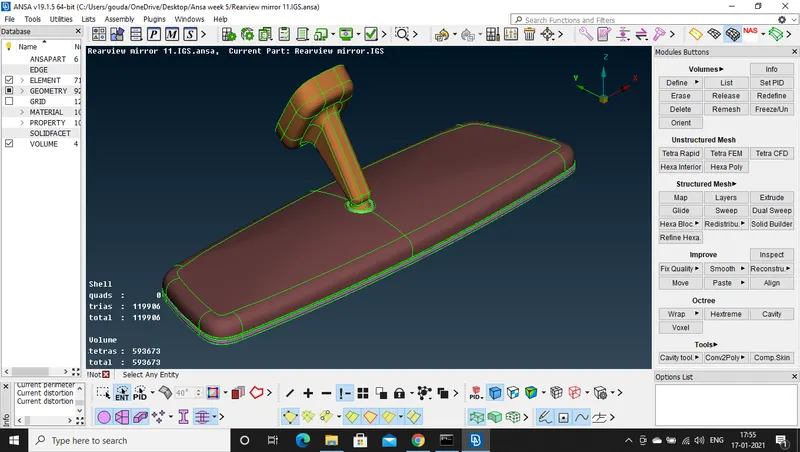
"Image 10: Car rearview mirror after performing solid meshing "
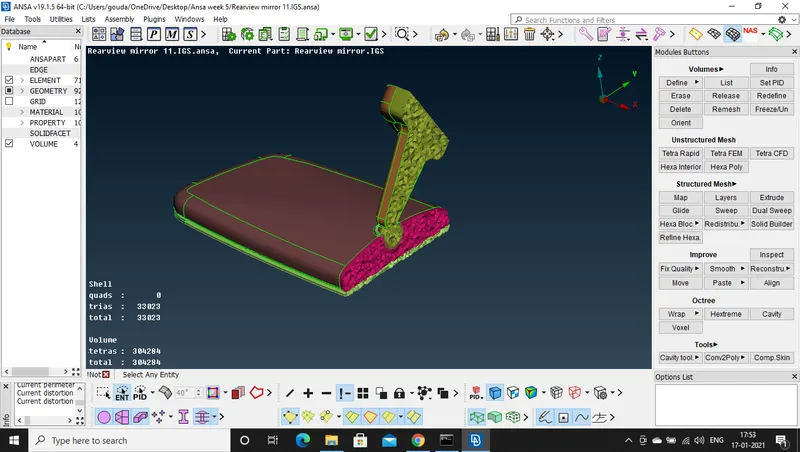
"Image 10: cross section view of a car rear view mirror after performing the solid meshing after using tetra rapid "
CONCLUSION: The solid meshing( TETRA) is obtained for the given car rearview mirror.
LEARNING OUTCOMES:
- Learned how to imprt the geometry.
- Learned how to perform the topology clean up.
- Learned how to check the geometry and fix the errors.
- Learned how to assigne the quality criteria as per the reqirements.
- Learned how to mesh by using spot meshing and learned how to improve the mesh by using reconstruct option.
- Learned how to define a volume for the model
- Learned how to perform the unstructured meshing by using TETRA Rapid and TETRA FEM.
- And finally learned how to perform the solid meshing usig TETRA elements.
GOOGLE DRIVE LINK:
https://drive.google.com/file/d/16erviMF1vFOfr-QEMOBE1rhUY6e7QHvD/view?usp=sharing