Week 4 -Wire Bending Challenge
Objective
To perform a wire bending simulation using different materials (Copper Alloy, Aluminium Alloy, Magnesium Alloy) in Ansys.
Procedure
- Open the Ansys workbench and drag a static structural module onto the window.
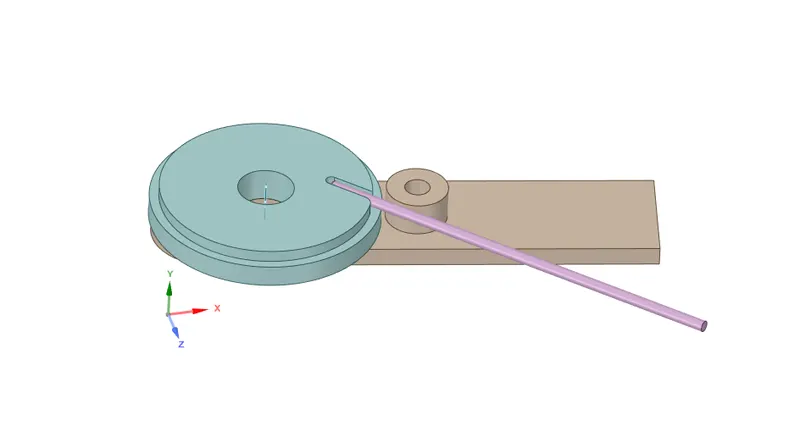
- Import the model in the geometry tab and open it in the space claim to check for any discontinuity.
- Materials were added from the engineering data and all the required materials were been selected from it.
- From the model tab, the mechanical window was opened to define contacts, boundary conditions, outputs, etc.
- The geometries were renamed as wheel, wire, and lever. The materials for each part were assigned. Here the simulation was performed for wire with different materials and for each simulation, the materials can be changed from this tab.
- From the connections click contacts and the software will automatically detect and shows some contacts. If it's not proper changes have to be made. Here the contacts have to be defined between the wheel and the wire and also between the lever and the wire.
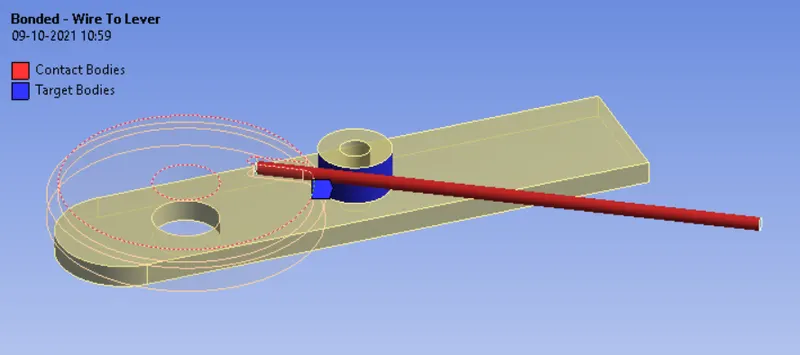
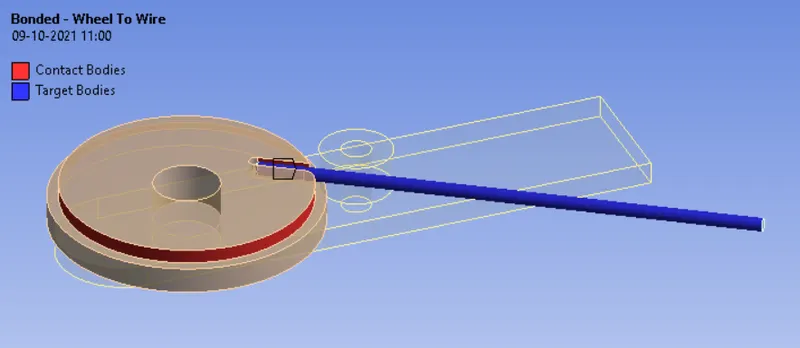
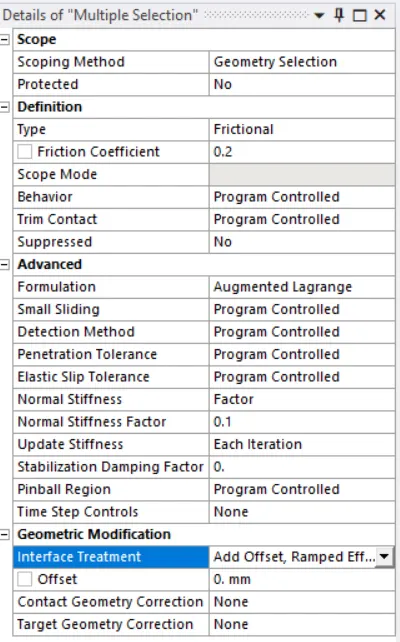
- Select both the contacts and make changes as shown below.
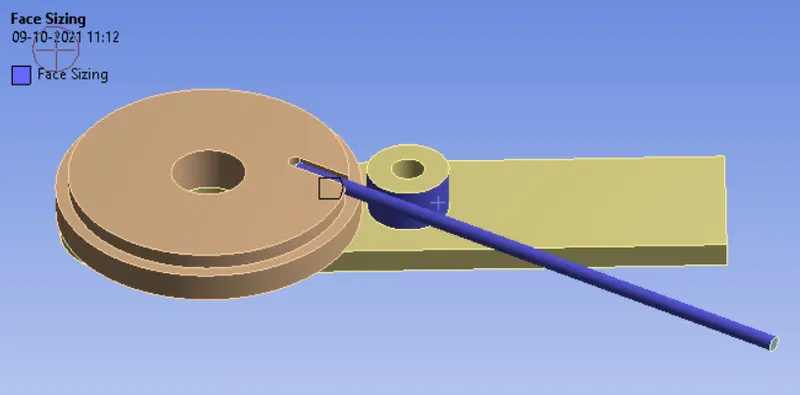
- Now go to Mesh>Insert>Method. Use the solid selector to select all three geometry also select tetrahedrons from the method. Again from Mesh>Insert>Sizing, Select the faces using a face selector that will be in contact and an element size of 2mm was assigned.
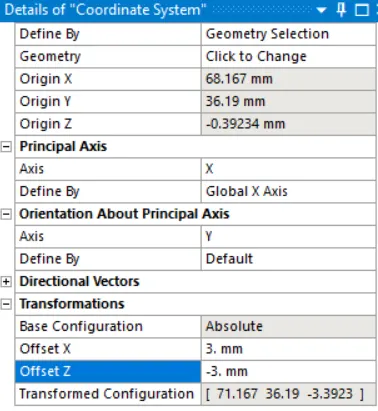
- Since the region below is critical a new coordinate system was created by selecting the surface and right-click> create the coordinate system. Now click the created coordinate system and select the x offset first and z offset next and input the values as shown below in order to shift the coordinate system near the wire.
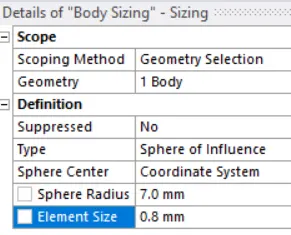
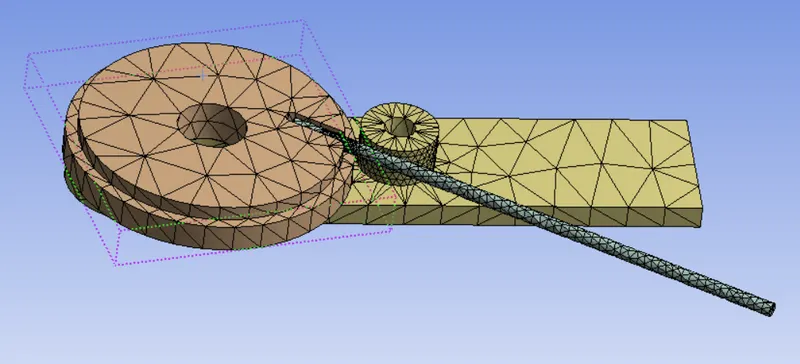
- Again go to mesh>sizing, select the wire and make changes as shown below, and generate the mesh.
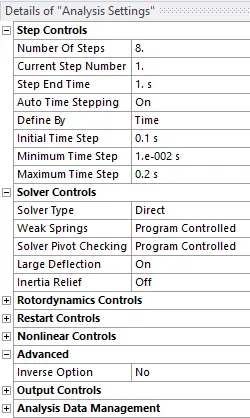
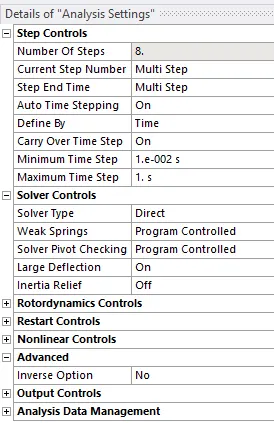
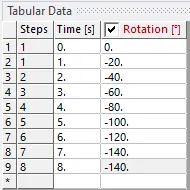
- The analysis was set up using 8 steps in which the first step was treated separately and the rest were defined the same.
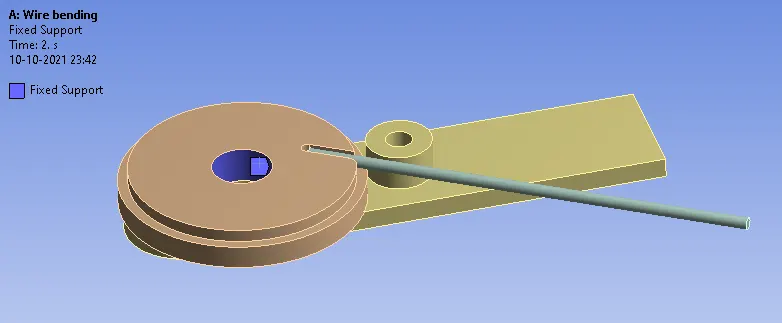
- To define loads, Right-click static structural>Insert>Fixed support.
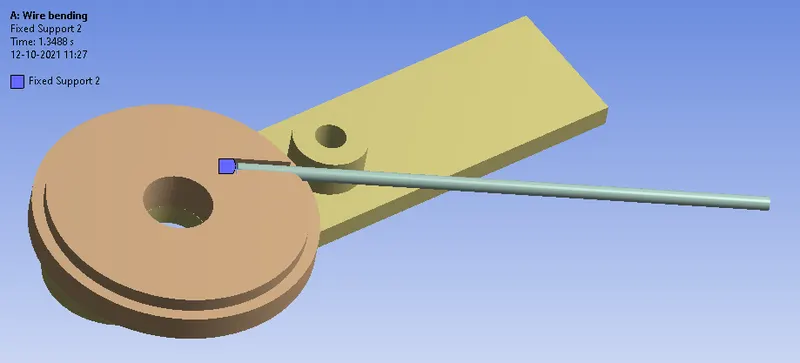
- Similarly, the end face of the wire is also fixed as shown below in order to avoid the displacement caused when the lever rotates.
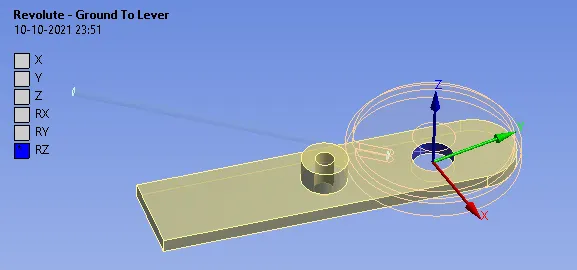
- In order to rotate the lever, a revolute joint has to be defined. It can be done by clicking connection>Body ground>Revolute. Also, the coordinate has to be modified accordingly.
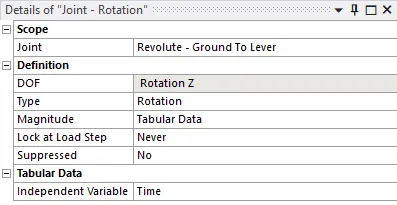
- Now to define the rotation, Right-click static structural>Insert>Joint load.
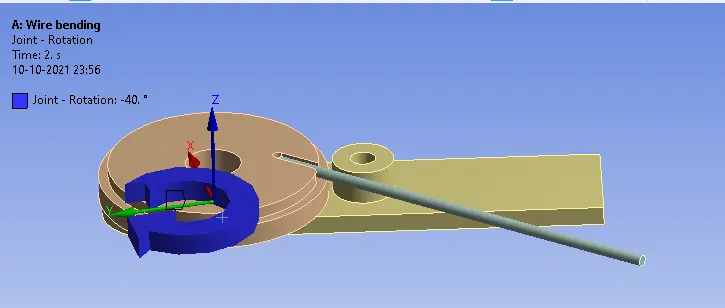
- The output for equivalent stress and equivalent strain for the wire was requested.
Results and conclusion
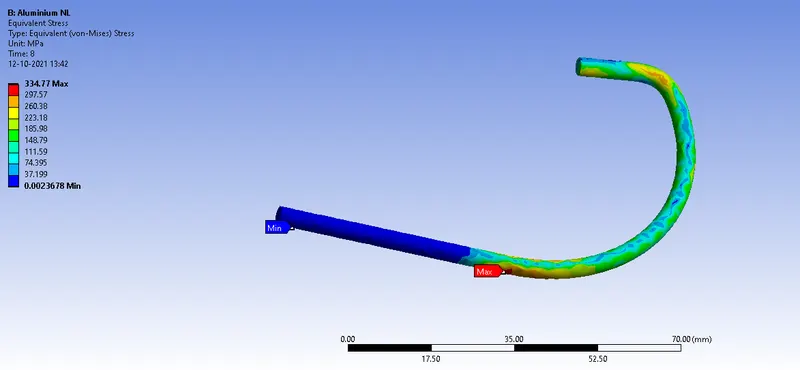
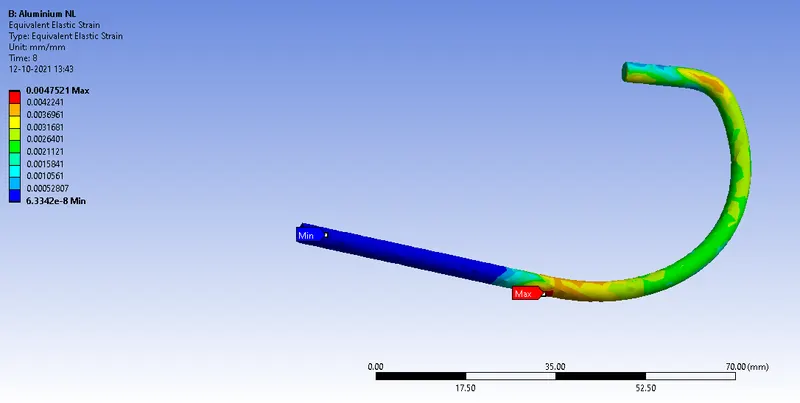
- The simulation for the bending of a wire was performed using three different materials (Copper Alloy (Non-Linear), Aluminium Alloy (Non-Linear), and Magnesium Alloy (Non-Linear)) and results got from the simulation are discussed below.
Equivalent stress developed during the bending process
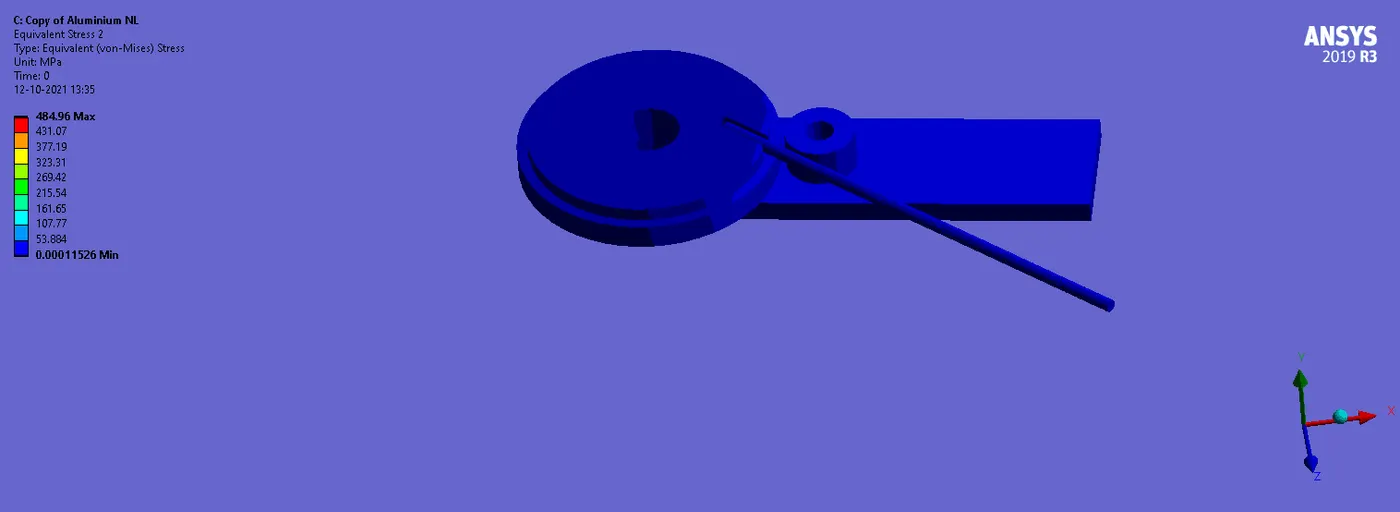
The Equivalent stress on the wire when modelled with Aluminum Alloy NL
The equivalent strain on the wire when modelled with Aluminum Alloy NL
- Similarly, the results were found out for the wire modelled with copper alloy NL and magnesium alloy NL and tabulated the data for comparison which is shown below.
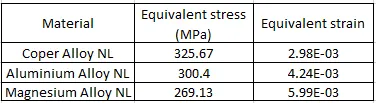
- The equivalent stress for the wire modelled with copper Alloy NL was found to be more and less for the wire modelled with Magnesium Alloy NL. The equivalent strain for the wire modelled with Magnesium Alloy NL was found to be more and less for the wire modelled with Copper Alloy NL.
- From the results, it's seen that the Copper Alloy and Aluminium Alloy have larger equivalent stress, it's because they are stiffer which gives higher stress values when compared to Magnesium Alloy. The Magnesium alloy is softer because of that it can be easily bent.
.............................................................................................................................................................................................................
File: https://drive.google.com/drive/folders/11INpaiiKAbtMVIkga0uHvaEvlNNgR-_r?usp=sharing