Week 4- Rolling operation
Objective
To simulate rolling operation on a workpiece made of copper and to find out the following outputs given below.
- Equivalent stress for the whole setup
- Equivalent Plastic strain for the workpiece
- Directional Deformation in the Z-axis for the workpiece
- Prove that the workpiece has been displaced 90mm.
Procedure
- Open a new Ansys file and drag a static structural analysis module onto the project window.
- From the engineering, data add a material card of Copper Aloy NL and update.
- Upload the given rolling operation model in the geometry tab and open it. From there, Increase the length of the workpiece by 60mm and decrease its size on both sides by 8mm and update the geometry tab.
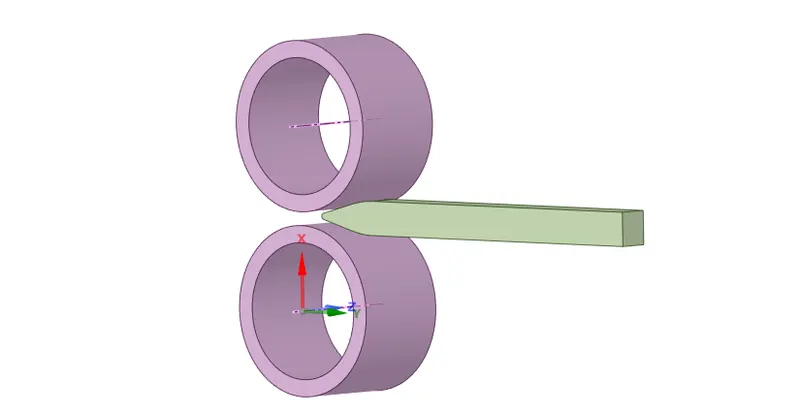
- The model tab can be opened to set up the simulation. The parts are then renamed from the geometry option and assign a material to each part. For the workpiece, Copper alloy NL was used and for the wheels, structural steel can be used as the material.
- From the connection go to the contacts and it has been found that two contacts have been automatically detected by the mechanical module. Now select the two contact region and right-click>Flip contacts/target and again right-click>Rename based on the definition.
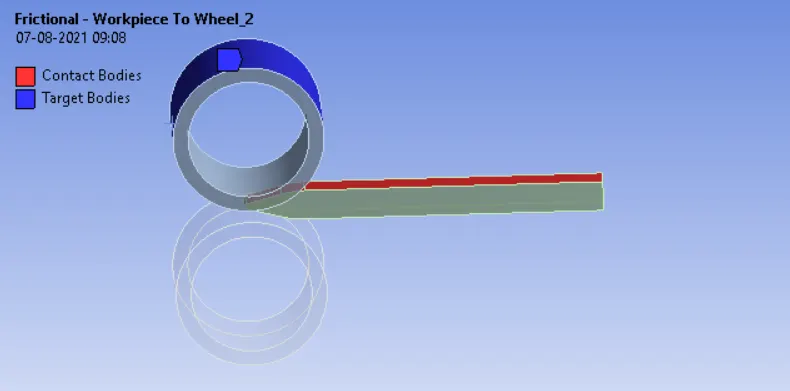
- Other contacts are also assigned in a similar manner.
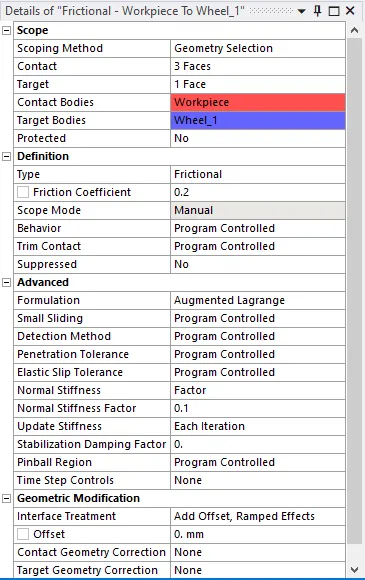
- For both contacts, a frictional type contact with a frictional coefficient of 0.2 was used and other options were changed as shown below.
- Now joints can be defined. These rollers will be acting as cylindrical joints. To define them click on the connection>body-ground>cylindrical. Select the inner face of the first roller and select to apply. Make sure that the z-axis is pointing to the other side, if not it can be changed by clicking the reference coordinate system.
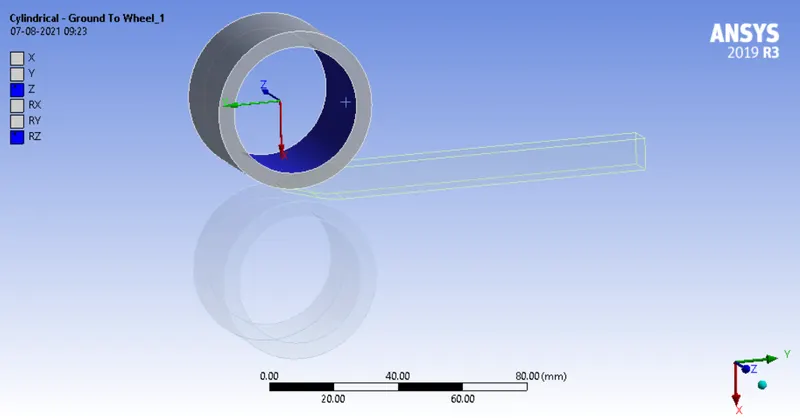
- Similarly, make another cylindrical joint and define it for the other roller as well.
- The model was then taken for meshing. The mesh on the workpiece was refined using the sizing option with an element size of 4mm and generate the mesh.
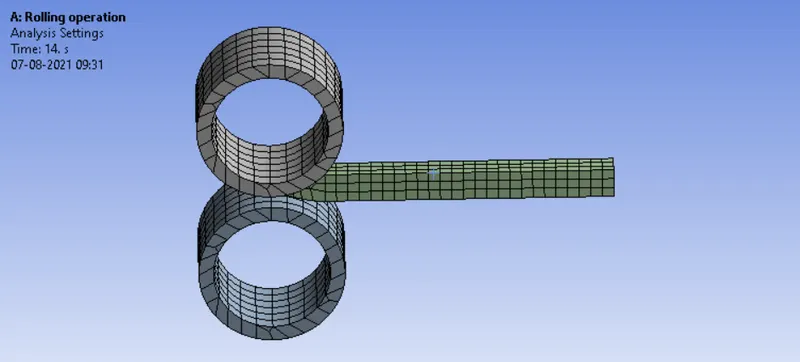
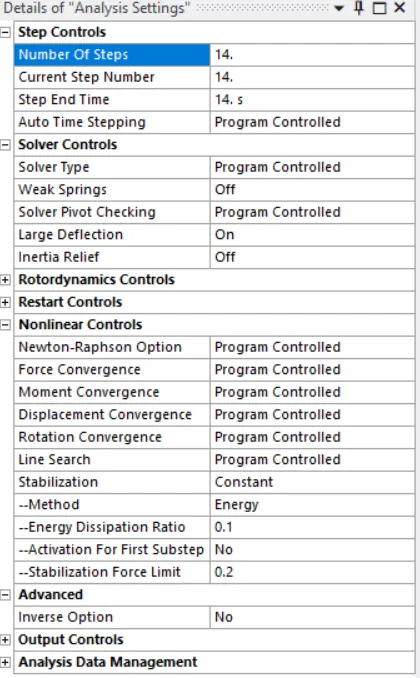
- For the analysis setup, 14 steps were used. Select the 14 steps using the shift key and turn on the large deflection. Since it's a nonlinear problem stabilization was made constant with an energy dissipation ratio of 0.1.
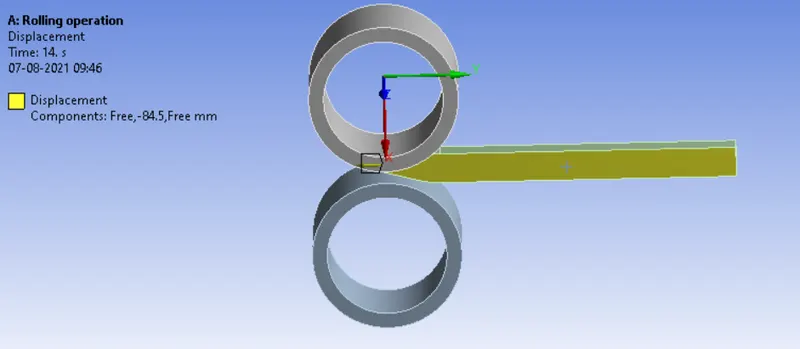
- The displacement load for the workpiece can be assigned by right-clicking static structural>insert>displacement, and select the two faces as shown below to avoid slipping.
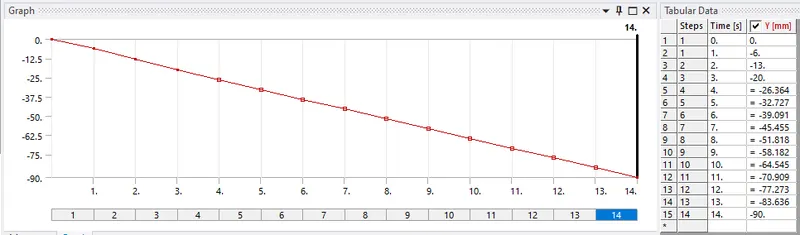
- Also, select the y component and change it to tabular. The magnitudes assigned are shown below.
- To define the loads on the rollers, right-click static structural>insert>joint load. The joint load for both the rollers has been defined separately. While assigning the magnitude negative values shall be used in one of the rollers accordingly so that they will rotate in an opposite direction.
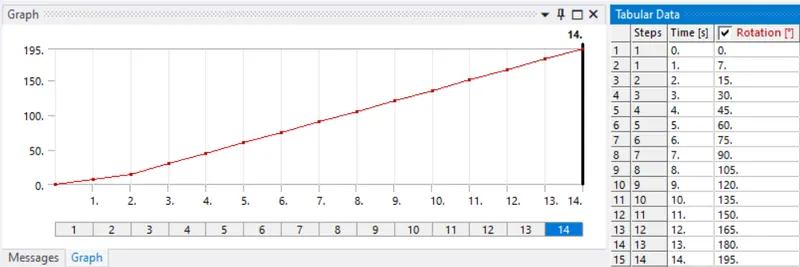
- The outputs for equivalent stress, equivalent plastic strain, and directional deformation were requested.
Results
- Simulation for rolling operation on a workpiece made of copper was performed and the results are discussed below.
Equivalent stress for the whole setup
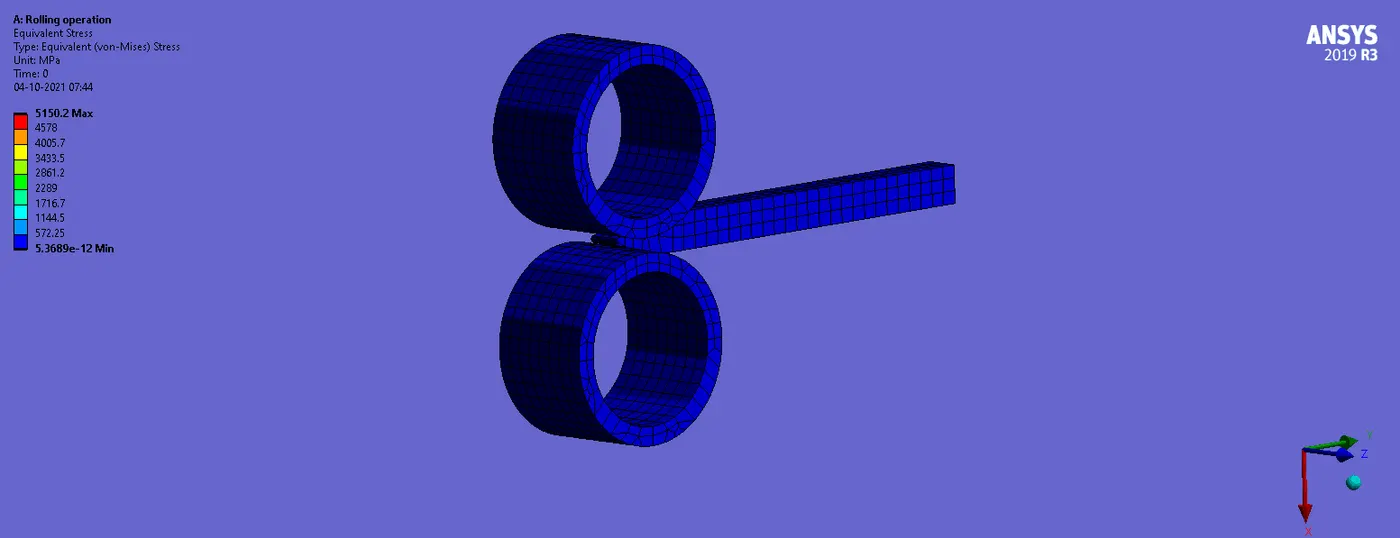
- The maximum stress was found to be 5150.2MPa which is at the contact region.
Equivalent Plastic strain for the workpiece
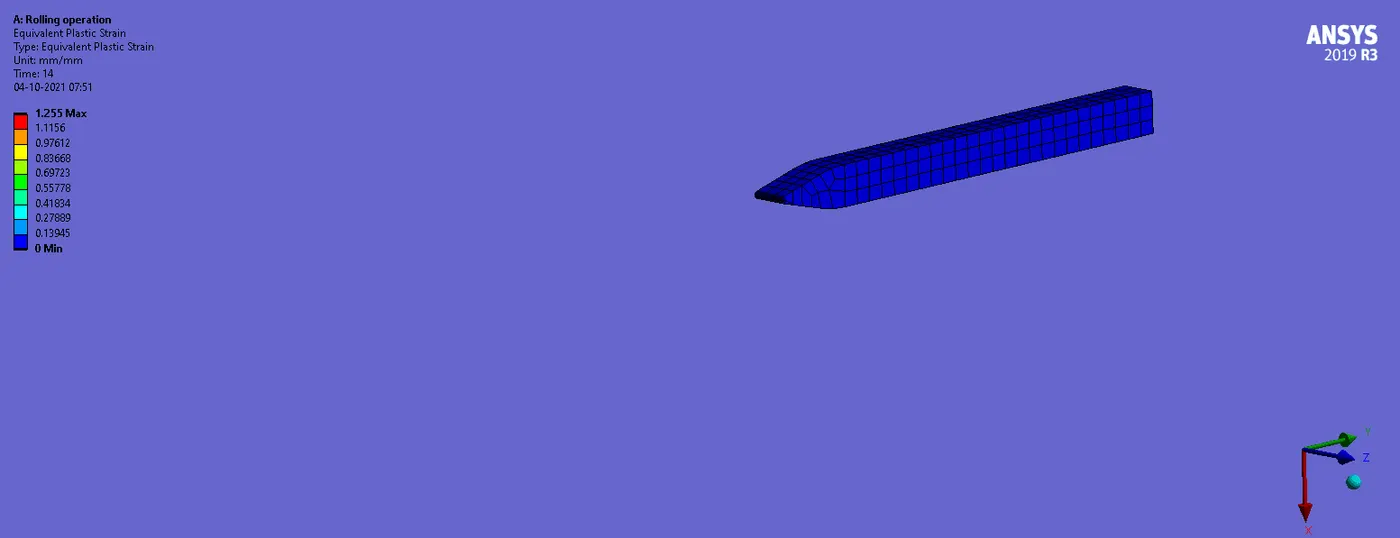
- The maximum value for the equivalent plastic strain was found to be 1.225mm.
Directional Deformation in the Z-axis for the workpiece
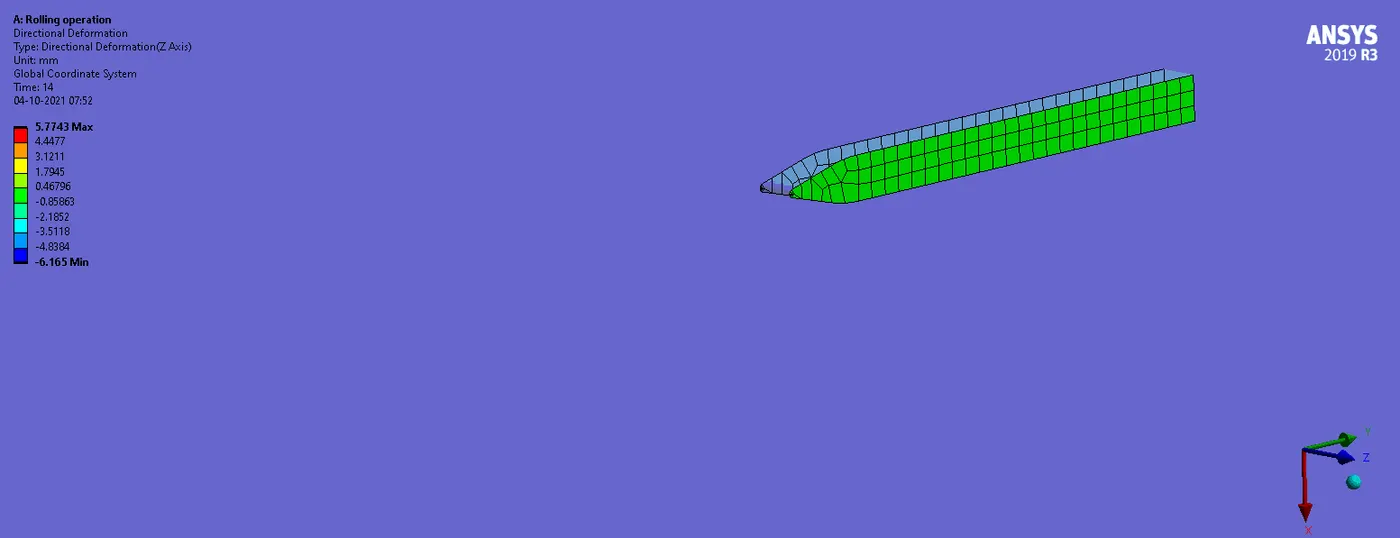
- The maximum deformation along z-direction was found to be 5.4365mm.
To prove the workpiece has displaced by 90mm
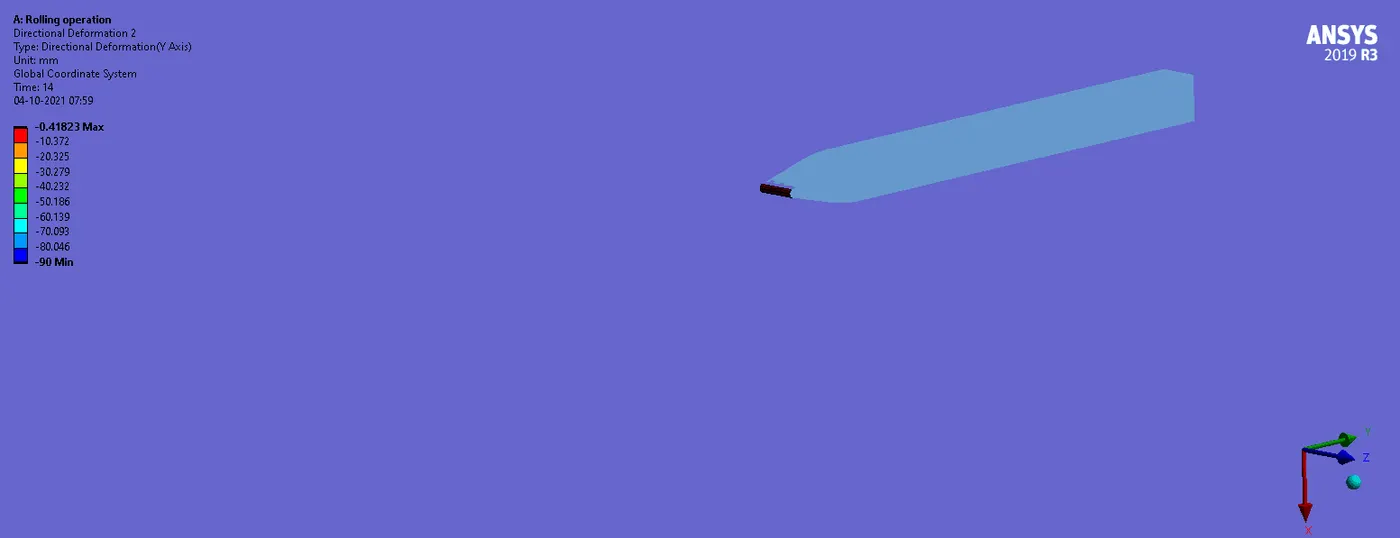
- To find out the displacement of the workpiece the tip face was selected and the output from the directional deformation along y-direction showed a displacement value of 89.469mm which is almost equal to 90mm.
..............................................................................................................................................................................
File: https://drive.google.com/file/d/15KgSdLso8KQ5GR7l2PhYoVKLCljbIuVy/view?usp=sharing