Week 4- Rolling operation
Objective :
To perform the simulation of the given Copper wire rolling using and obtaining the desired results of displacements, stresses and strains as required.
Procedure :
Setting up the simulation
To set up the simulation, first we need to import all the required material cards such as Structrual Steel for the rollers and Copper Alloy NL for the wire segment
The above materials can be found in the General non-linear materials library.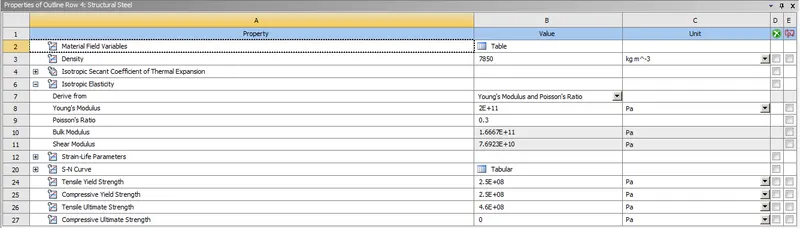
Copper Alloy NL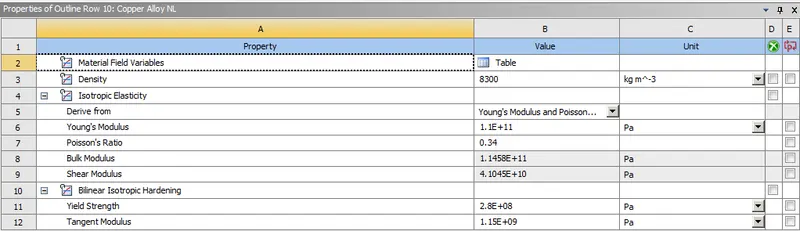
Importing geometry :
Next we import the geometry which has been provided and open it in SpaceClaim and modify it slightly so that the length is 60mm and the width is reduced on each side by 8mm.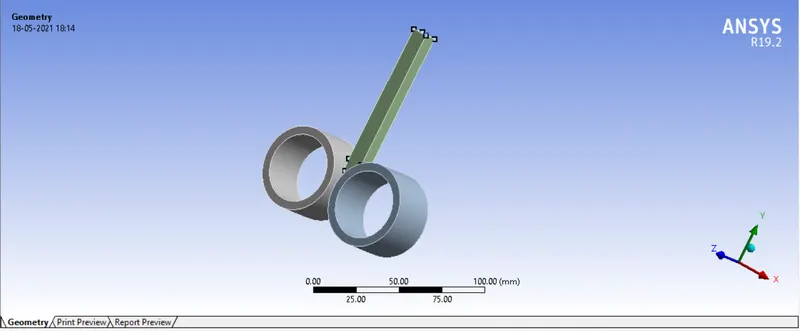
Material defintion :
The material Copper Allow NL is assigned to the wire segment and Structural Steel is assigned to the rollers.
Then we will open Ansys mechanical to set up the rest of the simulation.
To set up the contact we go to connections-->contacts and open the contact card.
We will create 2 contacts,
1)Between roller 1 and the wire
2)Between roller 2 and the wire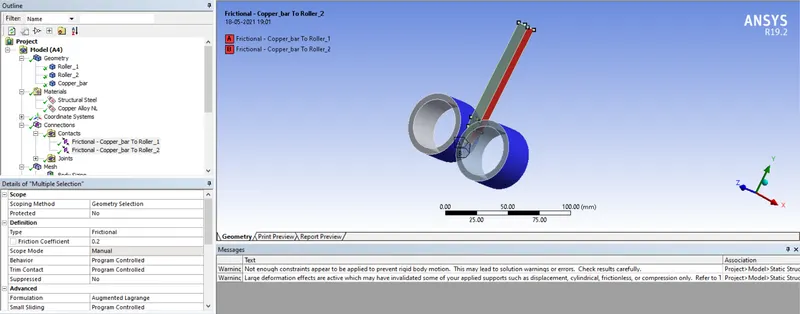
Type = frictional
Coefficient of friction = 0.2
Formulation = Augmented Lagrange
Normal stiffness factor = 0.1
Interface treatment = Add Offset, ramped effects
Next we mesh the components.
A body sizing of 5mm is applied on the rollers and a body sizing of 4mm is applied on the wire segment.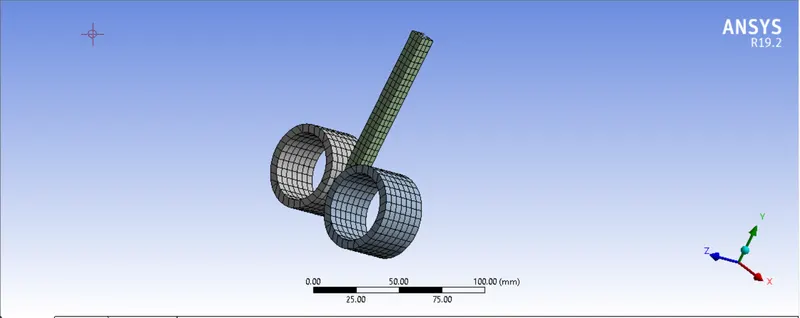
Creation of joints:
We create cylindrical joints for both the rollers individually with the surface as the inside face of the roller.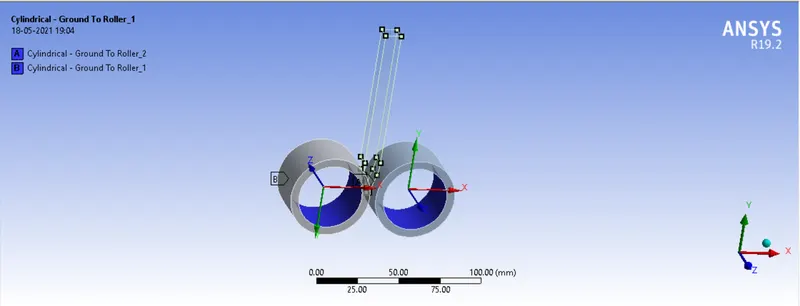
The axis of rotation is inverted in both rollers to facilitate counter rotation so that the wire gets pressed and flattened while it moves down.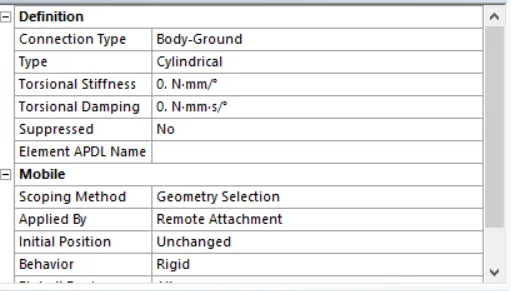
Analysis Settings :
Next we go to analysis settings to set up the kinematics of the simulation
The analysis is run for 14 steps using the following conditions. All the steps are chosen and the following criteria are entered as shown below.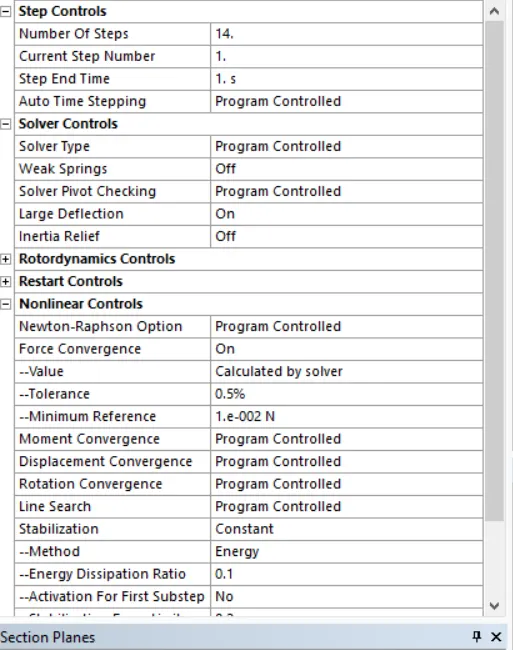
Large deflection = on
Stabilization = constant
Energy dissipation ratio = 0.1
We will provide a motion to the copper wire in the y-direction so that it is pushed into the rollers.
The wire is given motion in the y-direction only with the following values according to the motion of the rollers.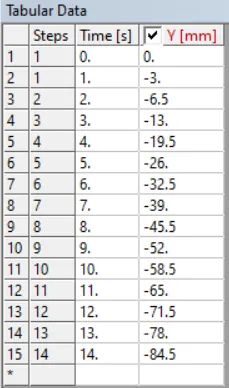
We must be careful while entering this data as it must correlate with the rotary motion of the rollers or else the simulation will become unstable. The faces selected in yellow are chosen to given the linear motion to.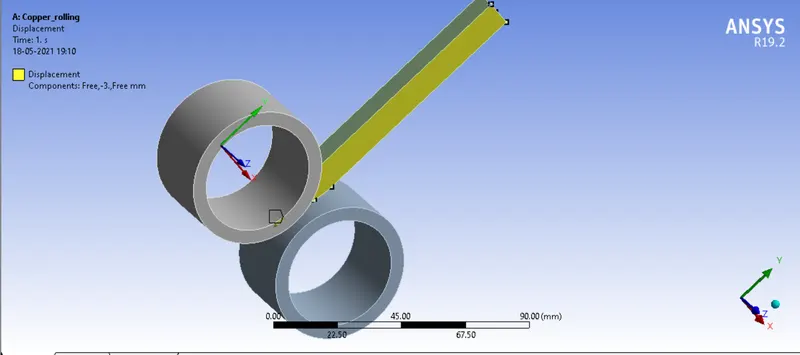
Next we provide a rotary motion to the rollers which have been earlier defined as joints.
They have the opposite directions of rotation and hence we input the same values of anfular displacement with respect to time so that they move counter-rotary to each other.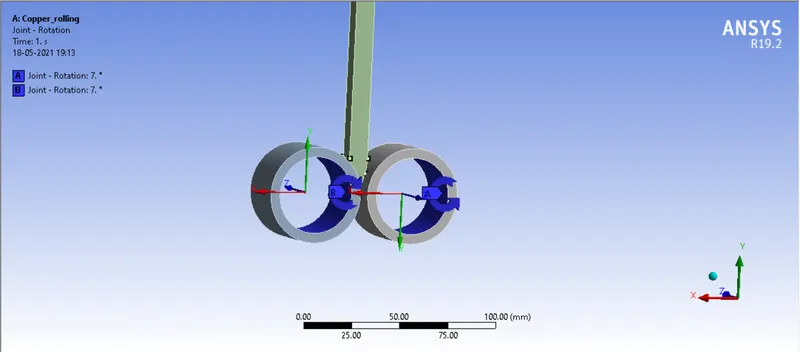
The following values have been inputte which is in accordance with the motion of the wire.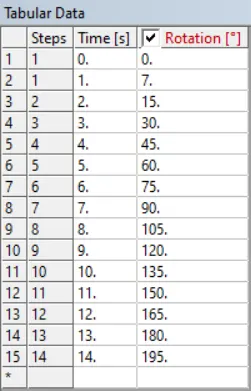
Output Parameters : The following parameters are selected for output from the simulation.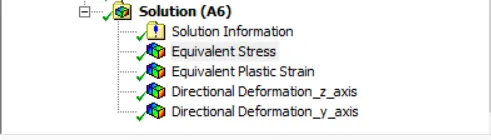
The equivalent stress and strain are selected for the wire segment.
Apart from this we choose directional deformtion along the z-axis to get the amount of flattening obtained on the wire which occurs along the z-axis and select the two sides of the wire that will get flattened.
We also choose the directional deformation for the top surface of the wire to get the reading of the translation of the wire segment obtained by pushing it down into the rollers.
Running the simulation :
Next we run the simulation. The simulation takes about 1 second to run as we can see from the runtime below.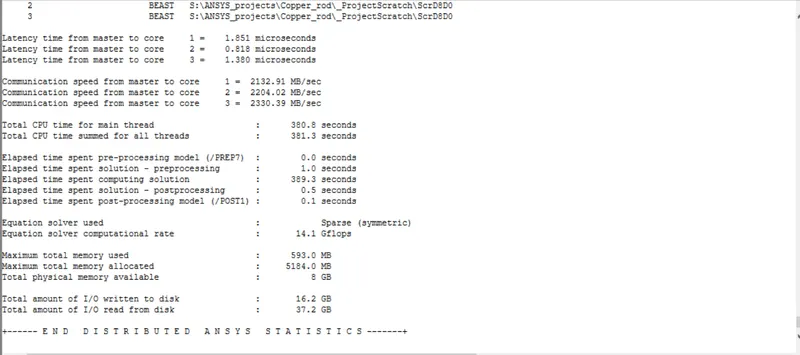
Post-processing :
Equivalent stress :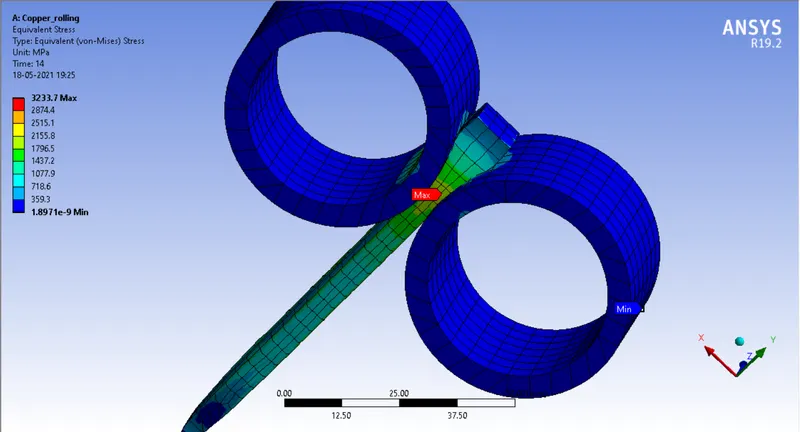
A peak stress of 3233.7 Mpa is obtained in the wire segment.
Equivalent plastic strain : 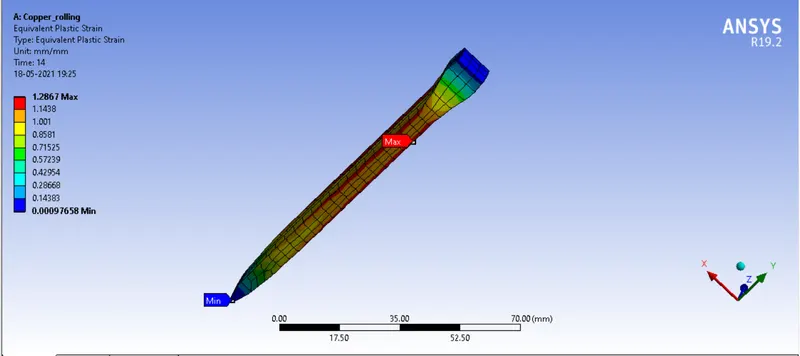
A maximum plastic strain of around 1.2867 in obtained in the wire segment.
Directional deformation in z-axis : 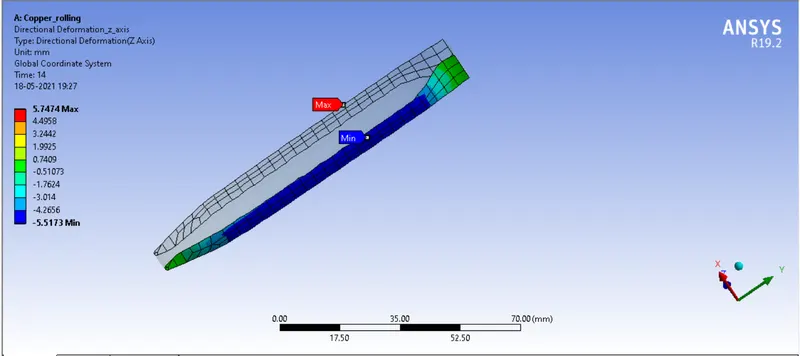
A maximum deformation of around 5.7474 mm in obtained in the wire segment in the z-direction indicating the wire's width has increased by that amount.
Directional deformation in y-axis : 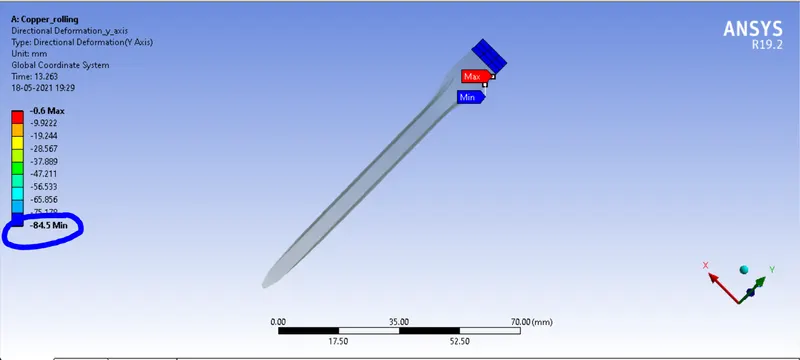
A maximum displacement of 84.5mm in the y-direction occurs as per the displacement we have inputted for the wire segment as seen in the image above.
Conclusion :
Hence the copper wire rolling analysis simulation has been performed successfully and the desired output has been obtained.
Result :
Copper_Rod