Week 4- Rolling operation
Copper rolling simulation in Ansys Workbench
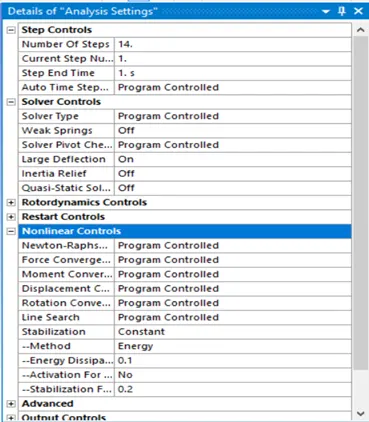
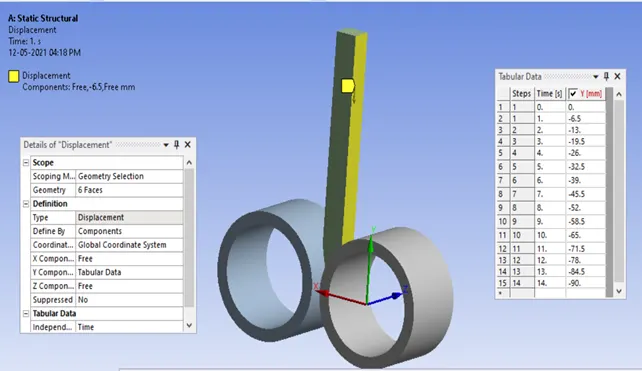
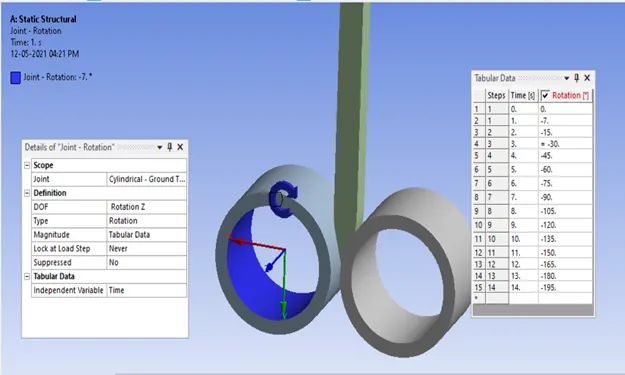
Objective:- to simulate rolling operation on copper sheet. Increase the length of the workpiece by 60mm and decrease its size on both sides by 8mm. Run the simulation for 14 steps and you can give small but random values (similar to the once mentioned in the video) for the displacement. Ensure that the edge of the workpiece is displaced by 90mm.
Solution:- in order to simulate the rolling operation first we open the workbench and in the engineering data we add copper alloy NL.
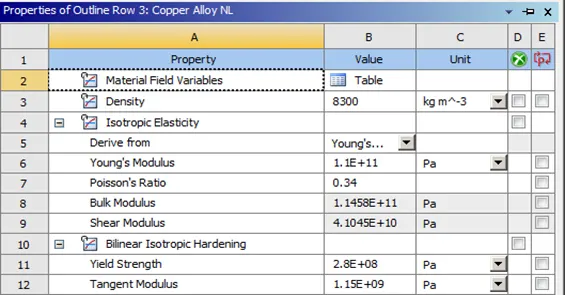
We import the given geometry in to the workbench project and open the spaceclaim to check for any errors in the geometry.
Here we increase the length of the sheet with the pull option by 60mm and decrease its size by 8mm from both sides in spaceclaim.
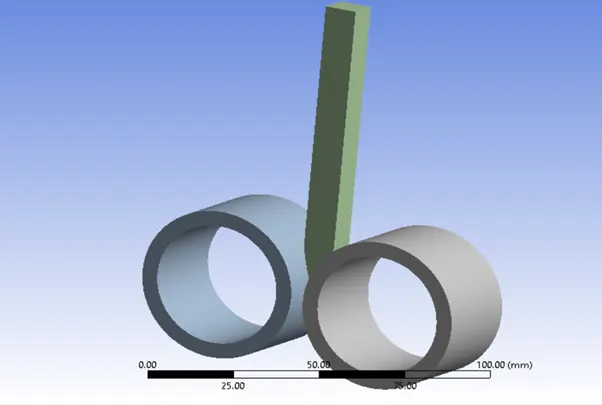
Now after this we update it in the mechanical module and open it.
Here we change the names of all the components as left wheel , right wheel and workpiece.
Contacts:-
Now in contacts we flip the contacts and target bodies by right click flip option.
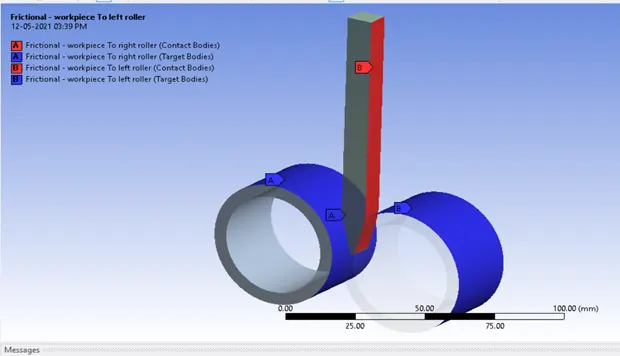
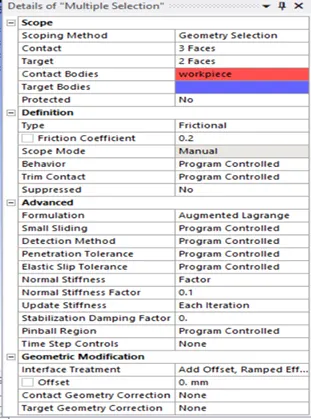
JOINTS in connections:-
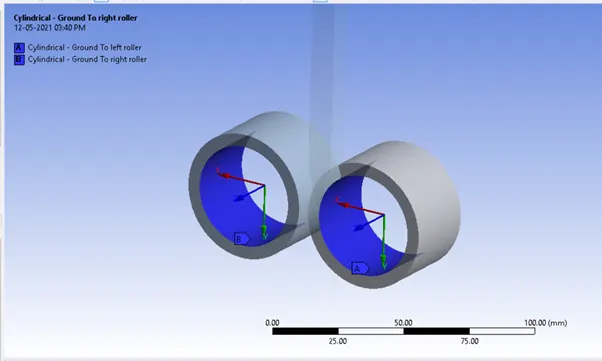
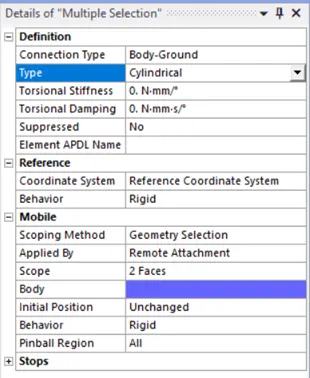
Mesh:-
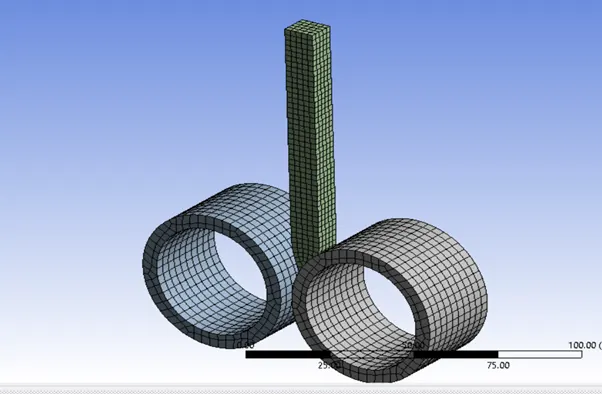
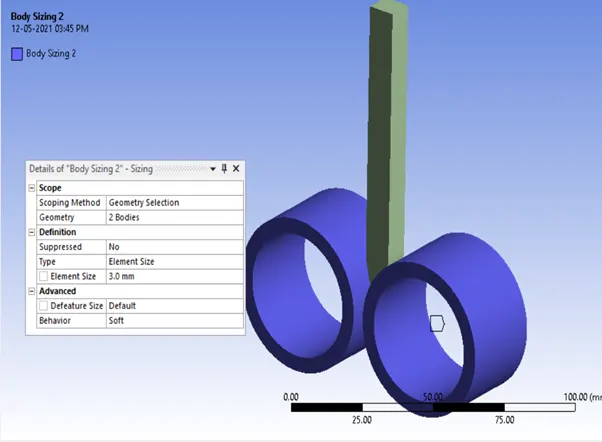
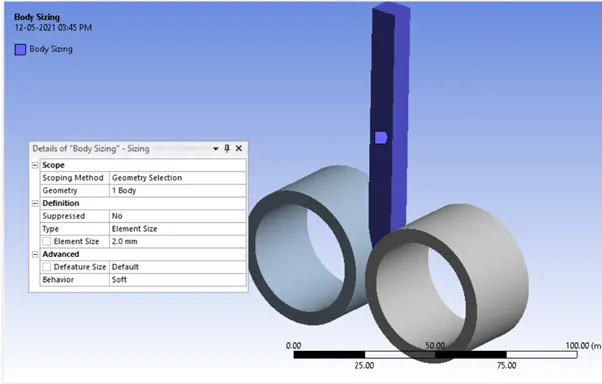
STATIC STRUCTURAL:-
Analysis settings:-
Displacement:-
Joint1:-
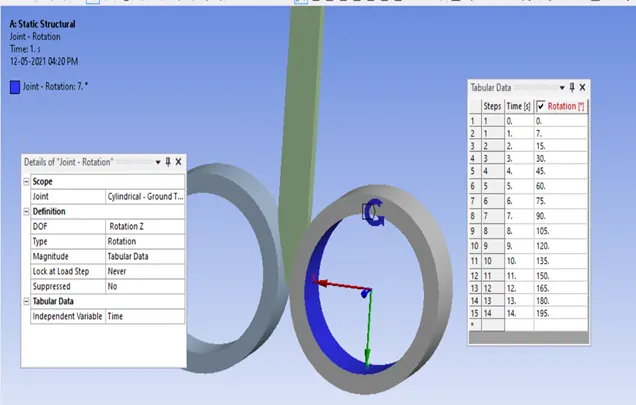
Joint2:-
RESULTS:-
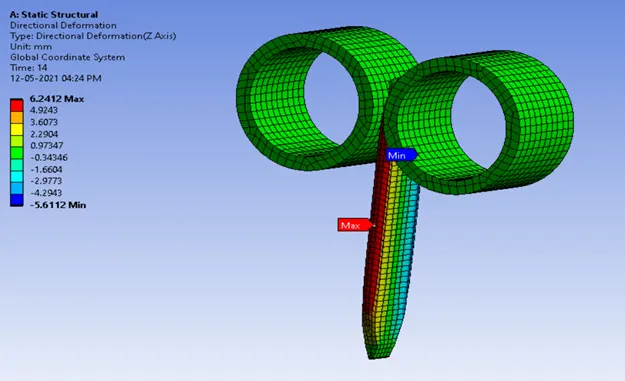
Directional deformation- 6.2412 mm max
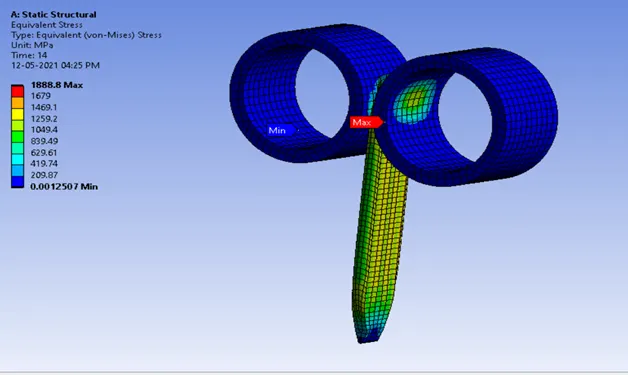
Equivalent stress - 1888.8 MPa max
Equivalent plastic strain – 1.1802 mm/mm max
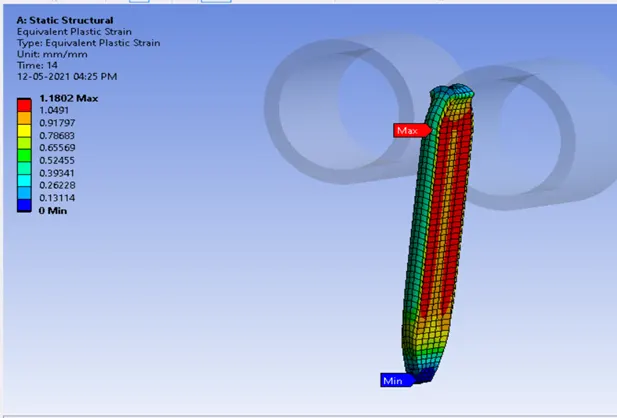
Conclusion:- overall the structural analysis to simulate the rolling operation on a copper workpiece of length 90mm is performed.