Week - 4 - Crash Box Simulation
AIM :
To simulate a crash test for a crash box, plot the energies, cross-sectional force at the middle of the box through the length, plot acceleration and change the thickness compare both results by using LS-Dyna.
PROCEDURE :
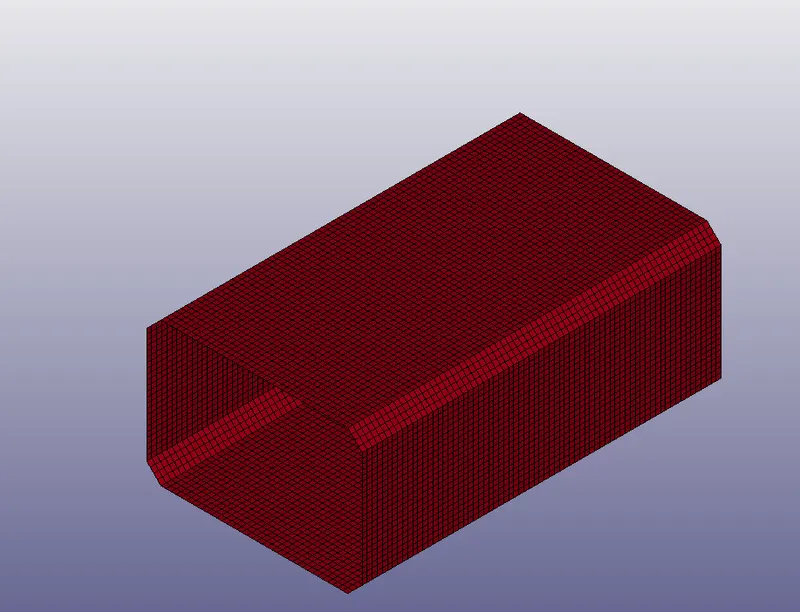
1. Import the .k file in LS-prepost.
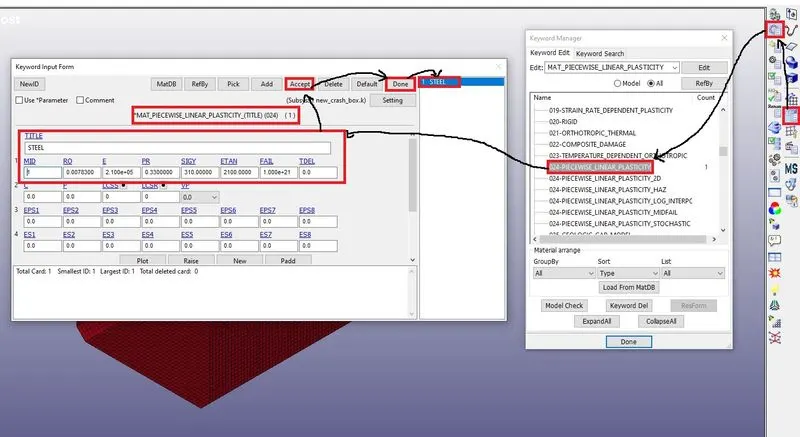
2. Create material by using keyword manager as shown below.
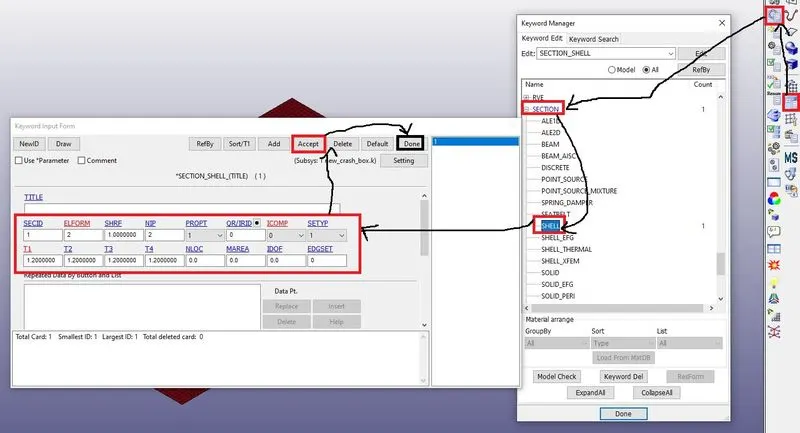
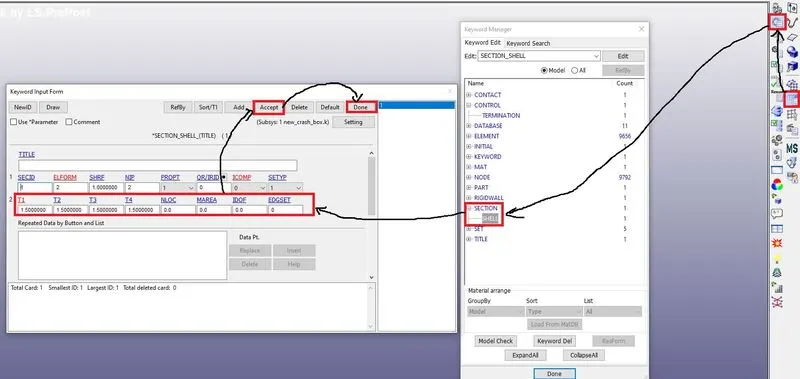
3. Next create the section shell and give the thickness as shown below.
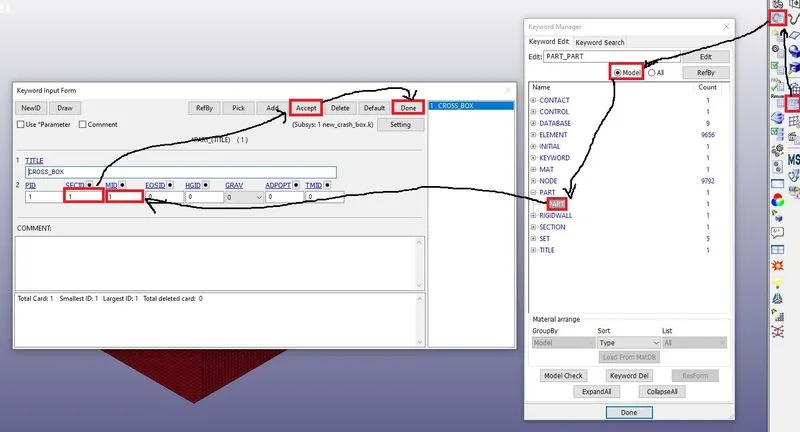
4. Assign the material and section shell to the part as shown below.
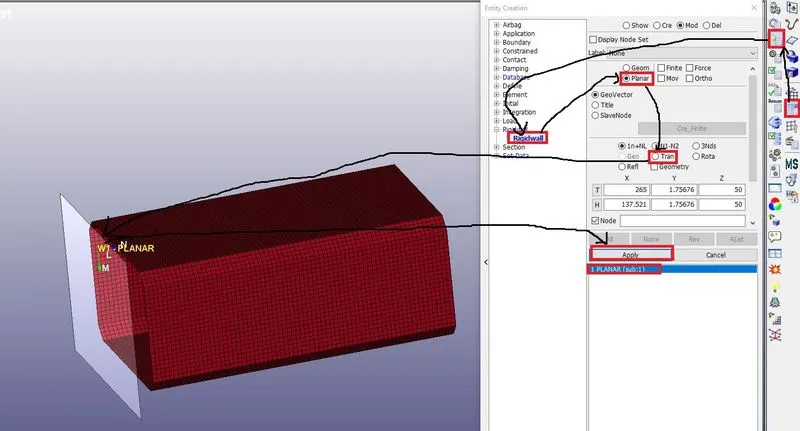
5. Next create the rigid wall to the crash tube as shown below.
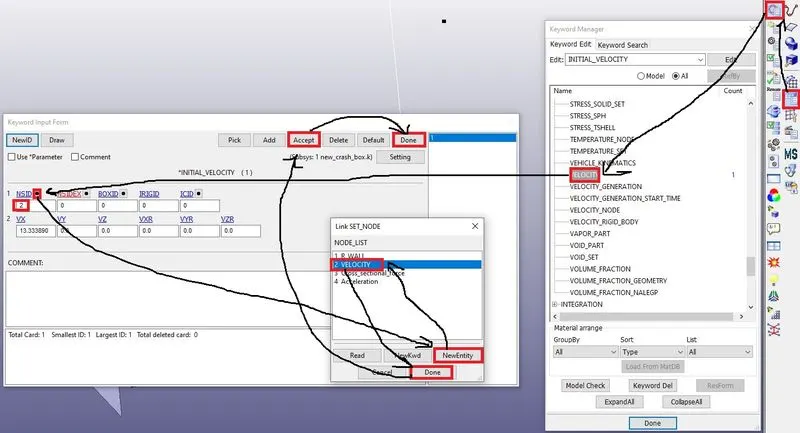
6. Next give the initial velocity for the crash tube as shown below.
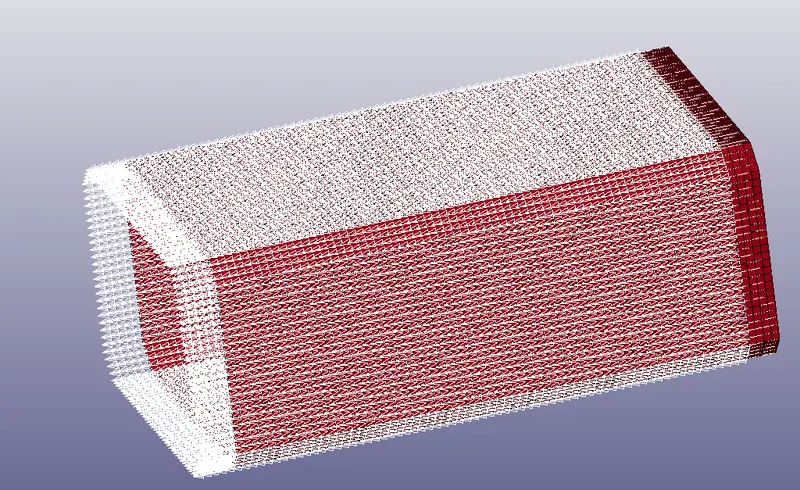
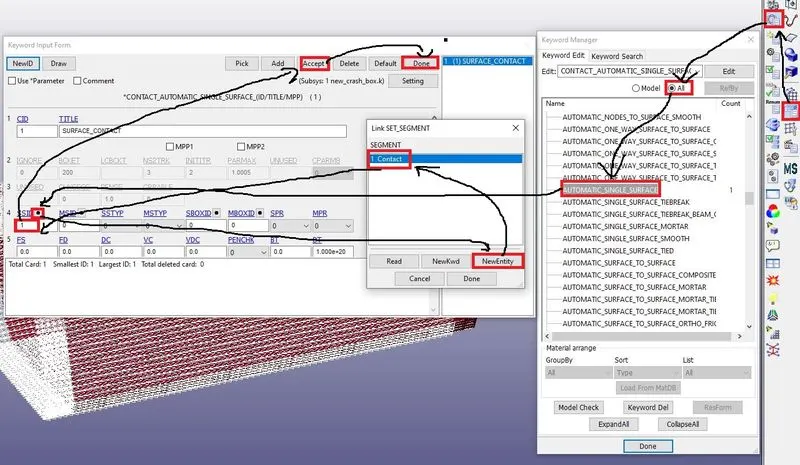
7. Next create the automatic single surface as shown below.
8. Next create the outputs by using a database as shown below.
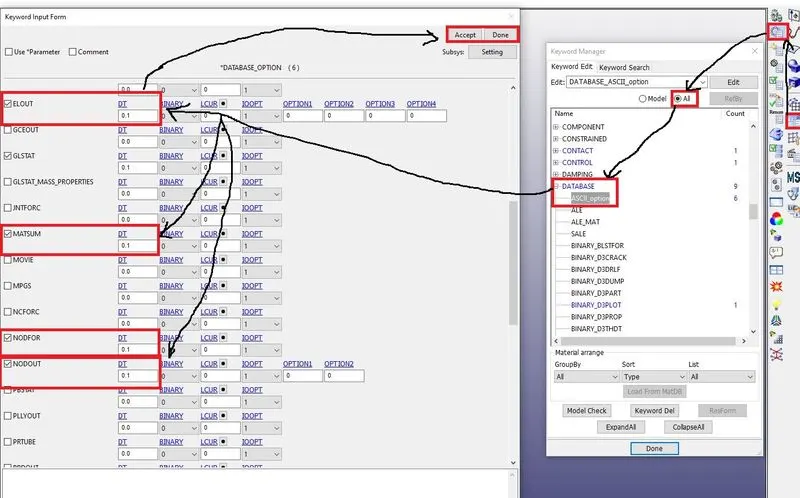
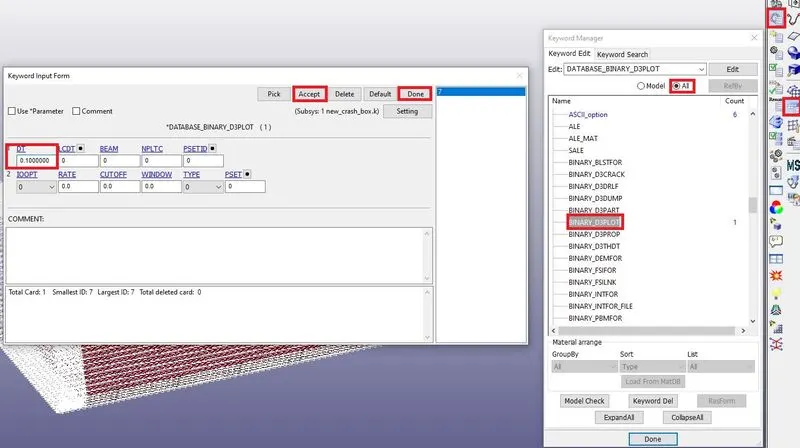
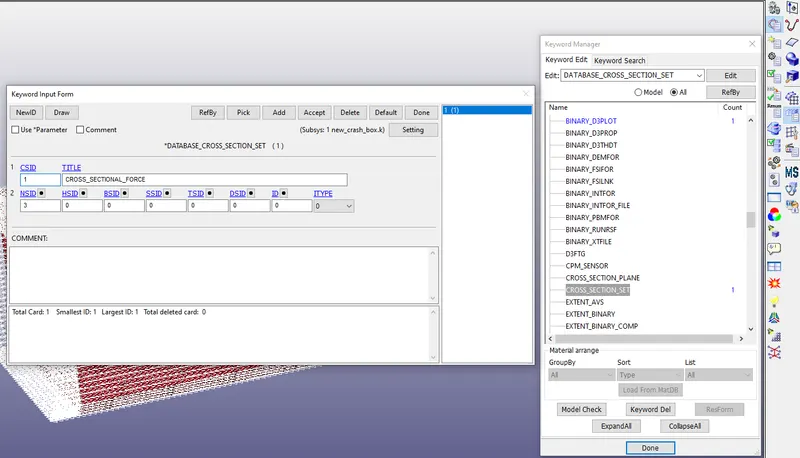
9. Next create the control termination as shown below.
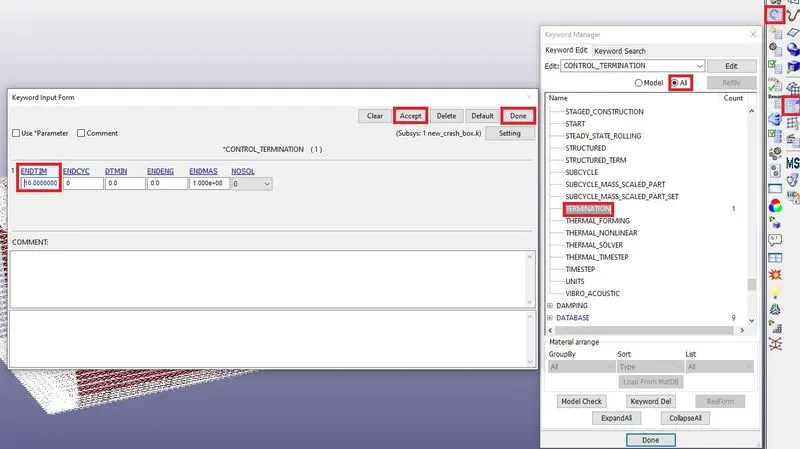
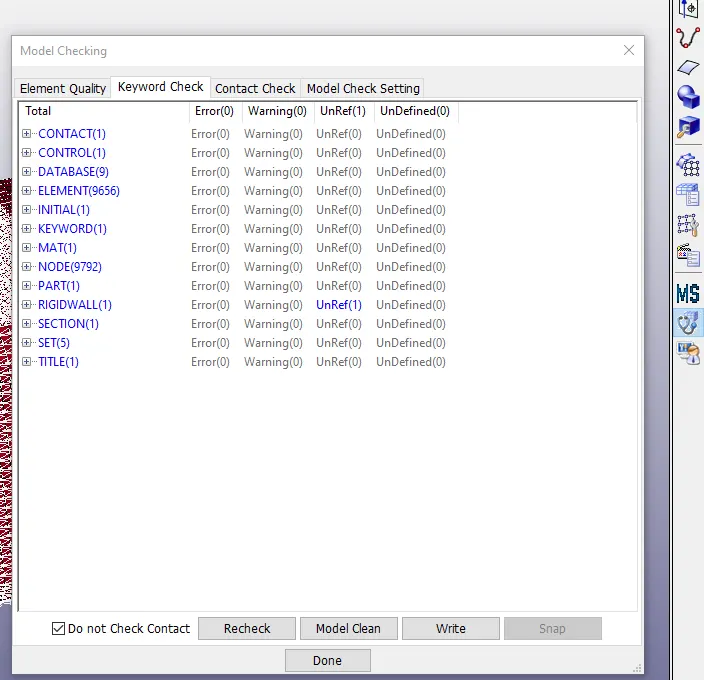
10. Next check the errors and warnings by using the model checker as shown below.
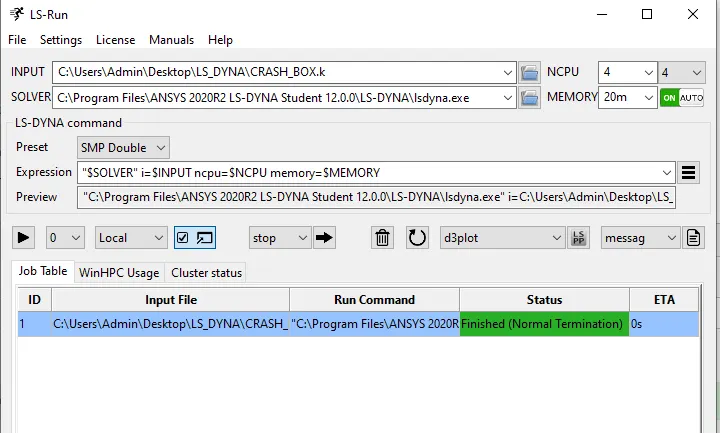
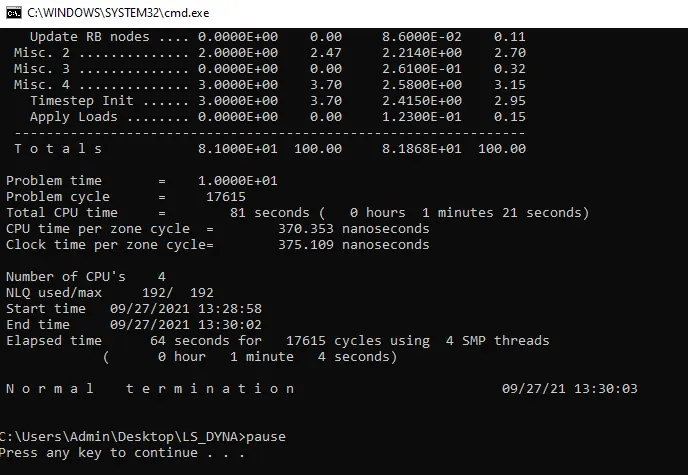
11. Next run the simulation in LS-Run as shown below.
12. Next open the D3plot in LS-pre post run the animation as shown below.
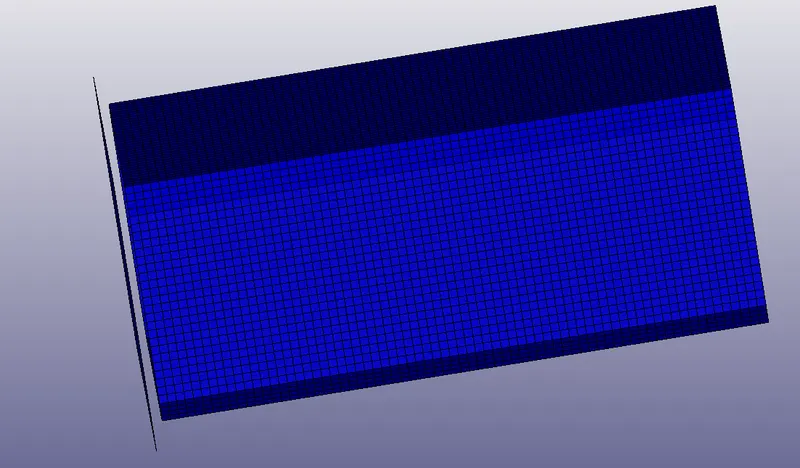
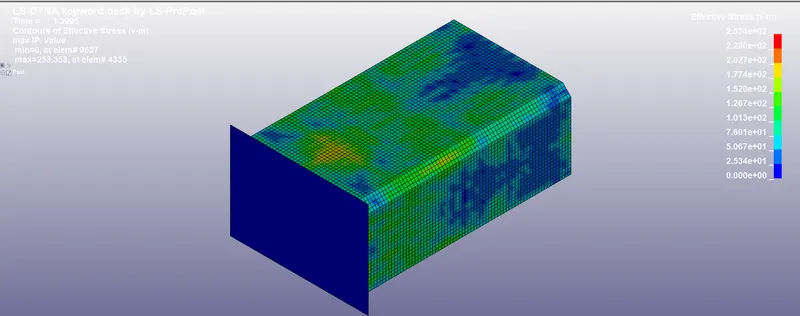
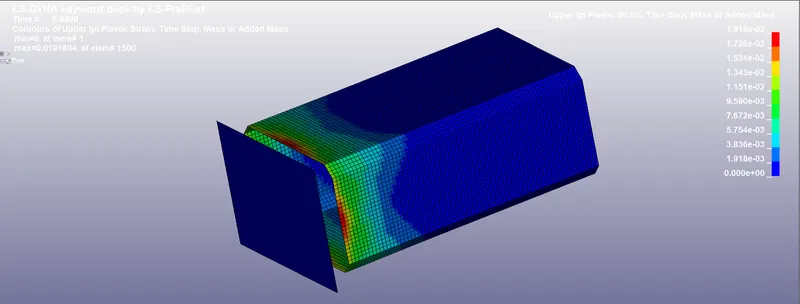
Maximum directional stress and strain along the length of the crash box (X strain, Y strain etc)
STRESS :
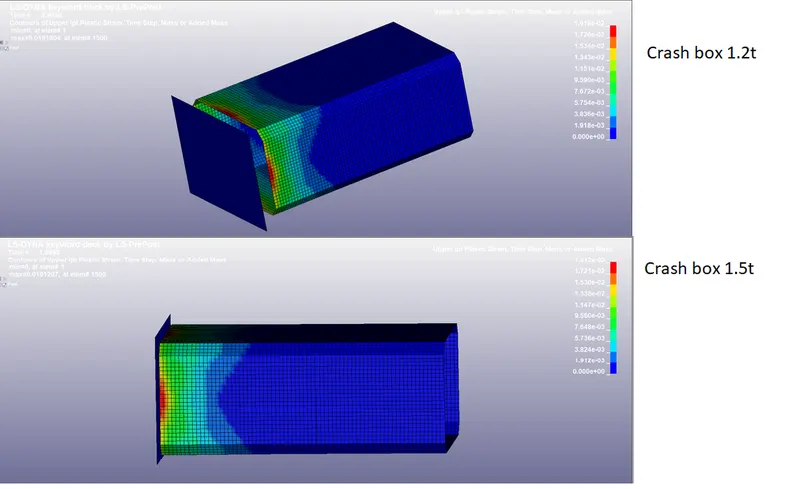
STRAIN :
The cross-sectional force generated in the middle of the crash box (along its length)
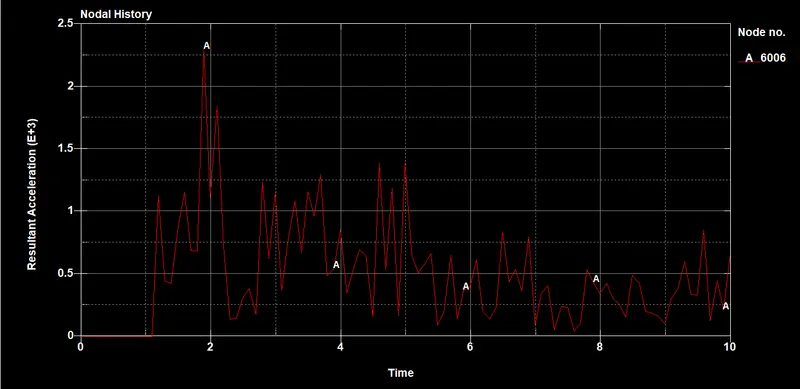
Acceleration plot of a node in the middle of the crash box (along its length)
The plot of all energies (total, internal, kinetic, hourglass, sliding)
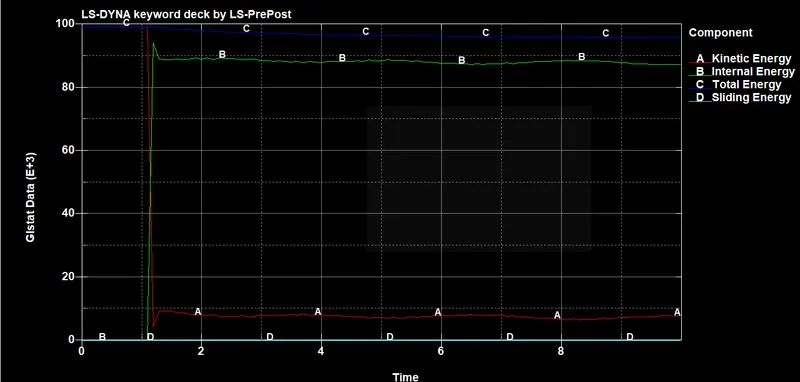
13. Next change the thickness of the crash box as shown below.
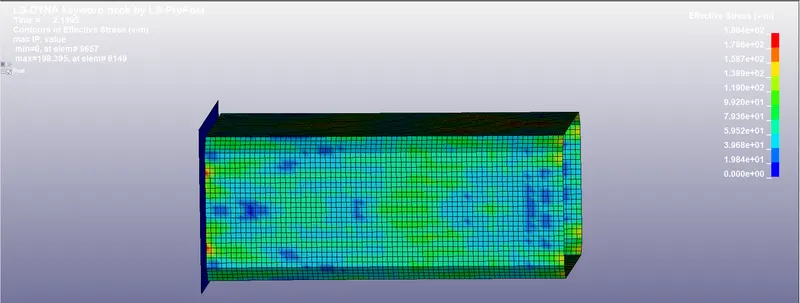
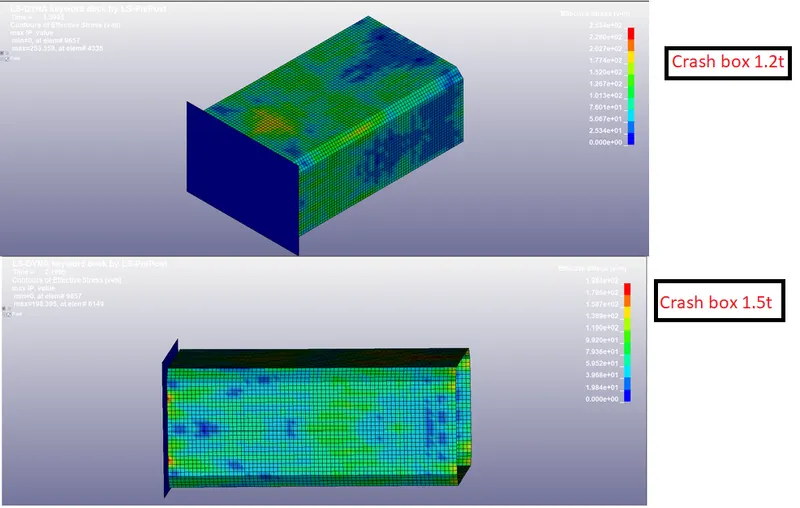
STRESS :
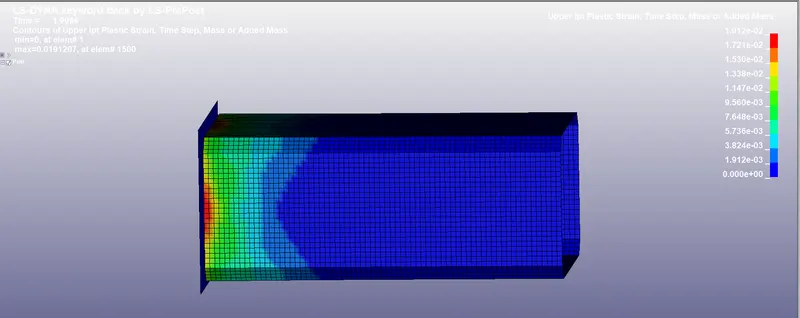
STRAIN :
ACCELERATION :
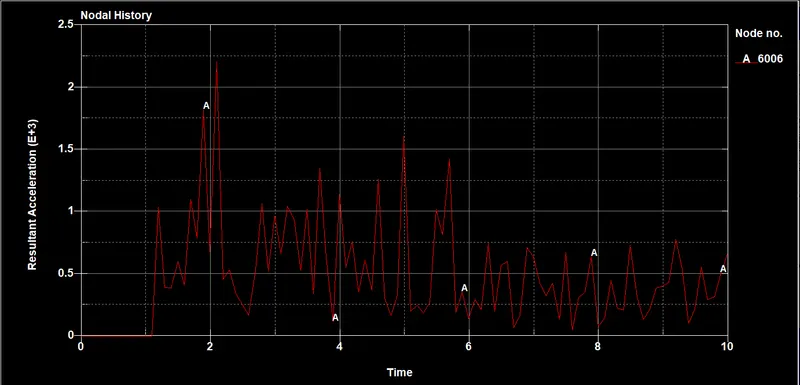
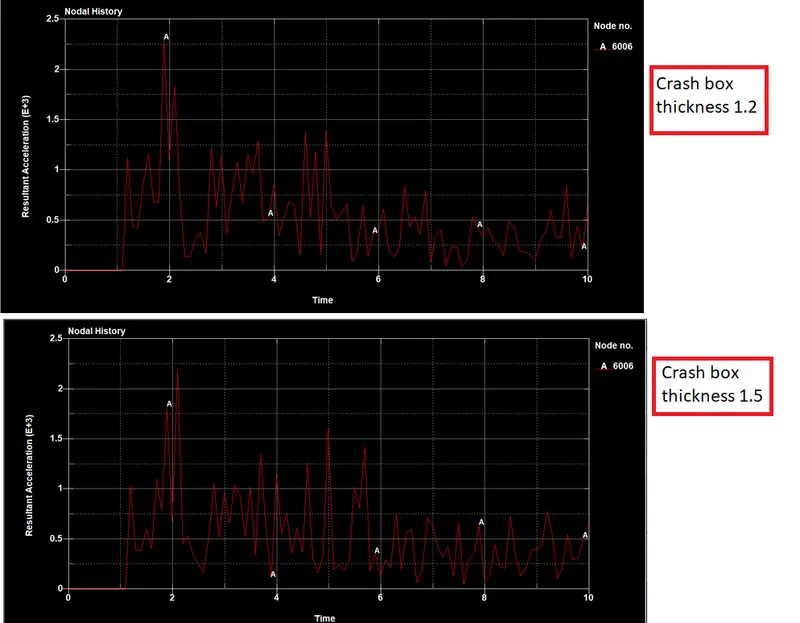
Compare the accelerations and stress/strain plots of 1.2/1.5mm crash boxes.
Acceleration :
STRESS :
STRAIN :
CONCLUSION :
By changing the thickness of the crash box the stress, strain and acceleration values are slightly changed as in the below table.
| Thickness | STRESS | STRAIN |
| Thickness 1.2 mm | 2.534e+02 | 1.912e+032 |
| Thickness 1.5 mm | 1.984e+02 | 1.192e+02 |