Week - 4 - Crash Box Simulation
Week - 4 - Crash Box Simulation
Aim: Simulate the given Crash box model by assigning the appropriate key cards.
Explanation:
The given model has only the nodes and element data and this drop_test.k file is imported into LS Dyna prepost from file -> open
For this simulation to run we need a certain keycards to be present which are mandatory and other keycards for getting ouput requests.
After importing the file into prepost,
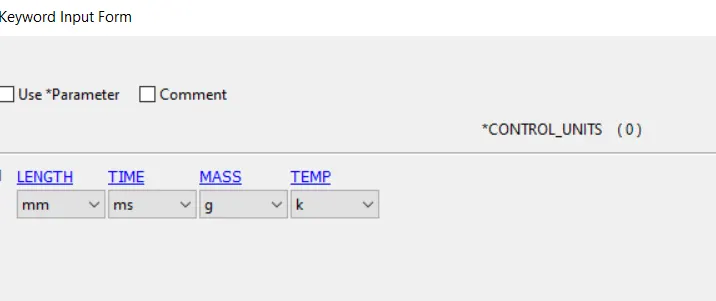
1) The units are given so that the parameter values are given with repect to the unit system. This is done from keyword manager -> control -> units
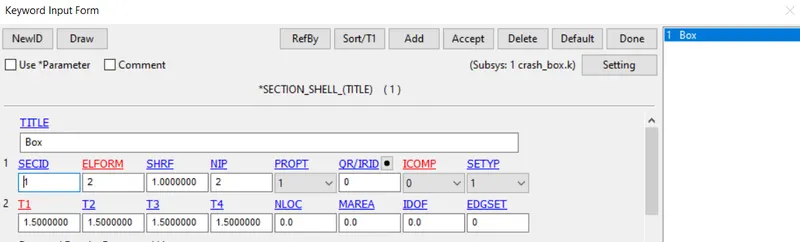
2) Defining Section card for shell for both the models just changing the T1 to 1.2 from key word manager -> all -> section -> shell
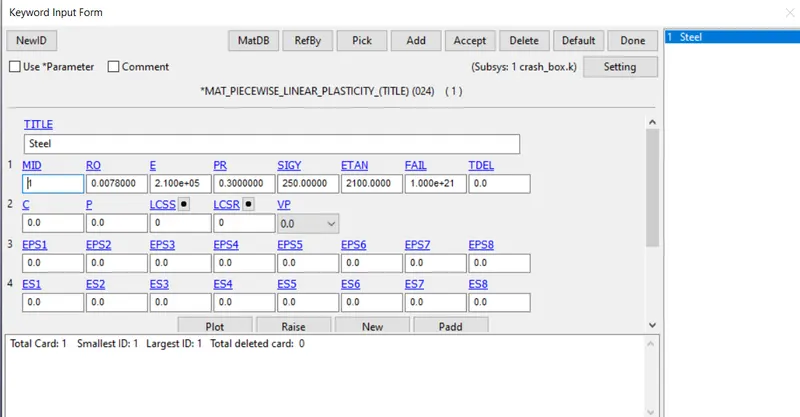
3) Material card generation from key word manager -> all -> MAT -> Type 24 for linear plastic material.
The values are with repect to the given unit system.
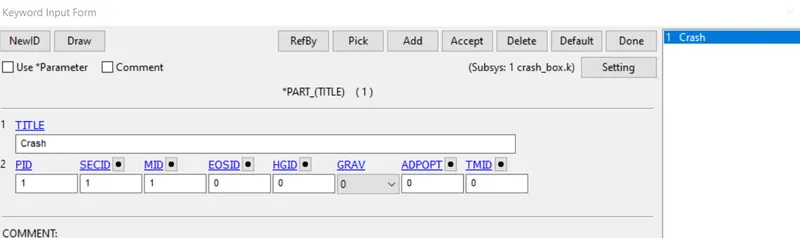
After the section id and materail id are created, they are then assigned to the parts in the model.
From key word manager -> model -> PART in SECID and MID for Box
4) Rigidwall
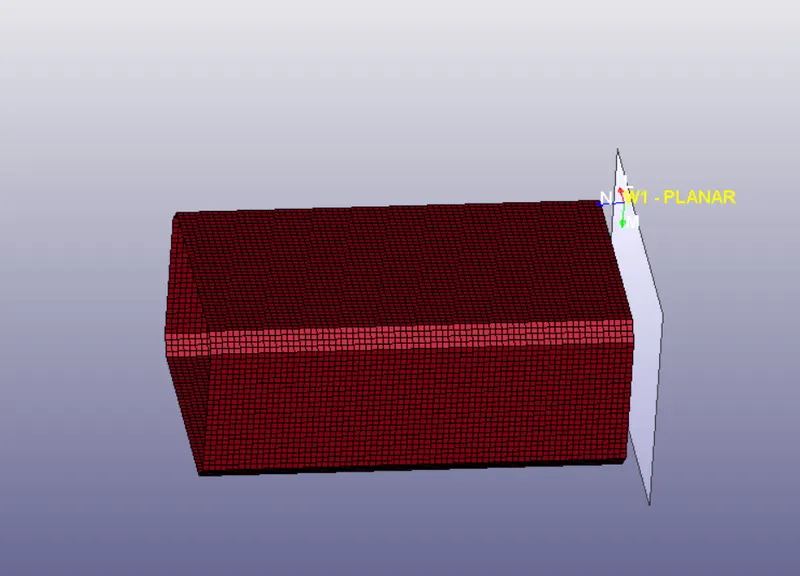
This crash is to happen with the rigidwall and this is formed
From Model and Part -> Entity Creation -> Rigidwall
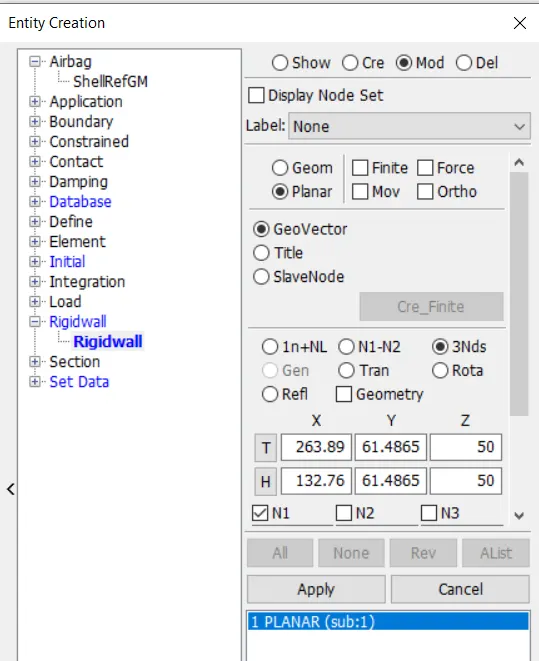
Here the N1, N2 and N3 are taken at extreme end of the crash box in a way such that the normal is towards the box and this rigidwall is translated 13.89 mm away using tran option from above, so that crash can happen at exactly 1 sec.
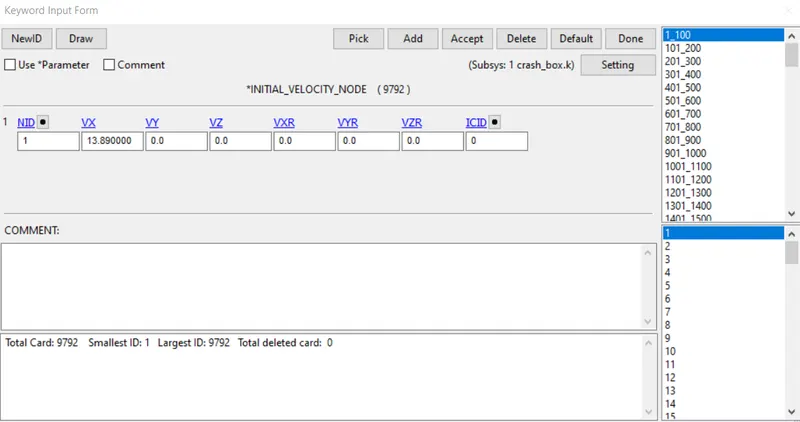
5) Intial Velocity
This velocity for the box is taken to be in +ve x axis direction and all the nodes of the part are picked
From Model and Part -> Entity Creation -> Intial -> Velocity
This can be seen from keyword manager.
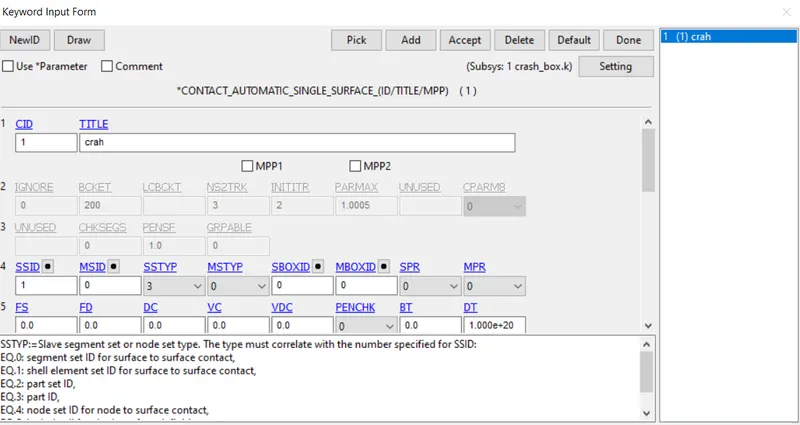
6) Contact card
Since it is collision with rigid wall, we use AUTOMATIC_SINGLE _SURFACE, we can just define slave nodes
7) Control cards
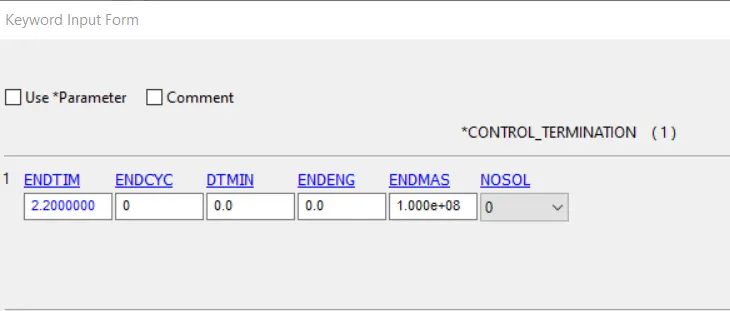
After the contact, control cards are chosen fron keyword manager -> all -> control -> Termination
The end time is chosen to be 2.2 ms to check before and after collision
Energy
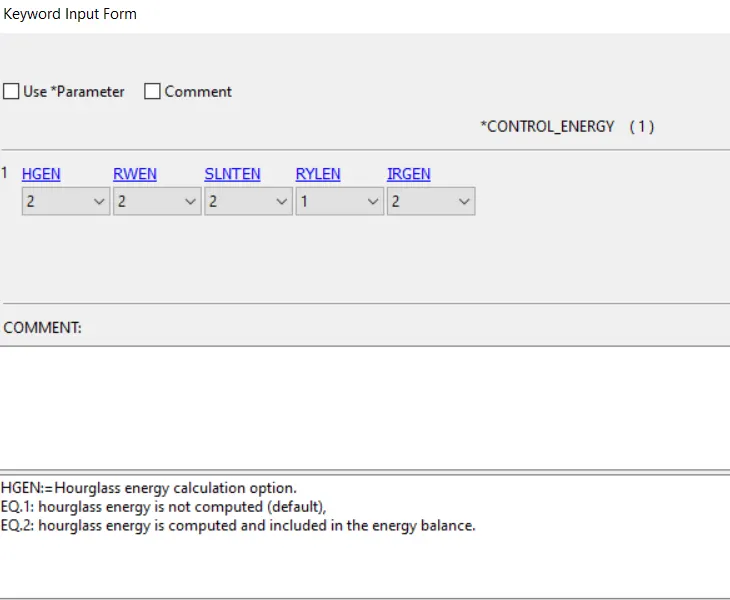
The rest options are kept default.
7) Database card
After the control cards, the output requests are updated from Keyword manager -> all -> Database ->
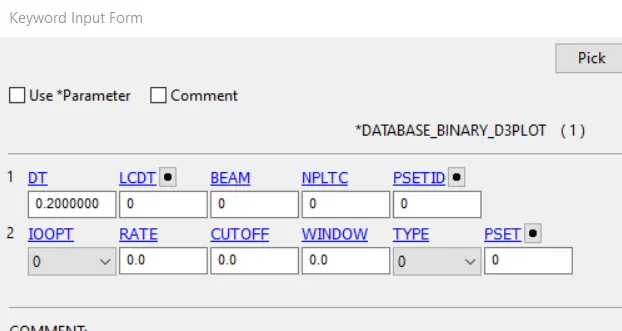
Binary_d3plot for contours and animations
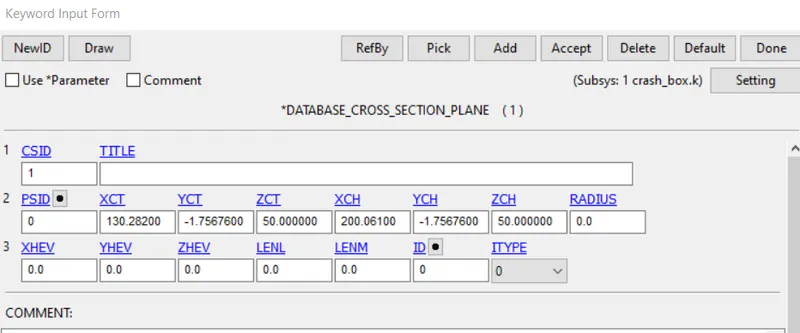
Cross section plane for force at cross section
History node for getting acceleration at specified node
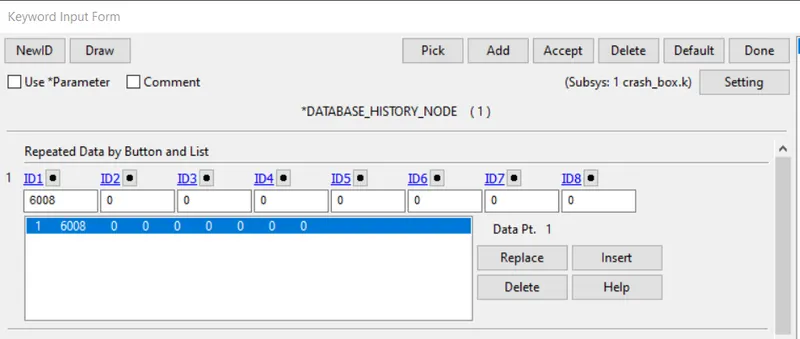
History shell for getting directional stress at specified shell
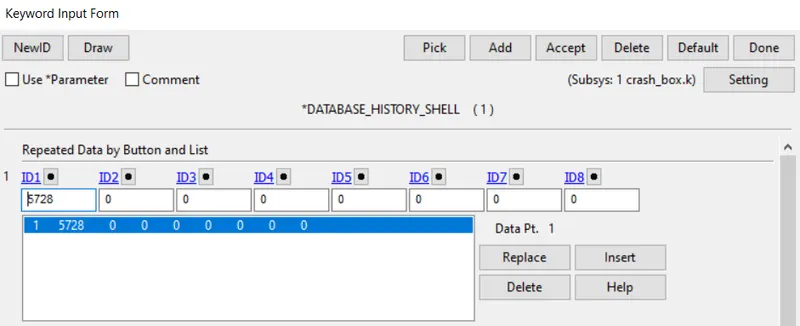
The energy values, forces on parts, nodes are updated in ASCII
ELOUT for elemental output
GLSTAT for energy values
NCFRC are nodal Interface forces
SLEOUT for sliding energy
NODOUT for values at specified node
SECFORC for section forces
with DT as 0.2 ms
8) After this keyword cards are created and updated, then this keyword file is saved.
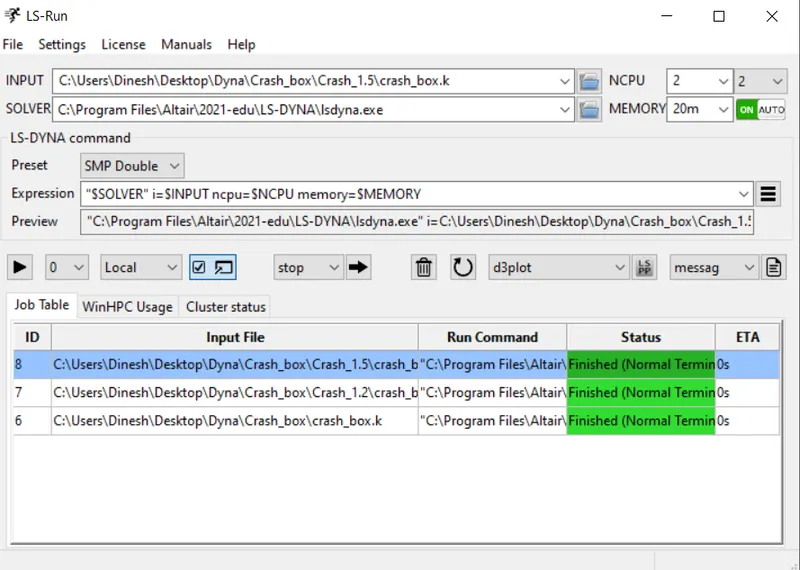
Then opening LS RUN and choosing the modified keyword file and run for 1.5 mm and 1.2 mm and test file for checking working info.
This 1.2 mm is changed in section keyword card.
Results:
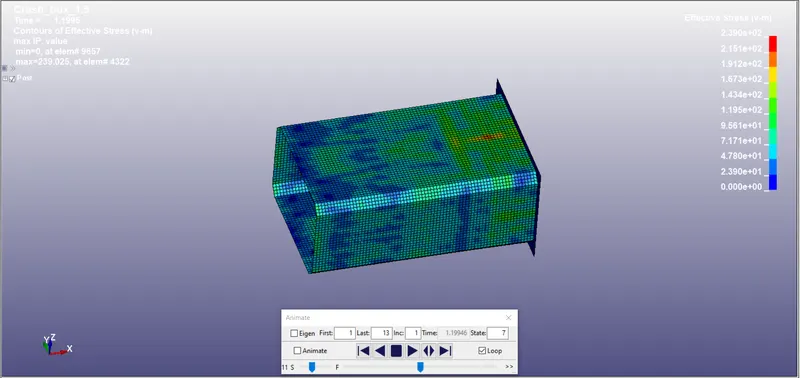
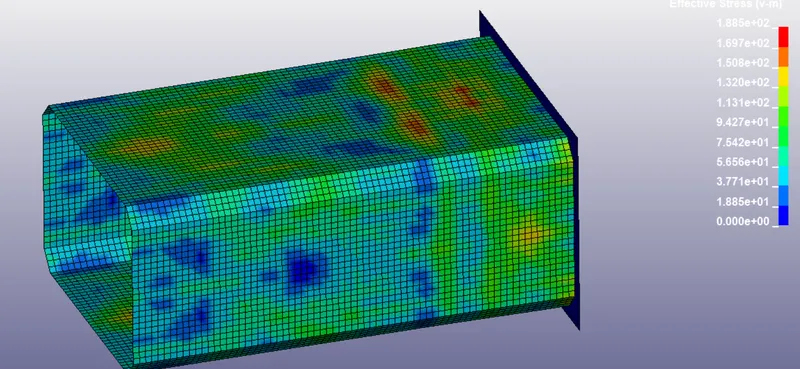
The d3plot is opened as binary file in LS prepost and following max stress contour is obtained around time of impact for 1.5 mm.
The d3plot is opened as binary file in LS prepost and following max stress contour is obtained around time of impact for 1.2 mm.
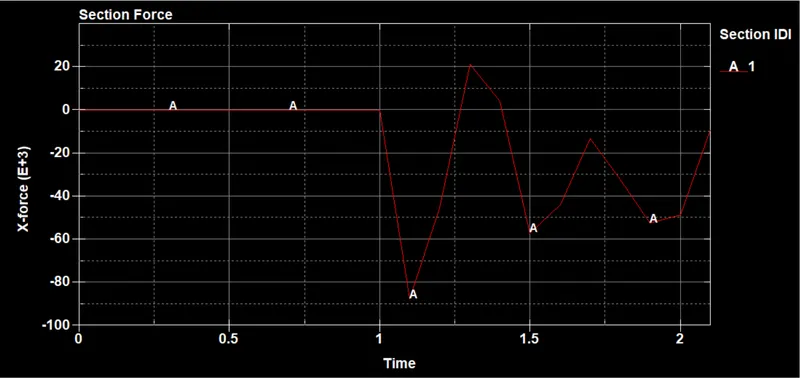
Cross sectional forces on the taken cross section for 1.5 mm from secforc on Ascii
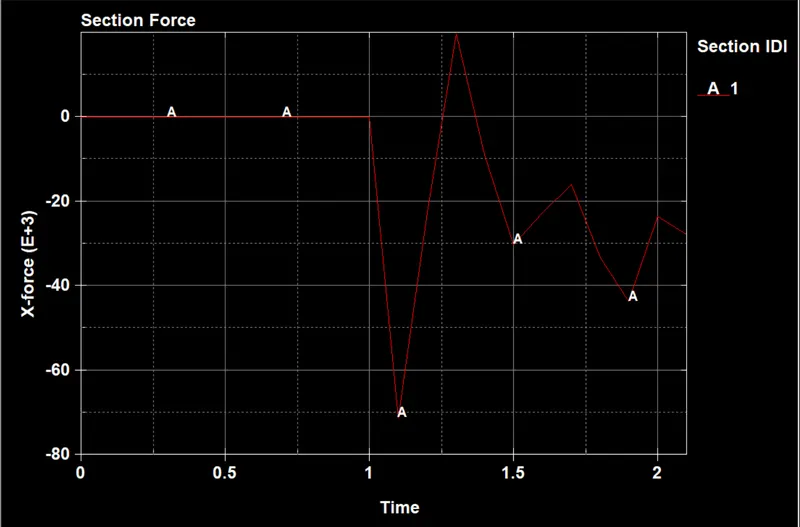
Cross sectional forces on the taken cross section for 1.2 mm from secforc on Ascii
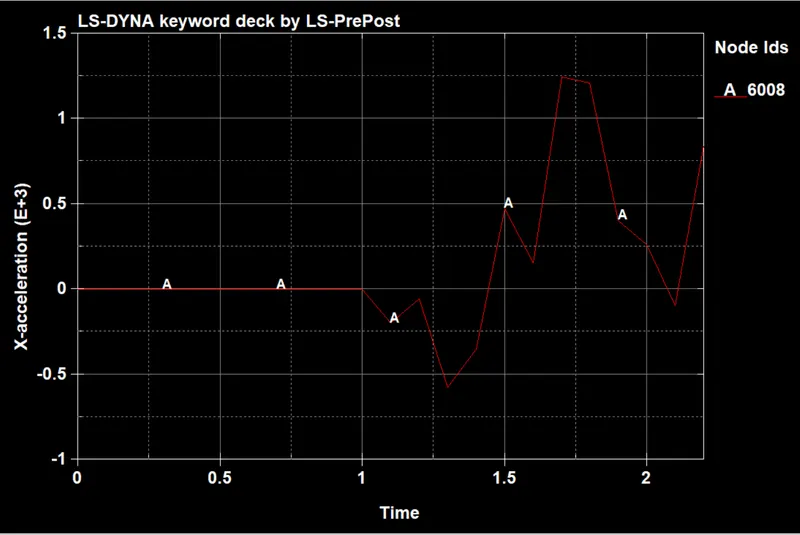
Acceleration plot at specified node for 1.5 mm from nodout on Ascii
Acceleration plot at specified node for 1.2 mm from nodout on Ascii
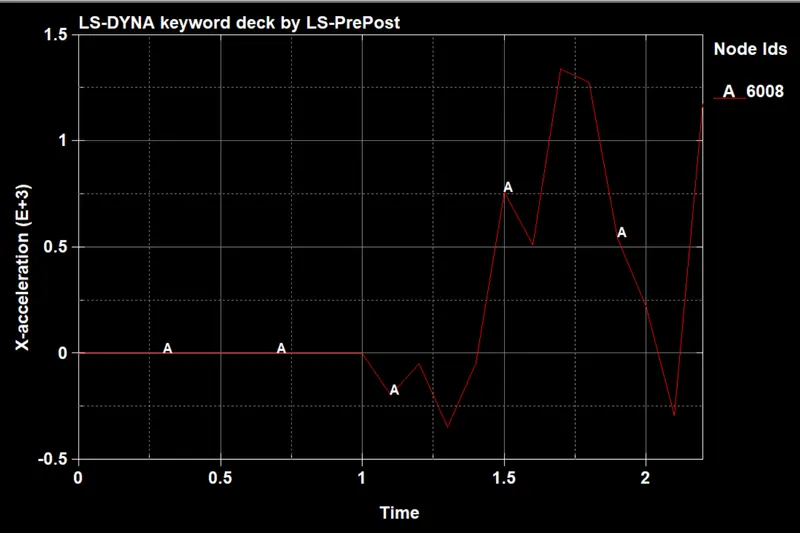
X Stress plot along X direction on specified elemet from elout on Asci for 1.5 mm
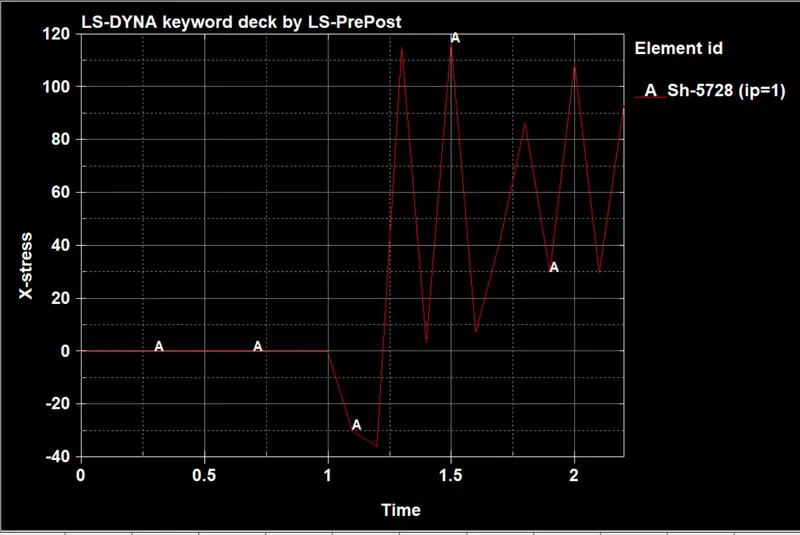
Y Stress plot along X direction on specified elemet from elout on Asci for 1.5 mm
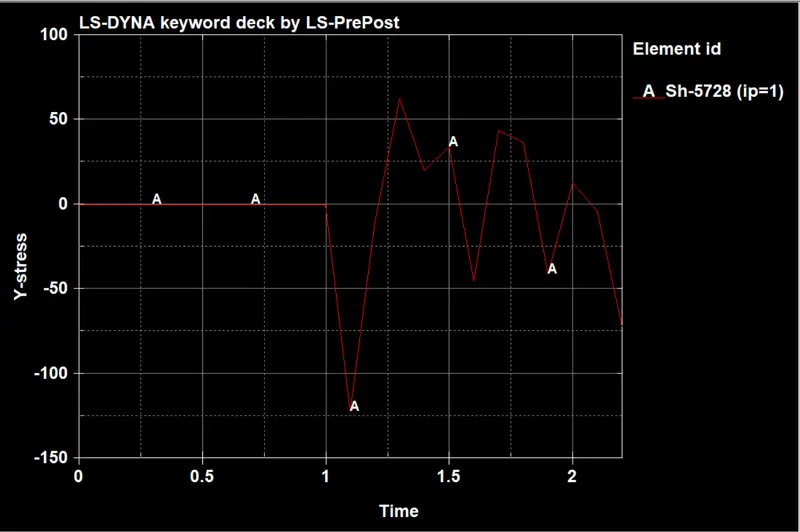
Z Stress plot along X direction on specified elemet from elout on Asci for 1.5 mm
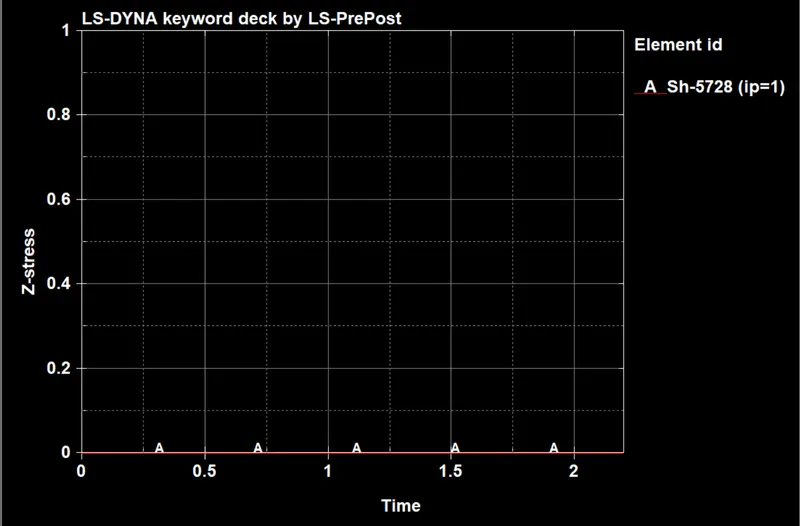
X Stress plot along X direction on specified elemet from elout on Asci for 1.2 mm
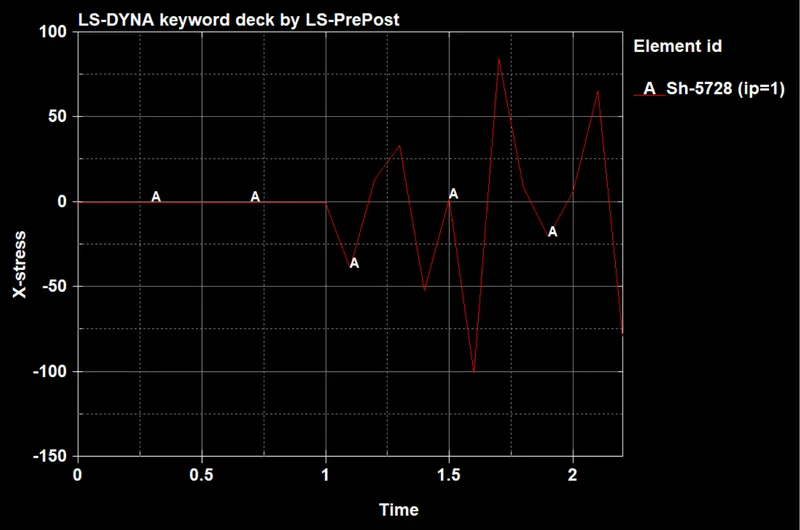
Y Stress plot along X direction on specified elemet from elout on Asci for 1.2 mm
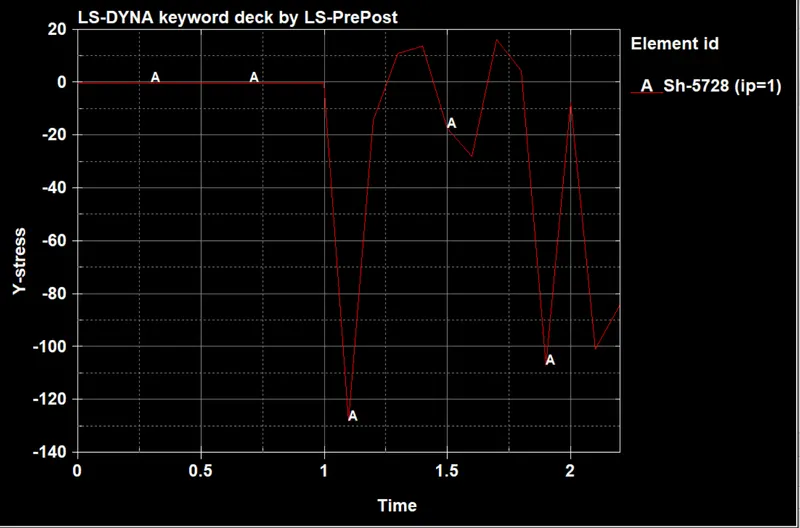
Z Stress plot along X direction on specified elemet from elout on Asci for 1.2 mm
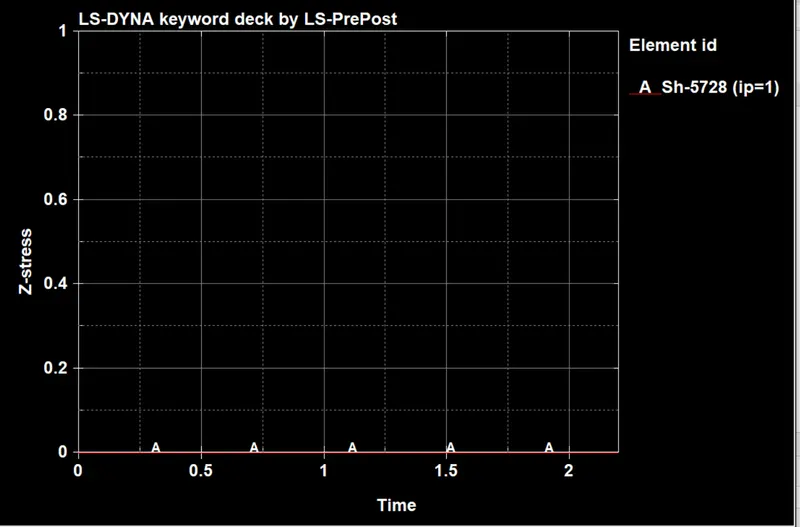
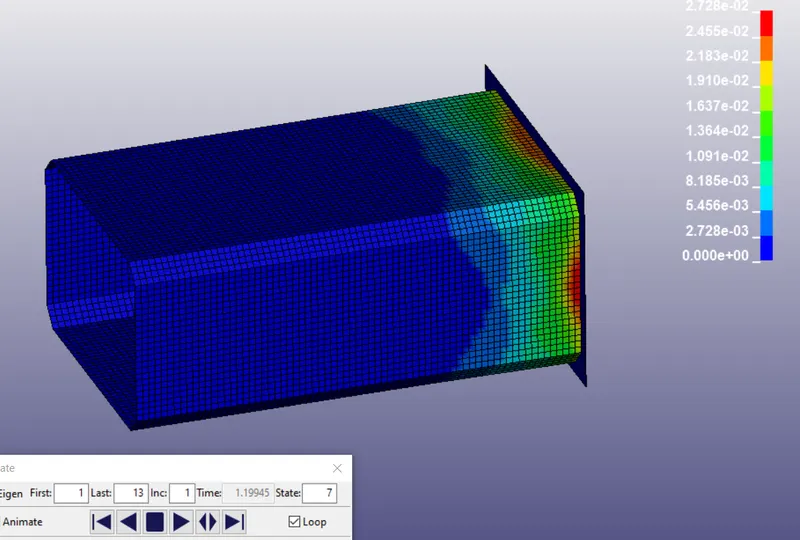
Max Strain on 1.5 mm
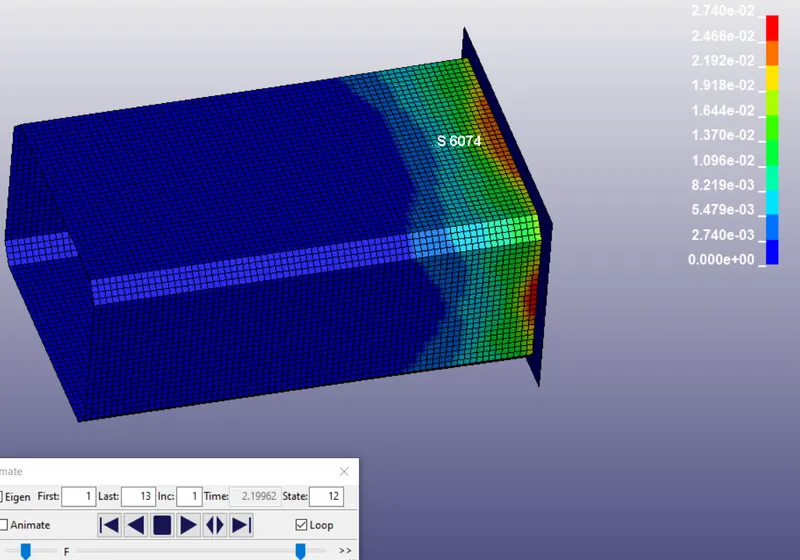
Max strain on 1.2 mm
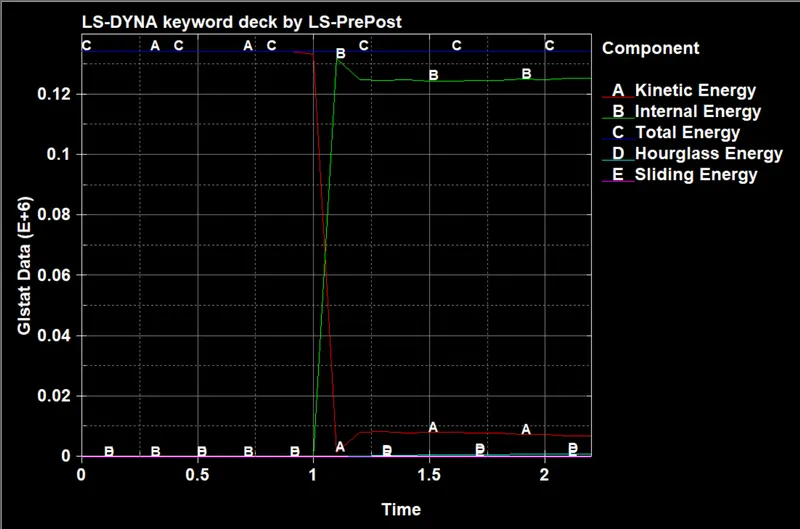
Energy plot for 1.5 mm from glstat on ASCII
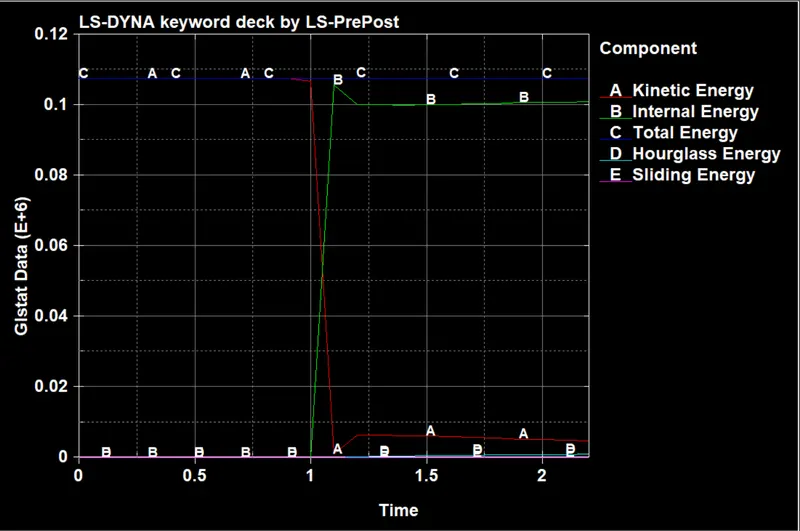
Energy plot for 1.2 mm from glstat on ASCII
Conclusion:
The given drop_test is successfully simulated in LS Dyna.