Week 4 Challenge- Compiling C++ libraries
AIM:
- Copy the solver DPMFoam from the lagrangian library ( $FOAM_SOLVERS ) into your run folder ( $FOAM_RUN ) (use visual studio)
- Use wmake libso to compile the shared library associated with this, after making the appropriate changes
- Where is the resulting .so file found? (Attach image of the shared object file location)
- Write a report on what you did and the challenges you faced
- Write detailed explanations on the following decomposition algorithms:
- simple (2 2 1)
- scotch (Write a short note about how scotch decomposition is carried out)
- hierarchical
- Take the incompressible/simpleFoam/pitzDaily case and visualize the decomposed mesh (use decomposeParDict) in ParaView for:
- simple (2 2 1)
- scotch (Write a short note about how scotch decomposition is carried out)
- hierarchical.
PROCEDURE:
- The steps to copy and the compile the file is in the folowing;
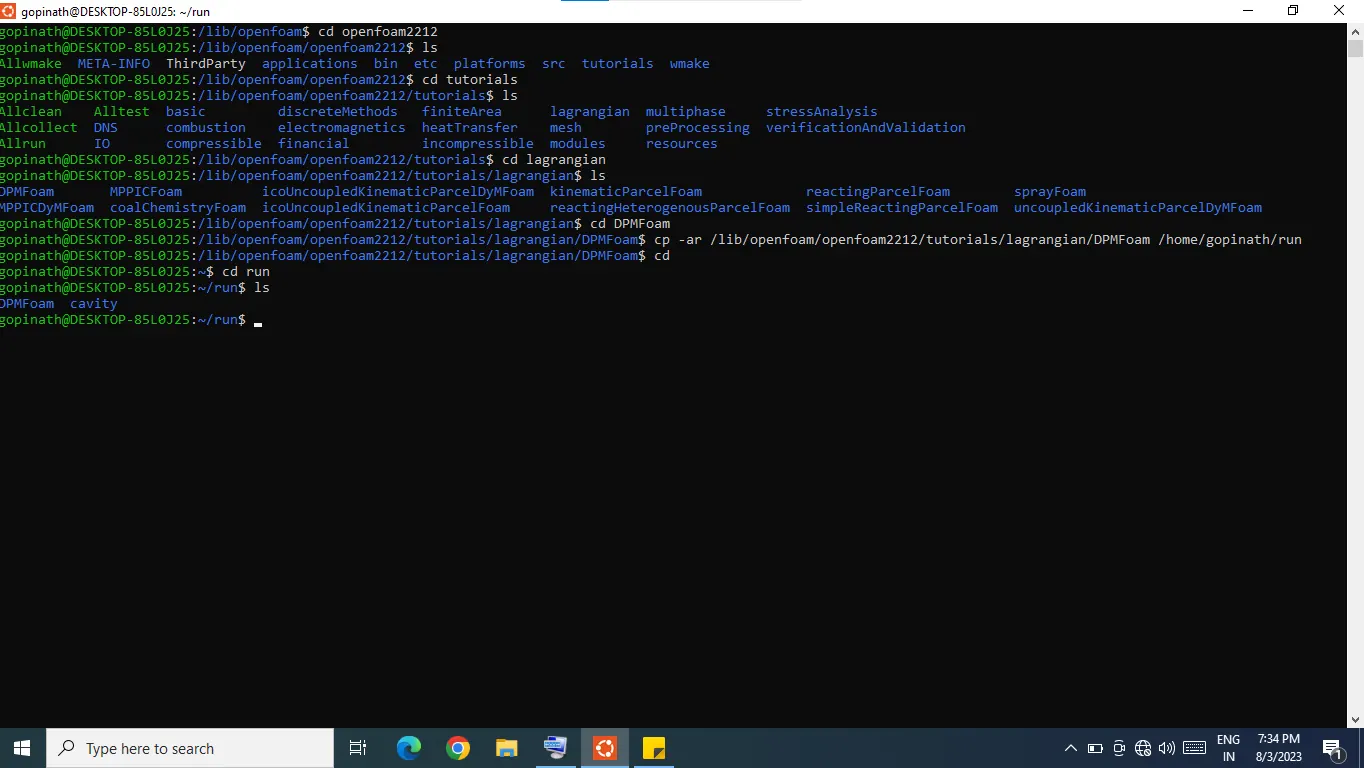
step 1: once the terminal is open, u r in the home/gopinath.by using the cd ../../ comand i went to the main stream where i access all the folders.
step 2: once u reach the get into the tutorials by using the shortcut tut or navigate by using the command
cd /usr/lib/openfoam/openfoam2306/tutorials/.and copy it to my user run folder which is located on /mnt/d/run.
step3: to copy that tutorials use command that cp -r /usr/lib/openfoam/openfoam2306/tutorials/ /mnt/d/run/usr-tutorials. now it successfully copied in the usr run folder.
step4: by the same way copy the src folder and platform folder into the usr run folder. these steps will help so much during compile a solver& shared library. since coping these folders is one time only,no need to do every time .
step 5;now navigate to the applications by using the command cd /usr/lib/openfoam/openfoam2306/applications/solvers or by using the shortcut $FOAM_SOLVERS.
step6: once solvers is reached,further navigate to dpmfoam and copy it to user run folder.by using the command cp -r /usr/lib/openfoam/openfoam2306/applications/solvers/dpmfoam /mnt/d/run/usr-dpmfoam. in my system the run folder is mounted on d disk for easily acces to the paraview. normally the run folder located on home/gopinath/run.
COMPILATION:
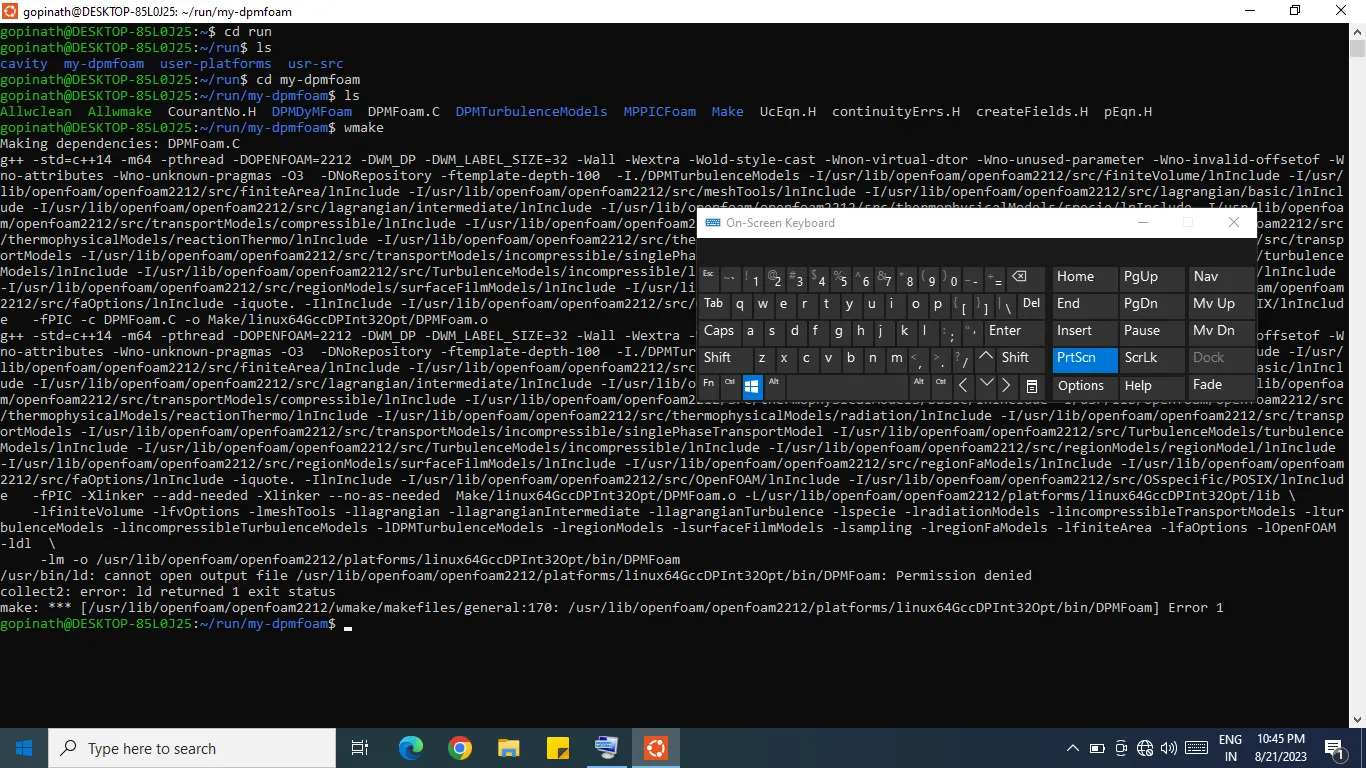
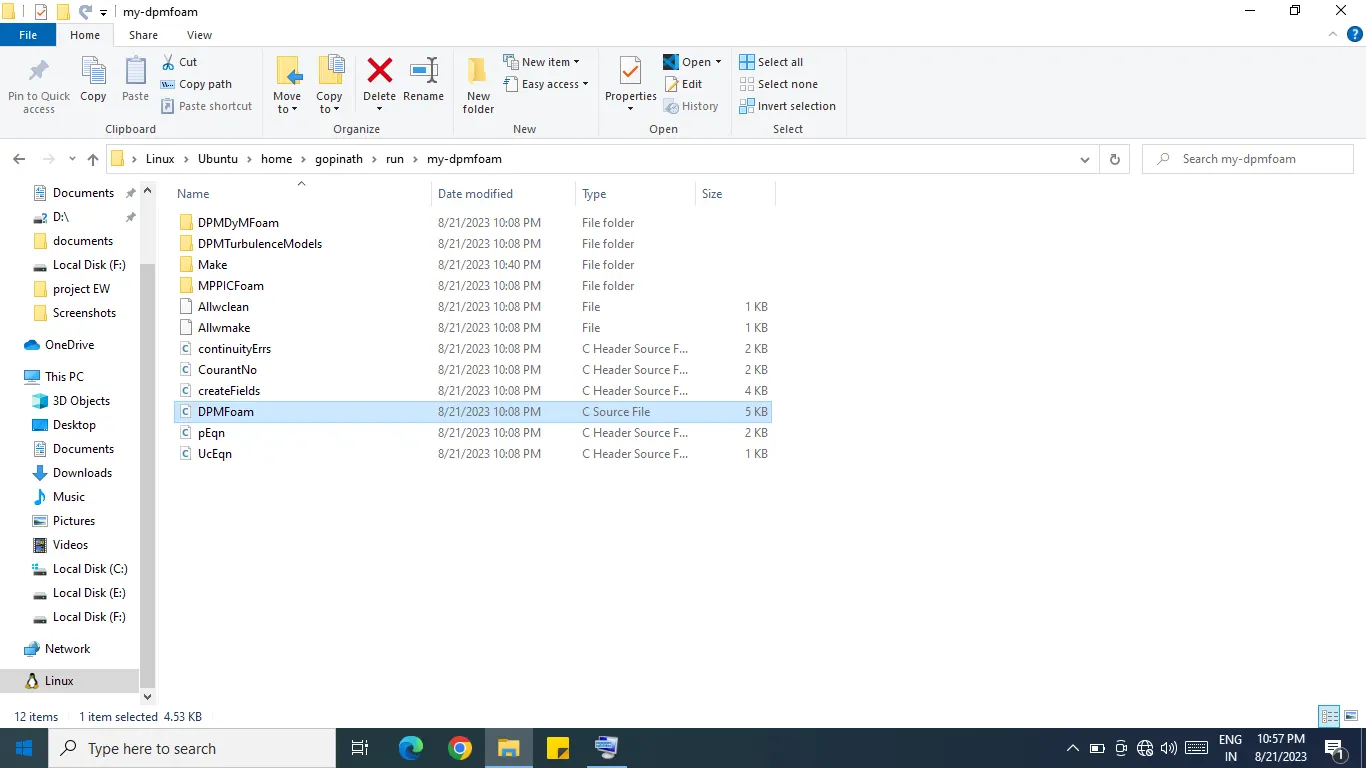
once the dpmfoam is copied in user run folder open it in the run folder and navigate to wmake by suing the command cd/usr-dpmfoam/wmake/files/ and the write wmake in it and it enter it create some long lines then it is complied as .libso files and .so files.
2. explanations on the following decomposition algorithms:
- simple (2 2 1)
The "simple decomposition algorithm" you're referring to in the context of OpenFOAM is likely related to the decomposition of a computational domain for parallel processing in a distributed memory environment. OpenFOAM is an open-source computational fluid dynamics (CFD) software framework that supports parallel simulations using decomposition algorithms. Here's a brief explanation:
**Domain Decomposition:**
In a parallel simulation, the computational domain (the area you're simulating) is divided into smaller subdomains that can be processed concurrently on different processors or nodes of a cluster. This process is called domain decomposition. Each subdomain is assigned to a separate processing unit, improving computational efficiency and reducing simulation time.
**Simple Decomposition Algorithm:**
The "simple decomposition algorithm" in OpenFOAM is one of the basic domain decomposition techniques used to split the computational domain. It divides the domain into blocks or patches of equal size, trying to maintain a roughly equal number of cells in each subdomain. This decomposition is straightforward to implement and is suitable for many CFD cases.
Here's a general overview of how the simple decomposition algorithm works:
1. **Block Creation:** The algorithm divides the domain into a specified number of blocks or patches, each of which contains a portion of the total cells.
2. **Balanced Distribution:** The algorithm aims to distribute the cells as evenly as possible across the blocks, maintaining a balance in terms of computational load. It usually tries to ensure that the number of cells in each block is similar.
3. **Adjacent Cells:** The blocks are arranged in a way that neighboring cells are kept together to minimize communication between blocks during parallel execution. This helps maintain data locality and reduce communication overhead.
4. **Processor Assignment:** Each block is assigned to a processor or computing unit for parallel execution. The simulation is then executed on each processor, where each processor handles its assigned block.
It's important to note that while the simple decomposition algorithm is relatively straightforward, more advanced decomposition methods are available in OpenFOAM that can provide better load balancing and scalability for complex cases and large cluster environments.
If you're using OpenFOAM for CFD simulations and parallel processing, I recommend referring to the official OpenFOAM documentation or resources specific to your version of OpenFOAM for detailed information about the available decomposition algorithms and how to use them effectively.
Here's a brief explanation of the (2,2,1) decomposition algorithm in OpenFOAM:
1. **Domain Division:**
The computational domain, which represents the physical space being simulated, is divided into smaller subdomains. In the case of (2,2,1) decomposition, the domain is divided into a 2x2x1 grid of subdomains.
2. **Processor Allocation:**
Each subdomain is assigned to a separate processor or computing core. This means that the entire simulation is now being solved concurrently on multiple processors.
3. **Data Exchange:**
During the simulation, there are regions where data needs to be shared between neighboring subdomains. OpenFOAM handles this data exchange efficiently, ensuring that information required for calculations is communicated between processors as needed.
4. **Parallel Processing:**
With the domain decomposed and allocated to processors, each processor works on its assigned subdomain simultaneously. This parallel processing speeds up the simulation, as each processor focuses on a smaller portion of the problem.
5. **Aggregation of Results:**
As the simulation progresses, results from each subdomain are aggregated to form the complete solution. Data from different processors are combined to provide a unified outcome of the simulation.
By using the (2,2,1) decomposition algorithm, OpenFOAM effectively leverages parallel computing resources to accelerate the simulation process. It's important to note that the choice of decomposition algorithm depends on factors like the available hardware, the size of the computational domain, and the specific characteristics of the simulation being performed.
2.scotch (Write a short note about how scotch decomposition is carried out)
"Scotch" is a graph partitioning library that can be used to divide a computational domain into smaller subdomains while minimizing the number of communication boundaries between processors. It aims to balance the computational workload and communication overhead, resulting in better parallel performance.
Here's a brief overview of how Scotch decomposition might be used in OpenFOAM:
Graph Representation: The computational domain and its connectivity (mesh elements and their neighboring elements) can be represented as a graph.
Graph Partitioning: The Scotch library can be employed to partition this graph into smaller subgraphs. Each subgraph corresponds to a portion of the computational domain that will be assigned to a specific processor or core.
Load Balancing: The partitioning aims to evenly distribute the workload among processors while minimizing communication requirements. Load balancing is important for efficient parallel execution.
Communication Minimization: Scotch tries to reduce the number of faces or edges between subdomains, which helps minimize communication between processors during the simulation.
Integration with OpenFOAM: OpenFOAM, being an open-source CFD toolbox, provides various mechanisms for parallel execution. Scotch can be integrated with OpenFOAM's parallel execution framework to achieve domain decomposition using the graph partitioning capabilities of Scotch.
3.hierarchical
HIERARCHICAL DECOMPOSITION:
The term "hierarchical decomposition algorithm" is not a commonly recognized term within OpenFOAM's context. However, I can provide some general information about hierarchical decomposition as it might relate to computational techniques:
Hierarchical decomposition is a technique used in parallel computing and distributed systems to break down a complex problem into smaller subproblems that can be solved independently. This approach is particularly useful for solving large-scale simulations, like those encountered in CFD simulations.
In the context of parallel computing in OpenFOAM, hierarchical decomposition could refer to a strategy for dividing the computational domain into smaller subdomains that are solved concurrently on different processors or computing nodes. Each subdomain could further be decomposed hierarchically into even smaller parts, allowing efficient distribution of the computational load.
Here's a simplified overview of how hierarchical decomposition might work in a CFD simulation using OpenFOAM:
Domain Partitioning: The entire computational domain is divided into smaller subdomains. This can be done using techniques like domain decomposition or mesh partitioning.
Hierarchy: Each subdomain can then be further divided into smaller regions or cells, creating a hierarchy of subproblems.
Parallel Computation: The subdomains are assigned to different processors or computing nodes, and the simulation is run concurrently on these processors.
Data Exchange: Since adjacent subdomains might share data (boundary values), there needs to be a mechanism for exchanging data between neighboring subdomains at each simulation time step.
Solution Aggregation: Once each subdomain has solved its part of the problem, the results are aggregated to provide a solution for the entire domain.
Hierarchical decomposition, when implemented effectively, can significantly speed up simulations by leveraging parallel computing resources. However, it requires careful load balancing, efficient communication, and synchronization mechanisms to ensure accurate results and optimal performance.
3.Take the incompressible/simpleFoam/pitzDaily case and visualize the decomposed mesh (use decomposeParDict) in ParaView for:
- simple (2 2 1)
- scotch (Write a short note about how scotch decomposition is carried out)
- hierarchical
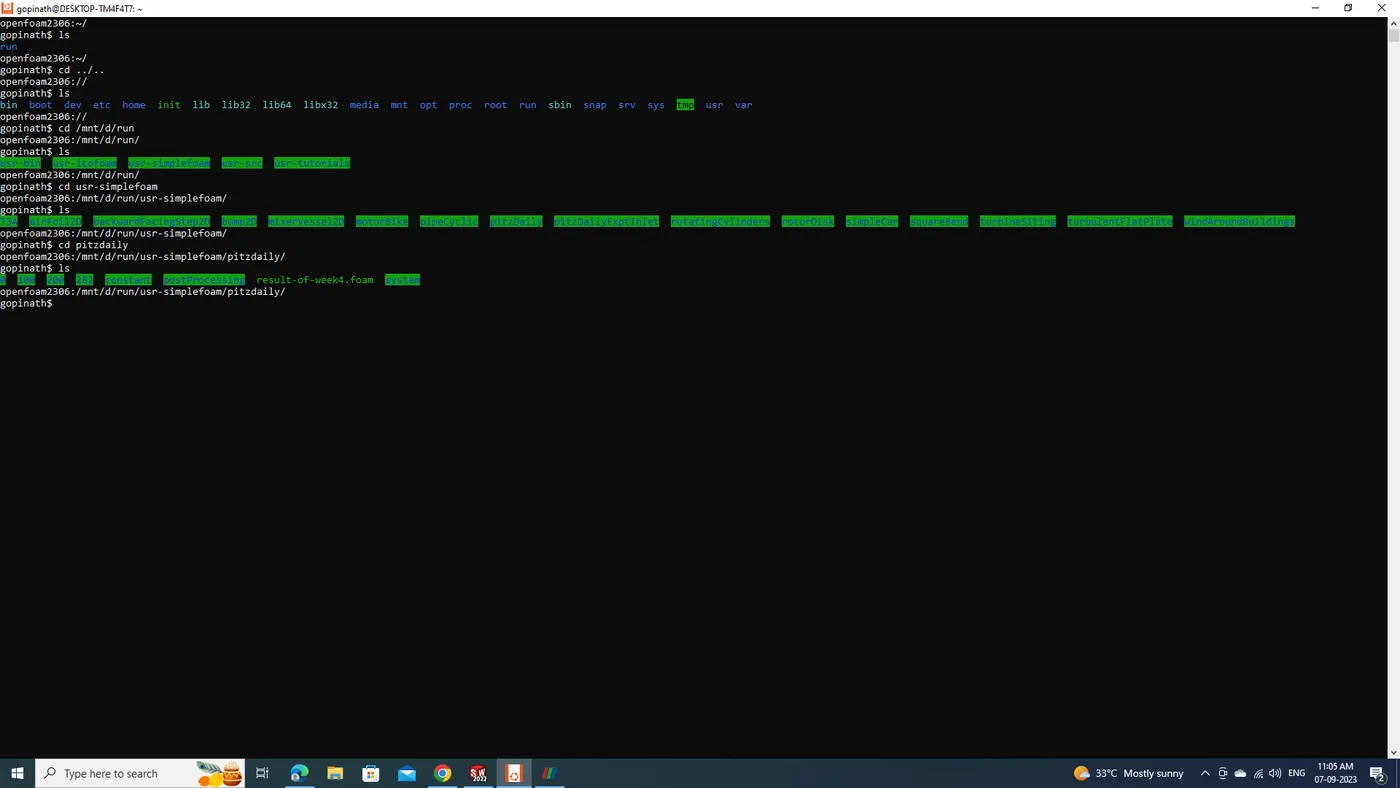
step1: go to tutorials and inside naviagte to simplefoam. copy it into the user run folder .
step2: inside the usr-run folder go inside the pitzdaily ,put ls. u see the 0 const and system folders.
step 3: not go inside of pitzdaily just write the blockMesh. once it done write simpleFoam in it.
step4: it starts the simulation and wait till it complete.
step 5: now u agin write ls u will able to see some othe rfiles rather thatn 0 const and system. now type touch (result of week4)(any name u want).foam now again give ls. u able to see the .foam file was created in it, with the name u given.
step6: now go to paraview and open folder inside disk d/ run/........./ pitzdaily u will able to see the .foam file that u created and open it here. and click apply in the left side of the screen.
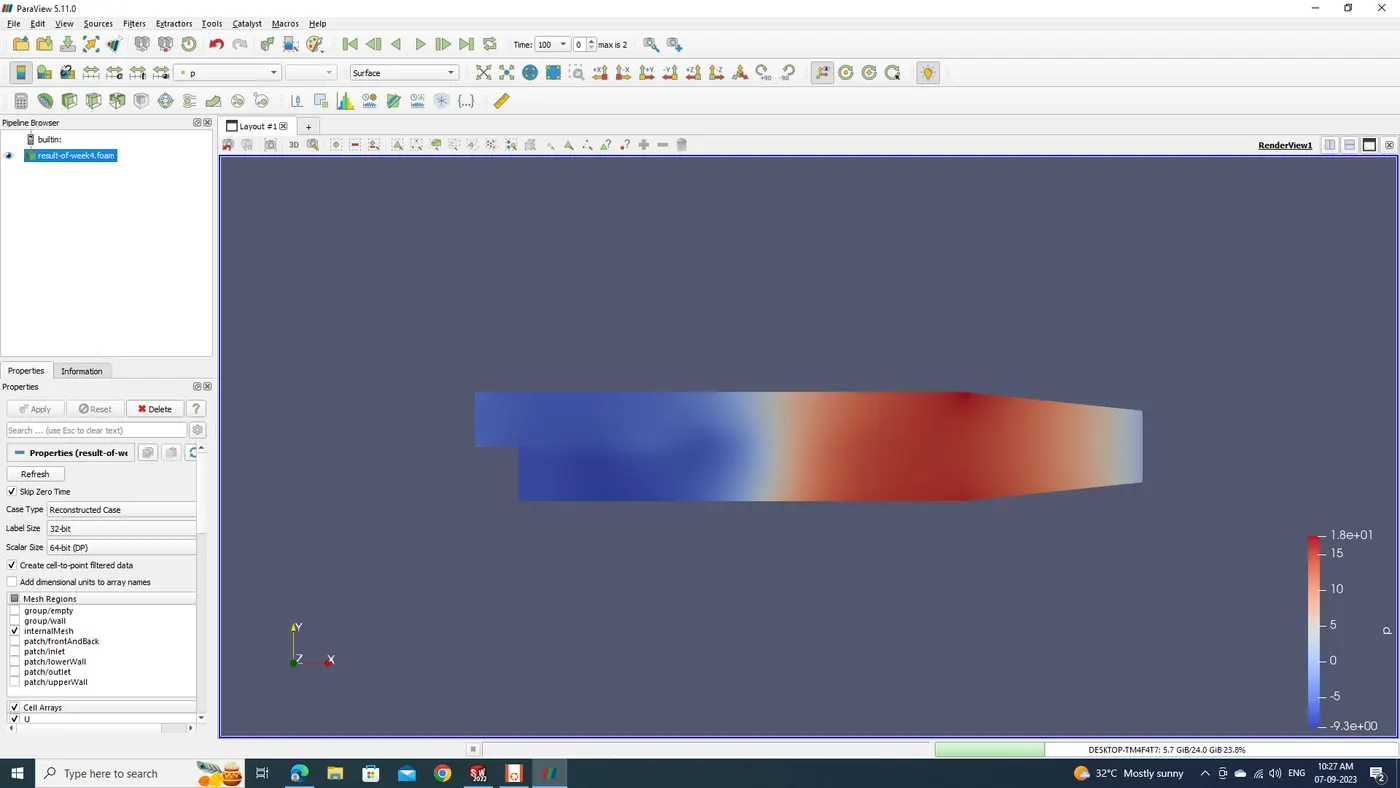
simple (2,2,1);
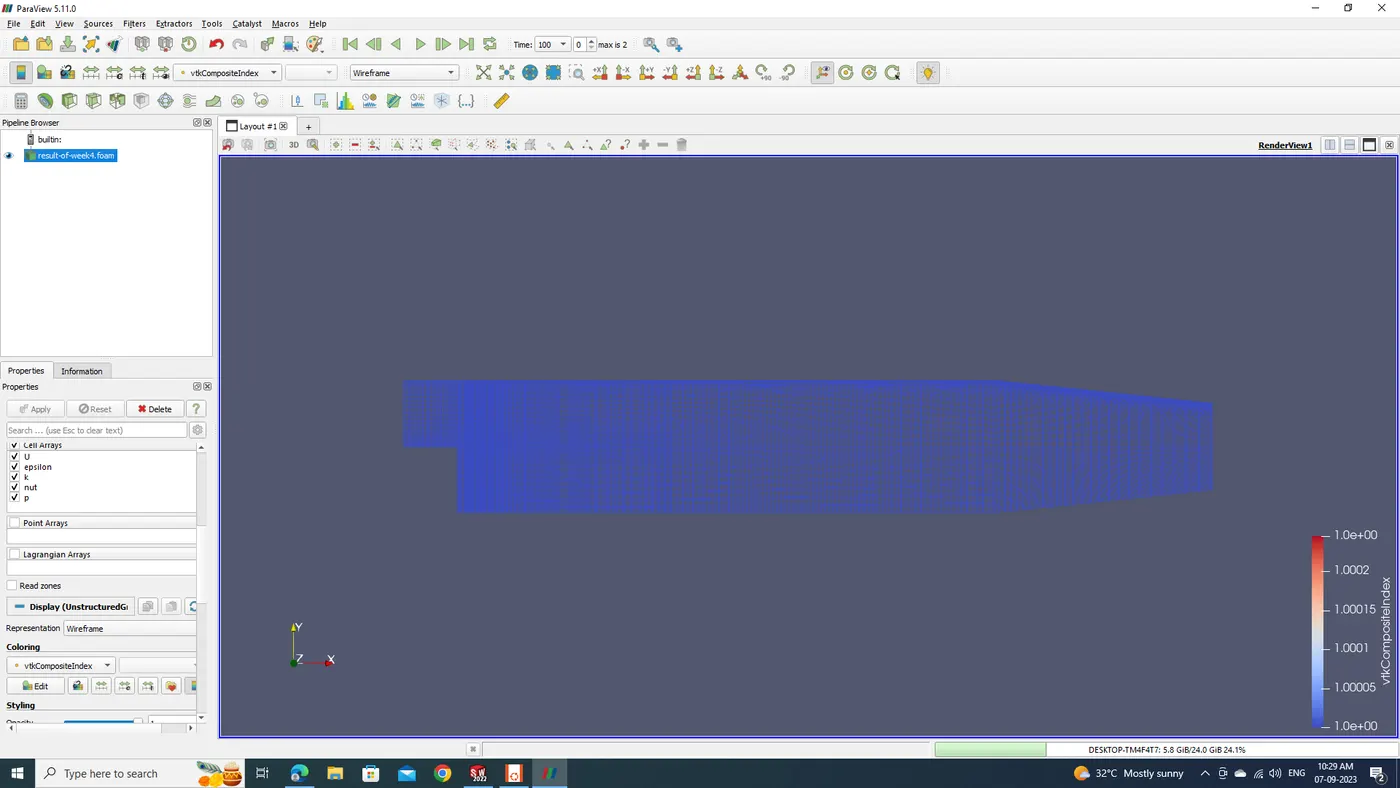
scotch:
hirechical:
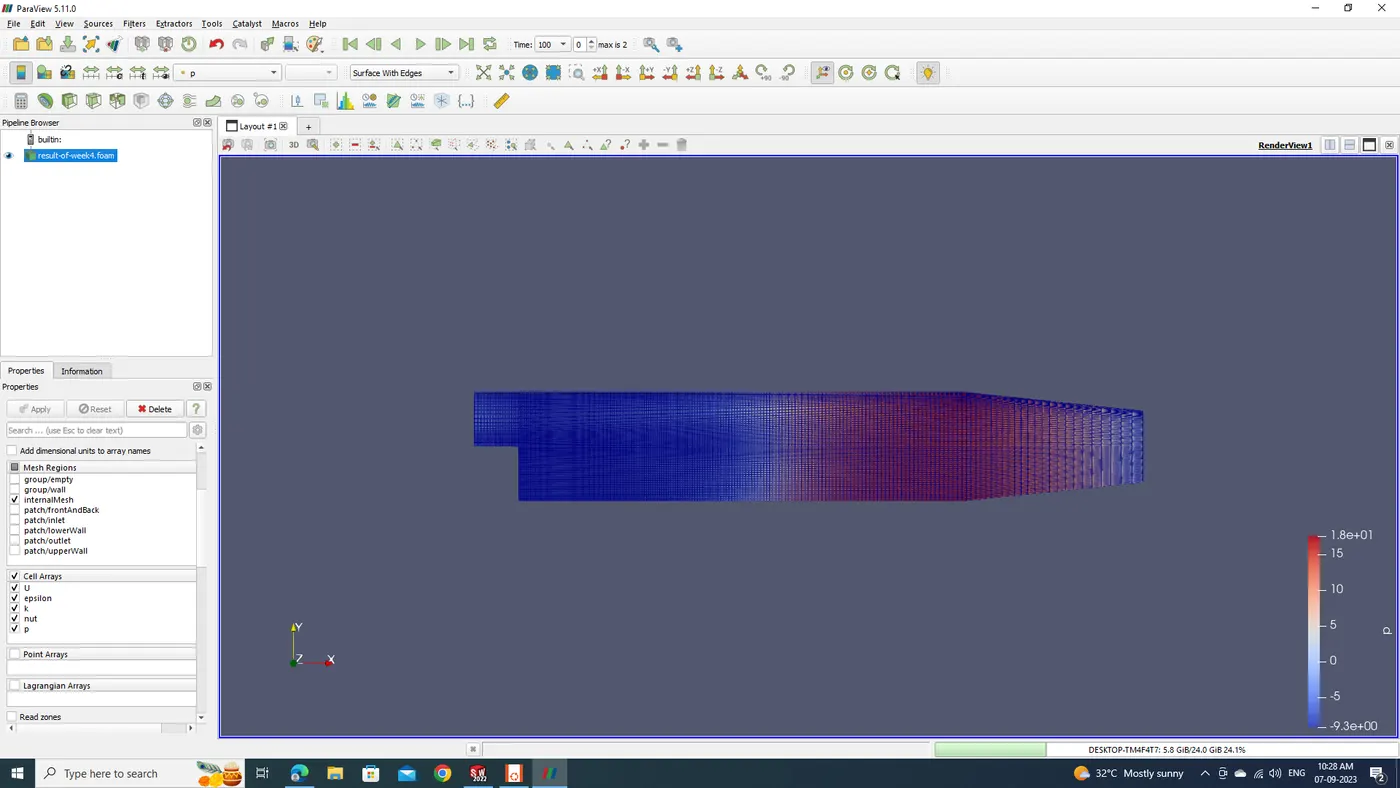
this is the pitzdaily case and visualize with various mesh.
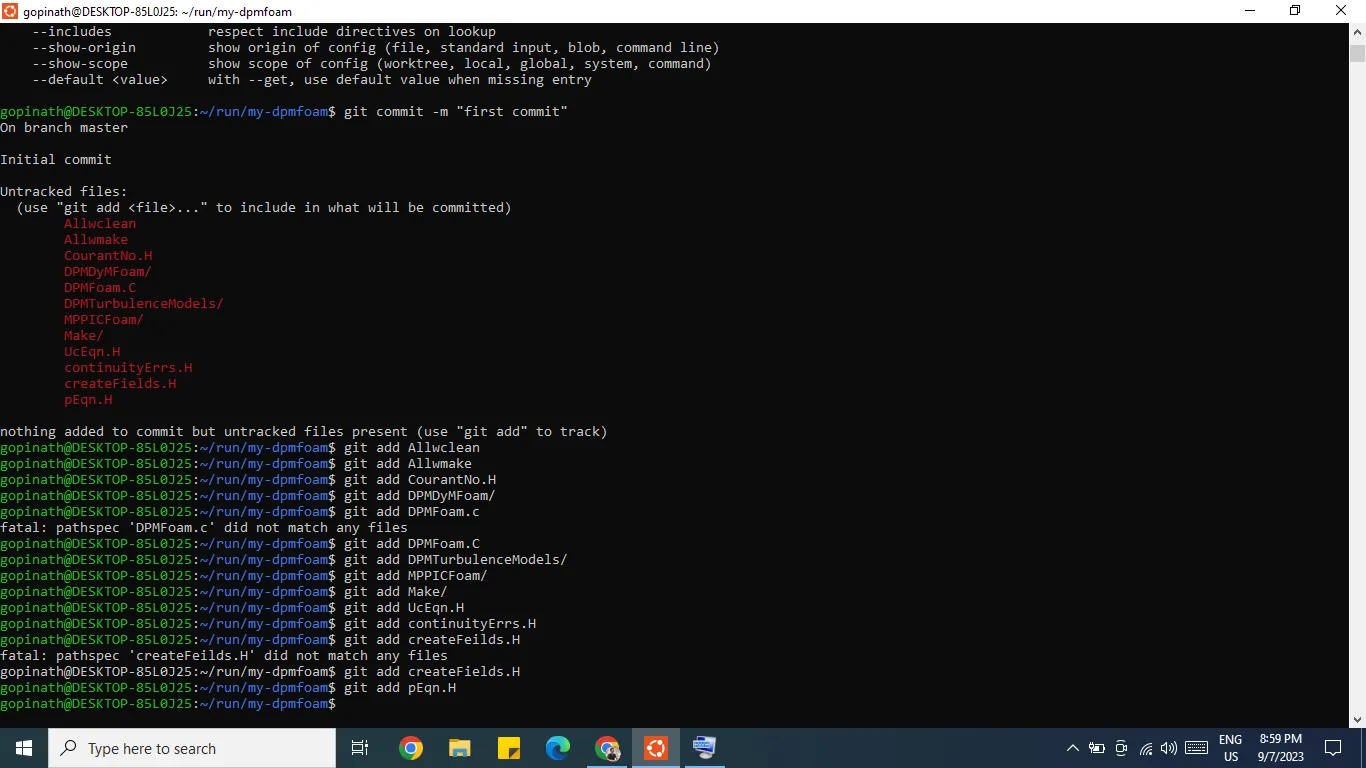
to push all these into github, use the following instructions;
first type git init and hit enter,
the type git config and hit enter
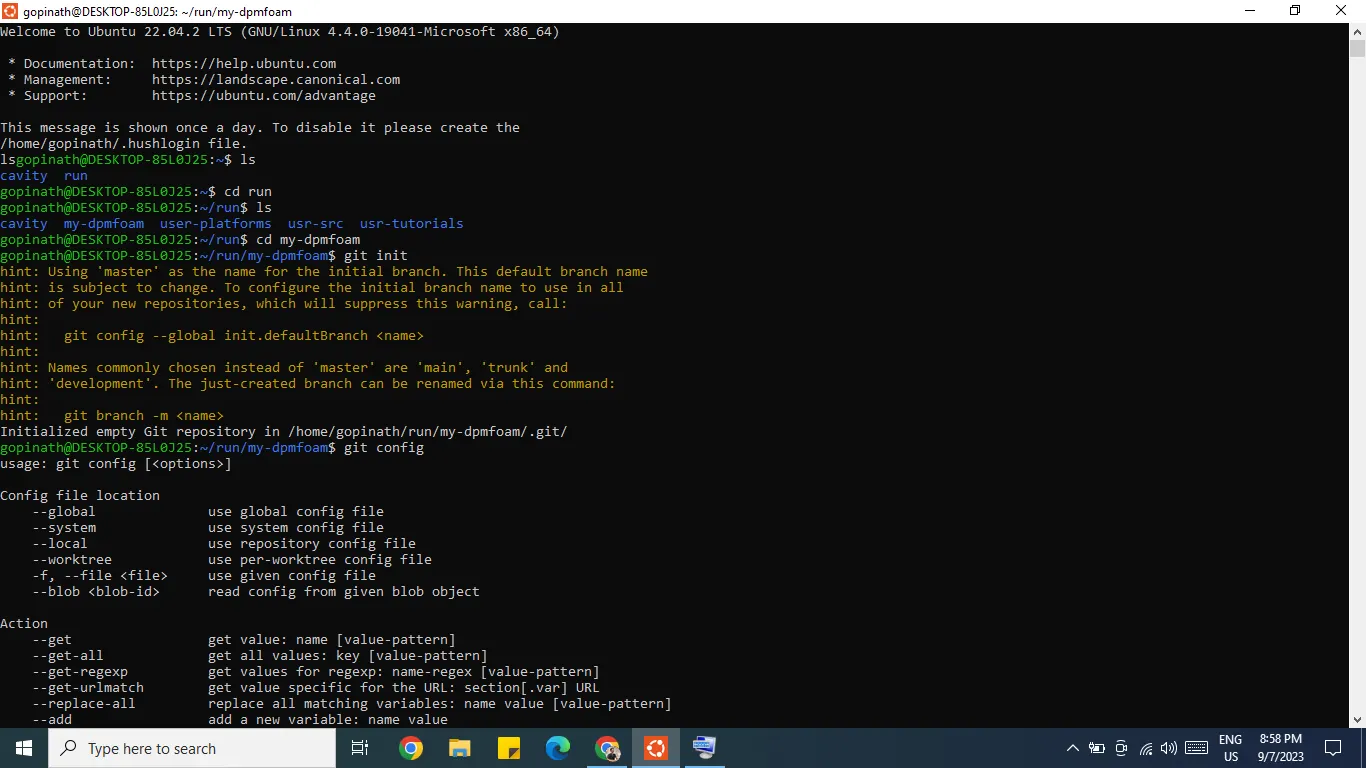
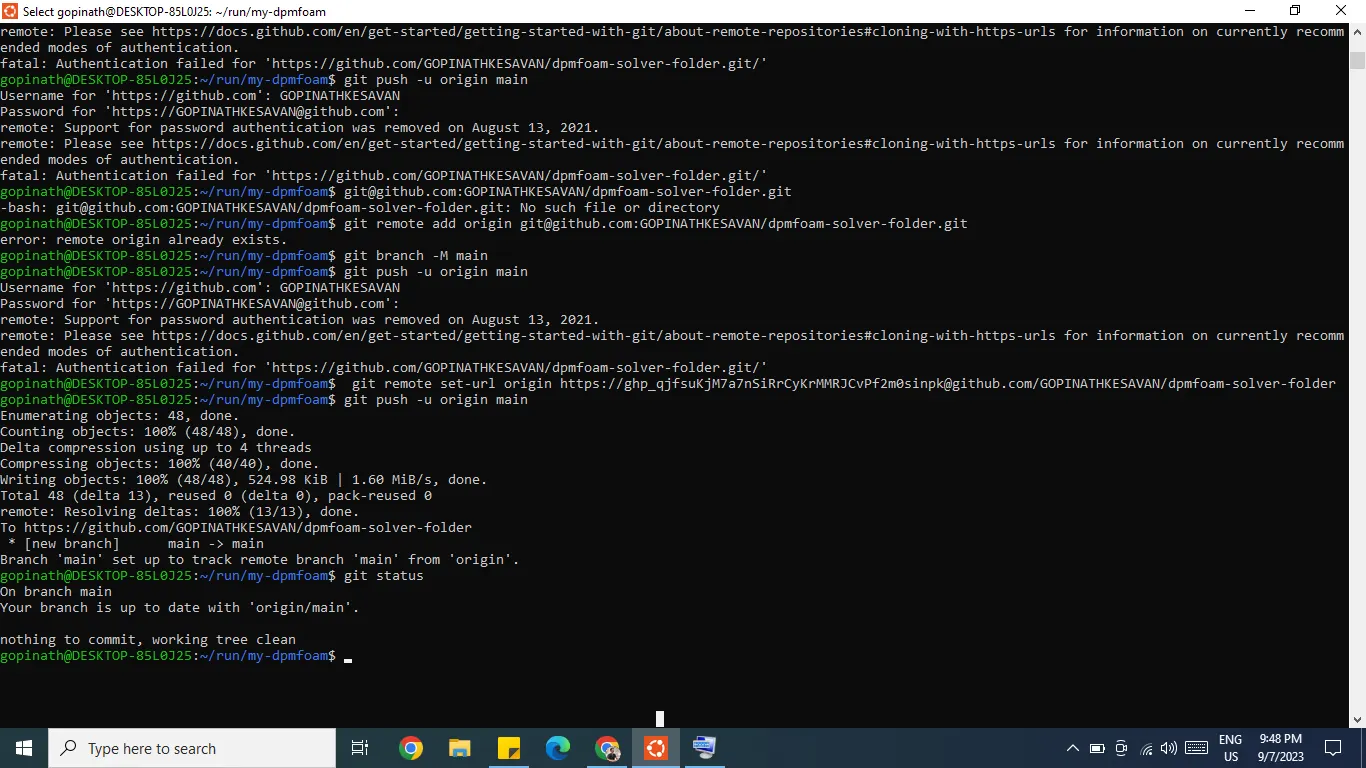
the github renamed dpmfoam solver folder link is https://github.com/GOPINATHKESAVAN/dpmfoam-solver-folder.