Week 4 Challenge : CFD Meshing for BMW car
AIM:
For the given model check and solve all the geometrical errors half portion and Assign appropriate PIDs. Perform meshing with the given Target length and element Quality criteria.and then meshing is done for that half part and do the symmetry.
PROCEDURE:
First download the model from the link. open the model in the ansa software.
the model in the ENT mode,in this model there are some unwanted single cons are present so go to the faces and topo pic the box selection and do the middle click. the unwanted single cons are changed into the double cons.
Still there are so many single cons and triple cons are present in the bmw model.that has to topo cleaned in the topo mode.
In ANSA if the model is symmertic just do the topo cleanup and meshing for any one half and do symmetry to the other half.
the model is not in proper accurate shape in order to make it propoer go the mesh deck select perimeter and box selection and give the perimeter and macros as 1mm.
To delete the half portion of the model box select the exact halkf of the model.the BMW logo should be deselected.
the agenda is make the whole bmw into the 6 volume.(1.volume inside the car, 2.tyre1, 3.tyre2, 4.tyre3, 5.tyre4, 6.distance between car and wind tunnel.
now take the grids of the bmw which is present in the front side of the model.
there are some triple cons are present in the grid and the back one layer is cover the total grid structrue,so select delete and pics all the surface which is unwanted (back surface and some vertical surfaces.)
Now the back side of the grid is open still it has some triple cons.by using the cut option u cut certain places and make the each and every specific grid as a volume by using that cut and some delete of the extra surfaces.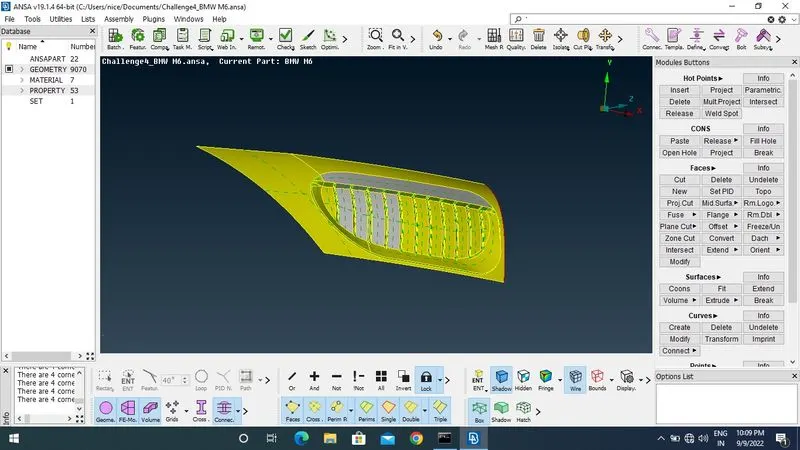
BMW LOGO:
In the logo some single and triple cons are present which is not needed for the model.so do some topo clean up there initally, theisolation of that specific BMW LOGO is done by the help of the inot option.
then the back surface triple cons are removed by deleting the surface which is unneccesary for the meshing purpose,by using the delete option.
Some surface are not intersect with the faces so use the intertsect option and select the faces and do the intersect by click the middle click.
so the removal of the single and triple cons are done.
The are some triples cons which is present in the top and side of the windows.that is remove by deleting unwanted surface in the model.
tyre:
isolation of the fronttyre by using not option and the screen locked. in that tyre a triple con is present and that is removed by deleting the unwanted surface by using delete option so it result of single con in the rear side of the tyre.
in order to remove the single con by using faces - new - cons , the new face is created and topo is caried out.
REAR LIGHT:
in rear light there is a triple con present so for removing the triple con deleting the unwanted surface it result a required surface also deleted because of total surface ,in order to avoid by using cut option create a cut between the unwanted and requilred surfaces.
so now by using deleting option unwanted surface is deleted. so by doing topo all the single con become double con.
as the same way all the triple con and single con are removed by using the delete, new face, cut, release topo clean up of the BMW model is done.
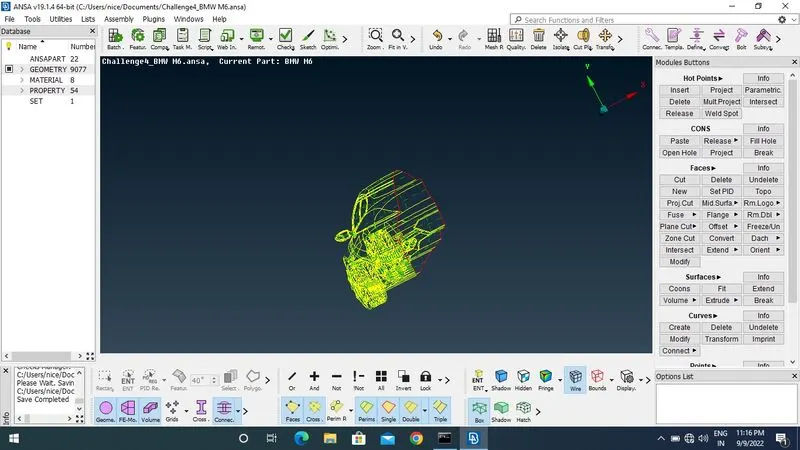
MESHING OF THE BMW MODEL:
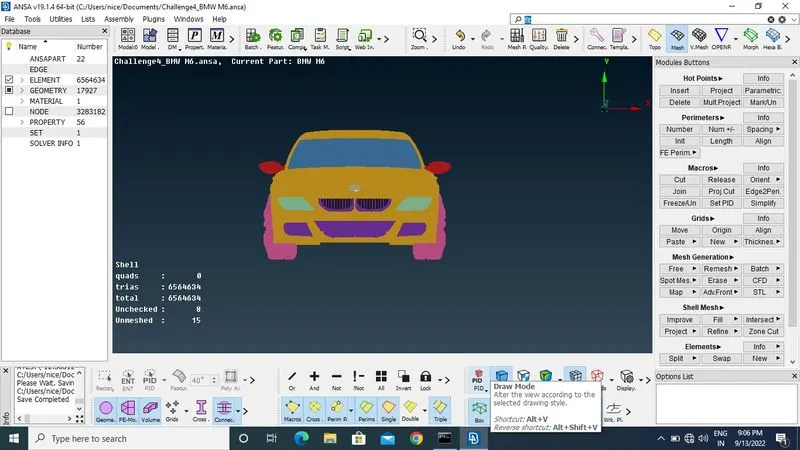
Generate the PID of each part of the model and apply to it.
now doing mesh of the model, now creating the open foam deck beside the volumetric mesh deck afterwards open the quality criteria is open.
the new parameters are shown (min length, max length, aspect ratio, triangles ,...) specific criteria is selected and save as a file it should be used laterwards.
by using PID region selection a specific PID is isolated in order to avoid the minimum meshing length than the given target length in the particular region, the model is examined
By using spot mesh - visible meshing process is done.
the same process is carried out for all the parts of the model with the given target length of the each part of the model. the mesh length of the parts are:
- Target lengths for the different parts of a model are as follow:
- Body - 3 mm
- Lights - 4 mm
- Grills - 1 mm
- Rims and Tyres - 2 mm
- Optical Rear view mirror - 2 mm
- Window - 2 mm
- Silencer - 3 mm
- Logo - 1 mm. the
WIND TUNNEL CREATION:
For the wind tunnel creation in topo mode - point- release point - is used. In order to create new point of the wind tunnel, measure the length of car by using measure parameter.
the center point in the bottom of the car is picked , after that 4x distance of car is placed bottom of the car. now the reference point is generated as per the same needed points are created.
now using the curves - create- connect the points, by using new the bottom surface of the wind tunnel is created.
now remove the points and curves of the bottom surface. by using offset option the top surface of the wind tunnel is created. Now using new - cons- the side surface of the wind tunnel is created similarly, the rear surface also created. by using fill hole option the front surface of the wind tunnel is created. successfully the wind tunnel of the model is generated.
Doing the mesh of the wind tunnel, top surface of tunnel is 100mm both perimeter and macros. but the bottom surface of the tunnel is 20mm because of the different mesh length of the tunnel, unmeshed surface is generated in the front and rear side of the tunnel. In order to avoid the unmeshed surface, spacing option is used in this option min length should be 20mm and max lim. is 100 mm.
so the total wind tunnel is meshed properly.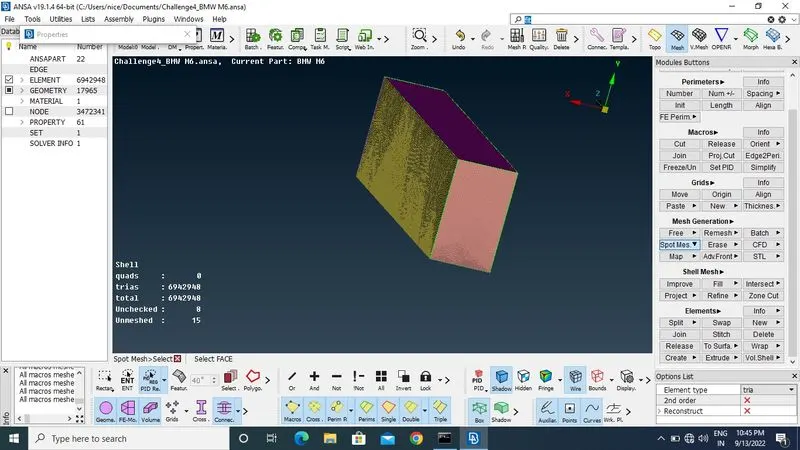
CONCLUSION AND LEANING OUTCOMES:
the model is properly topo clean up and meshed as per the target length which is given in the question and the wind tunnel generation is carried out properly.https://drive.google.com/file/d/1snYXKLOVZift4zmRQl18rzarNpnaP5ID/view?usp=sharing