Week 4 Challenge : CFD Meshing for BMW car
Aim :-
1) Solve all geometrical errors on half portion and Assign appropriate PIDs.
2) Perform meshing with the given Target length and element Quality criteria.
Objective :-
1) Given model have many geometrical errors that has to be solve and making an error free geometry.
2) CFD Meshing has to be done here with given target lengths.
3) Enclosing the geometry by constructing enclosure aroud the geometry and surface meshing on the enclosure.
Tools used:-
Hot points , Cons , Faces , surfaces , Curves , points , symmetry , Geometry check , PIDs. , Perimeters , Mesh generation , Shell mesh.
Procedure :-
1) Import the downloaded geometry in ANSA.
2) Clean up geometry
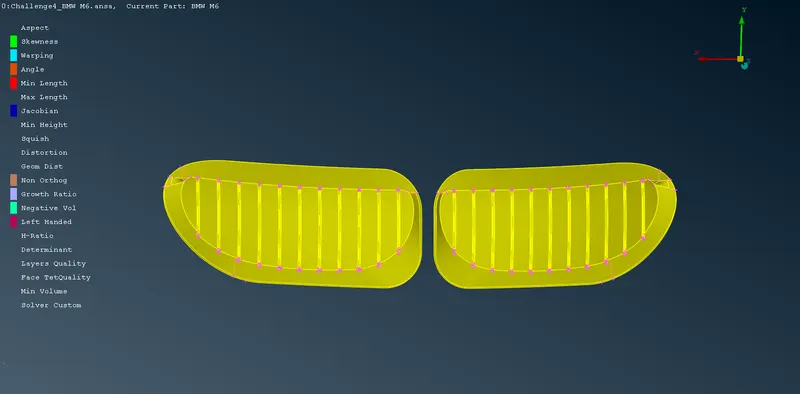
a) Clean the grills by
- deleting extra unnecessary surface and creating new surface on them.
- Remove the single cons by creating face or surface on them.
b) Clean the rear view mirror
- Delete the inner surface because for Cfd aerodynamic simulation external surface is only required.
- Attach the mirror with car properly.
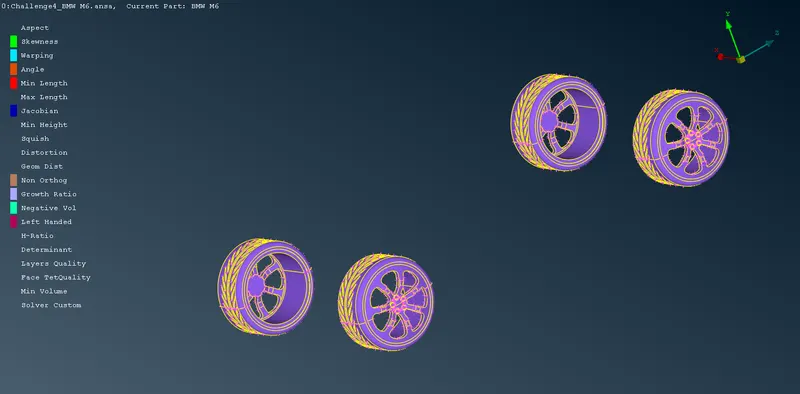
c) Clean rims and tyres
- Remove the single and triple cons from rims by constructing new face on them.
- Cut the double cons wherever it is not required and delete hot points form them.
d) Clean LOGO
- Delete the unnecessary inner surfaces.
- Remove the single cons using topo option.
e) Clean the silencer
- Delete the unnecessary inner surfaces.
- Remove the single cons using topo option.
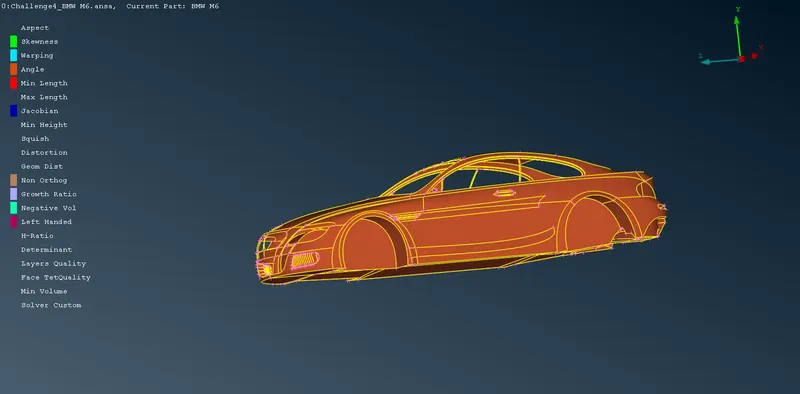
f) Clean the body
- Delete the floor surface and create the new surface as it is not in proper.
- Remove single and double cons from the body wherever available.
3) All the above cleanup has to be done only on half of the car.
4) Make different PIDs of different components which is Grills , lights , silencer , Tyres and rims , windows , LOGO , Body.
5) Remove the unnecessary PIDs using compress option.
6) Meshing
a) Go to Mesh deck.
b) Give suitable max and min target length value in Mesh parameters and quality criteria also give skewness value 0.7 and disable all other options in quality criteria except max and min length.
b) Select one PID then click on spacing from Perimeter tools.
c) Select Auto CFD option in Spacing option.
d) Assign appropriate target length as given in problem statement in perimeter and macros option.
e) Now click mesh generation tools , there select CFD option and do visible.
f) Meshing is done on one PID now check off elements on that component.
g) If off element is present then try to remove them by reconstructing mesh using reconstruct option in shell mesh tool or smoothing the mesh also manually we can remove them by moving grids.
h) Freeze that PID or component using freeze option from macros tools.
7) Select another PID or component and follow meshing procedure given in "6)".
8) After meshing all components do symmetry using transform tool.
9) Meshing is done on car now unfreeze it by selecting unfreeze option and right clicking and do box selection of entire car.
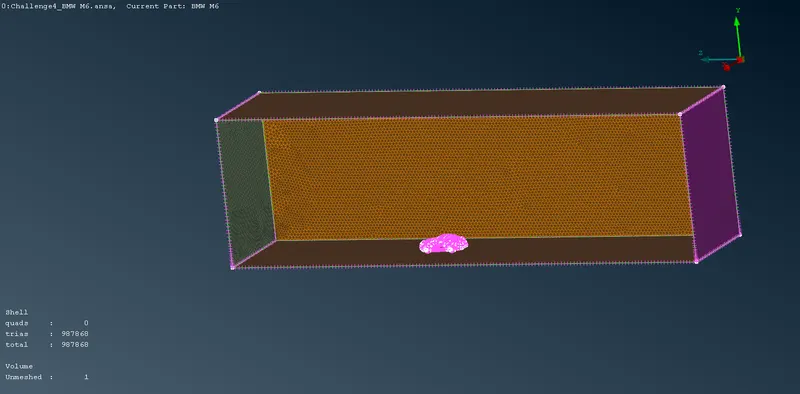
10) Enclosure construction
a) Make 4 points around the car in rectangular way at given distance from the car.
b) Create surface using these points.
c) Do offset below the car and there should be small gap between tha car and surface.
d) Now offset again for top surface at given distance.
e) Create remaining surfaces around the car
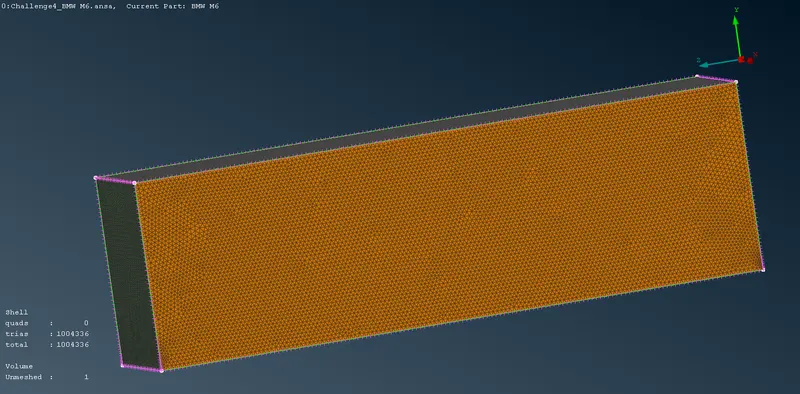
f) Do CFD mesh on enclosure surface.
11) Go to V.mesh and define the volumes.
12) Delete all the not required volumes as required volumes are only inside the enclosure except Car.
Result :-
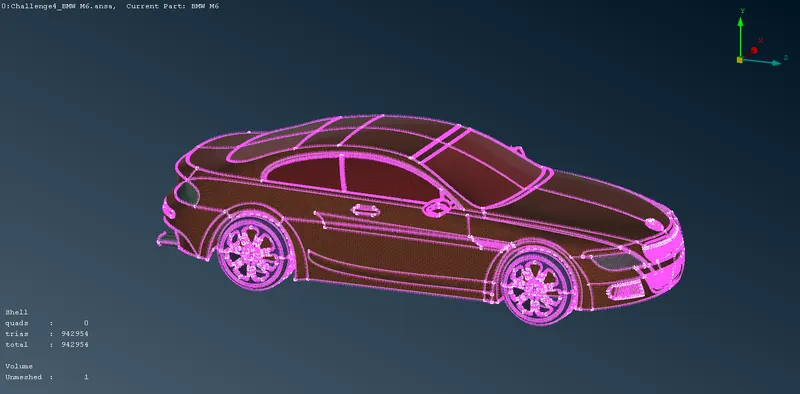
1) Below figures showing different components after geometry cleanup and meshing.
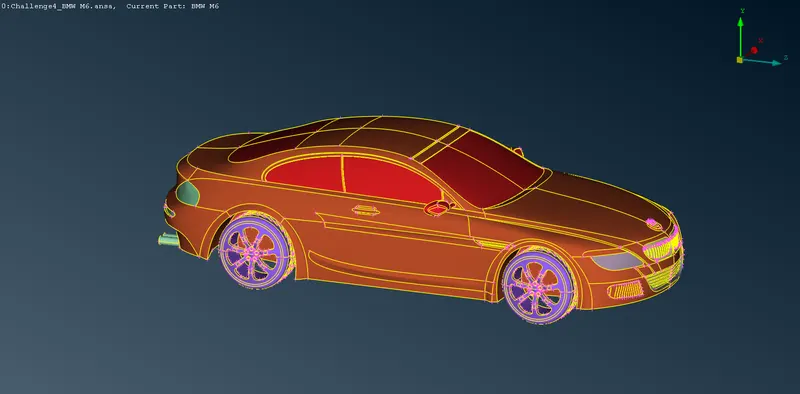
2) Below figures showing meshing on car and enclosure around it.
3) GOOGLE DRIVE LINK:- https://drive.google.com/drive/folders/1VQRpD7goeNSJuXgcmqczgPWUkye4V-Jy?usp=sharing