Week 2 Challenge : Surface meshing on a Pressure valve
Aim:- To perform surface meshing on a Pressure valve
Tools used :- Faces, surface, curves , cons, fill hole, intersect, cut, Project, Perimeters, PID, mesh generation.
Procedure :-
1) Import the downloaded geometry into ANSA.
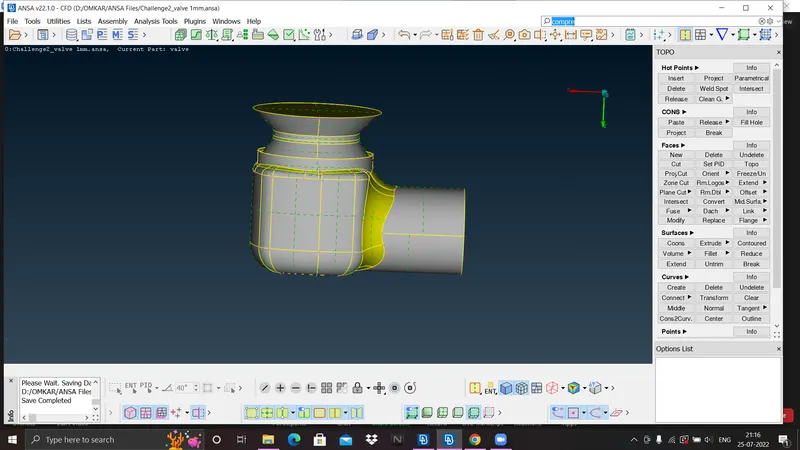
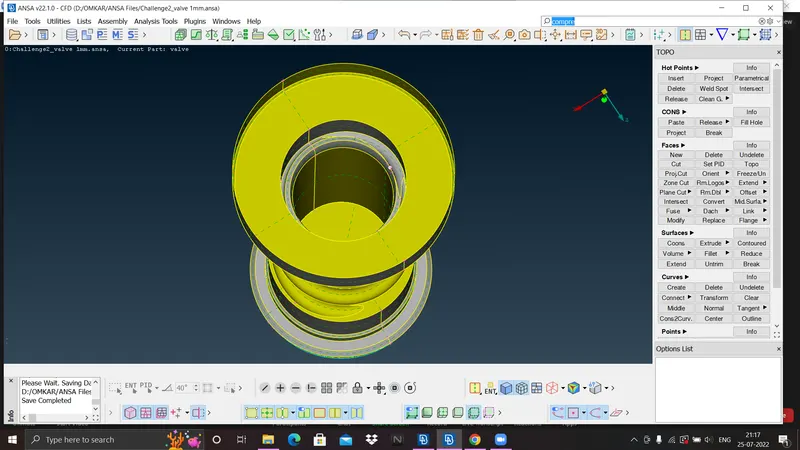
2) Clean up the geometry
a) Fill the available holes using fill hole option from cons tools.
b) Create coons surface wherever surface is missing by selectng coons option from surface or face tools.
c) Intersect the surfaces where two surfaces are meeting and delete extra surface, spring is penetrating into the column.
d) Intersect the penetrating spring and column then delete penetrating surface which is not required.
e) Create PIDs of different parts like: Spring, Column, Valve head, Valve casing.
f) Do geometry check and observe if there are any single cons are available or is there any intersection error is present or not.
g) Remove all single cons available and try to reduce triple cons and penetrating error.
h) After cleaup the geometry create a watertight geometry.
3) Meshing
a) Here we need to perform 3 different surface mesh with different target length.
b) From perimeters tools give perimeter length of 1mm by selecting perimeter of geometry.
c) Again from perimeters tools give macros length of 1mm by selecting the surface of geometry.
d) click mesh generation then go to spot mesh and select visible option.
e) For 3mm and 5mm target length follow steps of meshing from b) to d).
Result:-
1) Clean up geometry
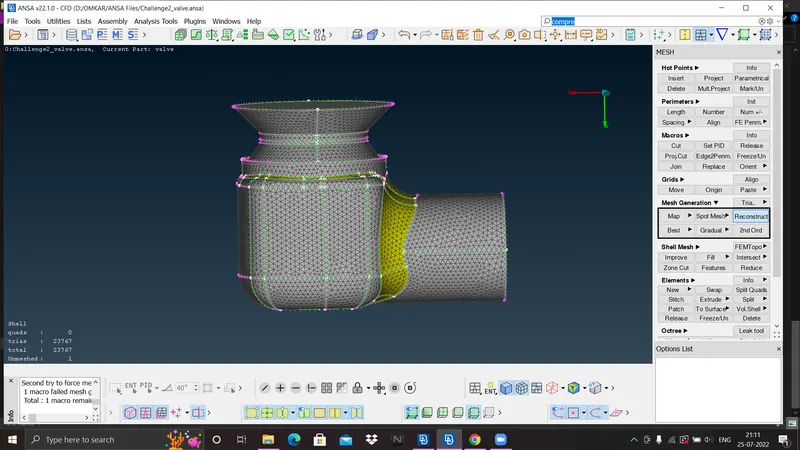
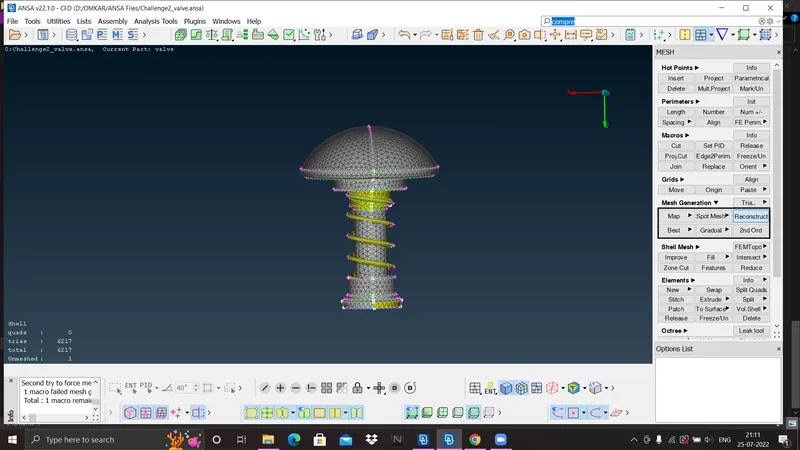
2) CASE 1:- 1mm
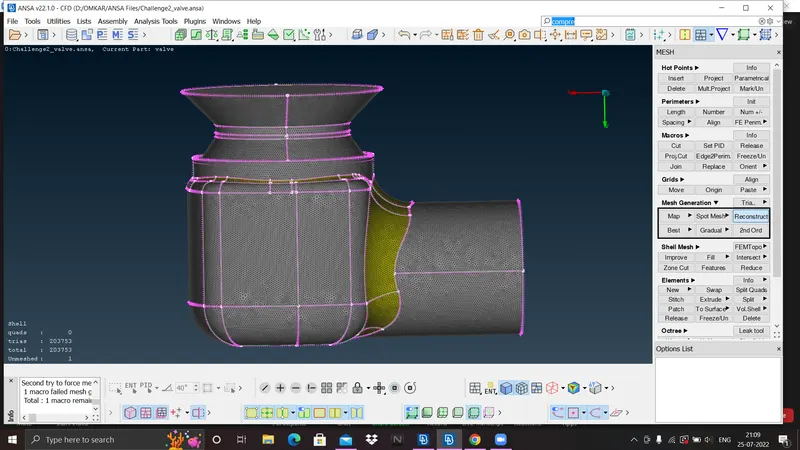
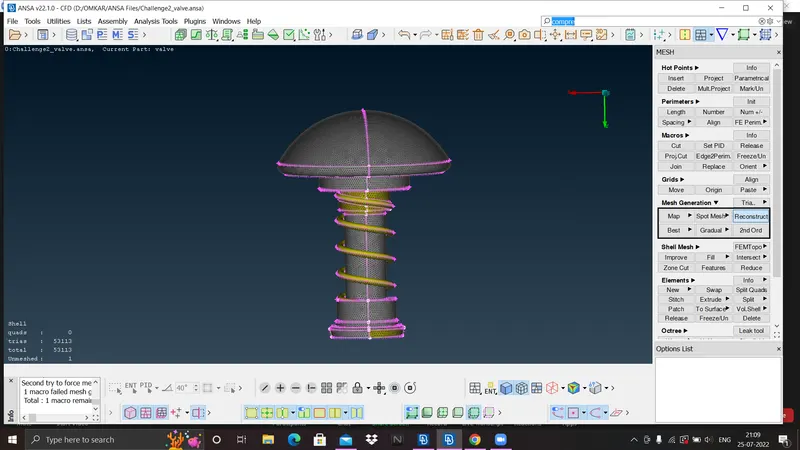
3) CASE 2:- 3mm
4) CASE 3:- 5mm
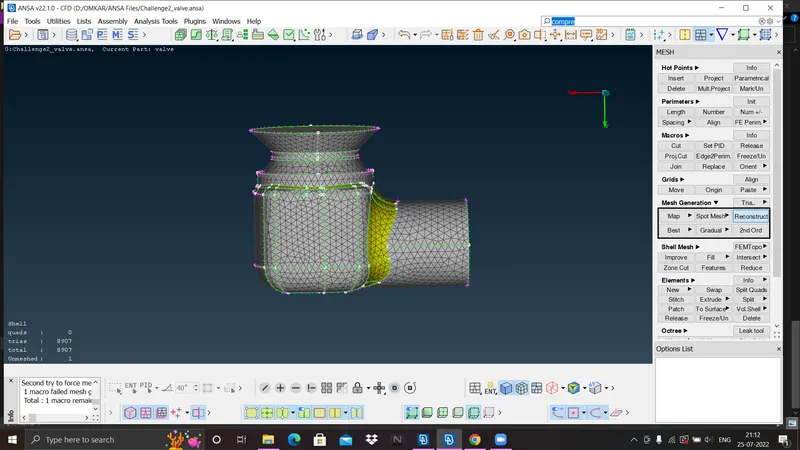
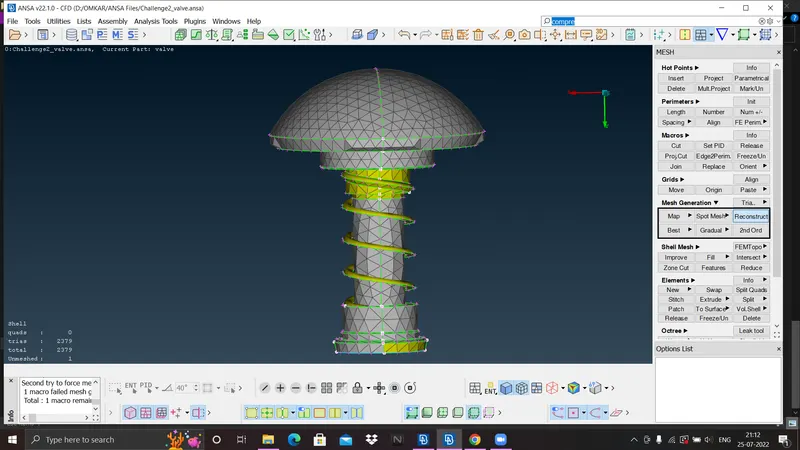
5) Explanation:- Here three different surface meshing is performed of 1mm,3mm and 5mm target length. from figure we can observe as mesh element goes on decreasing more better able to capture the geometry, so we can say 1mm target length surface meshing is better.
6) GOOGLE DRIVE LINK:- https://drive.google.com/drive/folders/1EDN75OLmWdb6dinEi2ZfGLz3H24MRcxG?usp=sharing