Week 4 Challenge : CFD Meshing for BMW car
OBJECTIVE
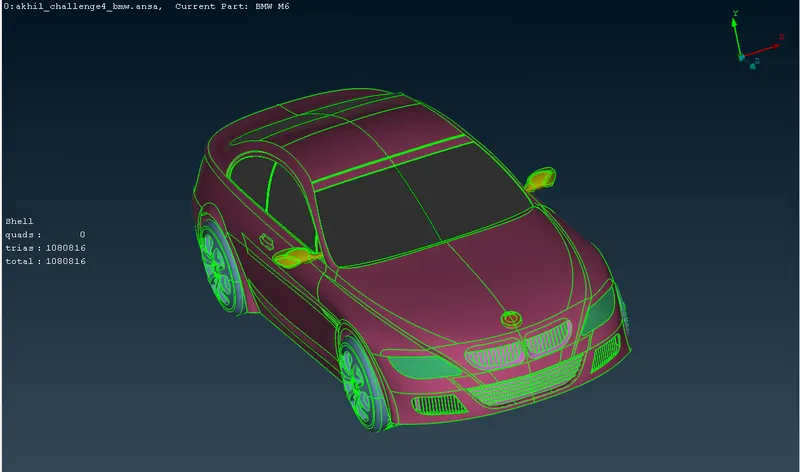
For the given model, check and solve all geometrical errors on half porton and assign appropriate PID'S. Perform meshing with the given target length and element quality criteria. After meshing half model, Do symmetry to the other side.
Target lengths for the different parts of model are:
- Body: 3 mm
- Lights: 4 mm
- Grill: 1 mm
- Rims and Tyres: 2 mm
- Optical Rear view Mirror: 2 mm
- Windows: 2 mm
- Silencer: 3 mm
- Logo: 1mm
PROCEDURE
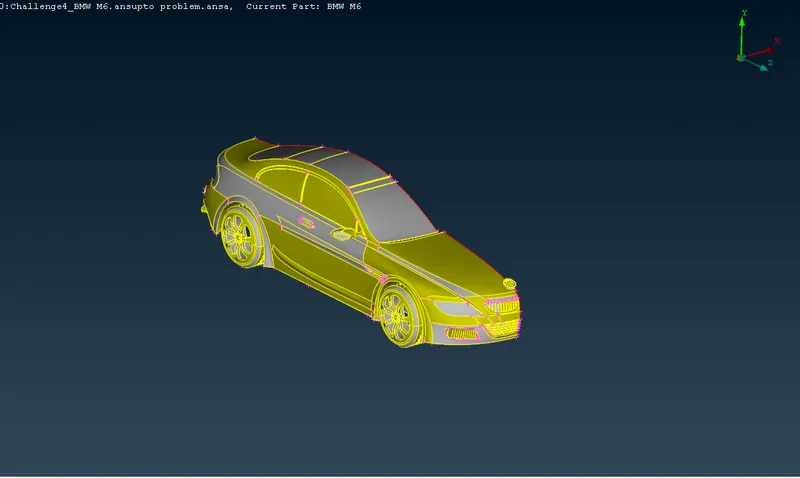
Step 1: Topological Cleanups
- The BMW car model is symmetric about the centre plane.So delete half of the car model.
- We need a common volume inside the car. so we should remove unnecessary volume inside car at different locations without affecting outer surface.
- First turn off double cones and identify single and triple cons.
- Clear all the triple and single cons.
- Delete unwanted surfaces, overlapped surfaces and make car surface smooth using intersect, cut, extend, new face tools.
- Once cleared all the single and triple cons, go to geometry checks.
- Select needle face, cracks, triple cons, unchecked faces,overlapped surfaces and execute checks.
- Because of deleted the half the car model. the single cons should present in the mid plane.
- Delete very smaller cuts in the model.othervise it will create errors during surface meshing.
Step 2 : Create and assigning of PID'S
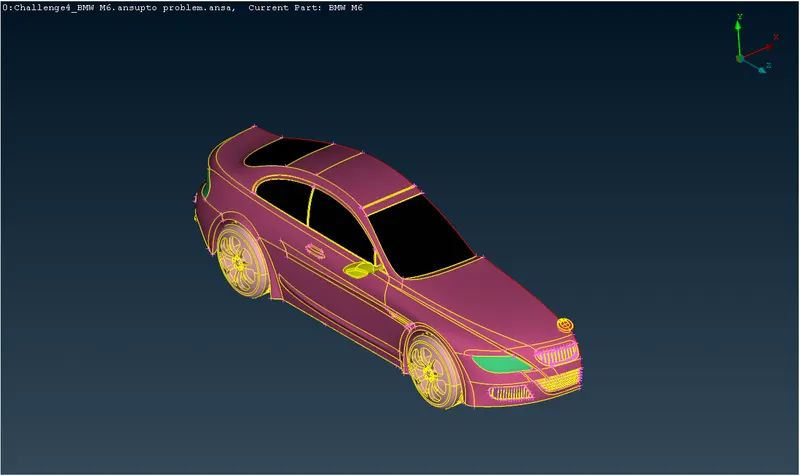
- Isolate car body into different parts.
- Create new PID'S in the properties box.
- Apply these PID'S to each parts and also select the different colors
- Forcefully delete the empty PID'S using compress option.
Step 3 : Surface meshing of Different parts
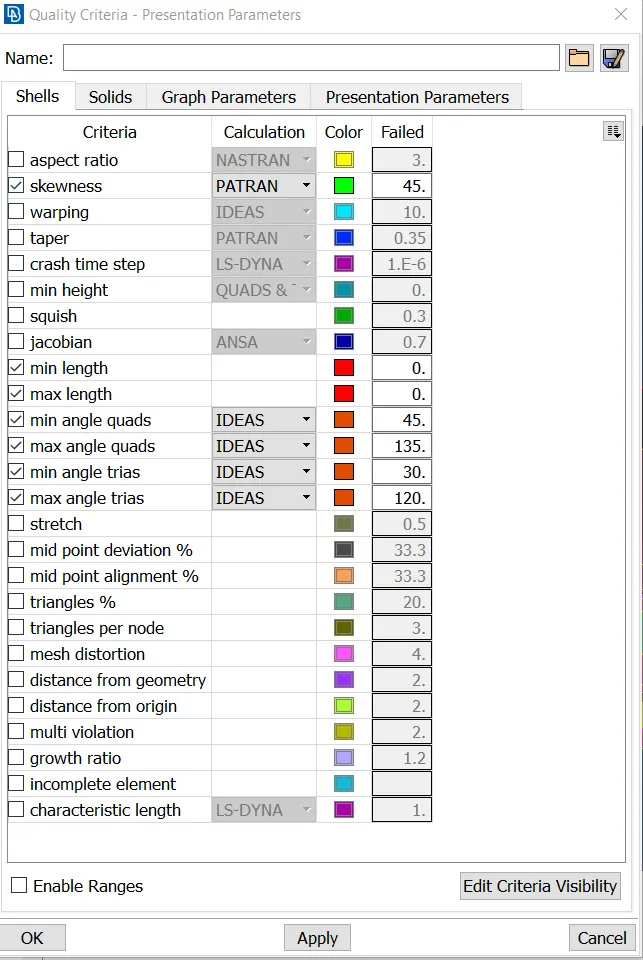
- Go to quality criteria. A box will come and activate requred criterias.For 2D elements shell is selected.
- Isolate the logo.
- Give target length , minimum length and maximum length as 1 mm, 0.4 mm and 2 mm respectively in the mesh parametrs and quality criteria.
- Give perimeters and macros as 1 mm.
- Do spot mesh.
- Change to hidden and entity mode.
- Check for errors.
- If it contains off elements and it is large in number do shell reconstruct. It will change the number of off elements into small number.
- Other off elements are cleared manually using move mesh option, remove smaller cuts from body and remove uncessary hot points.
- Do the above procedures for other PID'S.Only change the target length, minimu and maximum length, lengths option.
- Give target length , minimum length and maximum length as 1 mm, 0.3 mm and 2 mm respectively in the mesh parametrs and quality criteria for grills.
- Give target length , minimum length and maximum length as 2 mm, 1 mm and 3 mm respectively in the mesh parametrs and quality criteria for windows.
- Give target length , minimum length and maximum length as 4 mm, 3 mm and 5 mm respectively in the mesh parametrs and quality criteria for lights.
- Give target length , minimum length and maximum length as 2 mm, 1 mm and 3 mm respectively in the mesh parametrs and quality criteria for rims and tyres.
- Give target length , minimum length and maximum length as 3 mm, 1 mm and 5 mm respectively in the mesh parametrs and quality criteria for silencer.
- Give target length , minimum length and maximum length as 2 mm, 1 mm and 3 mm respectively in the mesh parametrs and quality criteria for rear view optical mirror.
- Give target length , minimum length and maximum length as 3 mm, 1 mm and 5 mm respectively in the mesh parametrs and quality criteria for body.
Step 4: Symmetry to other side
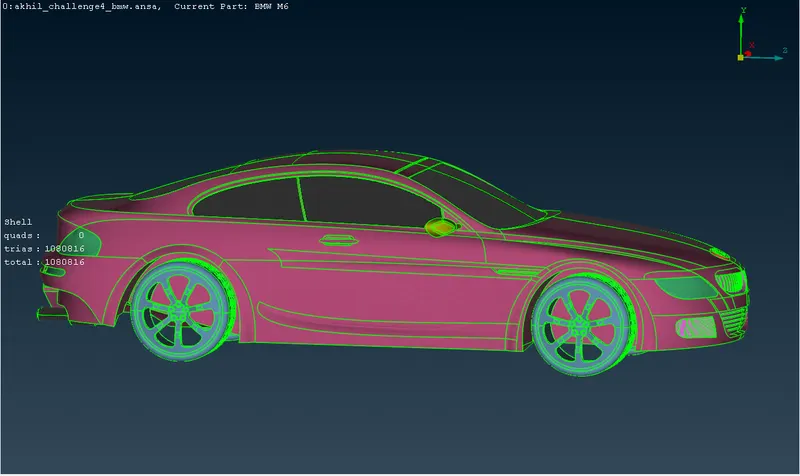
- Select top view.
- Go to transform option.
- click on entities and select meshed half and do middle click.
- Select symmetry and use "mirror 3 points plane".
- Select 3 points and click ok. if preview is looking good click finish.
- Clear the single cons present in the body using paste option.
- Do geometry check to confirm no errors are present. If any clear that.
LEARNING OUTCOMES
- Understood how to do topological cleanups and how to create common volume inside the body using various tools on haf portion.
- Understood how to create assign PID'S.
- Understood how Perform meshing with the given Target length and element Quality criteria.
- Understood how to remove off elements from the mseshed surface using various methods.
- Understtod how to perform symmetry to other side.
RESULT
For the given model, checked and solved all geometrical errors on half portion and Assign appropriate PIDs. Performed meshing with the given Target length and element Quality criteria. After meshing the half model, did symmetry to the other side.
CONCLUSIONS
Surface meshing of various parts creates some off elements in small regions because of failing quality criteria.Off elements are not errors.