Week 4
objective:The given component extract the mid surface and check the geometry errors and mesh the component with a given quality criteria and then assign the thickness.
procedure:1. Import the given geometry and check for the geometry errors and then fix that issues and execute with a 100% the geometry should be cleaned.
2.Extraction of the mid surface and mesh generation.
- first measure the thickness of the component then take the mid using options as faces offset, faces mid,curves mid options for the various features.
- Make sure that geometry does not contain the the red line in mesh mode and clear that all the red lines that formed that is connectivity .
- fix the cons that formed red lines by doing the topo option.
- set the quality parameters as per given and then set the perimeter and macros values of the geometry after extracting the mid surface using various options.
- Mesh the given geometry with the given quality parametres values and using the best option for the mesh generation and reconstruction for the mesh correction.
- use the various options like smooth,split,swap options for clearing the elements with good quality.
- use the manual midsurface option because the plastic component has the non uniform thickness and by doing auto mid the mid surface of the particular component not obtained.
3.Assign of the thickness to the component.
- first create the separate property for the each feature with a definite thickness and then using the set pid option in the face option select the face of the features of the components and then apply to it and the particular feature changes it colour indicates that the particular thickness to the component is applied.
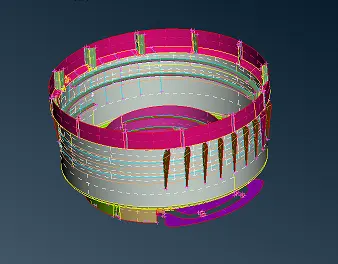
fig shows the mid surface of the component
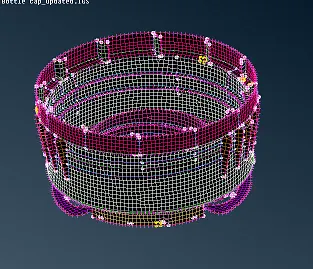
fig shows the meshing of the component
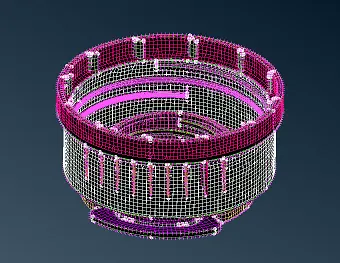
fig shows the assign thickness of the component
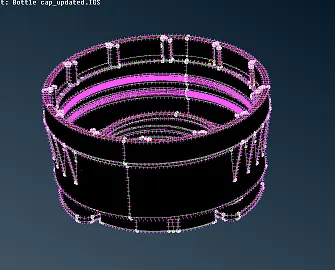
fig shows the component in mesh mode
conclusion:In this component learnt about the taking midsurface of the component manually in the complex feature areas and then mesh the component with the given quality criteria and then assign the thickness for the particular component.
https://drive.google.com/file/d/1ojT_CAXjeZBEJ2oGLgorfcUYYV7JlC0T/view?usp=sharing