Week - 4
Aim:
Question 1: Implement control logic of a “washing machine” using Stateflow as per given sequence:
- If the power supply is available, the system gets activated
- If the Water supply is not available, stop the process & indicate through LED
- Soaking time should be 200s followed by Washing time of 100s.
- Then rinsing happens for next 20s & dryer runs for 50s
After all the processes have completed turn on the finished LED
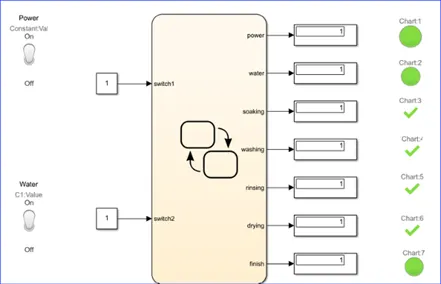
Simulink Model:
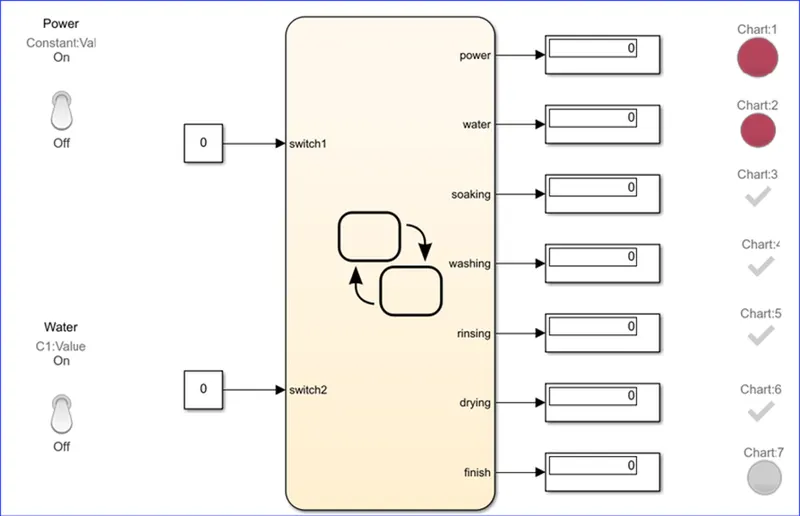
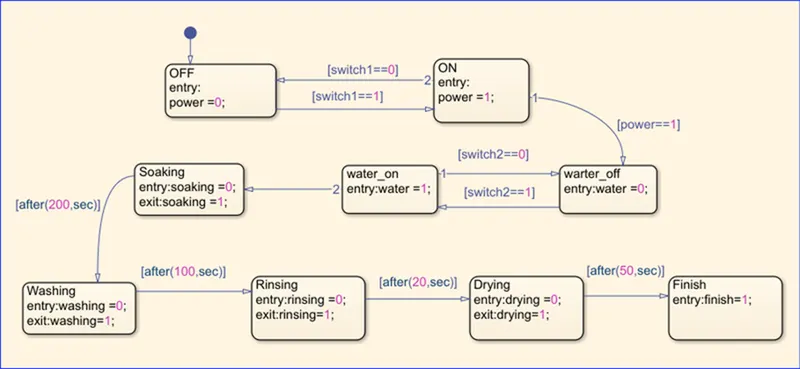
Explanation:
- Firstly in a new simulink model pick out the tool called "chart" from state flow.
- Then double click on the chart. After entering that chart insert required amount of states and give our condetions like shown in the second figre.
- First two state is for checking power input other two is for checking water inputs. After these crosses all the cleaning process will run and finishes all the process
- Next specify the data type in the symbols pannel
- Afterwords came back to simulink and give all the input and output as per the first figure.
- Run these process for 500 seconds
Observations:
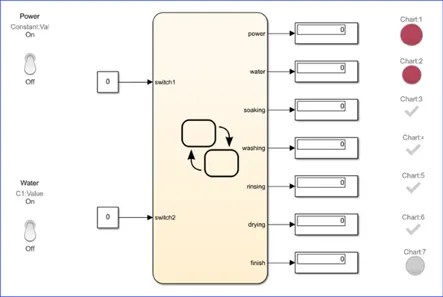
case 1
power and water off
power lamp shows red colour other process will not run
case 2
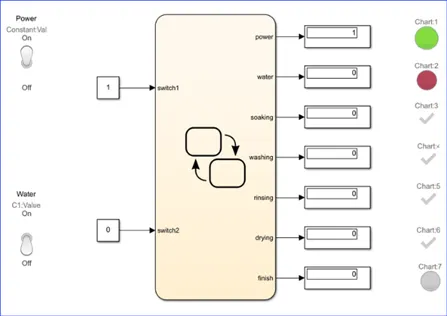
power on but water off
power lamp shows green and water lamp shows red.
case 3
power and water on
power lamp shows green and water lamp shows green so all other process will run and shows tick marks.
Question 2: Make a Simulink chart for the “Gear shift” logic as per below conditions:
Speed Range(kmph) Gear
0 to 15 1
16 to 25 2
26 to 40 3
41 to 60 4
Above 61 5
Give speed input while the simulation is running & display the gear number.
Answer:
Simulimk Model
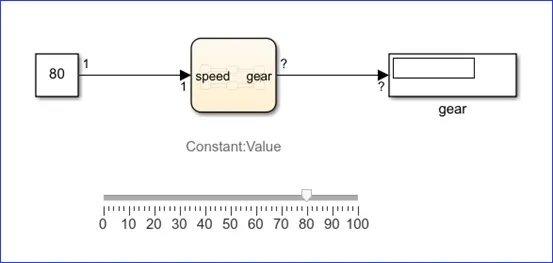
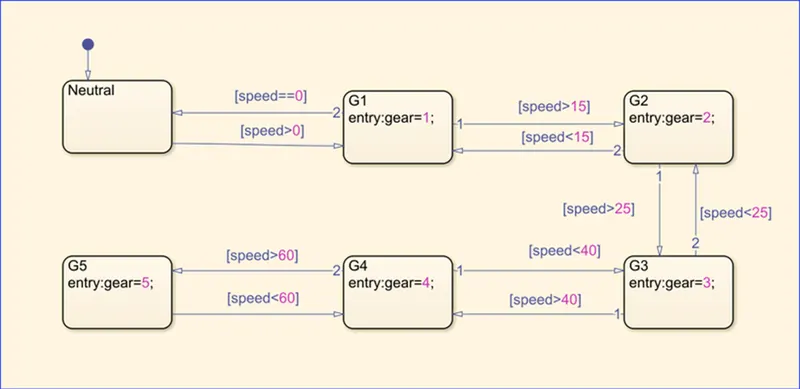
Simulink Model explaination:
- Firstly in a new simulink model pick out the tool called "chart" from state flow.
- Then double click on the chart. After entering that chart insert required amount of states and give our condetions like shown in the second figre.
- Then specify input and output data.
- After that runn the model for infinite time.
Observations:
When running the simulation move the curser for changing the speed. When conditions reaches we can see that gear the gear changes and also can seen in the display.