Week - 4
Aim:
1.Implement control logic of a “washing machine” using Stateflow as per given sequence.
2.To make a Simulink chart for the “Gear shift” logic for the given conditions.
1.Control logic of a washing machine
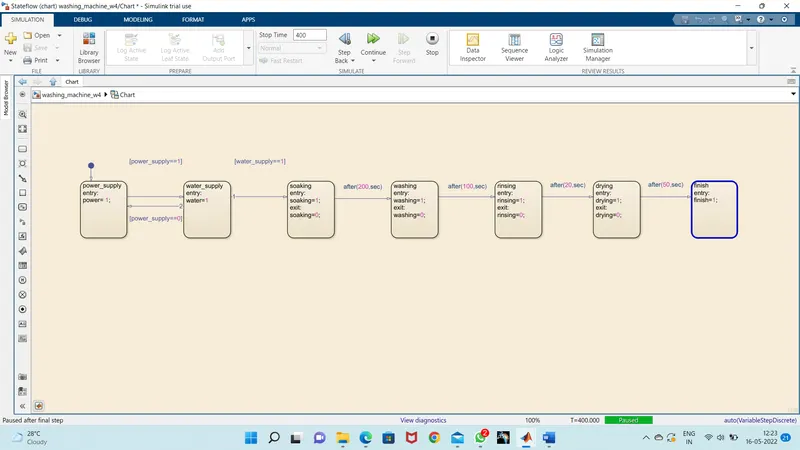
Objective:Implement control logic of a “washing machine” using Stateflow as per given sequence:
- If the power supply is available, the system gets activated
- If the Water supply is not available, stop the process & indicate through LED
- Soaking time should be 200s followed by Washing time of 100s.
- Then rinsing happens for next 20s & dryer runs for 50s
Theory:
Control logic is the part of a controller that defines how a reactive system responds to events or conditional changes. Applications for control logic include:
- Supervising how to switch between different modes of operation
- Scheduling a sequence of tasks or steps for a system
- Defining fault detection, isolation, and recovery logic
Stateflow provides a graphical language that includes state transition diagrams, flow charts, state transition tables, and truth tables. You can use Stateflow to describe how MATLAB algorithms and Simulink models react to input signals, events, and time-based conditions.
Body of content:
1.Below figure shows the flowchart consisting various states and transitions which are used to implement the control logic of washing machine
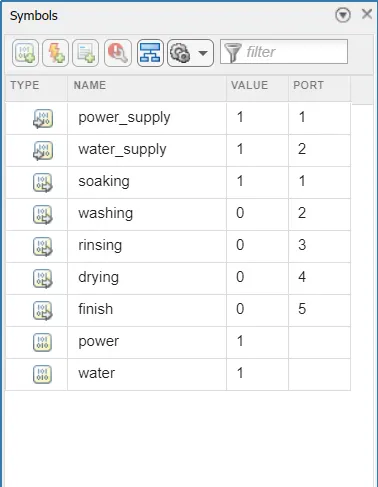
2.Below figure shows the Symbols pane window consisting of input and output data, and the port information
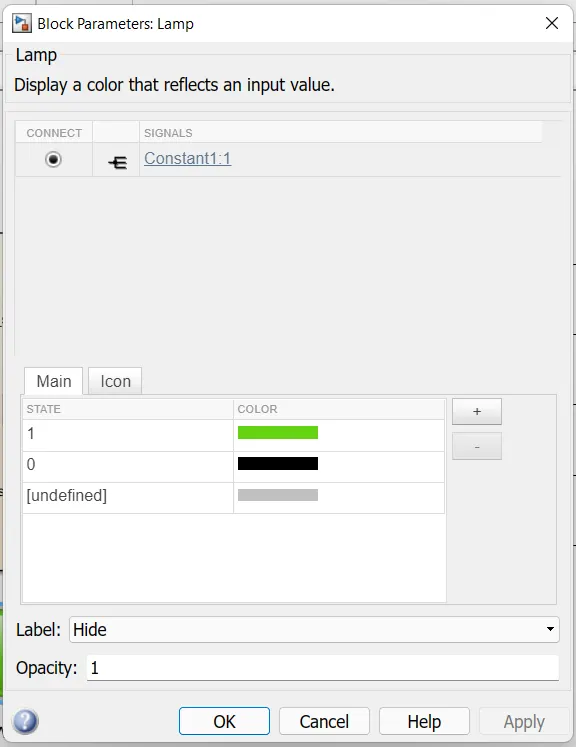
3.Below figure shows the Lamp block parameters, which is connected to water supply signal from Constant block, and it glows green if signal value is 1 and it will remain black if value is 0
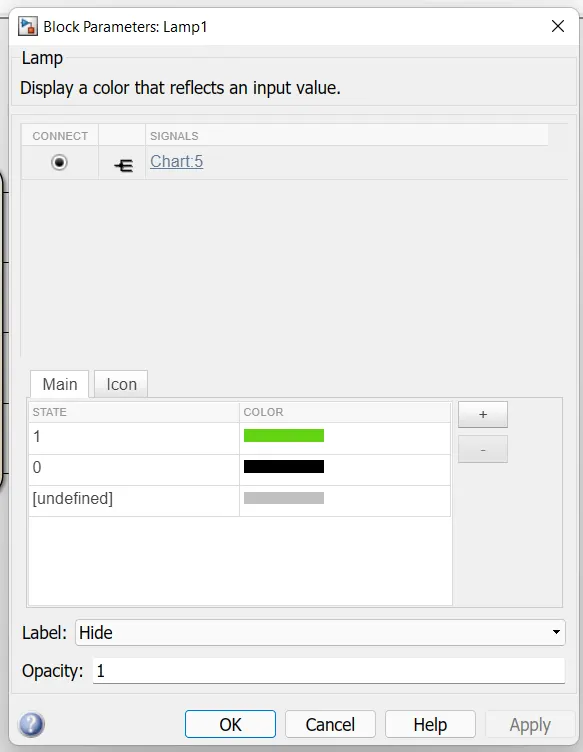
4.Below figure shows the Lamp block parameters, which is connected to finished signal from Chart block, and it glows green if signal value is 1 and it will remain black if value is 0
Model when we provide power and water:
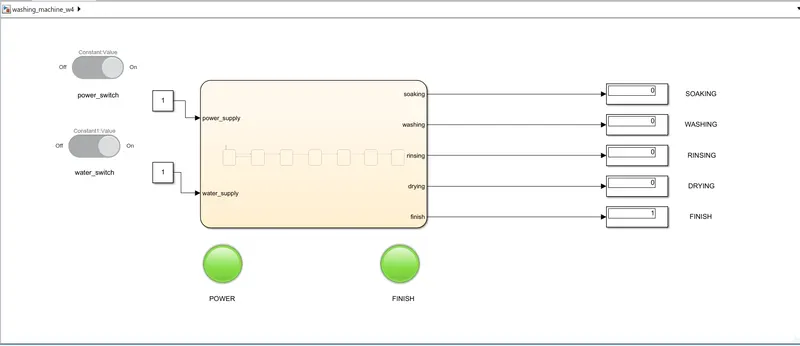
After the cutdown of power supply:
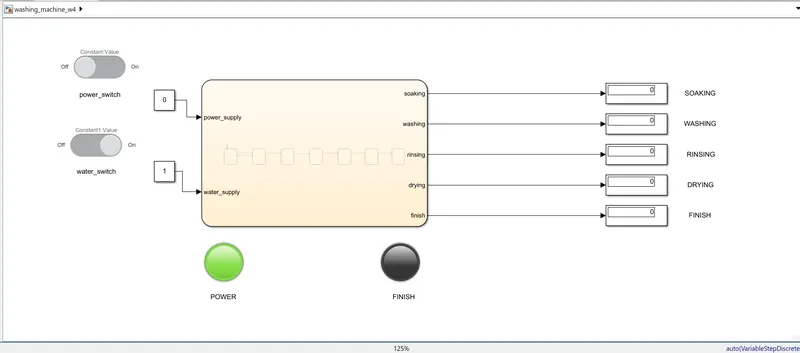
CONCLUSION:
Control logic of a washing machine is implemented using Stateflow. Slider Switches are used to turn ON and OFF the power and water supply. Lamps are used to indicate if the water supply is available and if the process is finished.
2.Simulink chart for the “Gear shift” logic
Objective:To make a Simulink chart for the “Gear shift” logic as per the given conditions:
Speed Range(kmph) Gear
0 to 15 1
16 to 25 2
26 to 40 3
41 to 60 4
Above 60. 5
Give speed input while the simulation is running & display the gear number.
Theory:
Gear shift, Gear stick or Gear lever, more formally known as a transmission lever, is a metal lever attached to the transmission of an automobile. The term gear stick mostly refers to the shift lever of a manual transmission, while in an automatic transmission, a similar lever is known as a gear selector. A gear stick will normally be used to change gear whilst depressing the clutch pedal with the left foot to disengage the engine from the drivetrain and wheels.
Body of content:
- Below figure shows the flowchart consisting various states and transitions which are used to implement the logic of Gear shift.
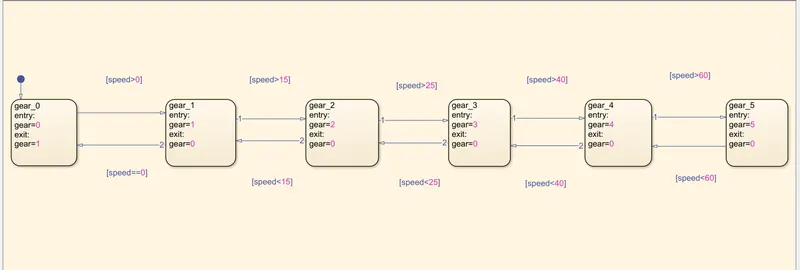
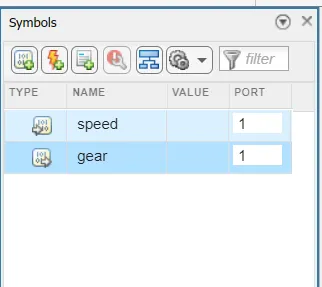
- Below figure shows the Symbols pane window consisting of input and output data, and the port information.
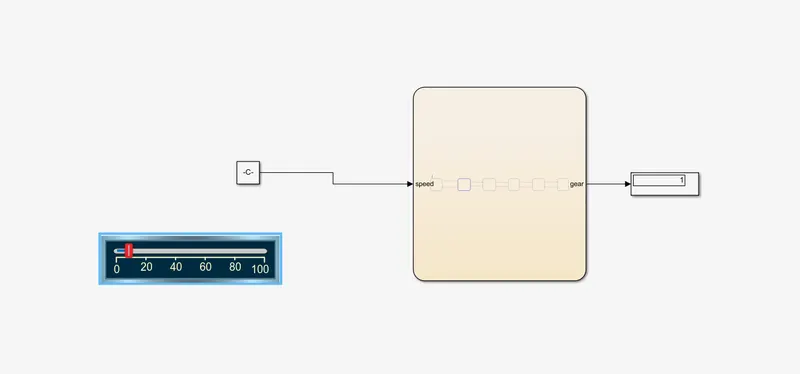
1.The figure shows that the vehicle is running in 1st gear according to our case ie., 0 to 15 kmph speed.
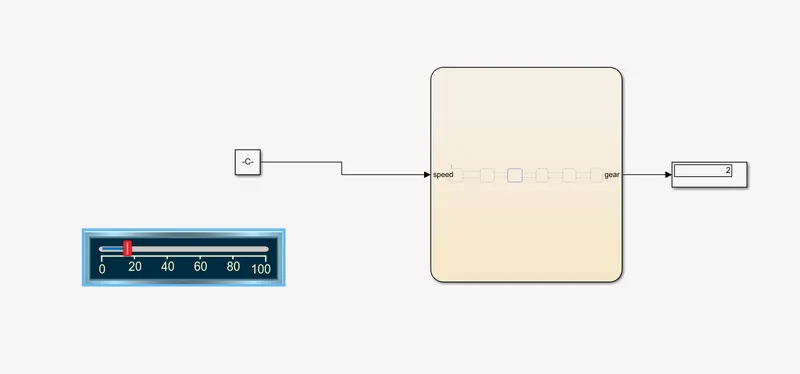
2.The vehicle is running in 2nd gear according to our case ie., 16 to 25 kmph speed.
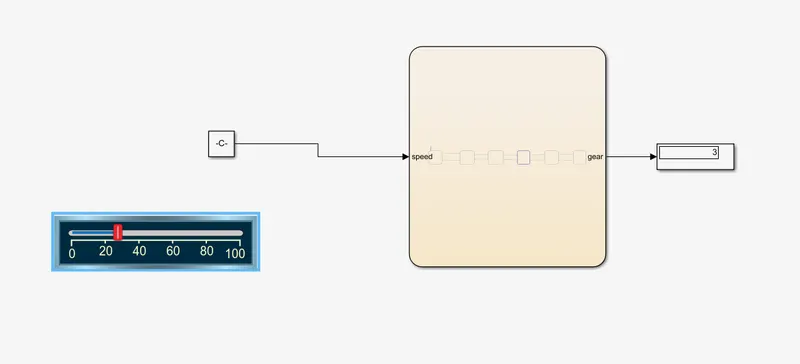
3.The vehicle is running in 3rd gear according to our case ie., 26 to 40 kmph speed.
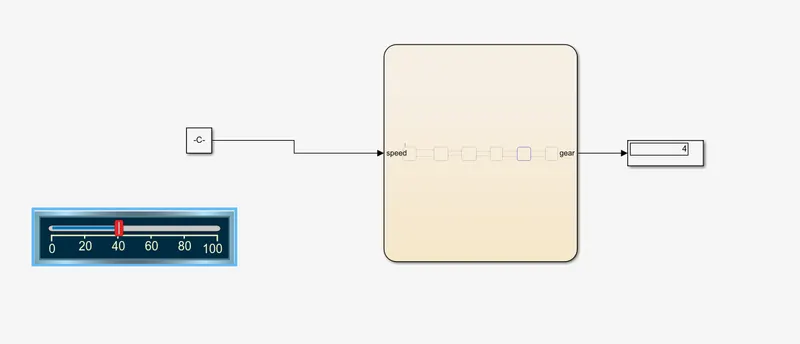
4.Below picture shows that the vehicle is running in 4th gear according to our case ie., 41 to 60 kmph speed.
5.The picture tells that the vehicle is running in 5th gear according to our case ie.,above 61kmph speed.
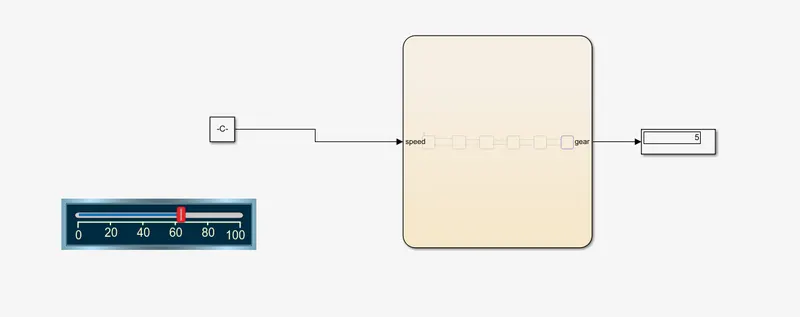
CONCLUSION: The Simulink chart for Gear shift logic is made as per given conditions. The Stop time is set to ‘inf’ and run the simulation during which the speed is varied using slider and the change in gear is observed using Display block.