Week - 4
state flow:Stateflow enables you to design and develop supervisory control, task scheduling, fault management, communication protocols, user interfaces, and hybrid systems.Simulink is used to respond to continuous changes in dynamic changes,Stateflow is used to respond to instantaneous changes in dynamic changes.
WASHING MACHINE:
- If the power supply is available, the system gets activated
- If the Water supply is not available, stop the process & indicate through LED
- Soaking time should be 200s followed by Washing time of 100s.
- Then rinsing happens for next 20s & dryer runs for 50s
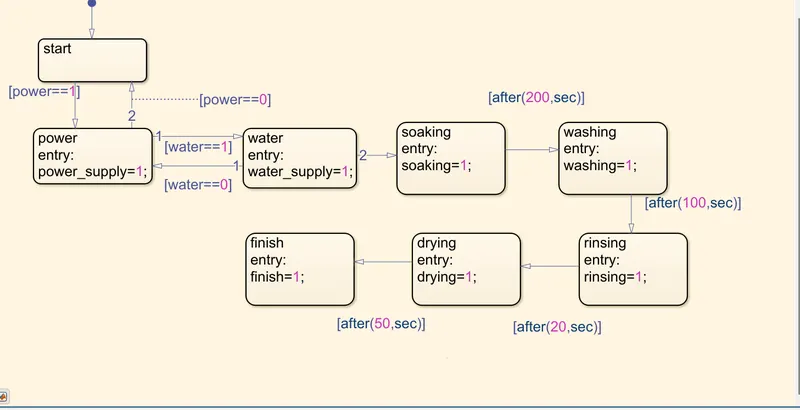
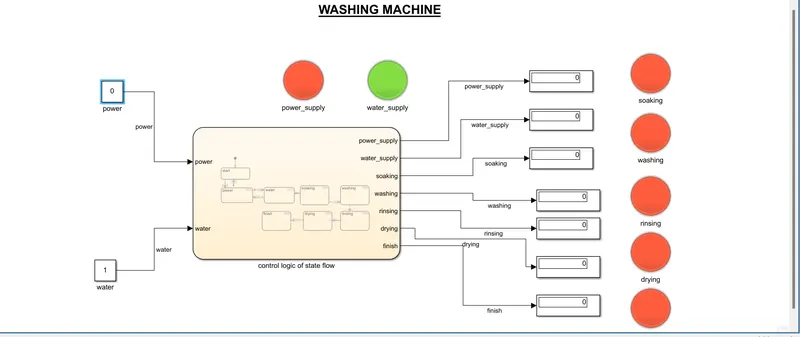
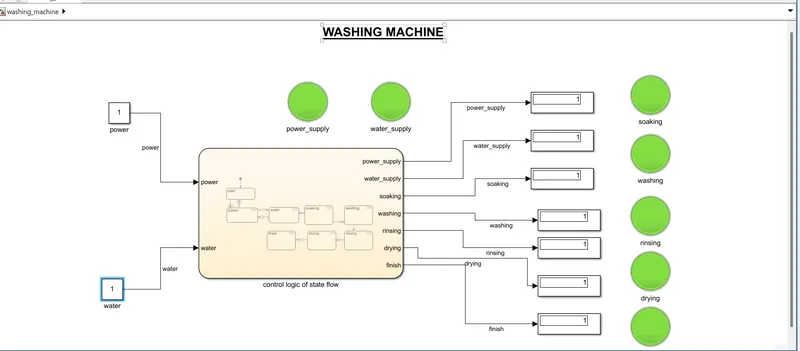
first we prepare a state flow for washing machine with given conditions in challange we take chart block and double click on the chart block opened other blank page with some different colour then we take a state blocks in chart then we give some conditions,forward and reverse transitions for power supply and water supply.
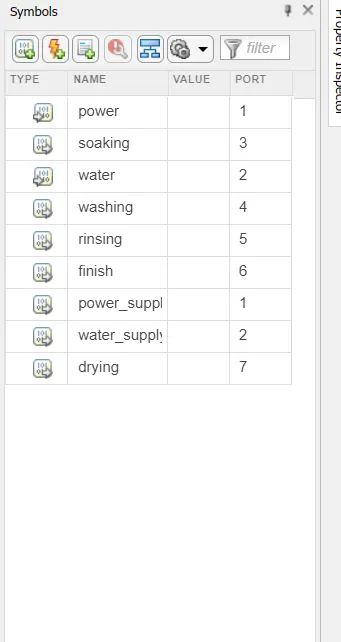
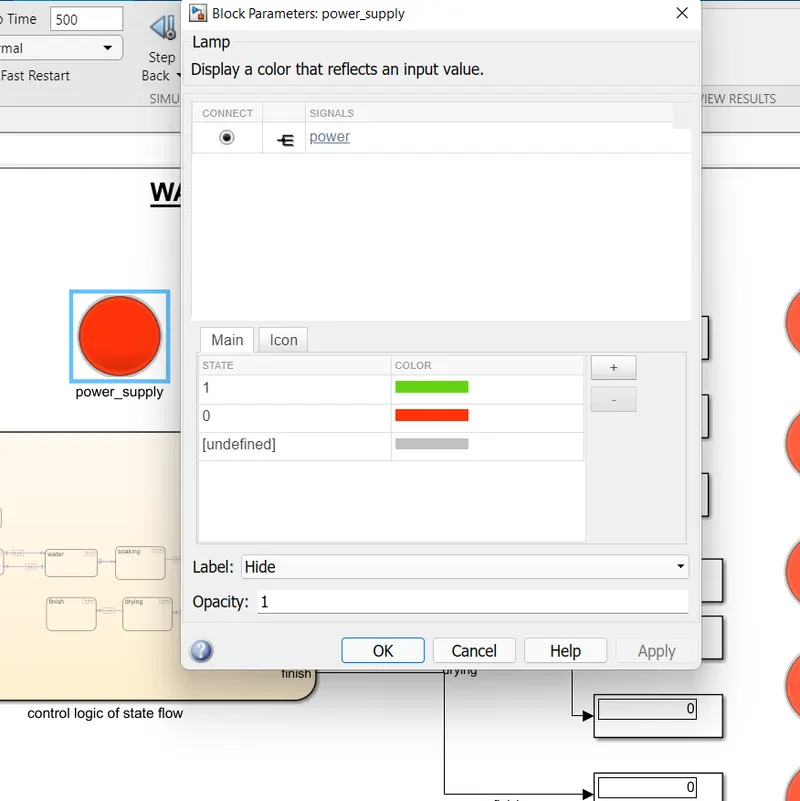
we take state blocks for soaking,washing,rinsing,drying,finishing. then we give conditions by using after command like [after(time,sec)] for time values and increase the stop time.in symbol pane we take input and outputs input as power and water then outputs are soaking,washing,rinsing,drying,finish.from the challange we take lamp block also used for washing machine it indicates working condition and power supply and water supply now double click on connect and it comes connect option then connect to required block
GEAR SHIFT:
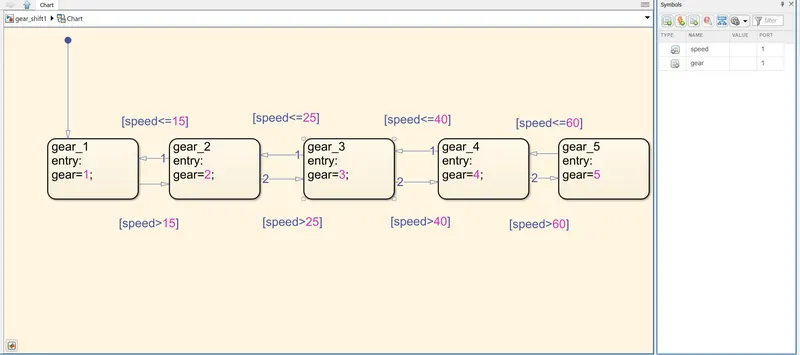
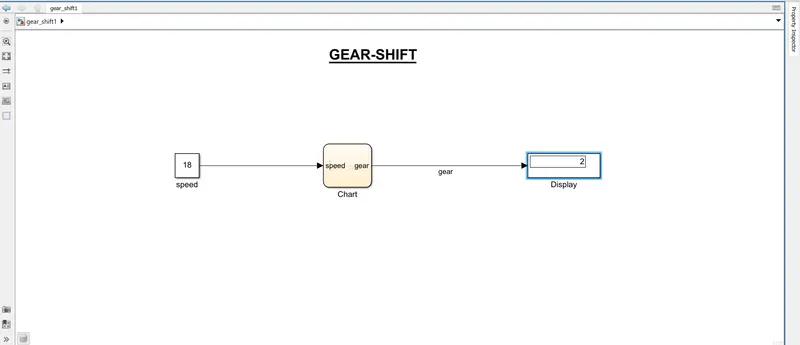
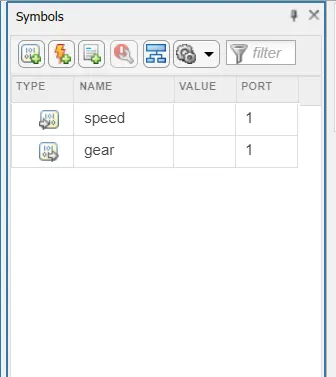
we take chart block in simulink then in chart we use state block and give these below condtions for several blocks named as gears .in this flow we use both forward and reverse transitions with conditions lets take speed is input and gear is taken as output. display block is used for showing gear number at speed .stop time is 70 because speed is above 60.symbol pane we create input and output .
Speed Range(kmph) Gear
0 to 15 1
16 to 25 2
26 to 40 3
41 to 60 4
Above 61 5