Week 4 - 2D Meshing for Sheet Metal
AIM:-
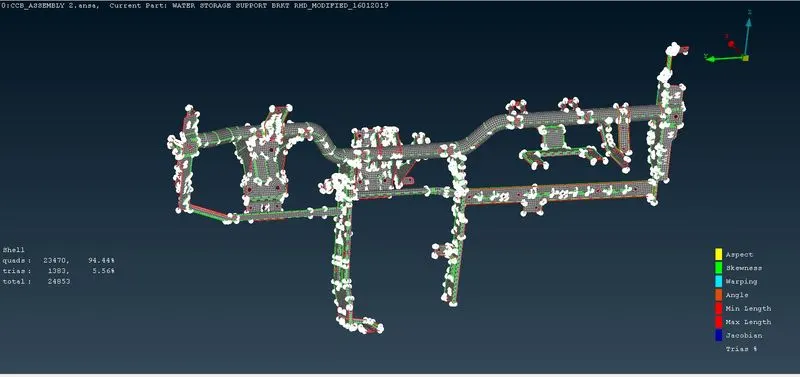
To mesh the given CCB assembly model for the given quality criteria.
OBJECTIVE:
- Generate mid-surface manually and perform geometry clean-up on the component.
- Generate mesh with proper mesh flow, with a target element size of 5 units.
- Check the quality of the element according to the given quality criteria.
CAD MODEL:-
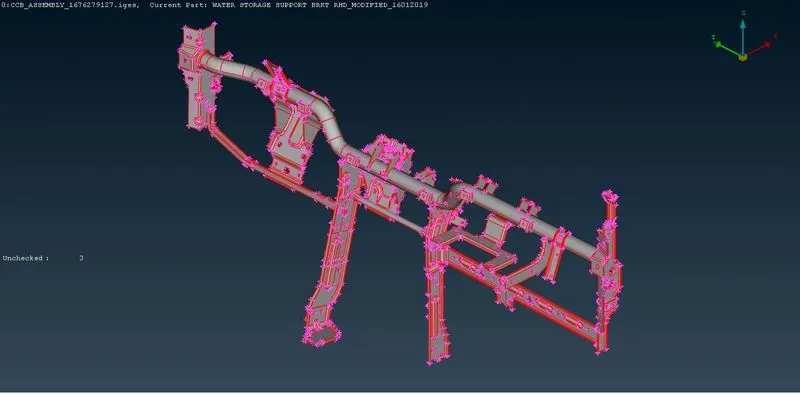
Components Taken for meshing:- ( Cross car beam assembly )
Procedures:
- Importing the CAD model into ANSA.
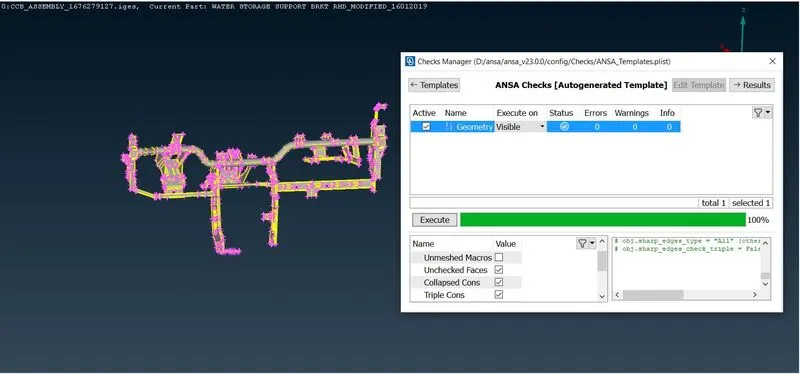
- Geometry checks should be performed to the impoted CAD file, as it consists of many errors.
- This can be done by the command Tools ---> Checks ---> Geometry.
- Now errors are shown as cons, unchecked suefaces, cracks etc.
- Some are of the the imperfections are auto-fixed by the ANSA algorithm.
- After fixixng the errors, check again for any further errors after performing TOPO to te cad.
- IF the geometry is 100% fine then we need to proceede with the next process.
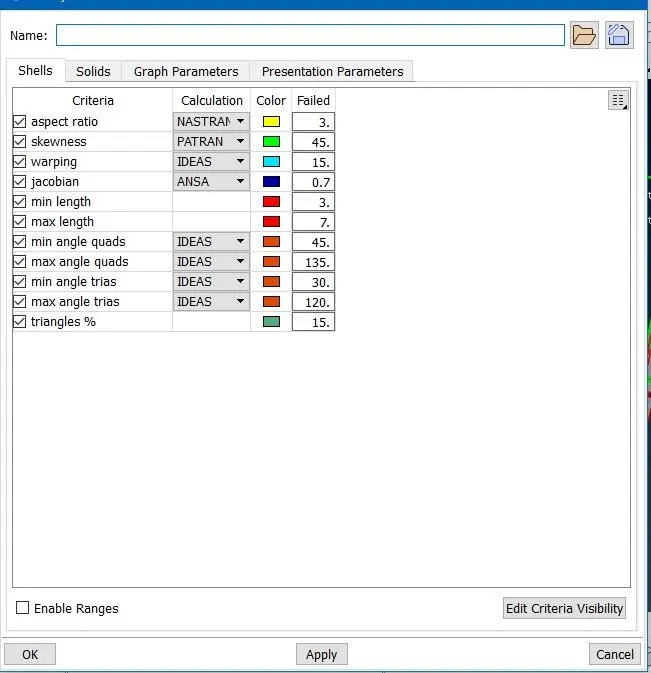
- The next step is to set quality criteria and mesh parameters as provided Utilities ---> Quality Criteria ( or by clicking F11 ) .
- For this component midsurface is extracted by using a casting Midsurface ---> Casting.
- Now a dialouge box will appear, give the minimum thickness of 0.5.
- While extruding mid-surface using casting the mid-surface comes along with FE.
- Now upload the quality criteria and presentation parameter as requried.
- As per the criteria we need to refine and modify mesh as neccesary.
- depending upon the error we shuffle between the options off re-construct, re-shape, smooth, slipt , join etc.
- Some areas are difficult to adjust, then we can also use Align manager to adjust and fix the error.
- Then the Midsurface ---> Align manager is used to match the areas and perimeters which were out of their original midsurface.
- Try to keep the tria percentage to as low as possible with a proper mesh flow.
- Then set a PID and provide the thickness to the midsurface.
RESULT:-