Week 3 - 2D meshing for Sheet metal
Aim: To perform preprocessing on the given front hood of a vehicle using ANSA
Procedure:
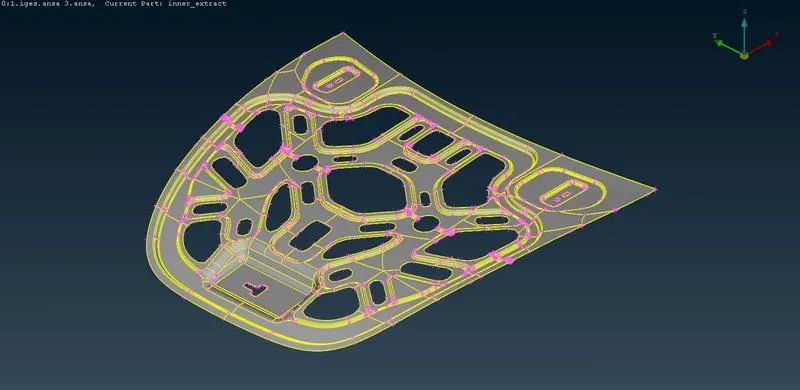
- Open the provided iges hood file in ANSA.
- We can see the internal ridge structure of the hood of a vehicle.
- Every geometry consists of some imperfections which occur either by exporting the file or geometrical errors, In inorder to clean them firstly we need to locate and address these errors.
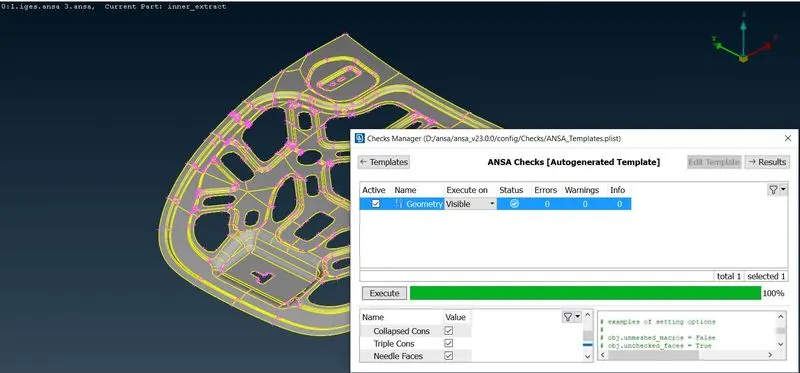
- To do that we need to perform Geometry check, go to the toolbar.
- While doing checks select the named criteria as per requried.
Checks - Geometry Check - Select part - Execute -Result
- Now we can see multiples error naming single, double, triple cons, and unchecked areas. some of these can be auto-fixed, Fix those areas and the remaining areas should be done manually.
- If a triple con appears, apply topo from the tools menu and change into a double con.
- If a double con or single con appears fix it by deleting the hot point, releasing cons, and inserting new cons in the required areas.
- If there are some irregular faces, delete those faces and create new ones by selecting the command new from the tools menu.
- Repeat this process until every error is removed.
- After removing errors perform a geometry check one more time to see if you missed anything, if we get 100% we can move to next step.
- Due to converting the part the software may not show the curves, so use Auxiliarities - Fine to see the original part.
- Next for performing Mid-surface extraction we need to check the geometry's thickness at some random places.
- After this we need to apply offset by selecting every face and extract mid surface.
- Now perform the checks geometry again and clear the errors again.
- Again apply topo.
- For further steps apply mesh parameters as provided.
- apply average length of 5.
- If the average lenght is not 5 at some areas adjust thoes areas by adding or subracting hot points.
- to apply mesh go to mesh section select classic mesh and further options are popped.
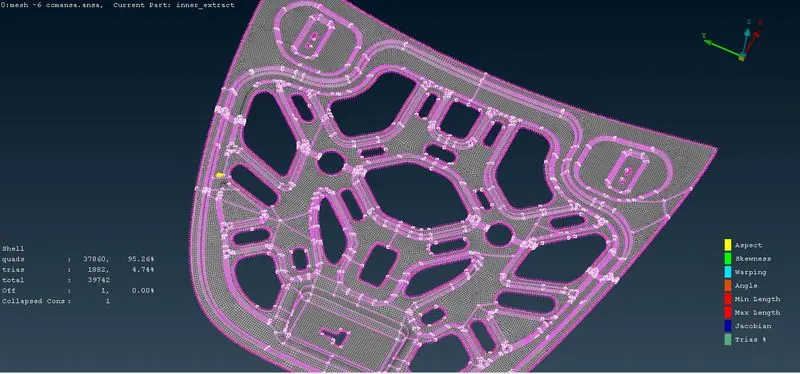
- Then apply mesh as follows Mesh generation - Best - Select area.
- After mesh is completed clean the errors as shown in the quality criteria.
- To fix errors use the options from shell mesh - reconstruct - reshape - fix as follows.
- make sure to keep the tria percentage as low as possible.
- After fixing the mesh apply thickness to each part.
Learning Outcomes :
- In this challenge I learnt how to clean geometry.
- Learnt how to extract midsurface.
- Learnt how to apply mesh parameters.
- Learnt how to apply mesh and eliminate failure elements.
Result :
- Midsurface is extracted from parent part.
- Geometry cleanup is done.
- Mesh parameters are applied.
- Mesh is applies and failing elements are eliminated.