Week - 4 - 2D meshing for Plastic components
Aim = For the given Plastic Bottle Cap model, check for the geometrical errors and take the mid surface by suitable mid surfacing techniques. PID and Thickness assignment has to be done for all the mid surfaces. Mesh the same with given element Quality criteria.
Objective:
For the given component perform a quality check with the given quality criteria.
S.No Quality Criteria Value
1 Target/Average length 1
2 Minimum Length 0.5
3 Maximum Length 3
4 Aspect 3
5 Warpage 15
6 Skewness 45
7 Jacobian 0.7
8 Minimum Quad Angle 45
9 Maximum Quad Angle 135
10 Minimum Tria Angle 30
11 Maximum Tria Angle 120
10 Tria Percentage 15
Procedure to clean geometry:
Import the hood model as a step file format inside the ansa workbench.
Geometry Checkup:-
Before meshing, we have to check the parent geometry in order to eliminate the given errors. Following steps have need to follow forgeometrical checkup as follow:
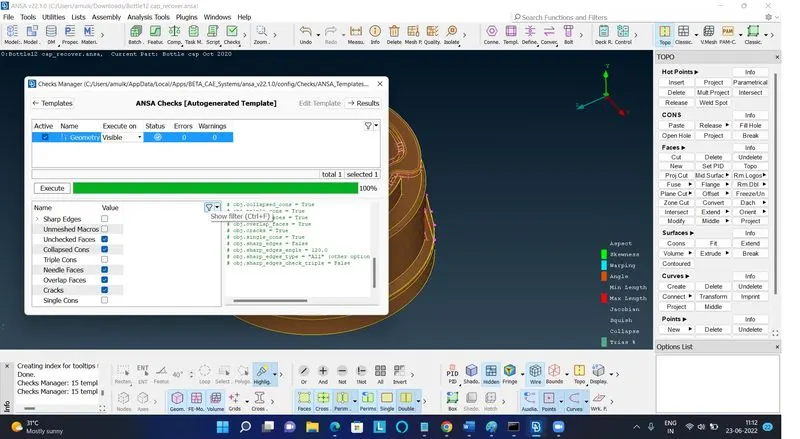
Left-click on “Checks” in Tools option Select “Geometry” in options set “Visible” for Execute on (It helps to automatically select the visible component in graphical window) Now click on Execute.
Make sure, we have selected all required checks option in templates because error generates will depends upon these selected ANSA.
Checks option as shown in picture below. Here, in this case Sharp edges and unmeshed macros option are irrelevant. So we will selectall checks except these two options.
Perform a topological check from the cons tab module.
Select the topo option >> select the entire geometry and press middle click.
Now go to checks manager>> select the geometry>> click on execute. Geometrical errors associated with the model will pop up.
Select the errors and right click on it and select fix. This will fix all the errors and will clean the geometry.
Procedure to create a mid-surface:
From the property tab select individually one part and perform the mid surfacing
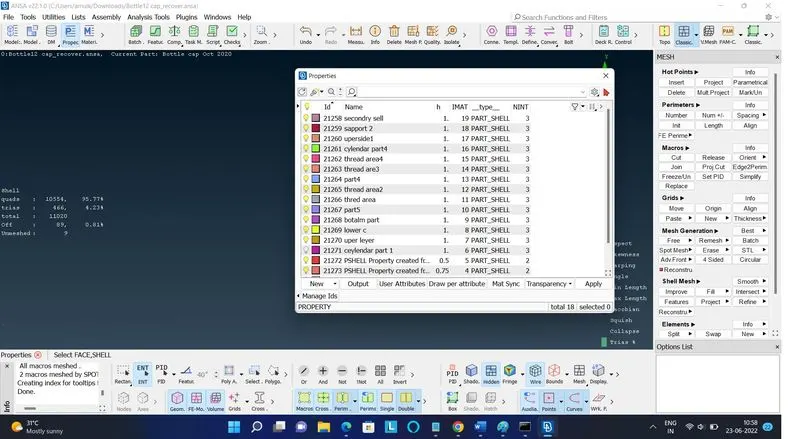
1. Open the property tab>> select the part and perform a topo.
2. Go to the offset option, select the features with uniform thickness entity>> select the face>> give the offset distance.
3. The offset will be created with a red outline boundary>> now perform orientation by clicking on the orient option.
4. select the setID option and give a name to the mid-surface geometry and assign the thickness.
Performing meshing on different mid surfaces:
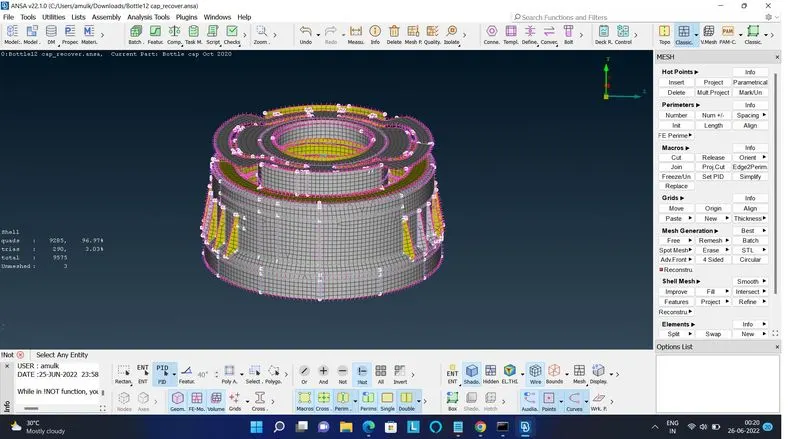
From the topo module, select the mesh option.
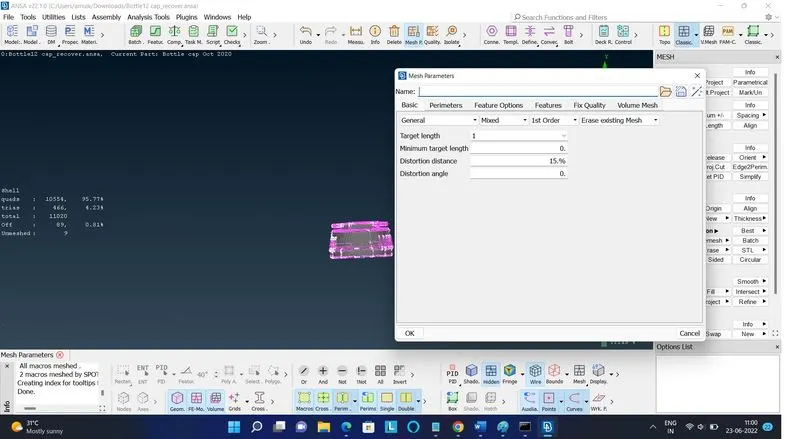
From the perimeter option select length>> select the entire perimeter or macros>> give the target length and click ok.- This will distribute the cons evenly on the boundary of the mid-surfacing features.
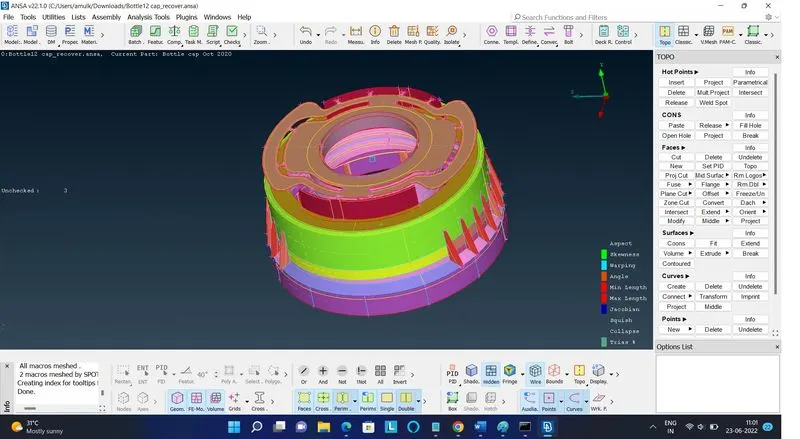
- From the quality criteria settings enable the elements % and give the required quality criteria to perform the FEA model
.
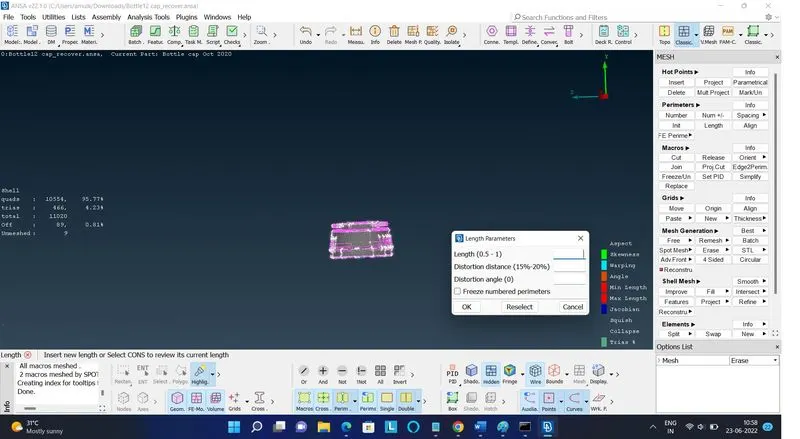
mesh perameter
Learning Outcomes:-
1. Able to fix topological error.
2. Able to do middle surface extraction.
3. Creating of Mid surface using offset, Middle, Middle{curves} and Middle{Multi}.
4. Aware with importance of quad and tria elements in shell meshing.
5. Aware with the meaning of quality criteria parameters.
6. Good in achieving better mesh flow, even in complex problems.
CONCLUSION:-
So, preprocessing is done successfully on given component i.e. Bottle Cap model like geometry checkup, mid surface extraction
which is followed by meshing operation and then assigning thickness to middle surface.