Week - 4 - 2D meshing for Plastic components
Aim:
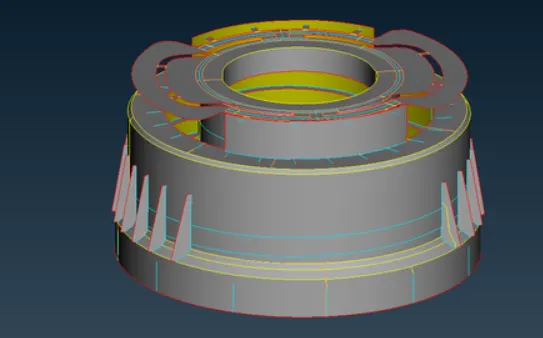
The aim is for the given Plastic Bottle Cap model, check for the geometrical errors and take the mid surface by suitable mid surfacing techniques. PID and Thickness assignment has to be done for all the mid surfaces. Mesh the same with given element Quality criteria.
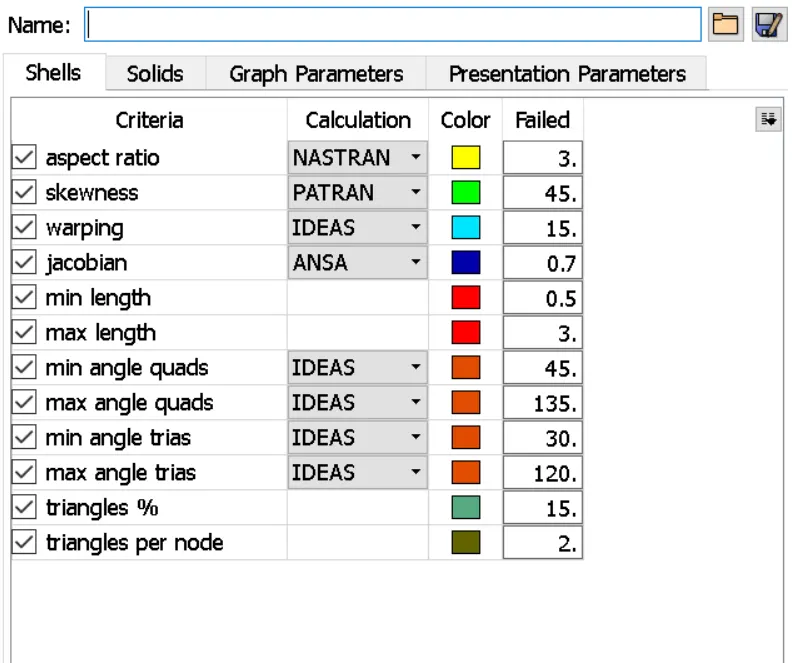
|
S.No |
Quality Criteria |
Value |
|
1 |
Target/Average length |
1 |
|
2 |
Minimum Length |
0.5 |
|
3 |
Maximum Length |
3 |
|
4 |
Aspect |
3 |
|
5 |
Warpage |
15 |
|
6 |
Skewness |
45 |
|
7 |
Jacobian |
0.7 |
|
8 |
Minimum Quad Angle |
45 |
|
9 |
Maximum Quad Angle |
135 |
|
10 |
Minimum Tria Angle |
30 |
|
11 |
Maximum Tria Angle |
120 |
|
10 |
Tria Percentage |
15 |
PROCEDURE
GEOMETRY CLEAN UP AND AUDSURFACE EXTRACTION:
Imported the given .stp file in the ANSA work page.
Checked for the orientation te. the upper part of the model should be in gray color meaning positive and the lower part in yellow color meaning negative.
The issues with orientation are cleared using the tape module—faces—topo.
The resolution of the CONS is improved using Auxiliaries— fine from topo module or perimeters-length from mesh module.
The model is then subjected to a geometry checkup to check any free edges between the models, duplicate surface, irrelevant CONS using the option tools—checks—geometry.
Some geometrical errors are cleared using the Auto fix option and some are manually done using options like release hot points, release cons, topo, faces cut, etc. from the Topo module.
The geometrical errors are fixed and measured the model for different thicknesses using the Utilities-- NTH:enure option.
Since the model is varying for thicknesses, using the options faces—,middle—,single faces—,offset from topo module, the manual mid-surface extraction is done.
Also options like curves--,create, CONS—,project,points—,newfaces—,newcuttopetransform—,copy—,rotate etc. for creating the mid-surface.
By using the Not option from the focus toolbar while selecting the PID region from the features selection toolbar, the mid-surface is viewed separately.
Geometry check-up is done and a property ID is created, so the mid-surface is organized.
By default, ANSA creates a steel material ID, which is defined by marking the check box so that the material is assigned to the model.
The surfaces are split accordingly to attain good mesh flow and to avoid element failures using the topo module—, faces--,cut option.
To check whether the mid-surface is perfectly captured, the transparency is turned ON to the parent geometry while keeping the Shadow mode ON and draw mode to PID from the drawing styles.
After this mesh generation has done in utilities - quality criteria .
and then in the utilities - mesh parameters
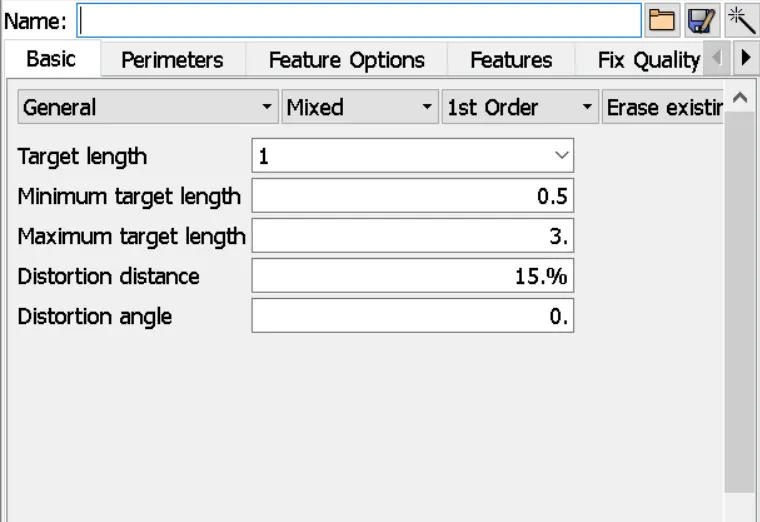
The perimeter length is given 1 mm in mesh module - perimeter - length.
For good flow use smooth - shell mesh.
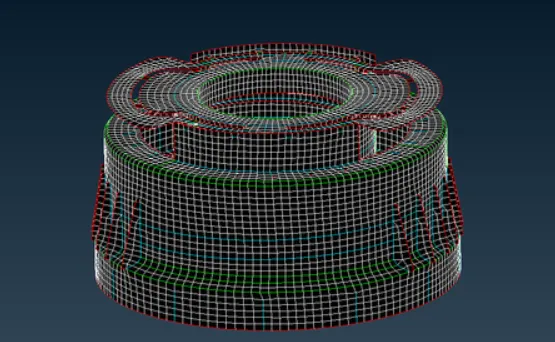
Thickness :
Utilities - quality criteria- presentation parameters - draw shell as solid.
Result :
Finally the model has been meshed for the given criteria and as uploaded.