Week - 4 - 2D meshing for Plastic components
Aim:
To Model the 2D bottle cap mesh using Ansa v22.1.
Objective:
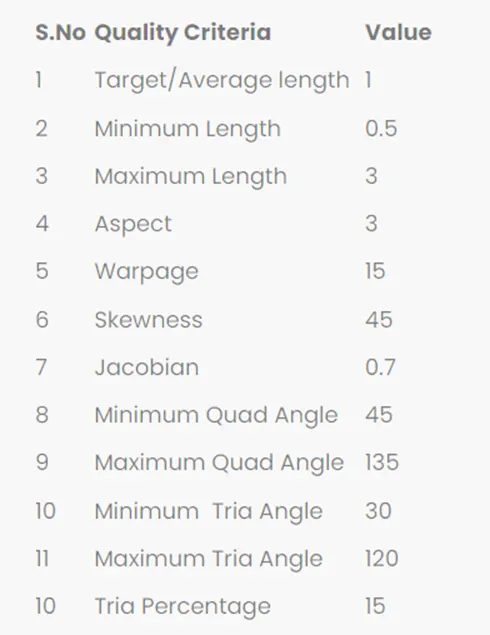
For the given Plastic Bottle Cap model, check for the geometrical errors and take the mid surface by suitable mid surfacing techniques. PID and Thickness assignment has to be done for all the mid surfaces. Mesh the same with given element Quality criteria. (Refer the table Below for the Quality criteria).
Procedure:
- To generate the fine mesh we have open and import the Bottle cap model from the downloads.
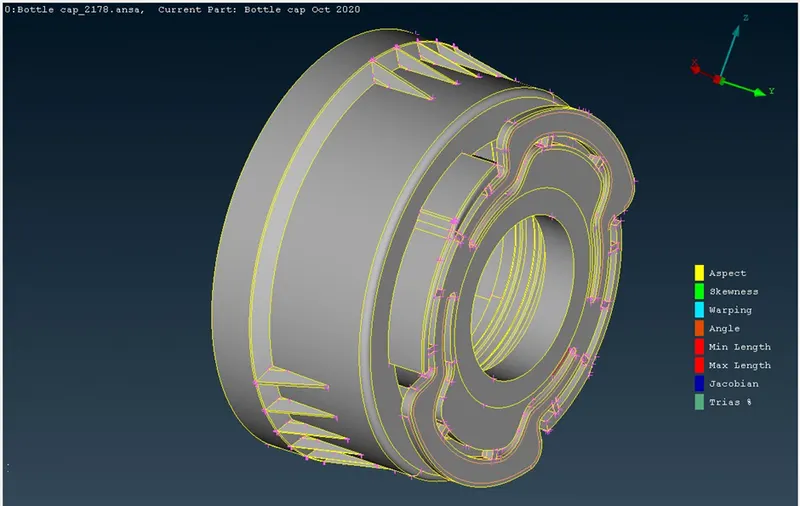
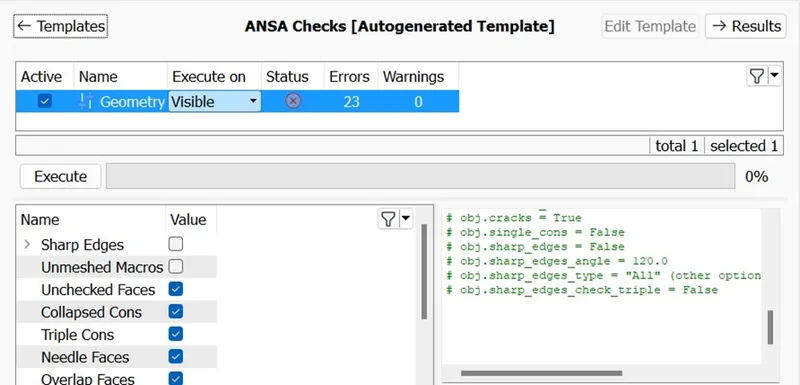
- After Importing Check the geometry by going to the check geometry option.
- After executing if it’s showing any errors then just right click on errors and fix them.
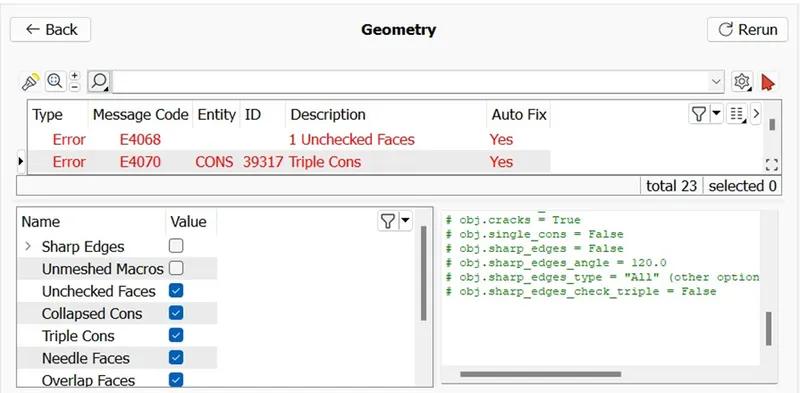
- If it’s not fixing just right click and go to show only to see where it’s failing and set it correctly.
- After clearing the geometry we can go for length and set the length as 1 to 5 to show the geometry of the bottle cap clear and accurate.
- Setting the parametric and macro to 1 to 5 can set the model perfectly in viewing angle.
- Now for doing Mesh we need to obtain the mid surface of the bottle cap.
- We can use offset command or can used middle or mid surface options to generate.
- I have used manual method to obtain the mid surface using offset and middle options.
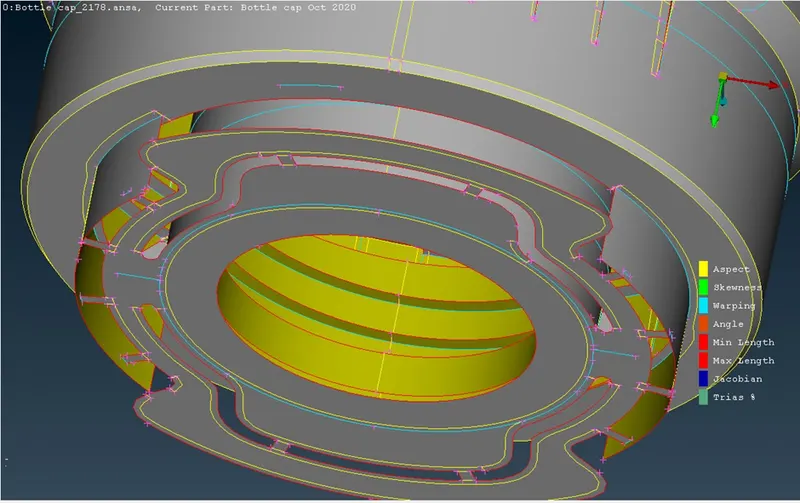
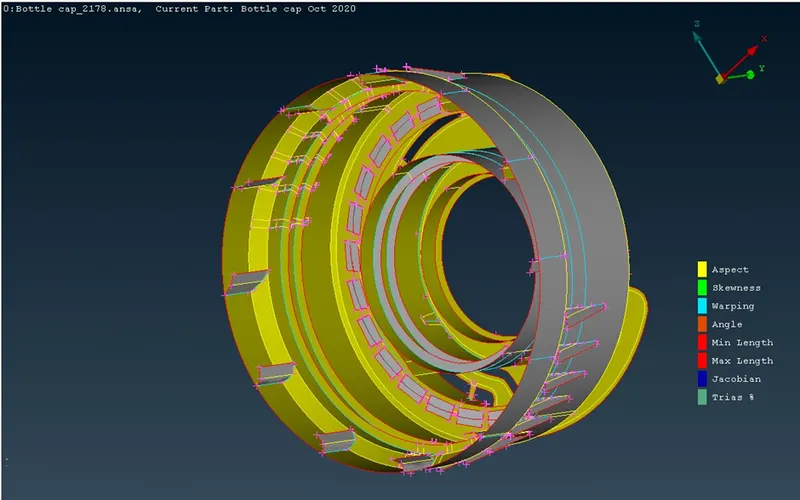
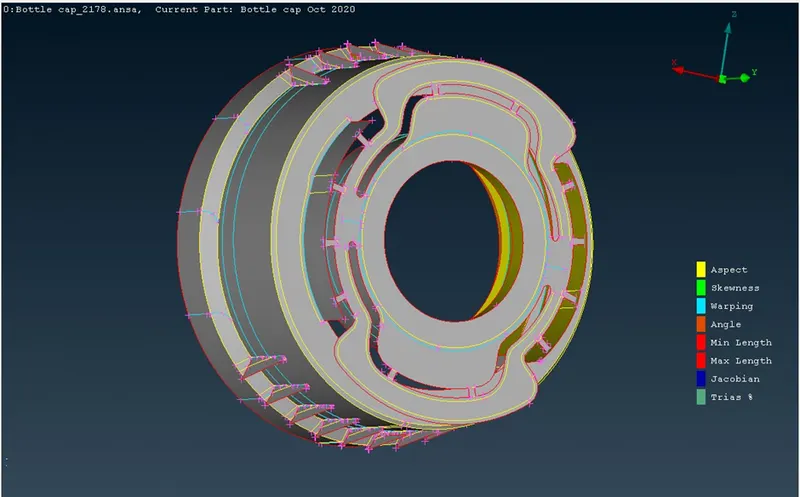
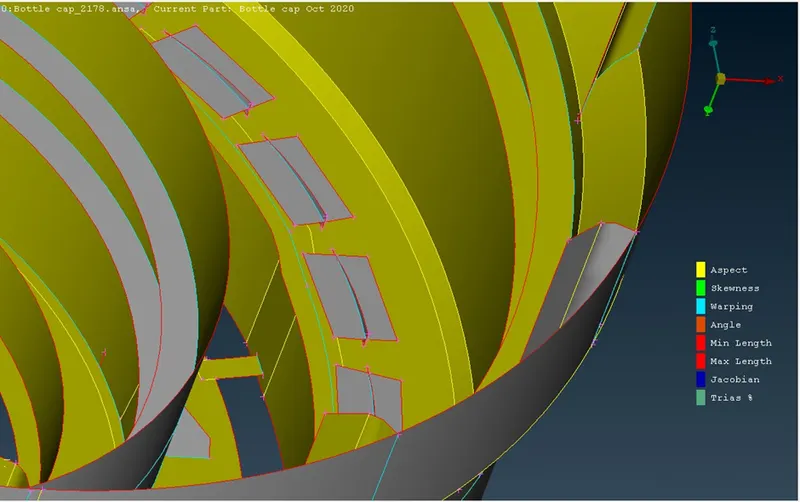
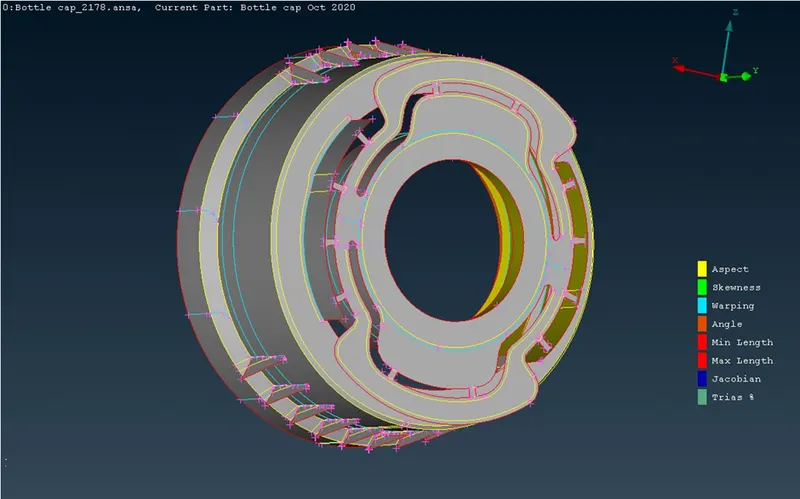
- First taking the measurements and dividing the offset value by 2 we can get mid to every components of the bottle cap.
- After generating each mid surface of every components.
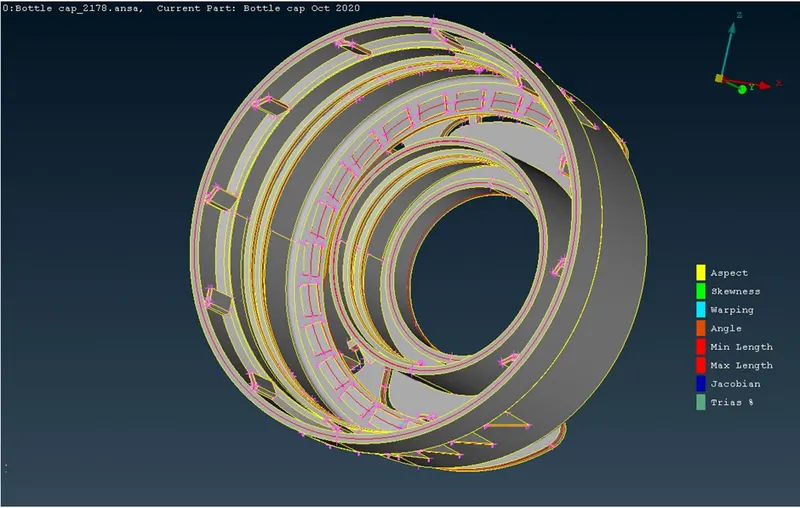
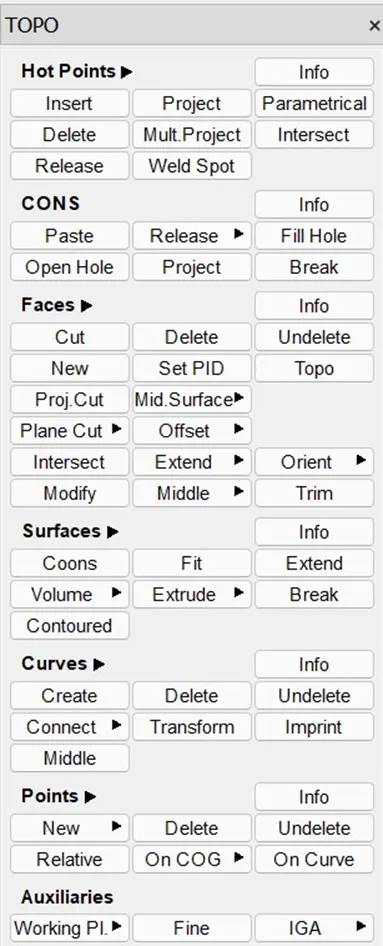
- We can go for Topology and joining some surface which is not align properly.
- I have used Paste option to past two un even cons.
- Using Topo to join permanently both the cons.
- After doing all the topology and joining the surf.
- We can obtain the mesh by using Best option .
- Go to mesh and use Best option to Obtain the best mesh select all the mid surface and hit the middle click button.
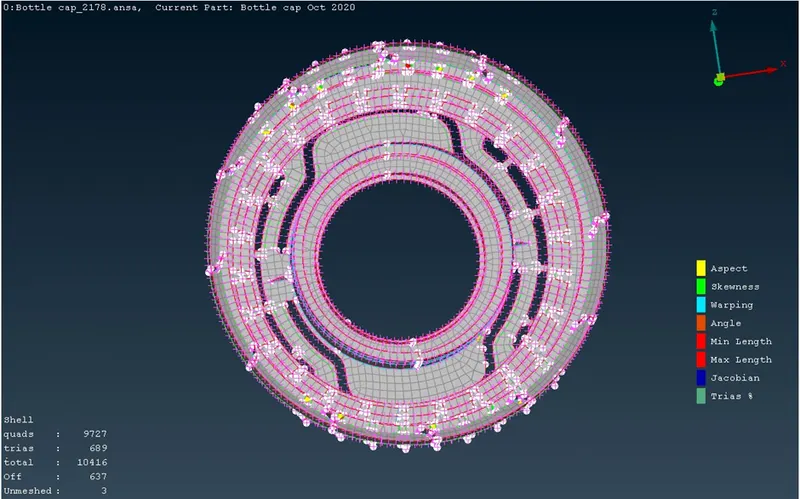
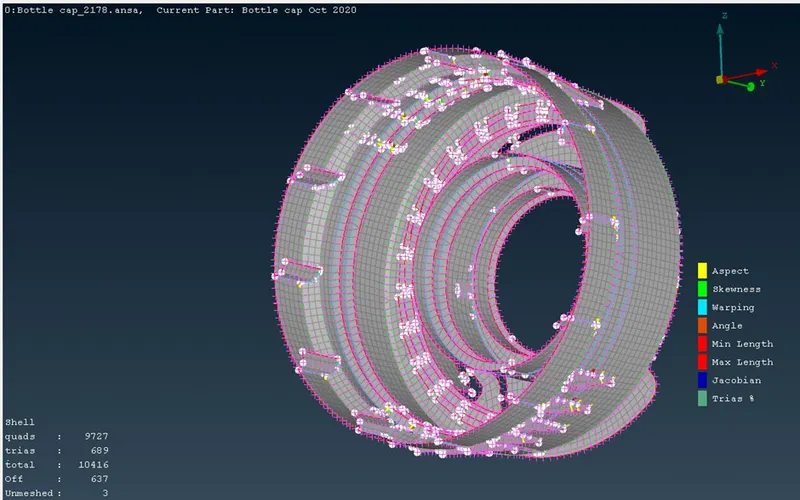
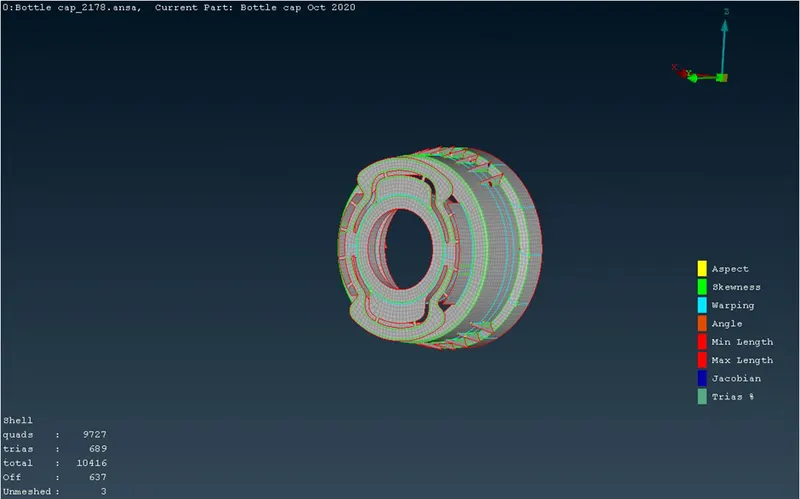
- Using the Quality criteria we have to set the min and max length as per the given table.
- After setting the quality criteria we can get the best mesh obtain by Ansa.
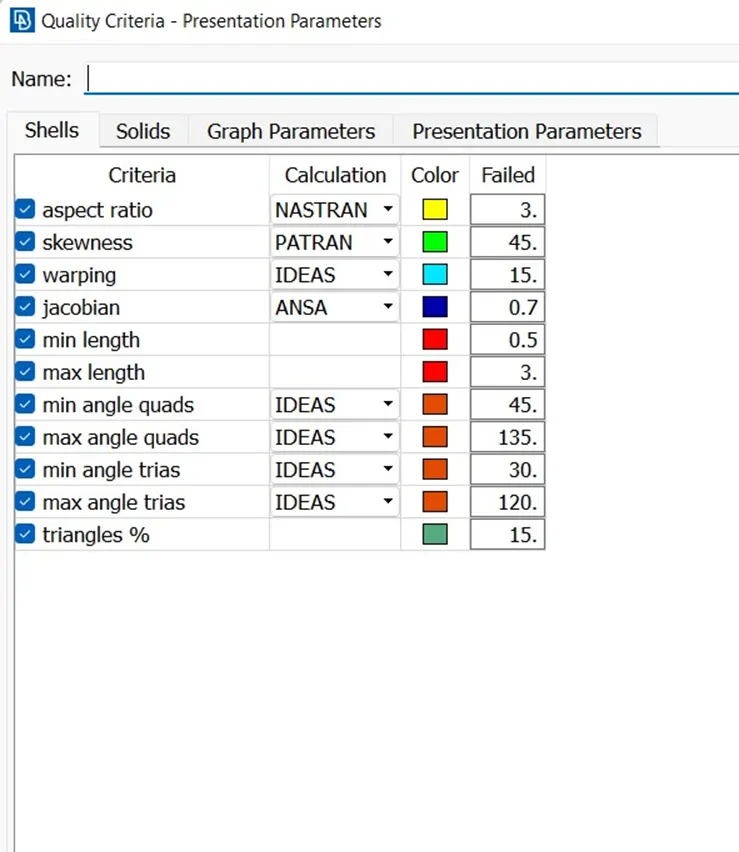
- If any quality failed while meshing use the Reconstruction option to regenerate the mesh.
- We can use the Average length option too to generate the accurate length between the mesh.
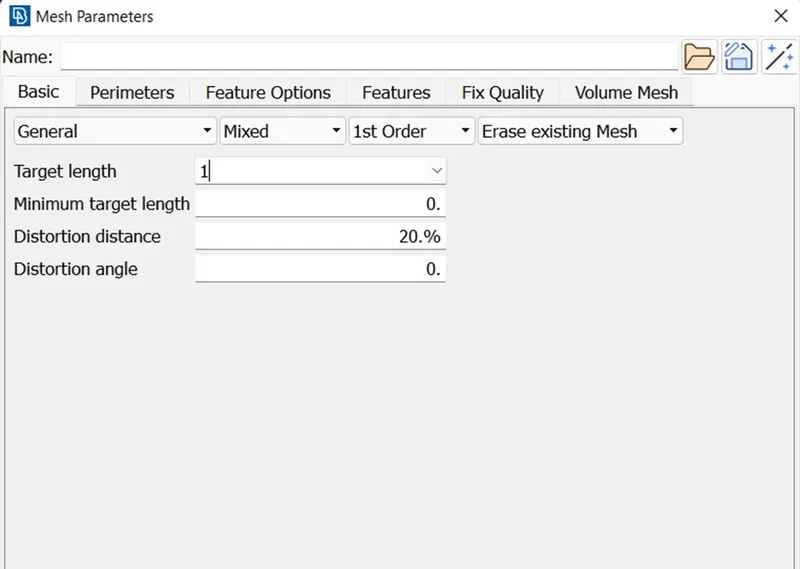
- We can use smooth option to obtain the smooth mesh.
Learning Outcomes:
- While doing the meshing we have to give the quality criteria first and then do the mesh.
- Clearing the geometry at the start go the project is must.
- The cons inside the model should be topo well.
- There should not be any extra material distortion of else it will fail in quality criteria.
- We can adjust the length again after obtaining the mid surface also.
Conclusion:
The geometry check, PID, thickness, topology, and meshing of the current 2d model of bottle cap has been successfully done.