Week - 4 - 2D meshing for Plastic components
AIM:
To develop a 2D meshing for a Bottle Cap model using ANSA tool.
OBJECTIVE:
1.Importing the CAD geometry of Bottle Cap.
2.Checking out the errors.
3.Extracting mid-surface.
4.Joining and Extending the individual surfaces that are included in mid-surface.
5.Assigning the Quality Criteria.
6.Meshing.
PROCEDURE:
1.IMPORT THE CAD GEOMETRY OF BOTTLE CAP:
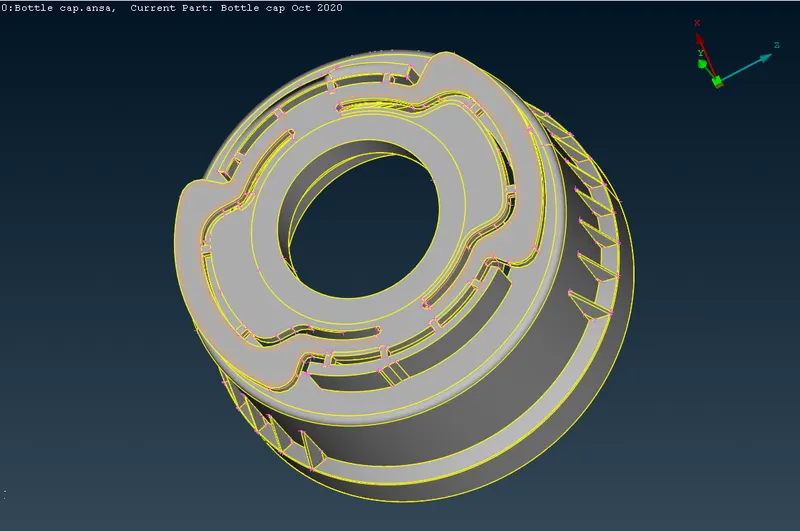
1.Import the Model.
2.We need to give target length which is assigned as 1.
2.CHECKING FOR ERRORS AND ASSIGNING PID:
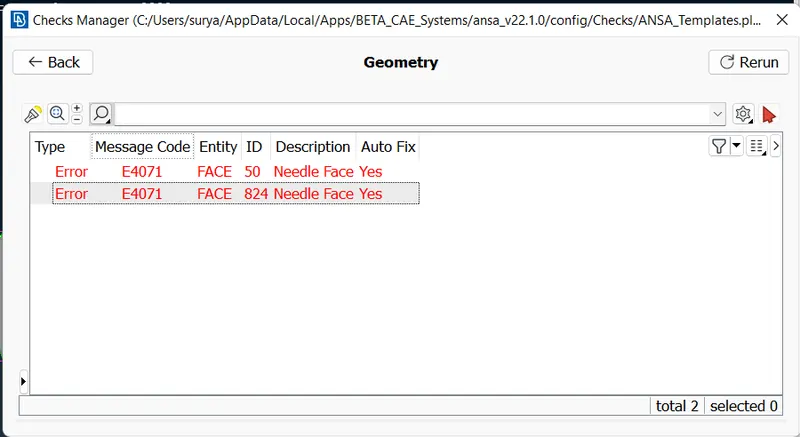
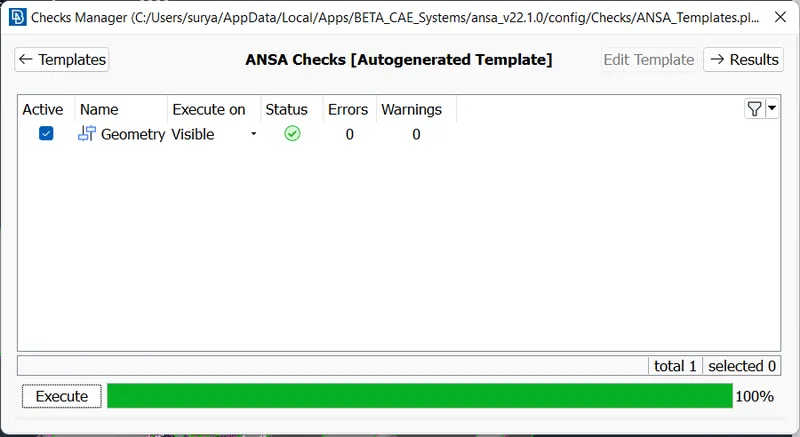
1.We need to perform the geometry check under Checks Manager in order to see any geometrical problems of the model.
2.It detects some errors and we need to ensure that these need to fixed manually or just running the automatic fix command and confirm that there are no geometry errors in the model.
3.EXTRACTING MID-SURFACE:
1.To mesh the component it needs to undergo mid-surfacing for all the surfaces involved as the component becomes a 2D object after extracting mid-surfaces and it will be ideally good for meshing.
2.Use offset mid-surfacing as it is easy and much efficient for complex surfaces.
3.Create a PID for all the mid-surfaces extracted in the property ID manager.
4.By using COG under points thereby created 26 teeths across the inner surface of the model.
5.Switch ON the transparency mode of parent geometry enables whether the surface is aligned properly or not.
4.EXTRACTING MID-SURFACE FOR THREADS:
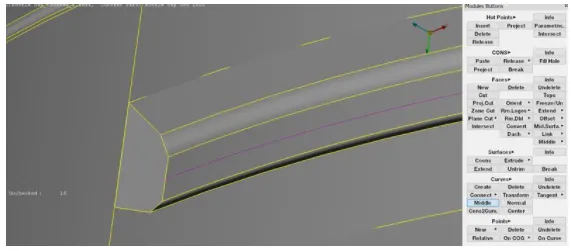
1.The middle option under curves is used to create a Curve at the middle of the selected two CONS.
2.Fine options in auxilaries can be used to click multiple time over purple coloured curves to increase the resolution of the curve.
3.By doing this a curve will come on the top surface of the thread.
4.The middle curve is then projected in a normal direction to the base mid surface.
5.ASSIGNING QUALITY CRITERIA:
1.The average length alters the shell element length of the component.
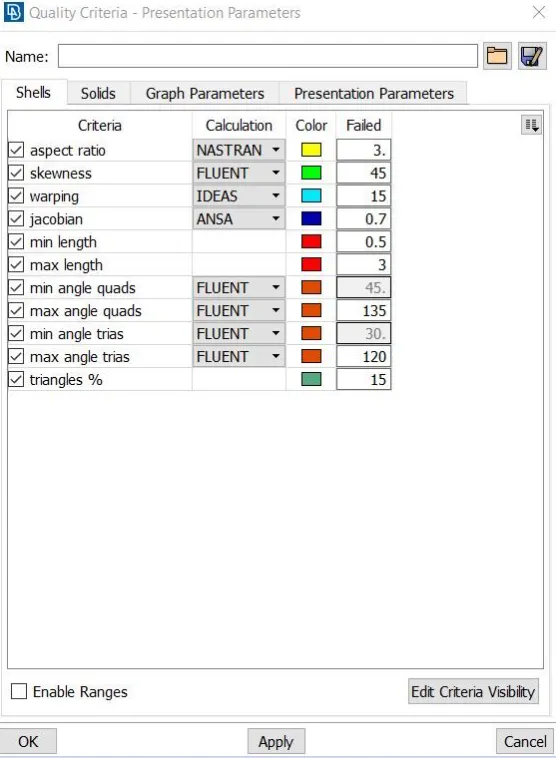
2.The remaning values are assigned in the Quality Manager.
3.Each element in the mesh should qualify the Quality Criteria.
4.After assigning the values given for the quality check we need to perform the topological clean up before meshing.
6.TOPOLOGICAL CLEAN-UP:
1.To accquire the smooth flow of a mesh we should do topological clean-up for the model and examine.
2.Remove unwanted CONS by using different option avaliable under Module buttons mostly used keys are cut, release, insert and delete.
7.MESHING:
1.After Topological cleanup consider meshing for the model.
2.Here I use the Best Mesh option under Mesh Generation in mesh module buttons.
3.Best mesh ensure the user a good mesh flow across the part and ANSA provides a decent outcome.
4.Once the meshing is done try to reconstruct the mesh generated and smooth it for enhancing the mesh.
8.IMPROVING MESH QUALITY:
1.Once the meshing is done the desired quality criteria, we need to ensure there should be no unnecessary rotating Tria or Quad elements in the model.
2.No tria elements on the edges and OFF the elements should be zero in order to achieve quality.
3.Trias and Quad elements can be adjusted using the Split and Swap options under Element option smooth the elements again till the flow is fine and accurate.
OBSERVATION:
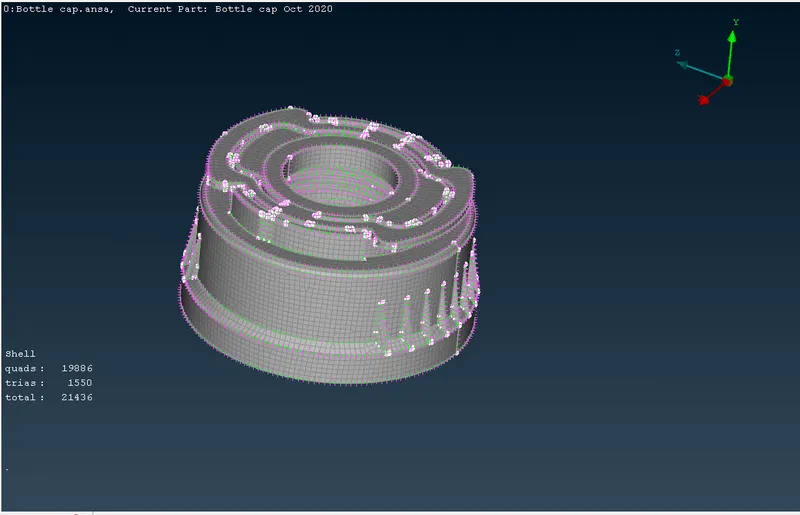
Thus the Bottle cap model is meshed sucessfully by assigning the given quality criteria.
RESULT:
Thus the 2D meshing for the given Bottle Cap model is performed using ANSA tool.