Week 4.2: Project : Transient simulation of flow over a throttle body
Aim:- Run the Transient simulation of Flow over a throttle body using Converge studio, Cgywin and paraview
Objective:-
1. Running the Transient Simulation of Flow over a throttle body
2. Calculating end time for simulation
3. Showing the Pressure and Velocity contour
4. Showing the mesh
5.Showing the plots for Pressure, Velocity, Mass flow rate and Total cell count
Introduction- Running the transient simulation flow through a elbow body with throttle where throttle is rotating. This simulation helps to read the flow pressure and velocity acting over a moving or rotating throttle body.
Procedure:-
1. Downloading the geometry
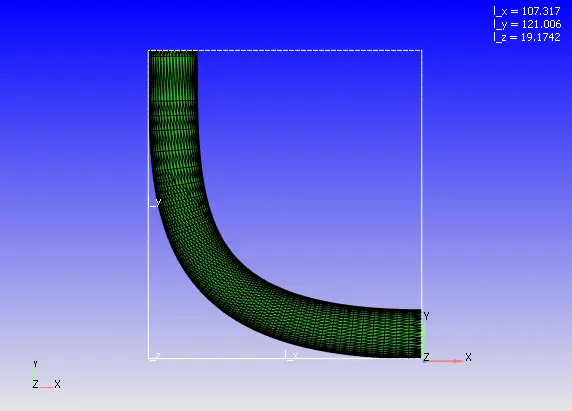
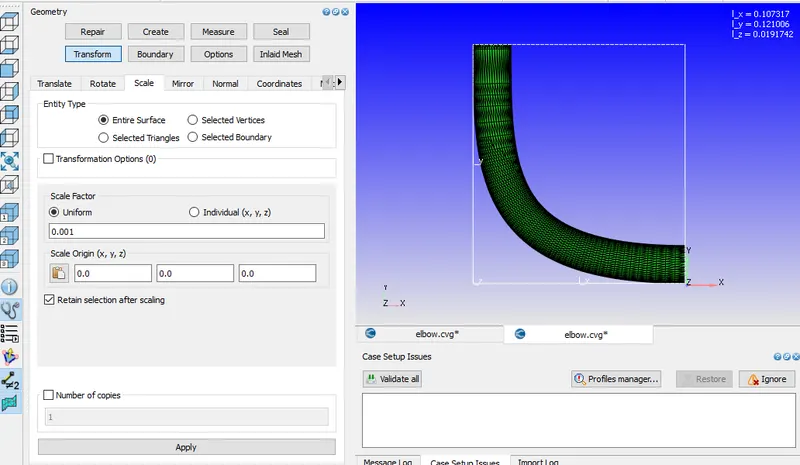
2. Check the Scale in Meters, If geometry is in MM then scale it to M.
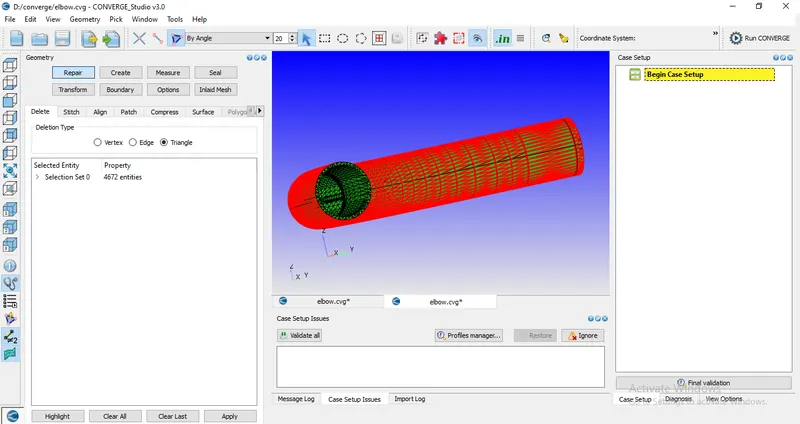
3. Removing the Upper surface wall of the body because Flow travelling inside the elbow body.
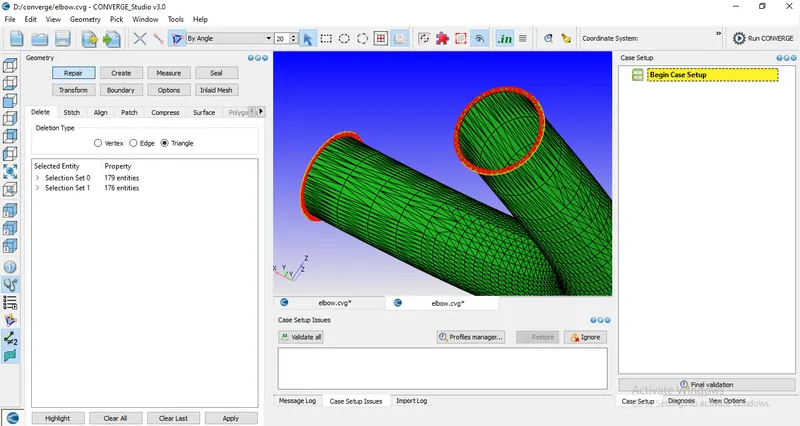
4. After removing the Upper surface, geometry looks like this
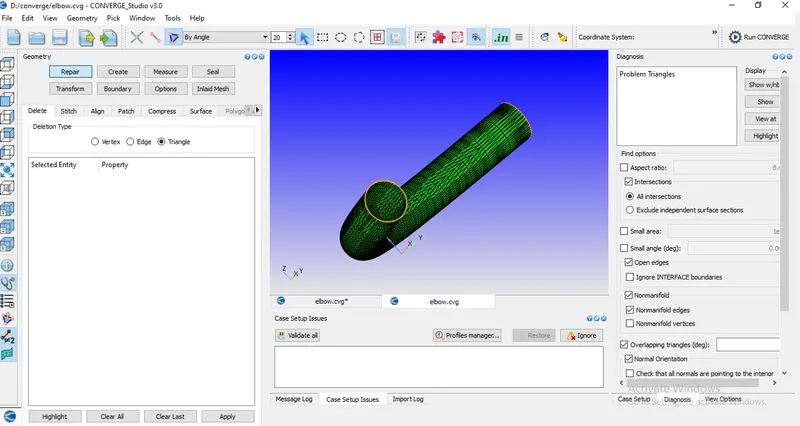
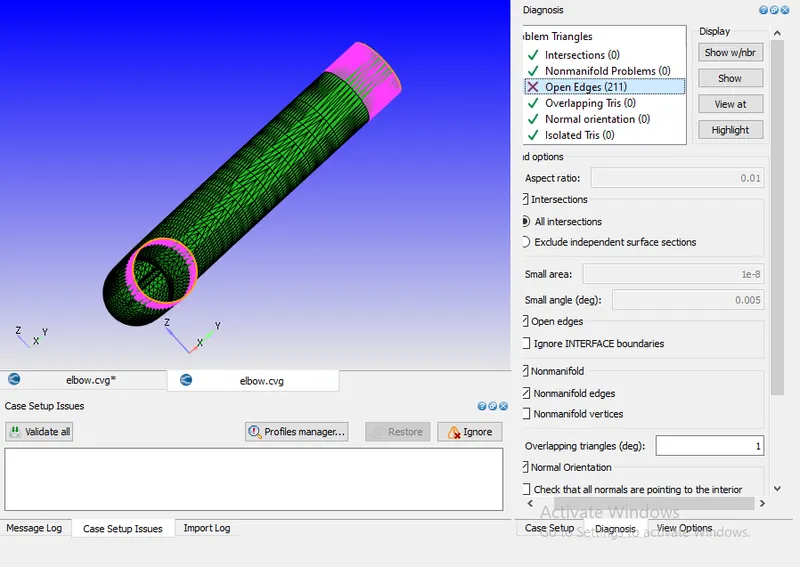
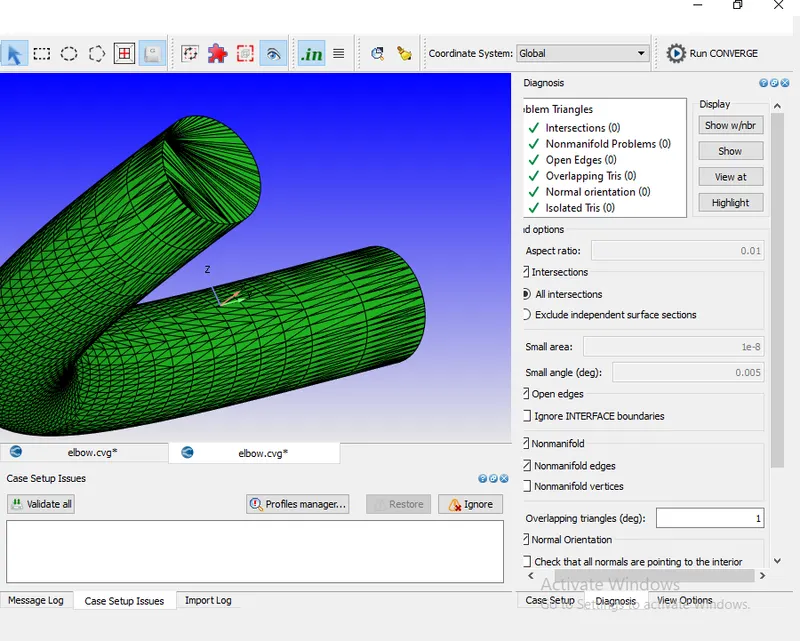
5. Diagnosis the geometry and found the error if any. In this Diagnosis check, One error found Open Edges in both end of the Elbow body.
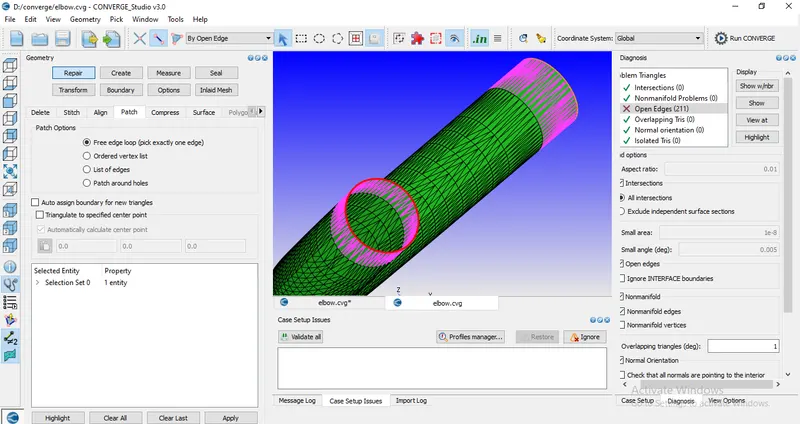
6. Repair the geometry and covering the open edges using patch tool and Rediagnosis the geometry.
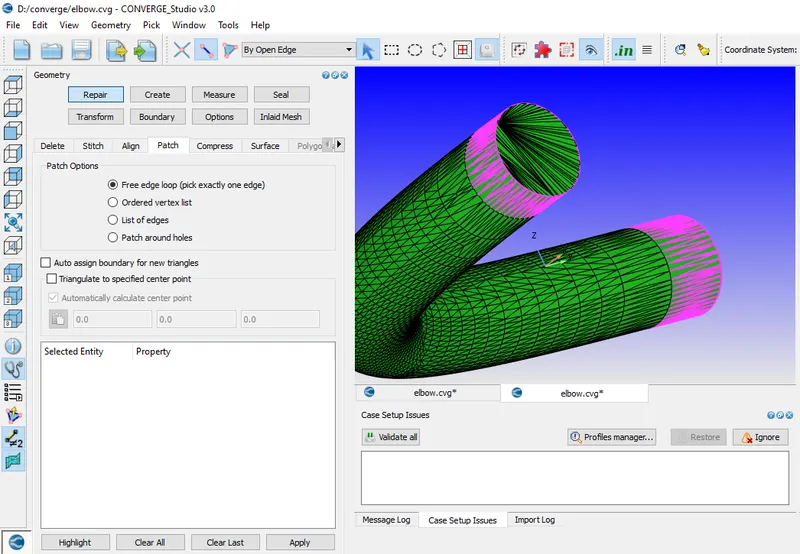
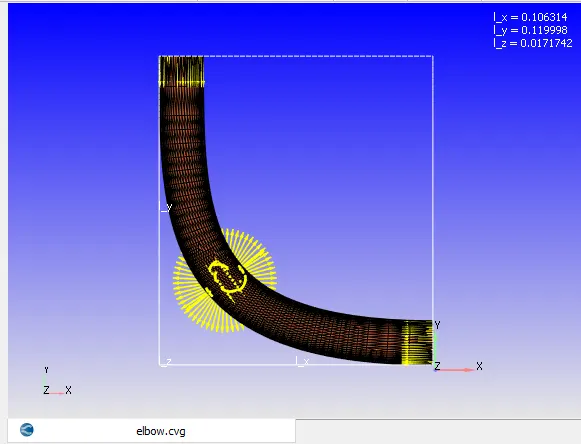
7. Normal vectors orientated inside the elbow body.
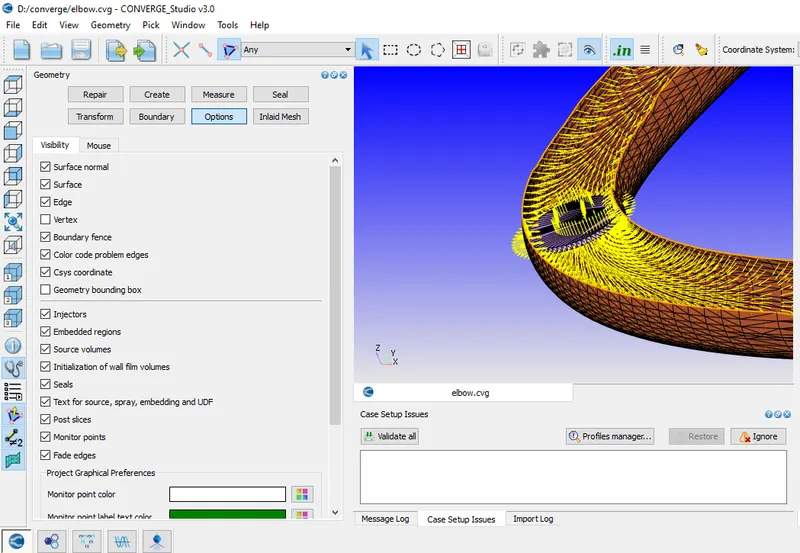
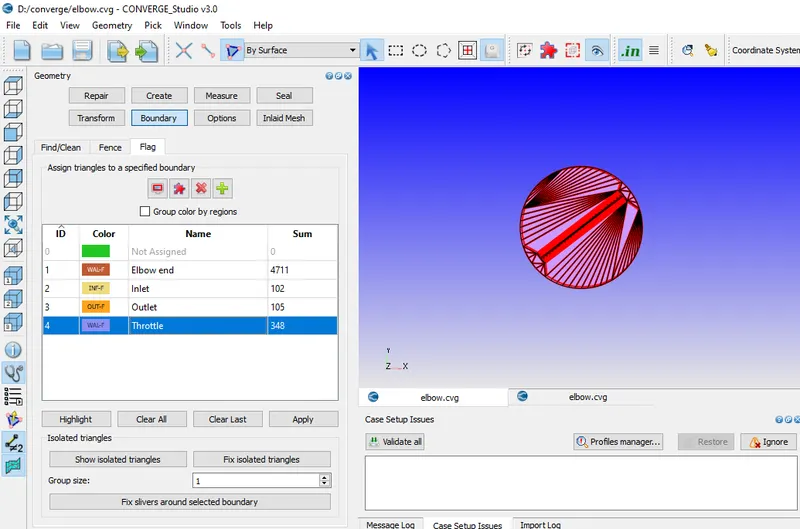
8. Assigning the boundary fencing of the body. For throttle body, Hide the surface of the elbow body and select all triangles of throttle body surface and assign the boundary fencing.
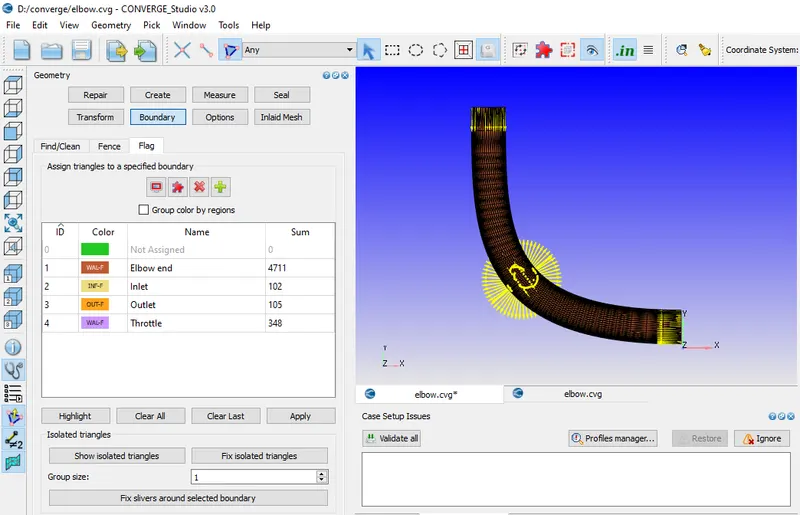
9. Setup the case- For case setup following steps are taken which are given below
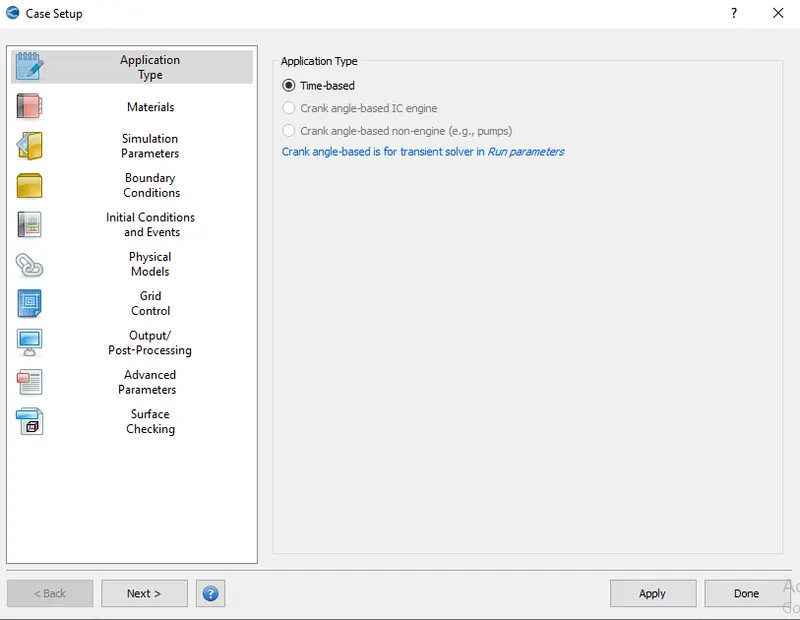
A. Application type- Time based
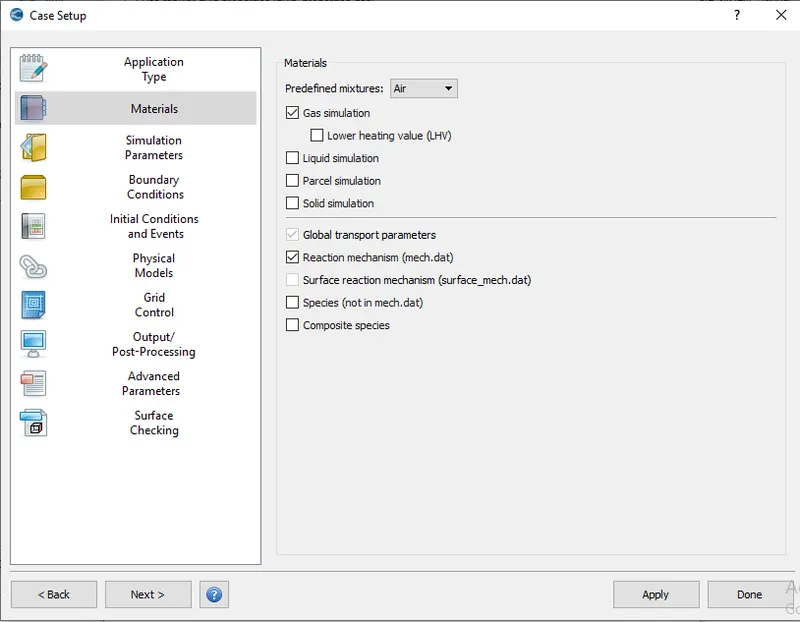
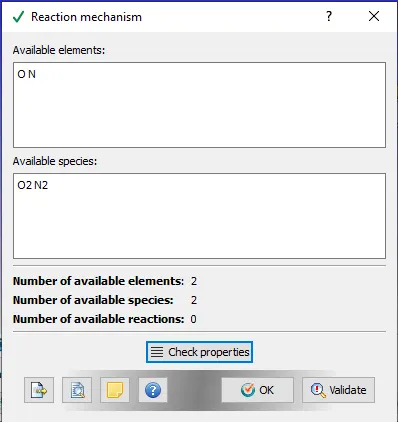
B. Material- Air is used and Gas simulation and Reaction mechanism are clicked
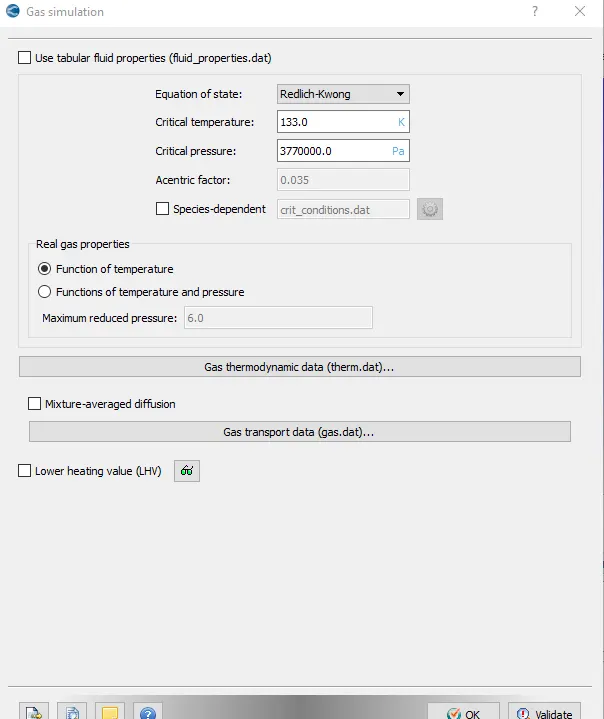
a. Gas simulation:-
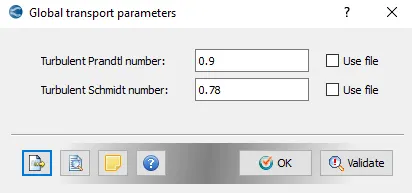
b. Globle transport parameter:-
c. Reaction mechanism
C. Simulation Parameter- Run a Steady state simulation
For Setting up the Simulation parameters, Following steps are given below
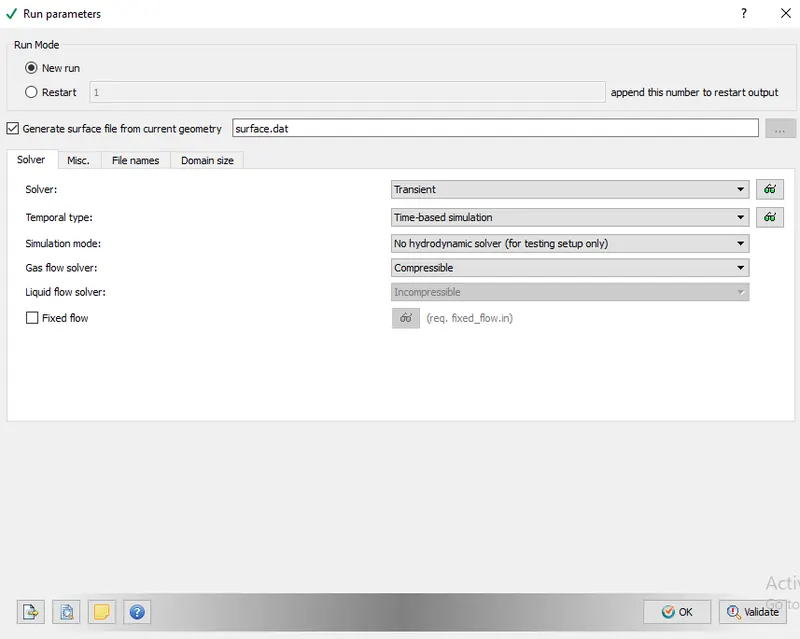
a. Run Parameter:- Selecting the Transient solver with no hydrodynamic mode
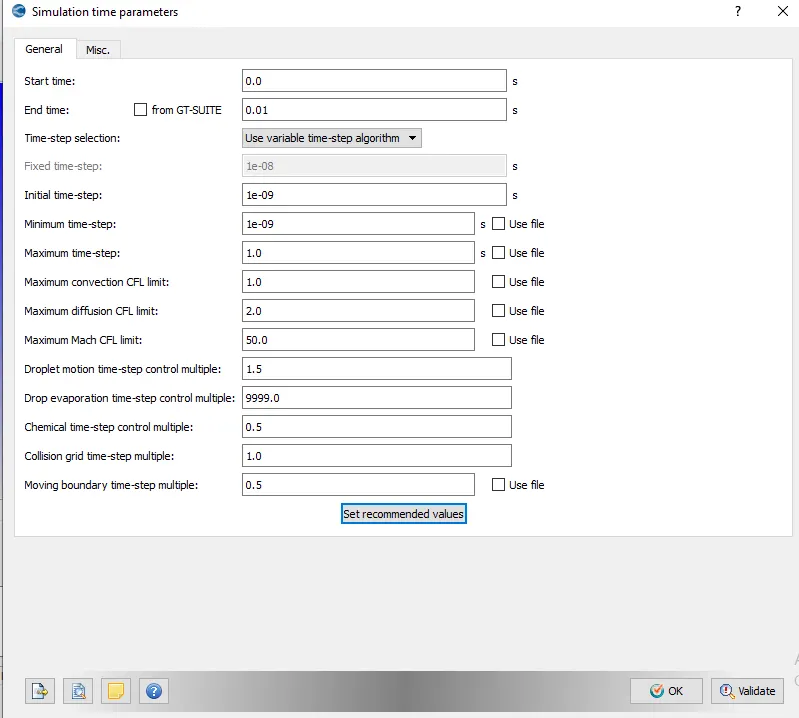
b. Simulation time parameters:-
Calculation of end time for the simulation are given below
Formula- Speed- Distance/Time
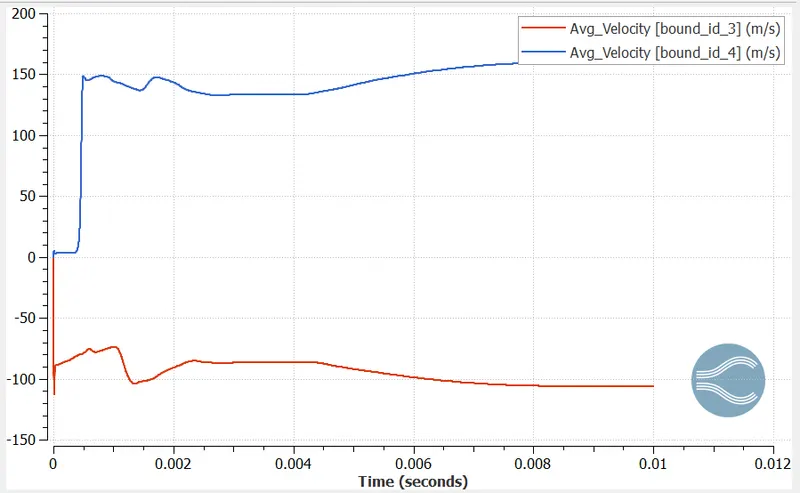
Given value- Avg. Velocity- 195 m/s (Speed)
Approx. length of pipe- 0.2m (Distance)
Time -?
So, the formula will be Time = Distance/Speed
Time = 0.2/195
Time = 0.001s
Running the cycle for 10 times greater than time taken to flow through the body.
So, 0.001seconds*10times = 0.01 seconds
Hence, End time for the simulation is 0.01s
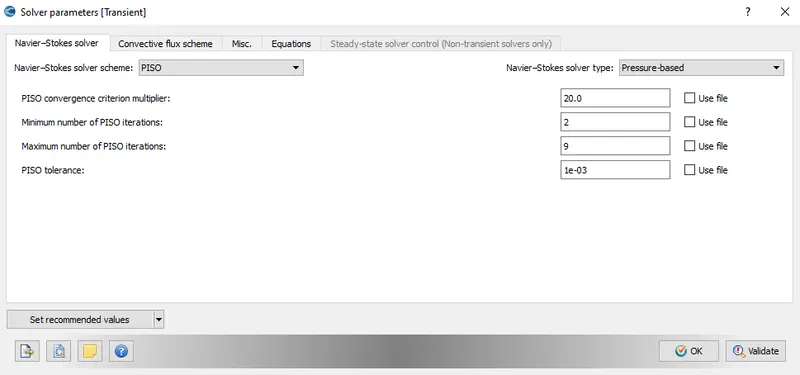
c. Solver parameters:- Navier Stokes solver type is based on pressure.
D. Boundary Conditions:-
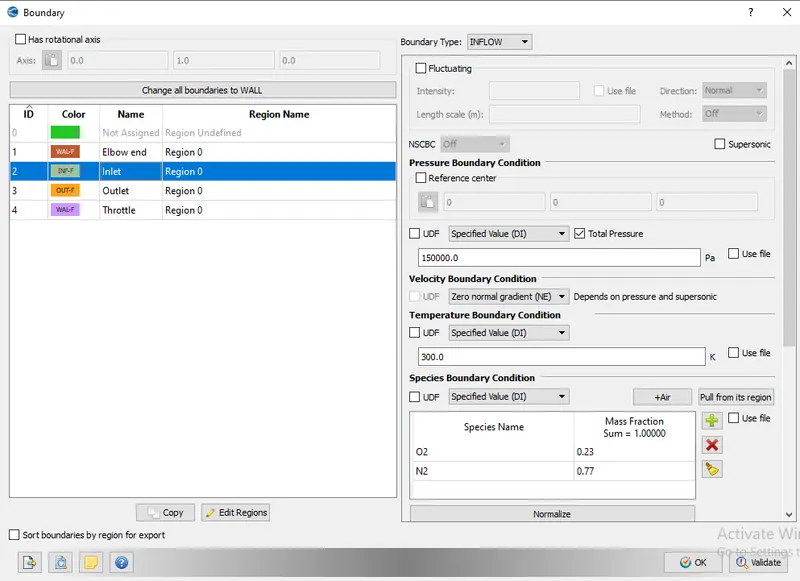
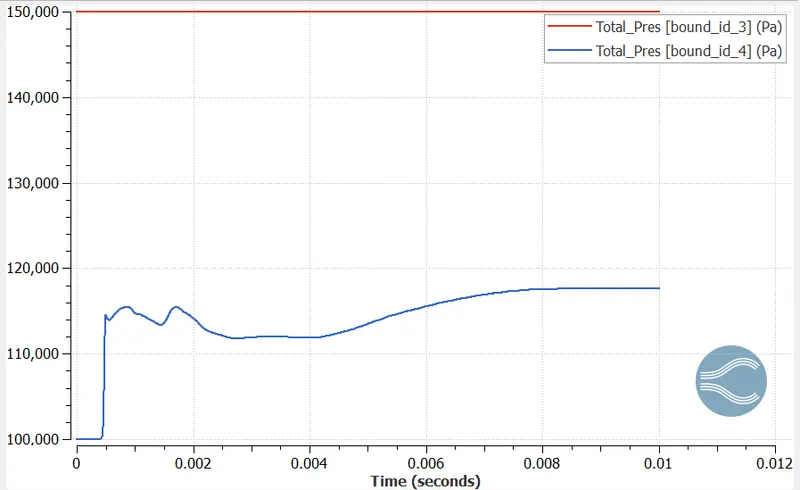
a. Inlet boundary- Pressure -150000 Pa
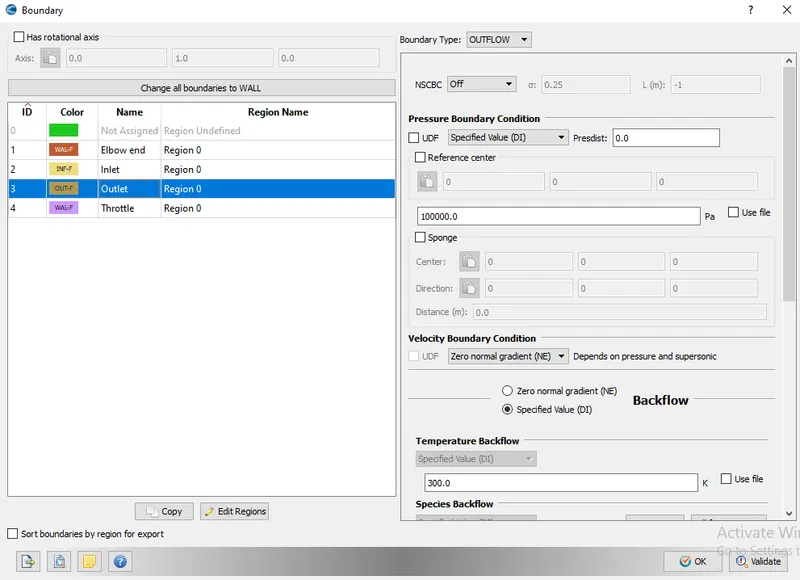
b. Outlet:- Pressure- 100000 pa
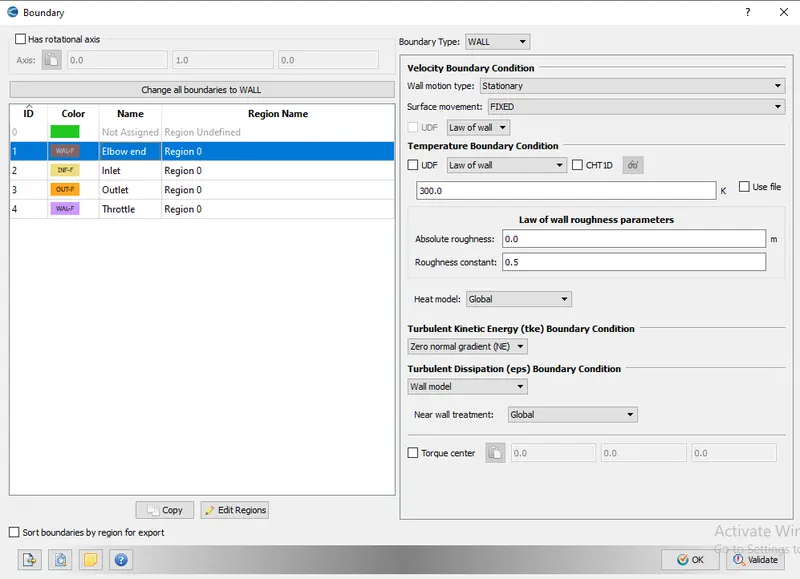
c. Elbow body:-
d. Throttle body:-
Wall motion type- Rotating
Surface movement- Moving
For rotation parameter following steps are given below
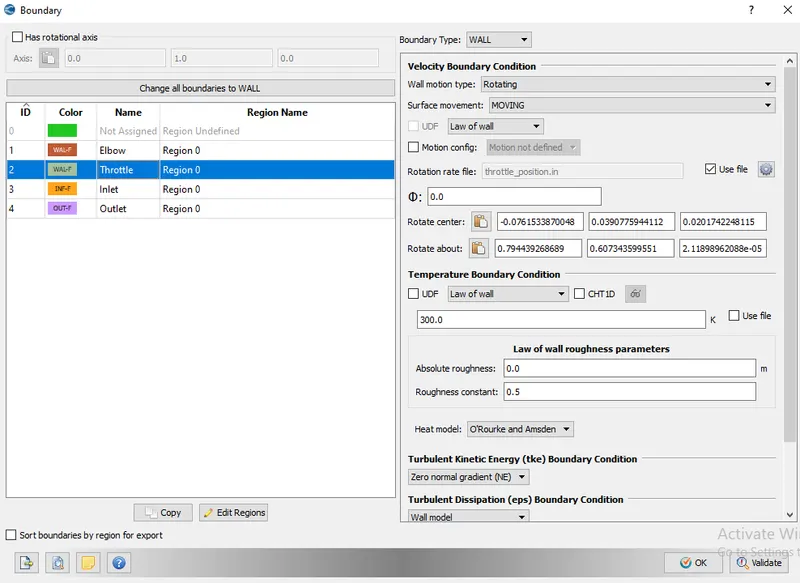
For finding center for the throttle body rotation are given below
i. Hiding the elbow surface
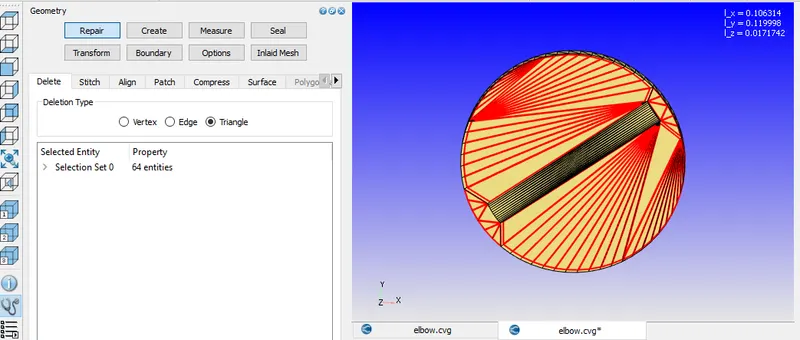
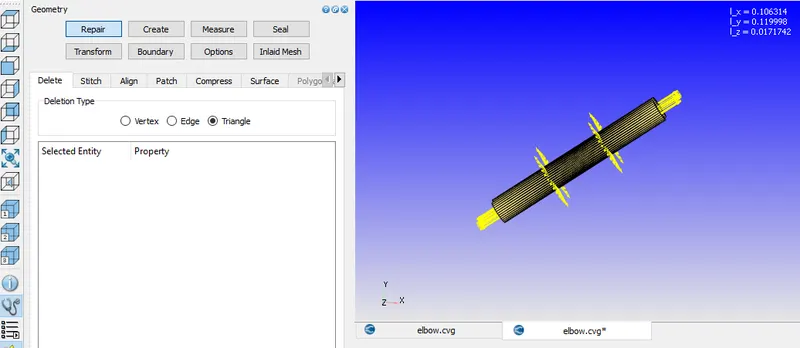
ii. Assigned normals
iii. Pointing arc normals then apply
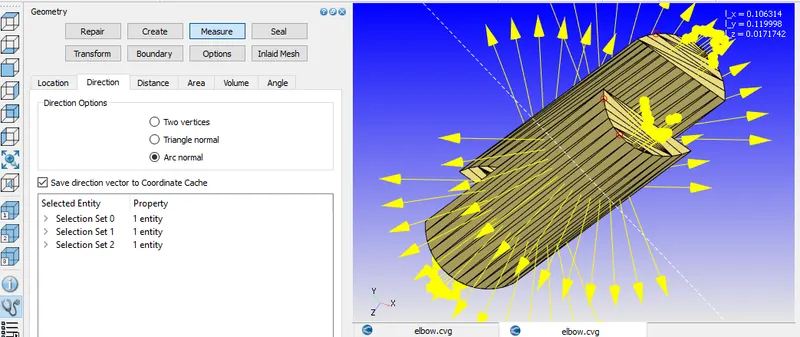
iv. After applying, Parameters showing in message log (Arc center and Arc normal) and Copy it and paste the parameters in Rotate center and rotate about
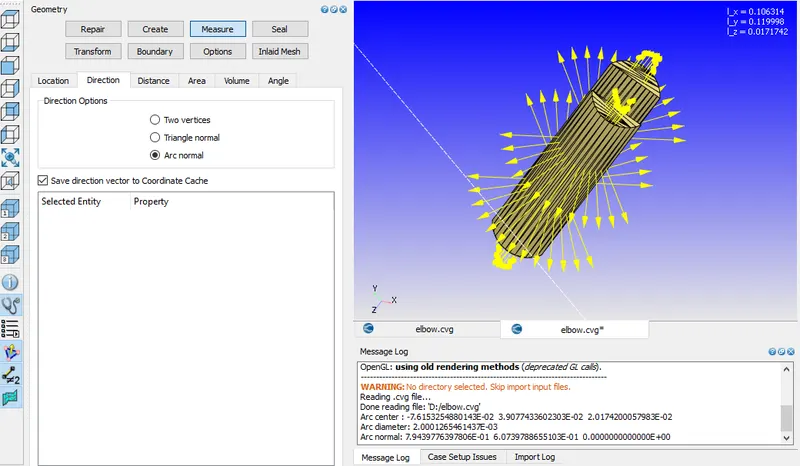
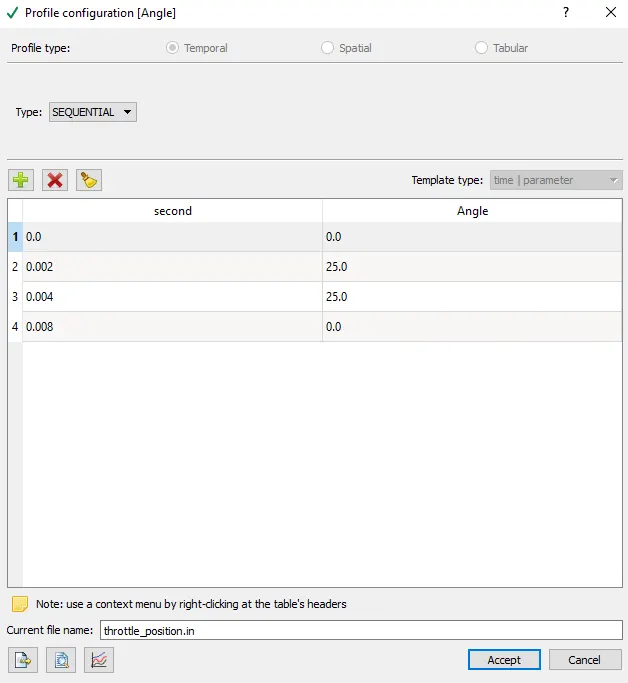
2. Rotation rate file- Throttle body rotation angle parameters (throttle_position.in)
- From 0 to 2 ms the valve should rotate by 25 degrees.
- From 2 to 4ms it should stay at 25 degrees.
- After which by 8ms the valve should get back to its original position
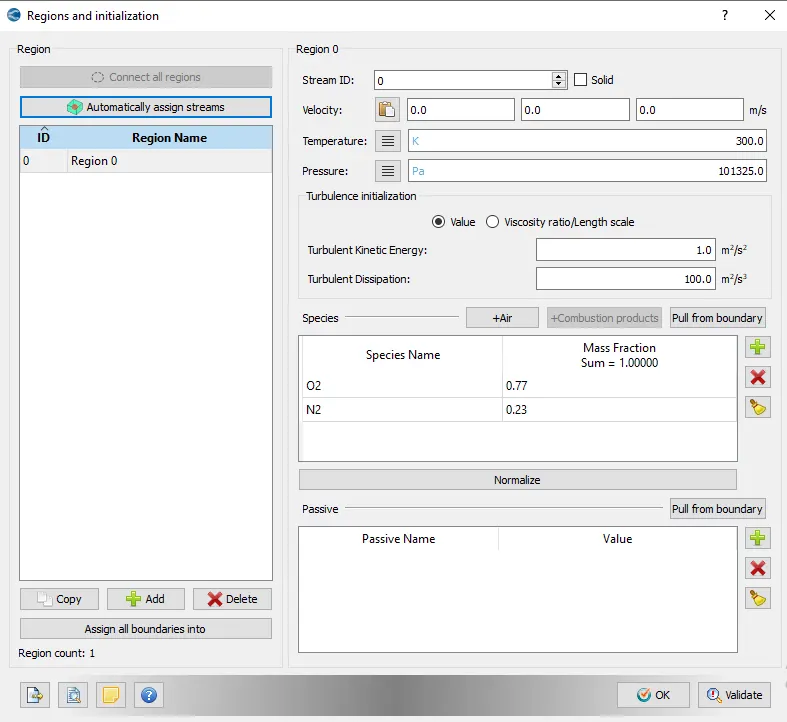
E. Initial conditions and Events:- Region 0 created and initiated
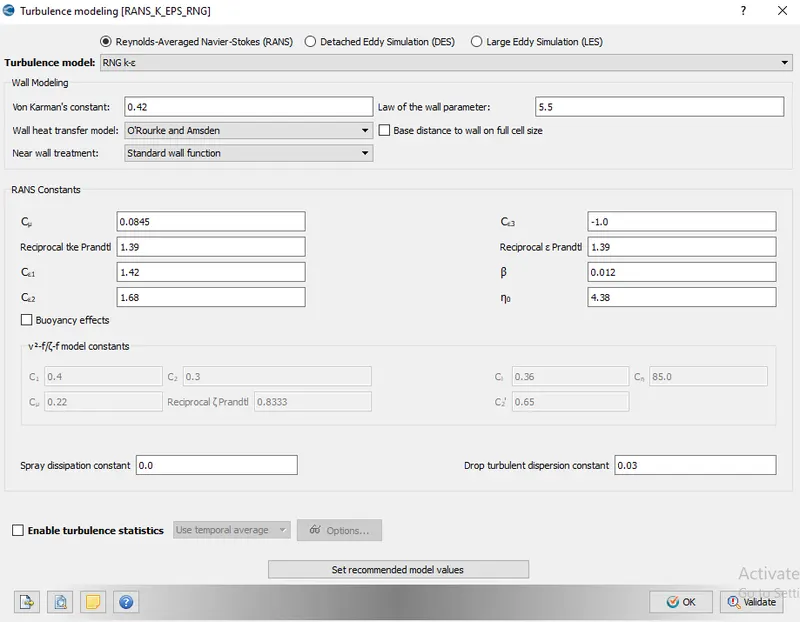
F. Physical Methods:- Turbulence model- RNG k-ε is selected
G. Grid control:
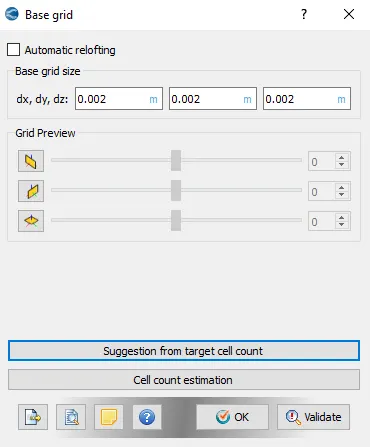
a. Base grid:- 1. dx = dy = dz =2e-3m
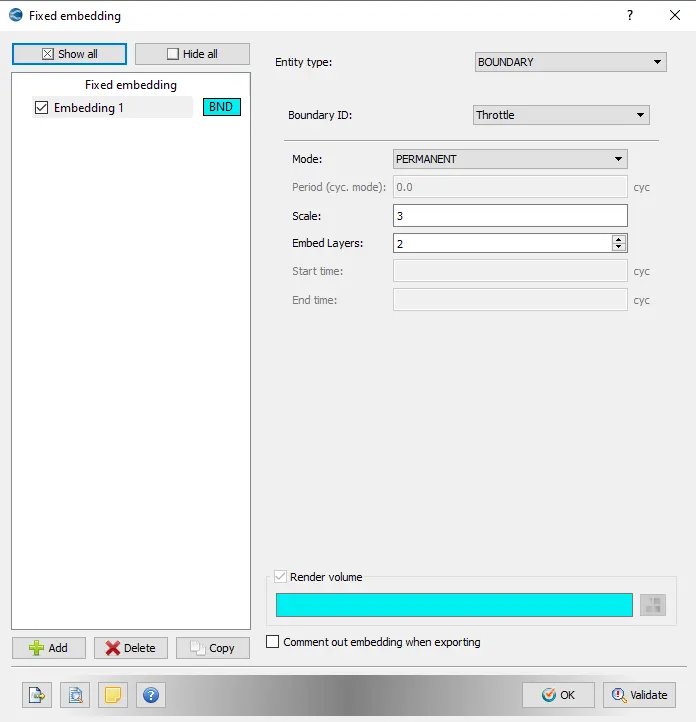
b. Fixed embedding:- Embedding setup
H. Output/post processing:-
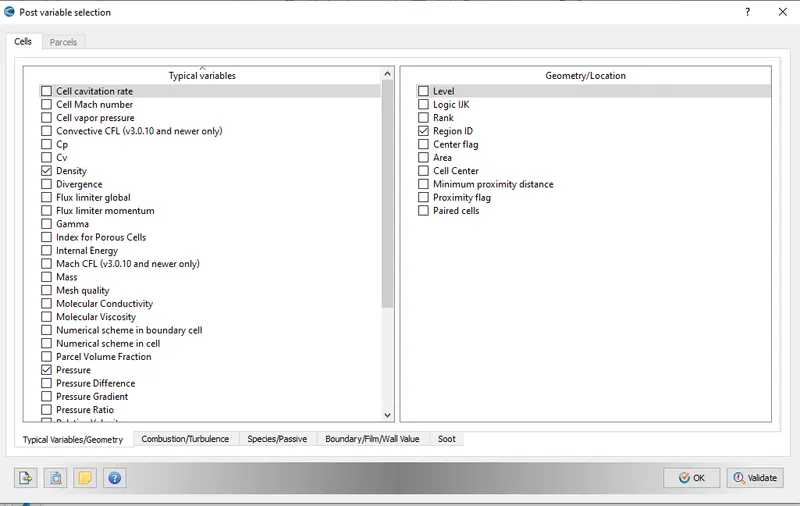
a. Post variable selection
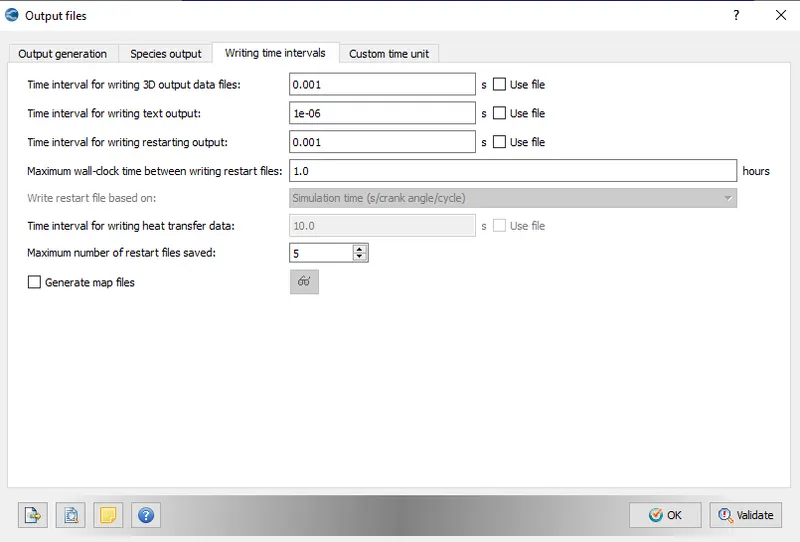
b. Output files:-
I. After Case setup done, click on Validate all to check any error occurs if not then export all files to particular folder
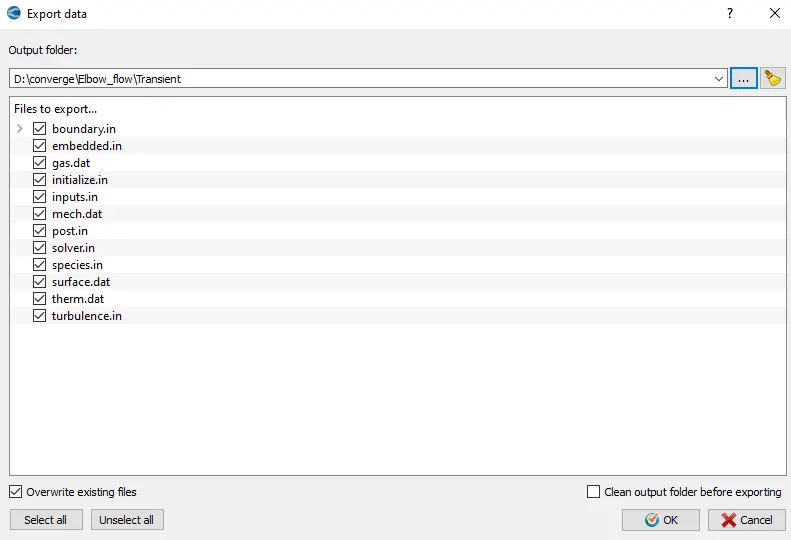
7. Opening Cygwin applicaton as administration and change directory to folder where all export files are stored. For running the simulation, (mpiexec.exe -n 4 "C:Program FilesConvergent_ScienceCONVERGE3.0.16binintelmpiconverge.exe" restricted </dev/null> logfile &) code applied after moving to that folder.
8. After Simulation completed, all output files are post converted by using converge and that converted files opens in Paraview.
Experiment-
Case- Base grid size- dx=dy=dz= 2e-3m
a. Velocity Contour
b. Pressure Contour
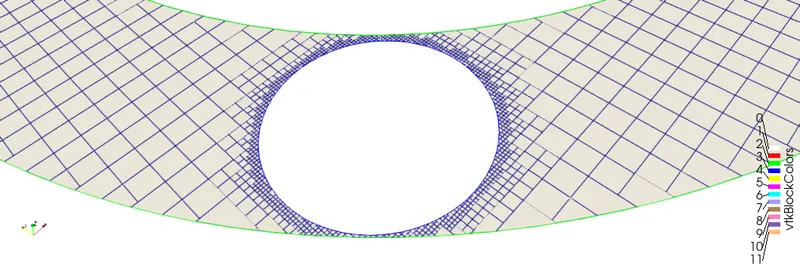
c. Mesh (Surface with edges)
d. Pressure Plot
e. Velocity Plot
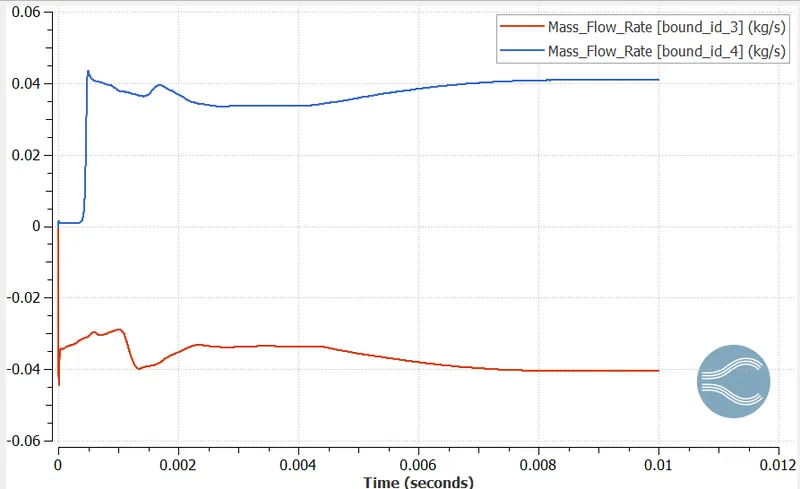
f. Mass Flow Rate Plot
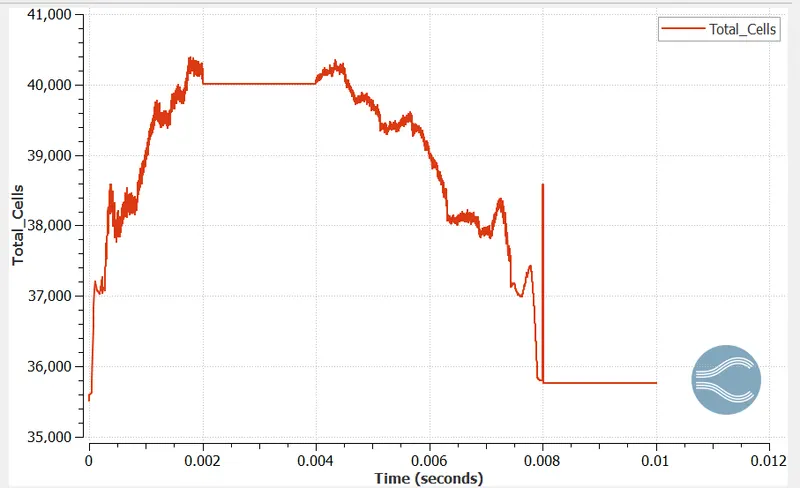
g. Total Cell Count Plot-
h. Stream tracer-
i. Throttle movement-
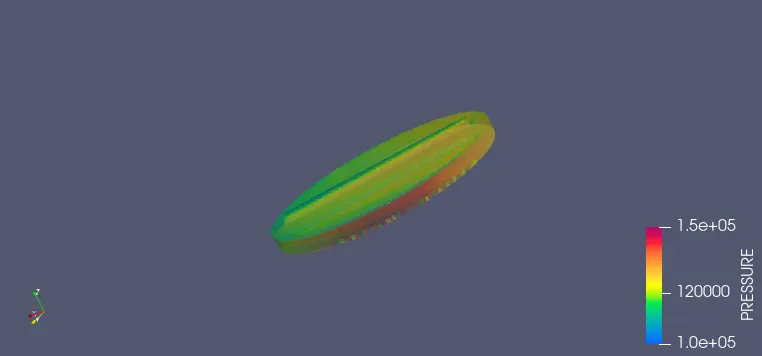
Conclusion:- Running the transient simulation successfully of Flow over a throttle body by using Converge Studio, Cgywin and Paraview and Results found satisfactory and also throttle movement is captured for better understanding of flow.