Week 1: Channel flow simulation using CONVERGE CFD
Aim- To run the Channel flow simulation with three different base mesh sizes by using Converge studio, Cygwin and Paraview and campares the variation in graphical parameters.
Introduction- Converge is the CFD simulation software which helps to read fluid properties acting inside the different structural object. It is a solver that calculate the flow, pressures,etc by using its case setup and showing up the required parameters.
Objective-
a. Setting up the Channel flow simulation with three different base mesh sizes
b. Compare its velocity and pressure contour
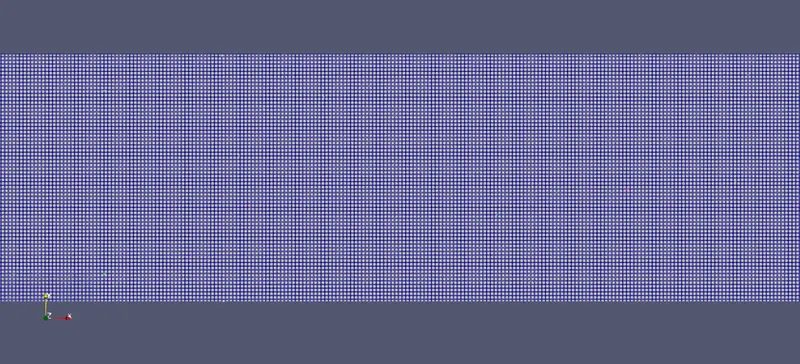
c. Showing mesh (Surface with edges)
d. Plots for velocity, pressure,mass flow rate and total cell count
Procedure-
To running up the simulation required step to be taken which given below
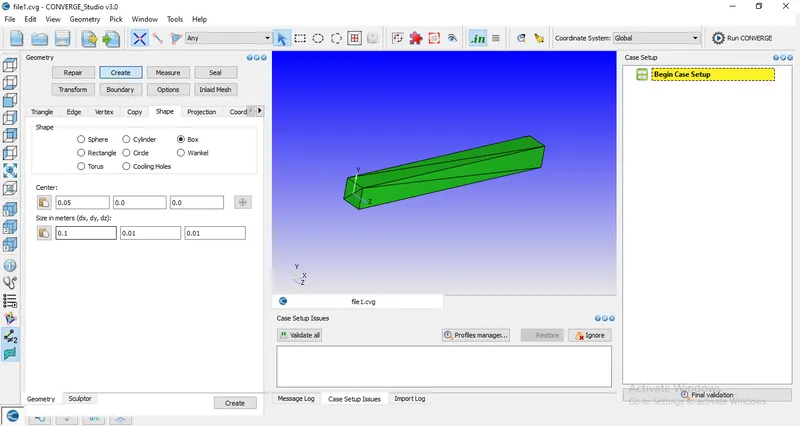
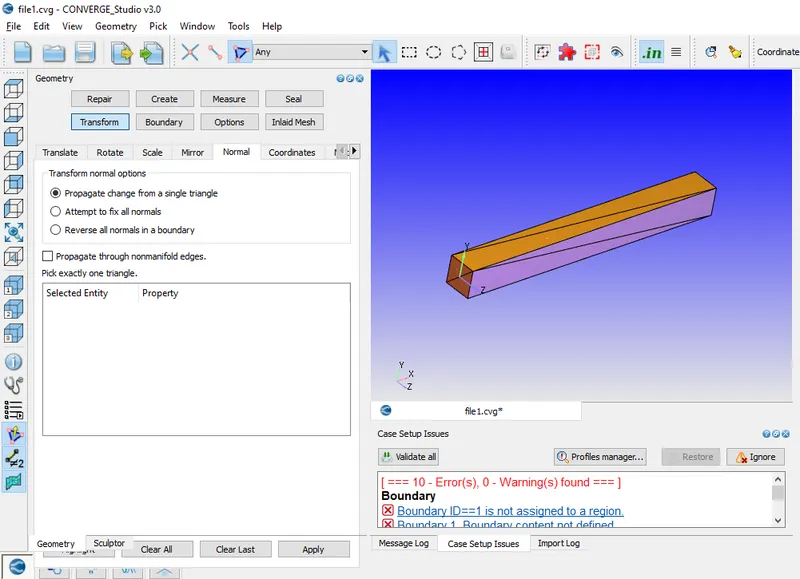
1. Creating the geometrical box of dx- 0.1, dy-0.01 and dz-0.01
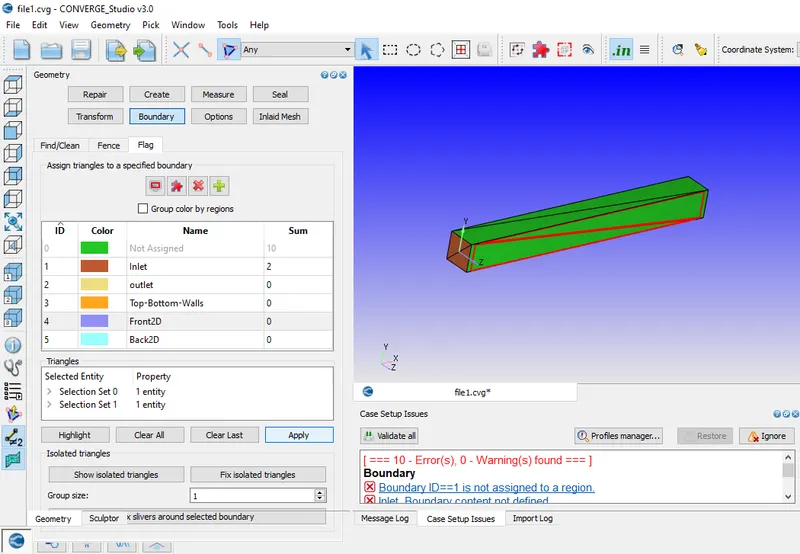
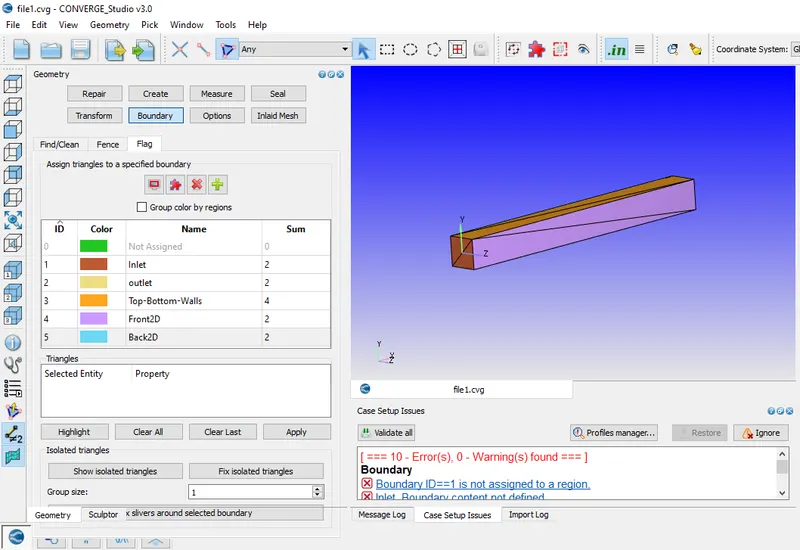
2. Creating a boundary and assign the selected triangle to create different boundaries
3. Setting up the normal vectors inside the box
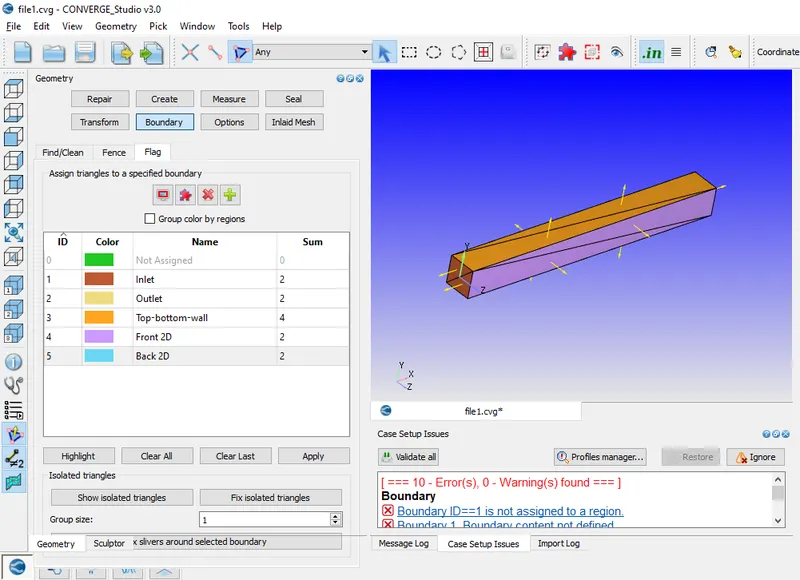
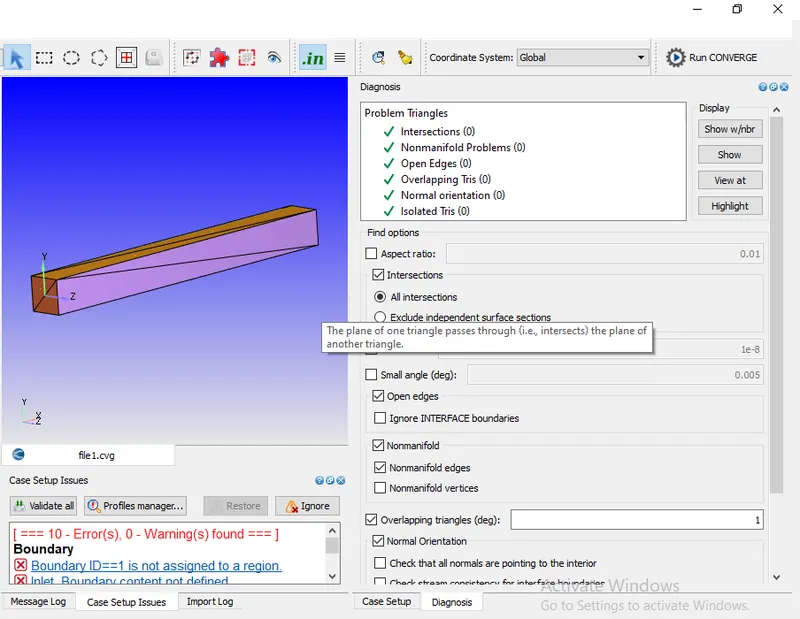
4. Running the diagnosis to find out any problems in triangles
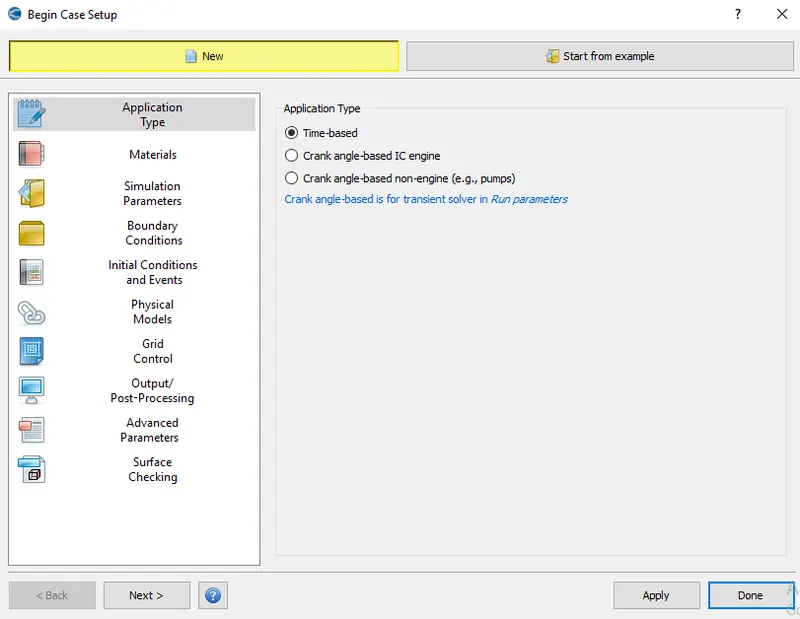
5. Case setup – For setting up the case following step to be taken
a. Application type- Time based
b. Material- Air is used as gas for simulation
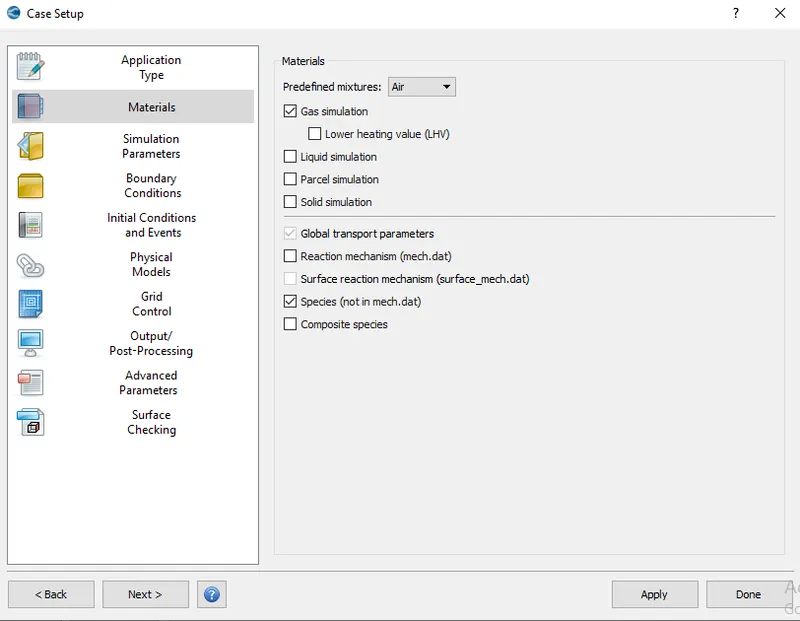
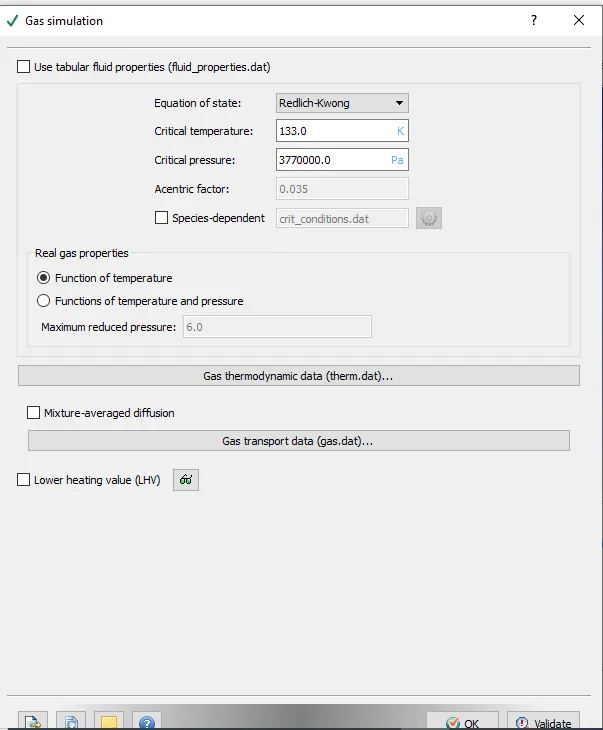
1. Gas simulation
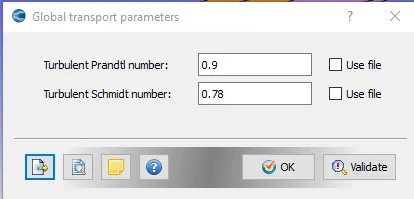
2. Global transport parameter- Default parameters
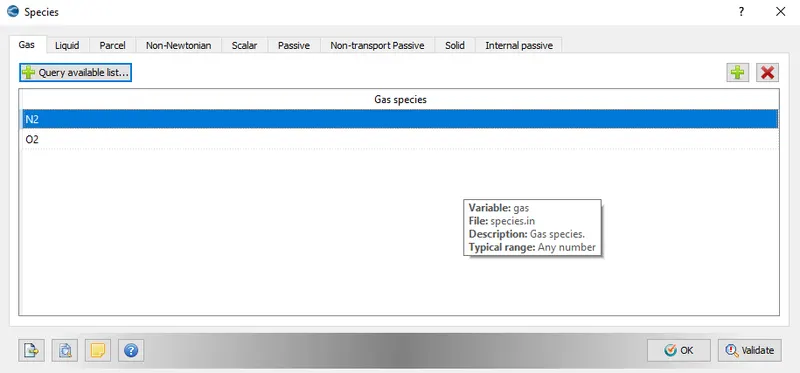
3. Speices- N2 and O2
c. Simulation Parameters-
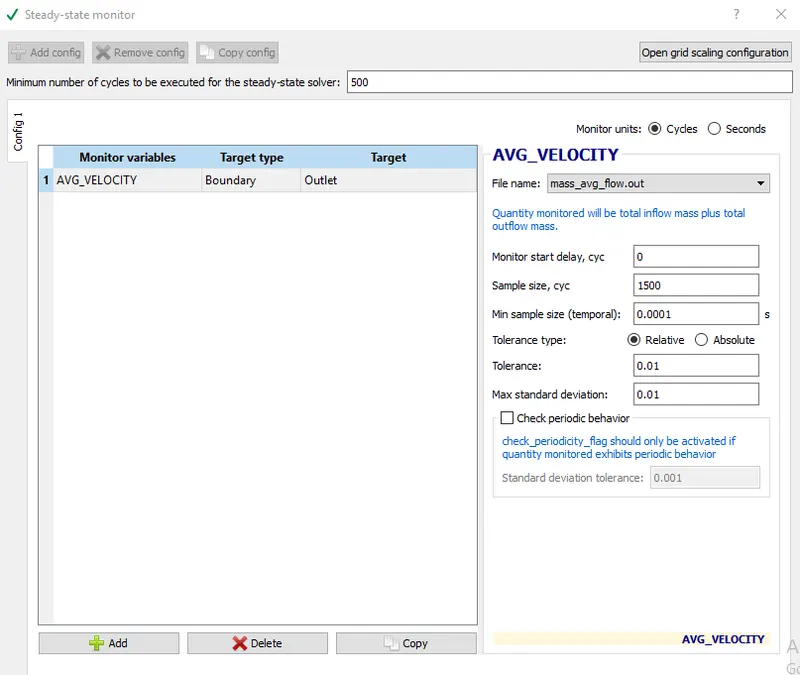
1. Run parameters
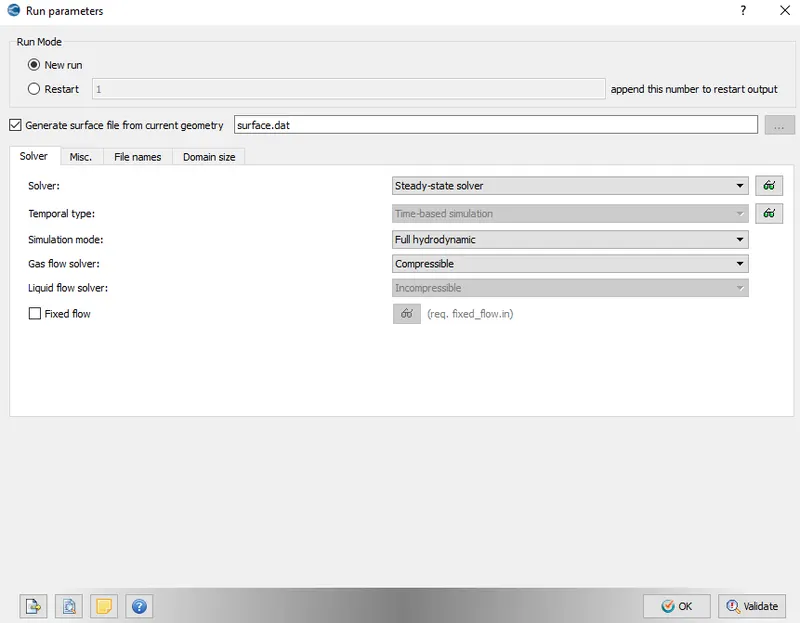
a. Steady State monitor
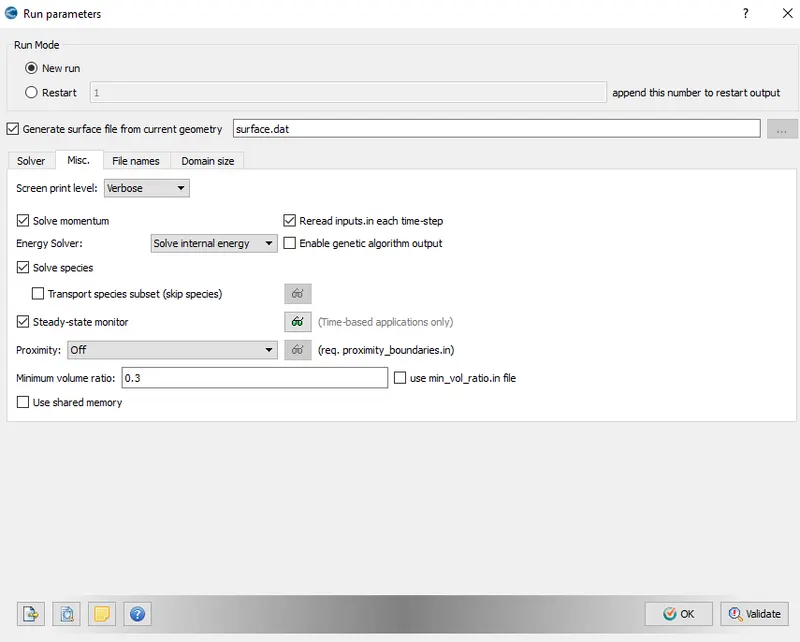
2. Simulation time parameters
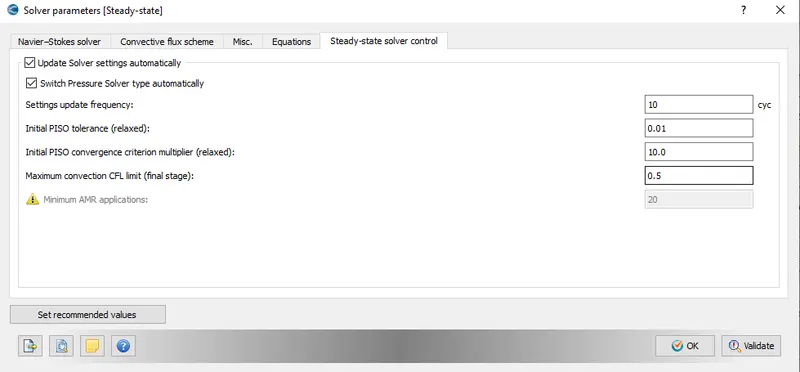
3. Solver pararmeter for Steady state
d. Boundary condition- Inputing boundary condition in assigned boundaries
1. Inlet pressure is 100001 pa (Air with N2- 0.77 and O2- 0.23)
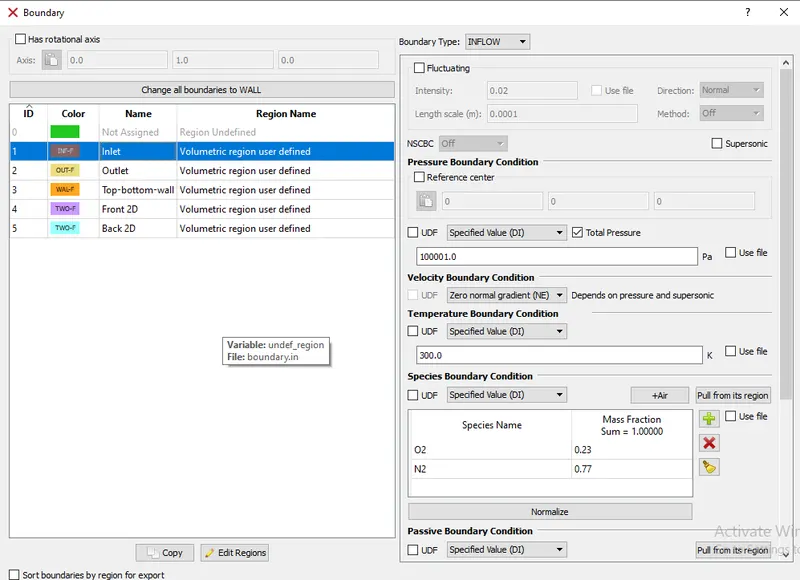
2. Outlet pressure is 100000 pa (Air with N2- 0.77 and O2- 0.23)
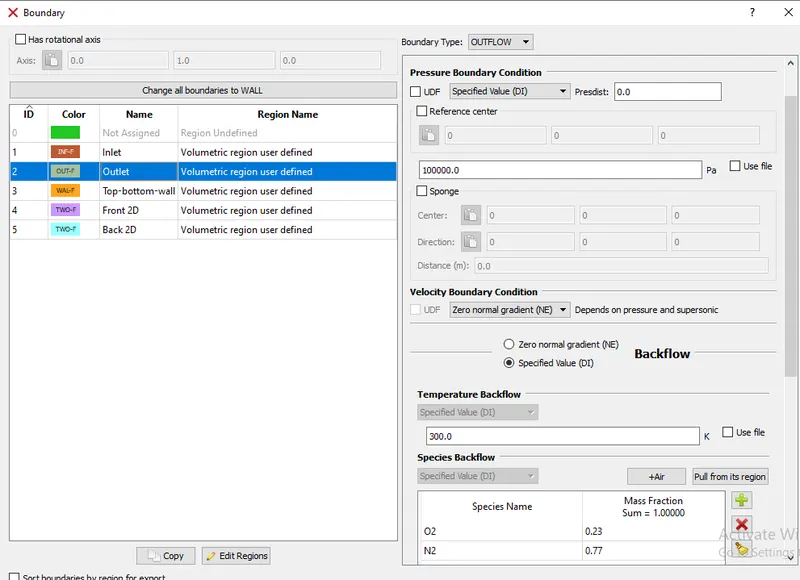
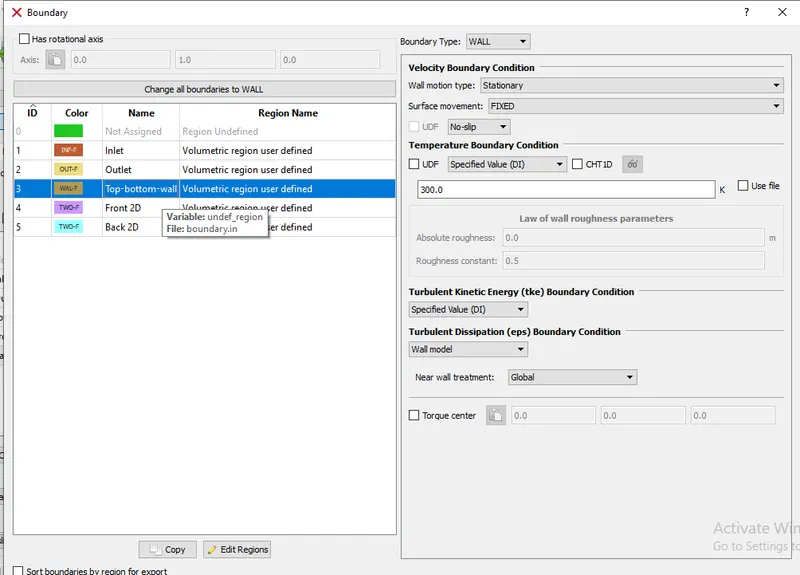
3. Top & bottom walls are No Slip wall
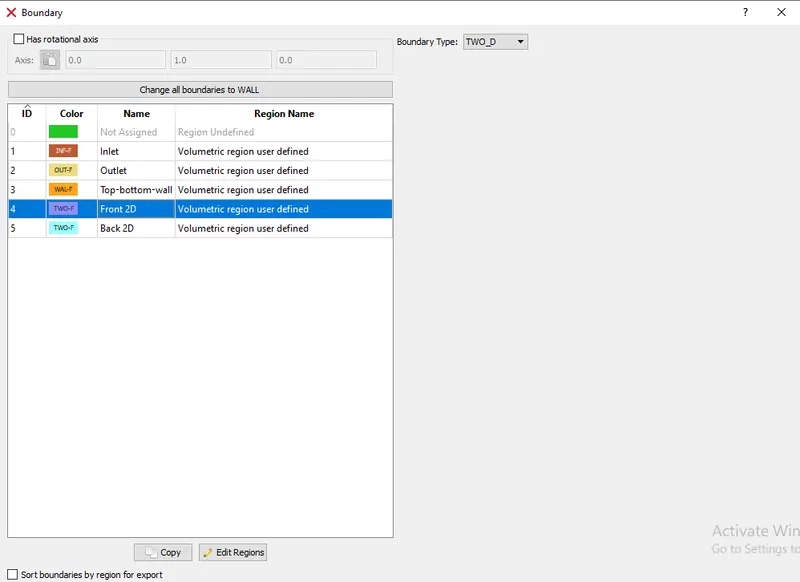
4. Front and Back walls are 2 dimensional
e. Intial conditions and events- Creating region in volumetric region with reversal precentage of N2 (0.23) and O2 (0.77) for mixing output
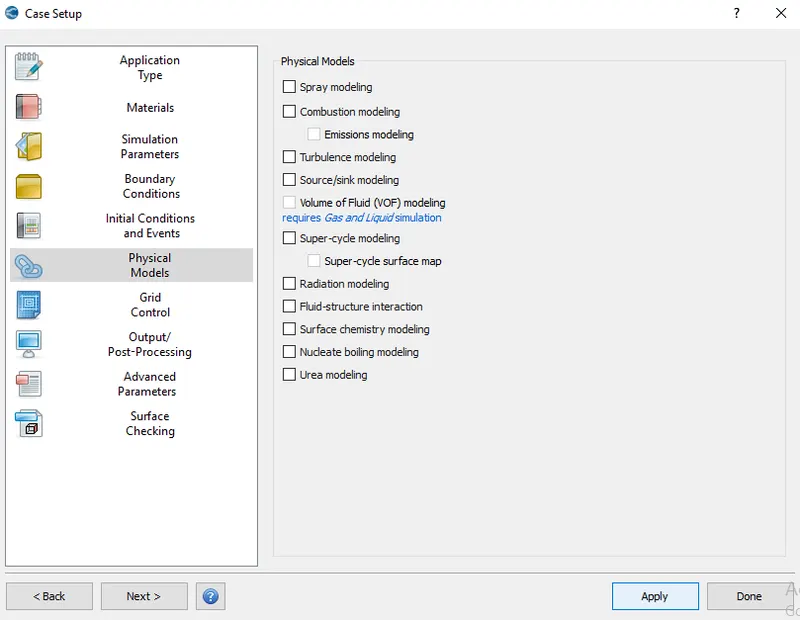
f. Physical model- Turbulence modeling is uncheck because simulation for laminar flow
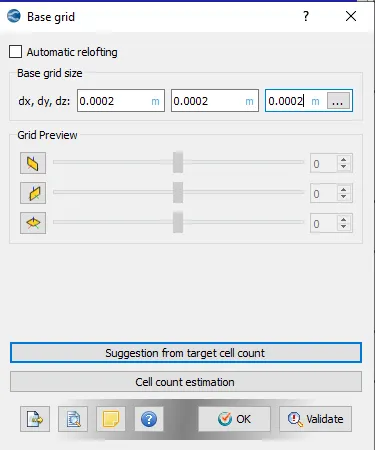
g. Grid control- Inputing cell size to create a mesh over x,y and z direction for easy to calculate flow in any cells
h. Output/Post processing-
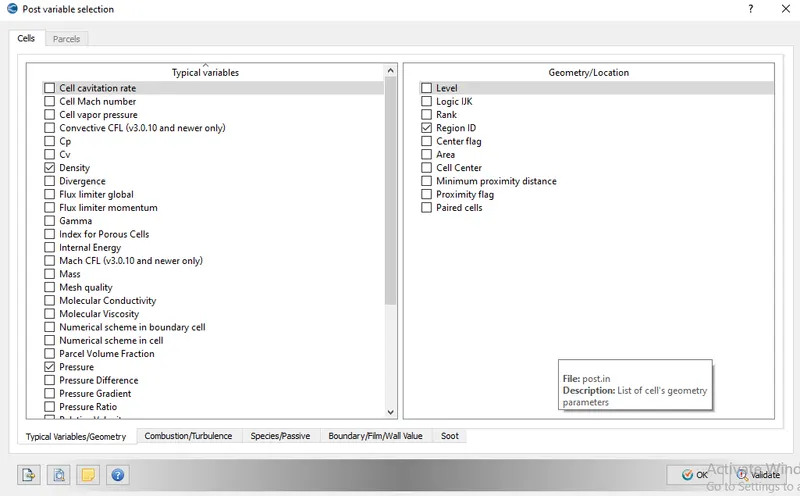
1. Post variable selection- a. Selection of Typical/geometrical parameter which is required to check in simulation
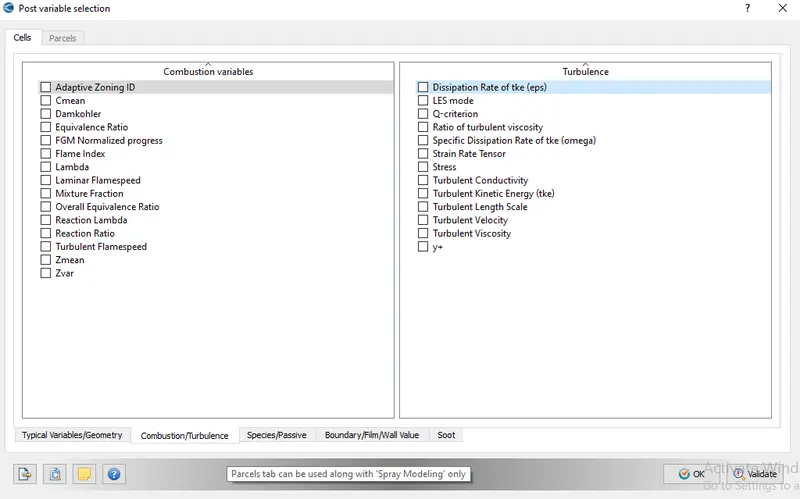
b. Uncheck the combustion/turbulence variable because running simulation for laminar flow
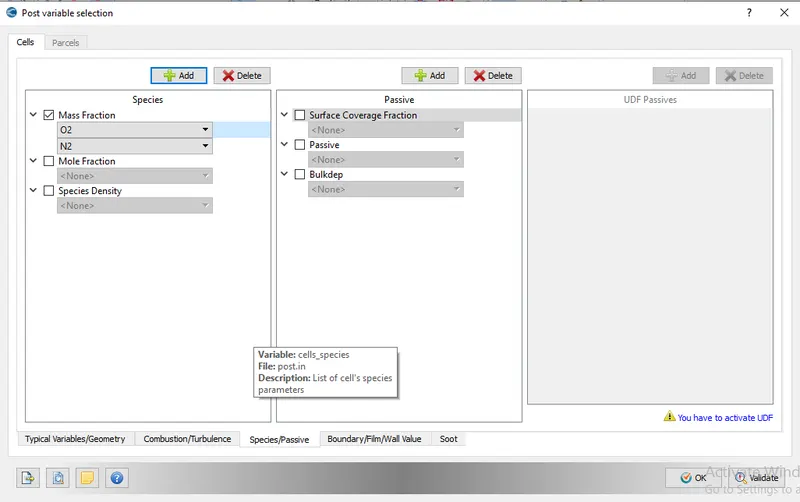
c. Speices/passive- Inputing mass fraction (N2 and O2)
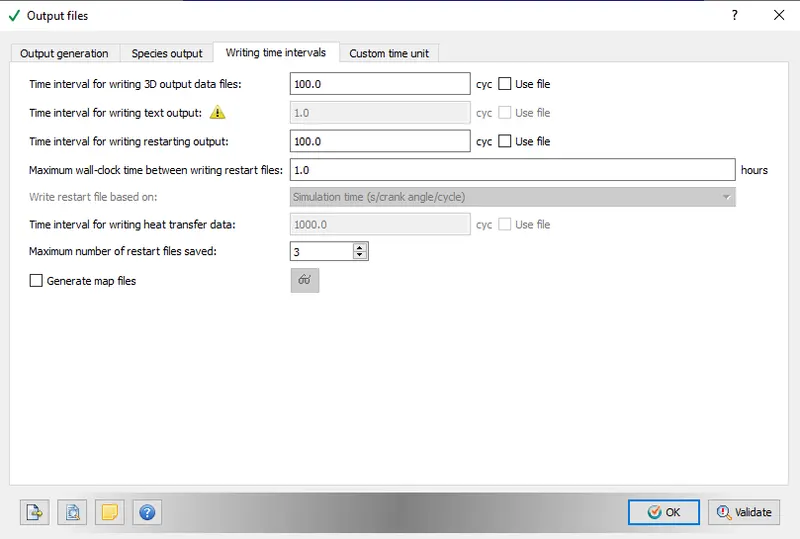
2. Output files- Writing required time interval for 3D output data files and restarting output
6. Validating all parameter and exporting into particular folder
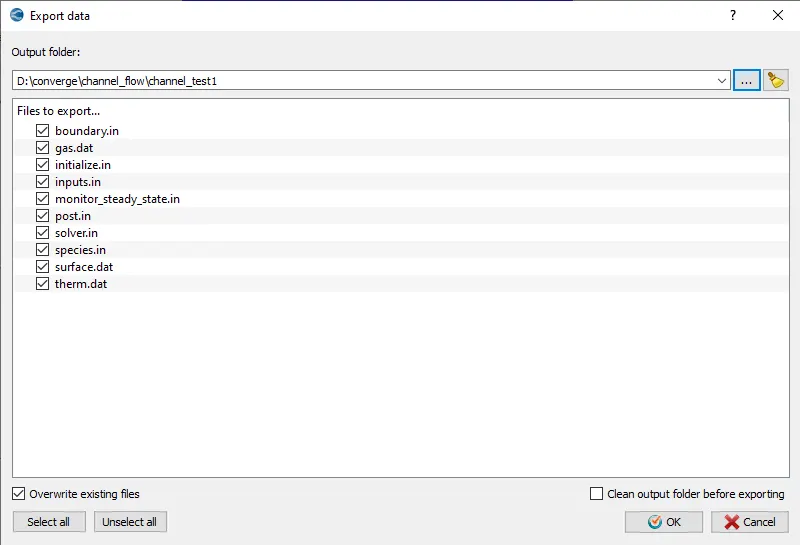
7. Opening Cygwin applicaton as administration and change directory to folder where all export files are stored. Before changing directory, mpiexe.exe application copied and paste it in a folder along with the files. For running simulation, (mpiexec.exe -n 4 "C:\Program Files\Convergent_Science\CONVERGE\3.0.16\bin\intelmpi\converge.exe" restricted </dev/null> logfile &) code applied after moving to that folder.
8. After Simulation completed, all output files are post converted by using converge into binary output files because Paraview reads binary files to create 3D output for better understanding the simulation.
Experiment-
Case-1 - Base mesh size of dx-2e-4, dy-2e-4, dz-2e-4
*Velocity contour:-
*Pressure contour:-
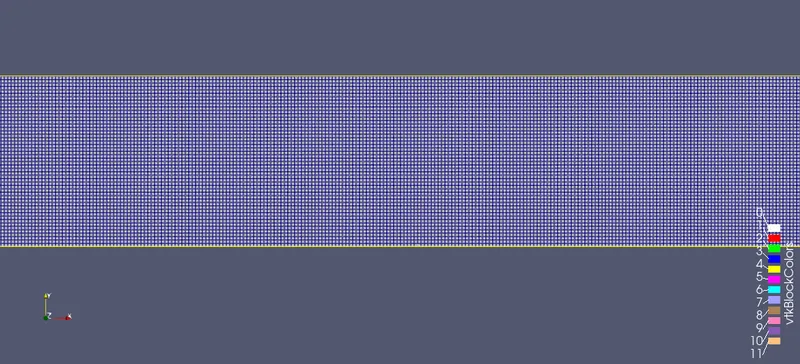
*Mesh- Surface with edges:-
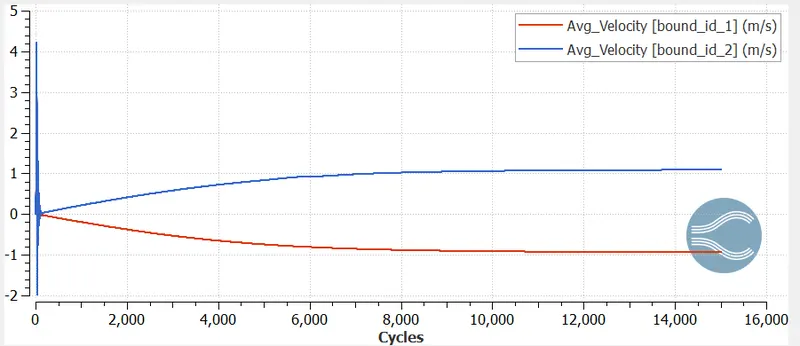
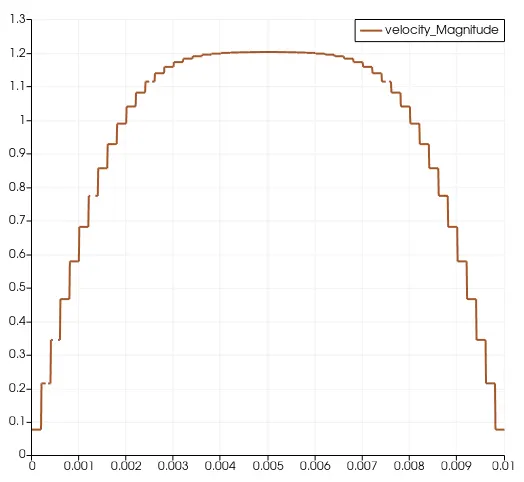
*Plot for Velocity:-
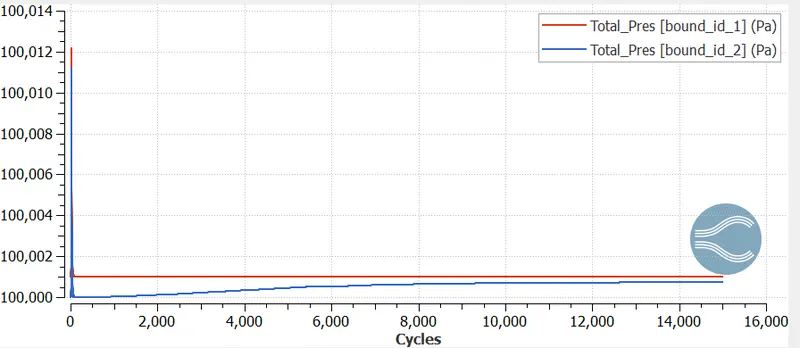
*Plot for Pressure:-
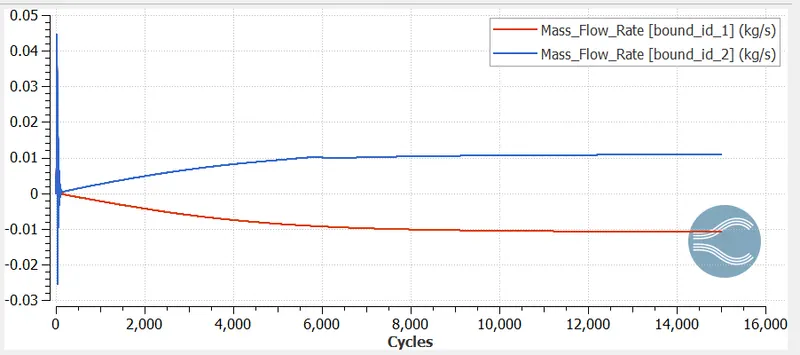
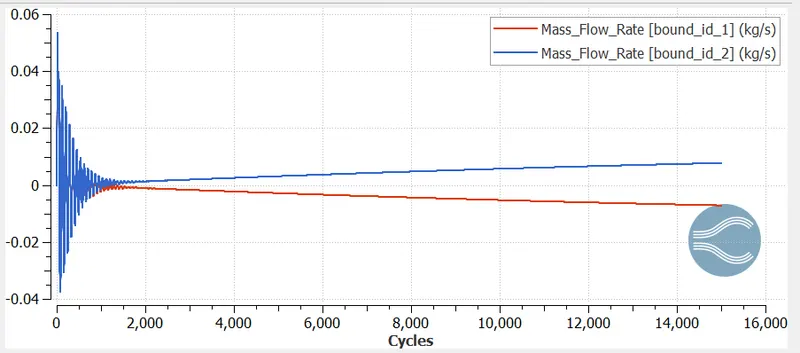
*Plot for Mass flow rate:-
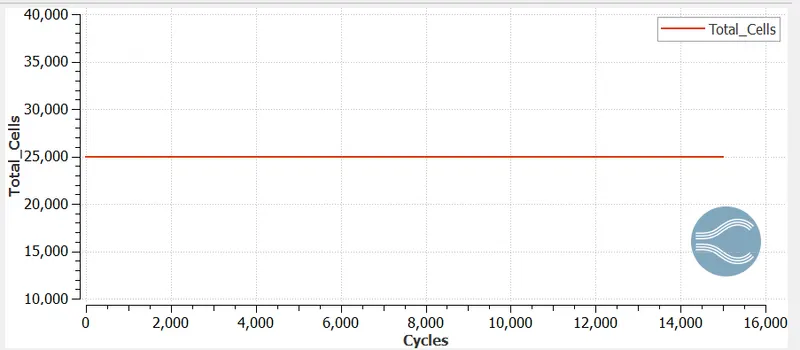
*Plot for Total cell count:-
Case-2 - Base mesh size of dx-1.5e-4, dy-1.5e-4, dz-1.5e-4
*Velocity contour
*Pressure contour
*Mesh- Surface with edges:-
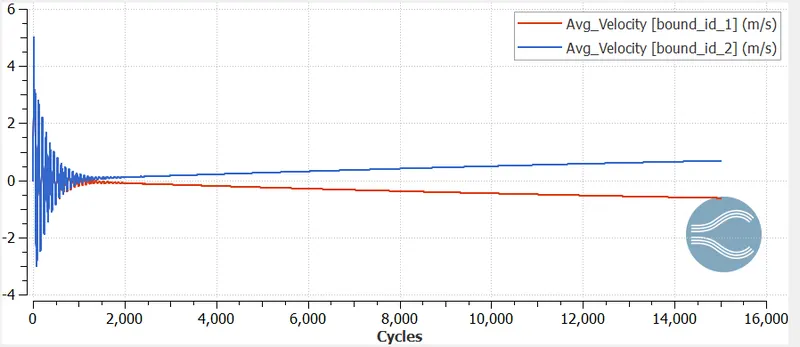
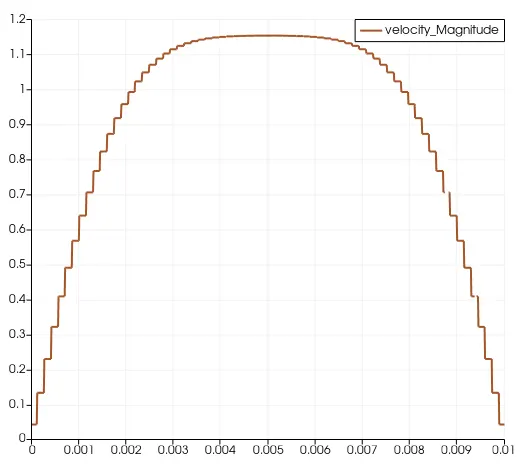
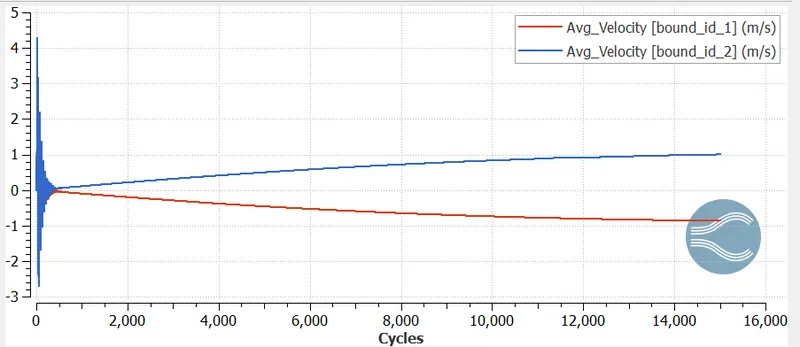
*Plot for Velocity:-
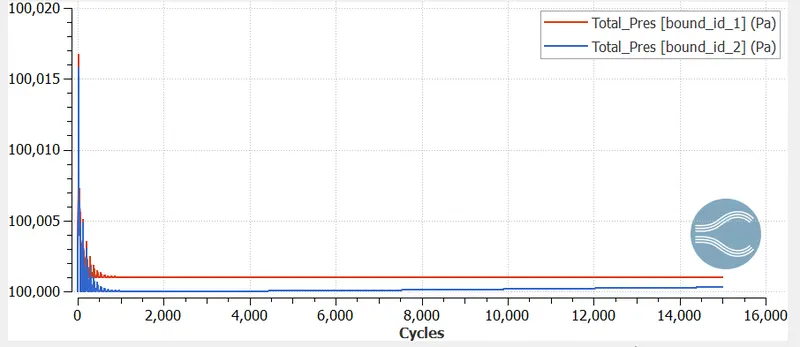
*Plot for Pressure:-
*Plot for Mass flow rate:-
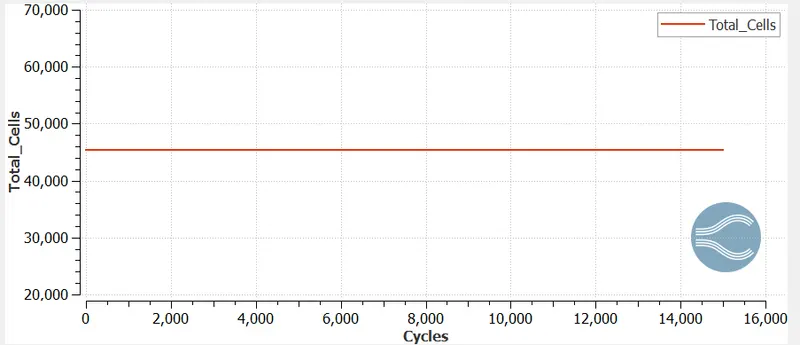
*Plot for Total cell count:-
Case-3 - Base mesh size of dx-1.0e-4, dy-1.0e-4, dz-1.0e-4
*Velocity contour:-
*Pressure contour:-
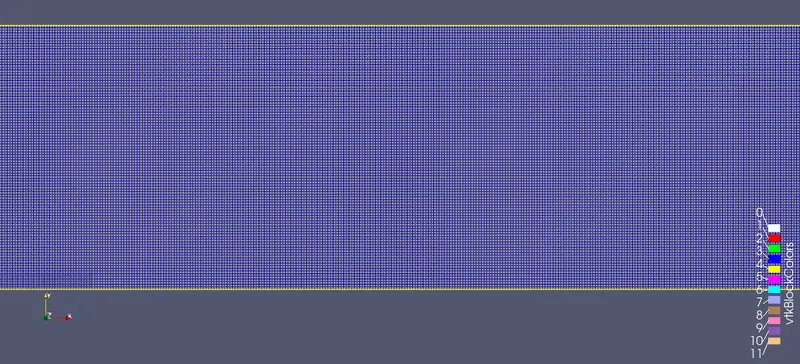
*Mesh- Surface with edges:-
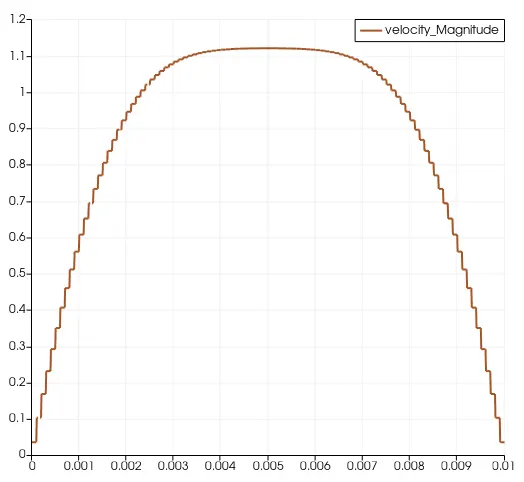
*Plot for Velocity:-
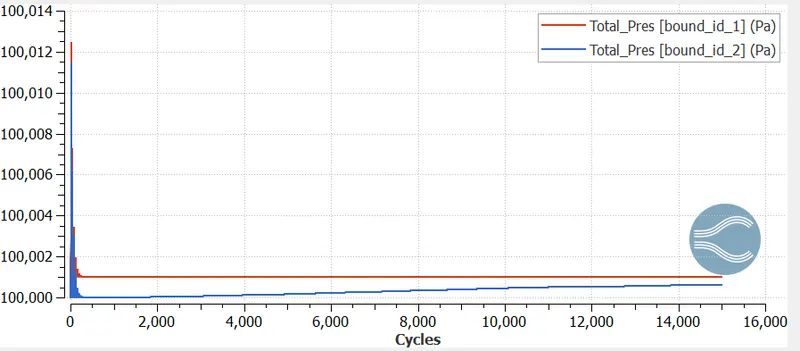
*Plot for Pressure:-
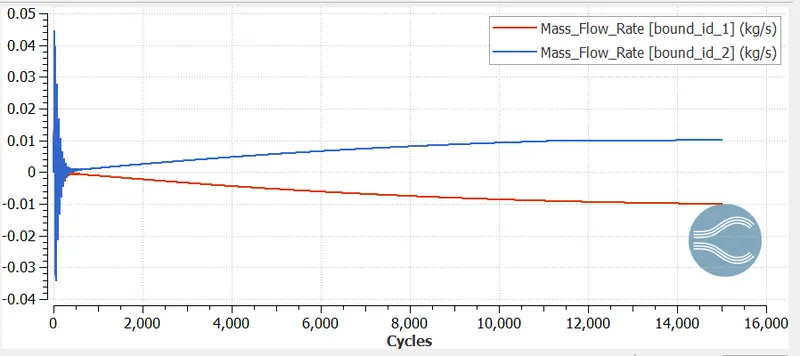
*Plot for Mass flow rate:-
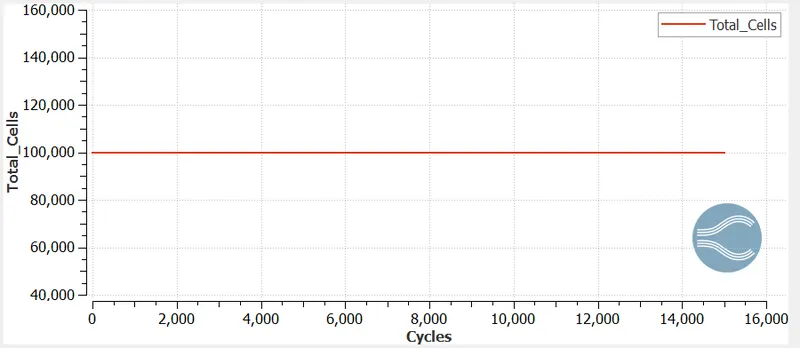
*Plot for Total cell count:-
Observation-
1. When mesh size getting smaller then Simulation time increases and total cell count also increases
2. In the initial cylces, Velocity and Pressure parameters are fluctuating then after some cycles the parameters are gradually increasing and decreasing in positive flow and negative flow respectively.
3. As the mesh getting finer, the parabolic curve getting more accurate shape
Conclusion-
The Channel flow simulations are performed by using Converge,Cygwin and Paraview with different base mesh sizes and After comparision, results found satisfactory.