Week 4-1D Element Creation Challenge
OBJECTIVE: The given model is meshed with given size and assign the 1D elements.
PROCEDURE:
- First the IGS file is imported into the hypermesh software by using the import geometry.
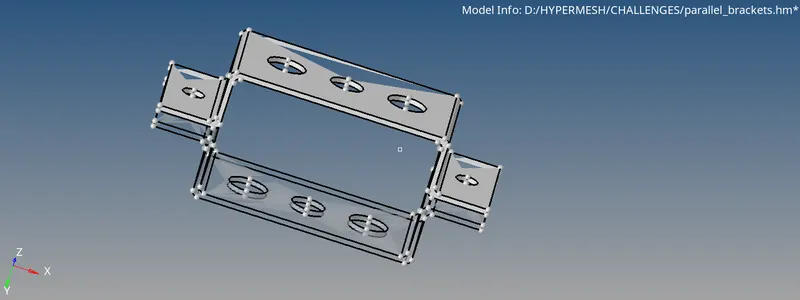
- Then extract the midsurface from the geometry module and midsurface extract.
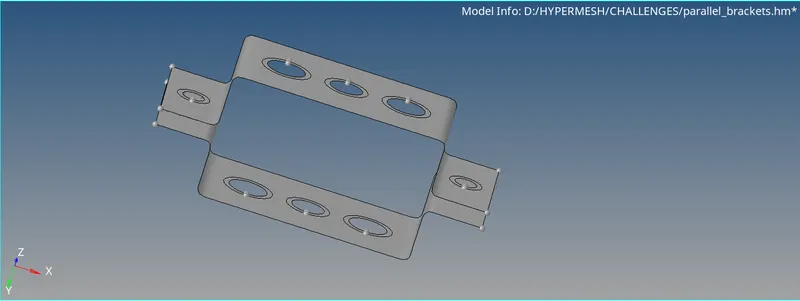
- Then after extraction of midsurface the use the 2D module and use automesh and give size as 5 and mesh it, before meshing it use the washer split near the holes.
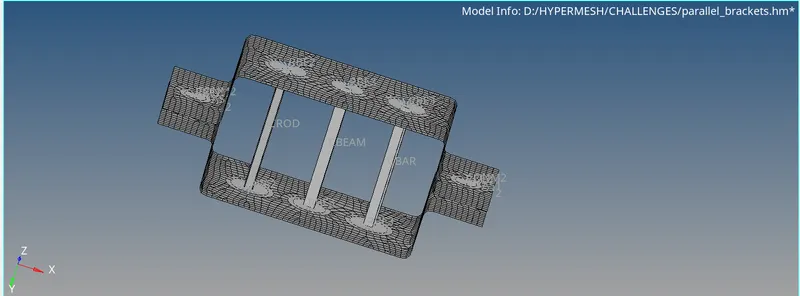
- After creating the mesh then use the 1D module and use the rigids to create the RBE2 link in the 'a' hole and RBE3 link in 'b' and 'c', RBE2 link is used for the remaining d,e with the specified DOF.
- Connect the a hole with rod element, b hole with beam element, c hole with rod element, d,e with spring elements, the d,e holes and given with masses of magnitude of 10.
- For assigning the cross section first create the cross section using the HYPERBEAM in geometry module with specified cross section then create the property and use PBAR as card image and assign the respective cross-section.
LEARNING OUTCOMES: I have learned how to create the midsurface and mesh the midsurface, and to create the rods, beams and bar elements.
CONCLUSIONS: The given model is meshed and the it is assigned with the given 1D elements with specified cross section and links.