Week 4-1D Element Creation Challenge
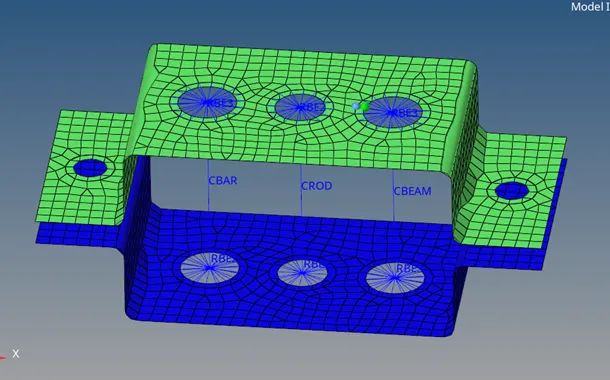
AIM: Create a Mid surface on the given component and do the Meshing and create 1D element on the following component with given cross-section and Degrees Of Freedom.
A) Rod element: Translational DOF should be constrained with RBE2 link
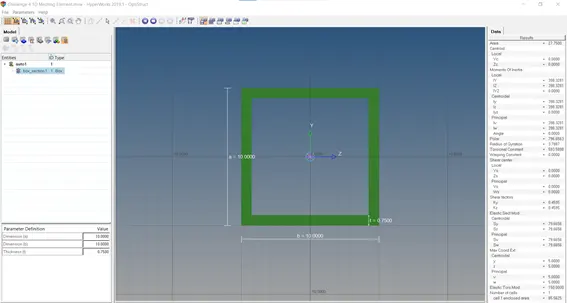
Cross-section: Box
Dimension a=10mm
Dimension b=10mm
Thickness t=0.75mm
B) Beam element: All DOF should be constrained with RBE3 link
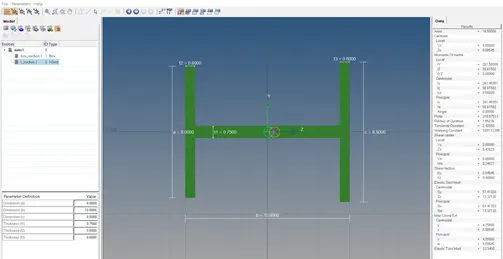
Cross-section: I
Dimension a=8mm
Dimension b=10mm
Dimension c=8.5mm
Thickness t1=0.75mm
Thickness t2=0.6mm
Thickness t3=0.6mm
C) Bar element: Constrain only X and Y DOF's with RBE3 link.
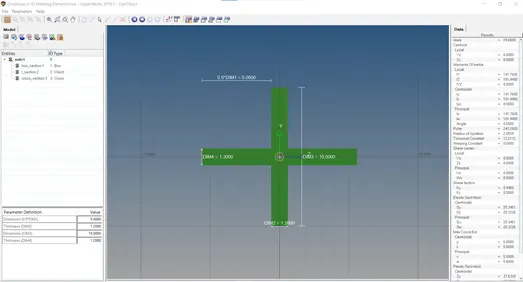
Cross-section: X
Dimension 0.5*D1M1 =5mm
Thickness D1M1 =1.2mm
Dimension D1M1 =10mm
Thickness D1M1 =1.2mm
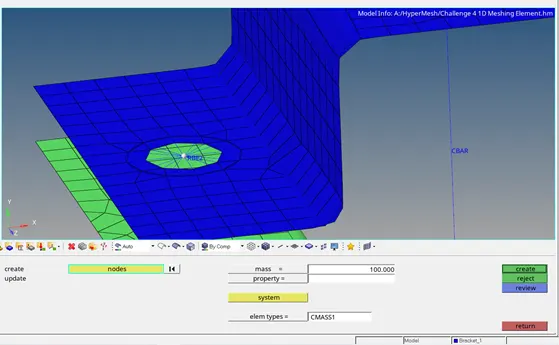
D and E) Apply the mass of magnitude 10 with the RBE2 link.
F) Join the two components with spring elements.
1D Elements: All line elements, whether straight or curved, are called 1D elements in which they have translational and rotational displacement functions. Example of 1D elements are Truss element and beam element.
Procedure:
- Import the given model by using geometry option by keeping the file type IGES format.
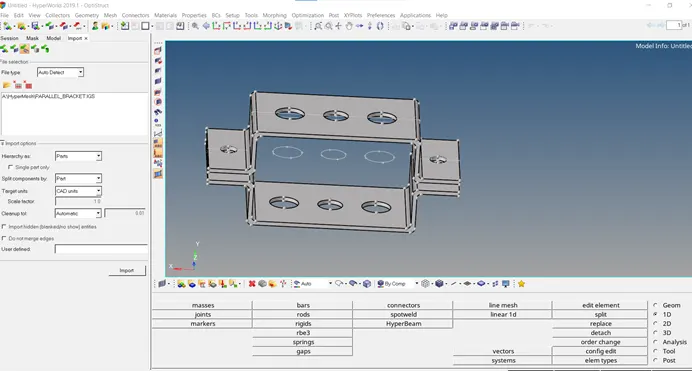
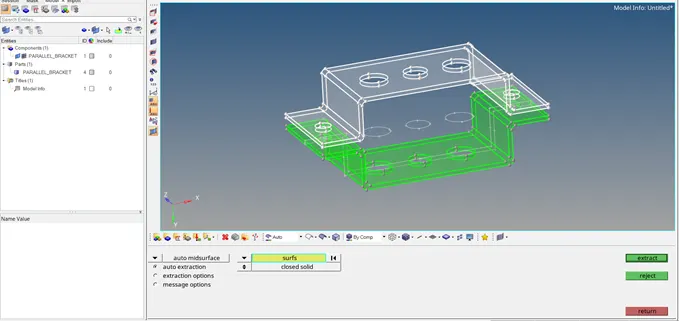
- Create the Mid surface by selecting the upper bracket due to the same/uniform thickness of the upper bracket a single mid surface will be generated.
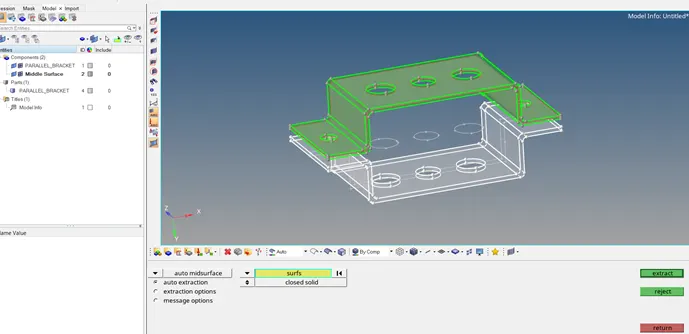
- Create another Mid surface by selecting the lower bracket due to the same/uniform thickness of the lower bracket a single mid surface will be generated.
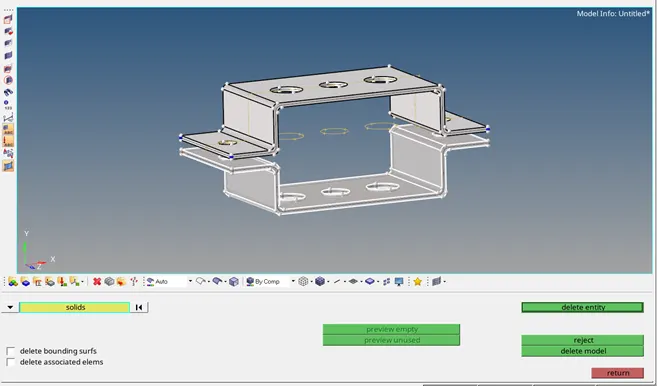
- After creating Mid surface delete the solid component of the given model then only created Mid surfaces will exists and name it as Bracket 1 and Bracket 2.
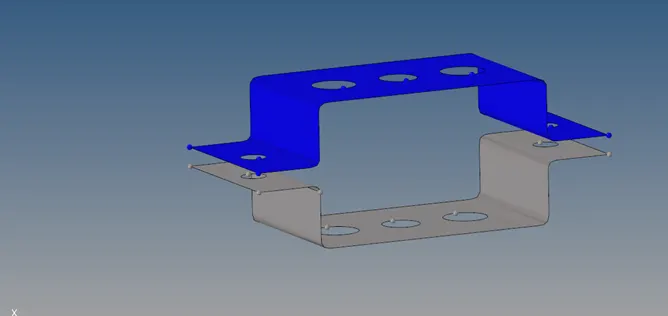
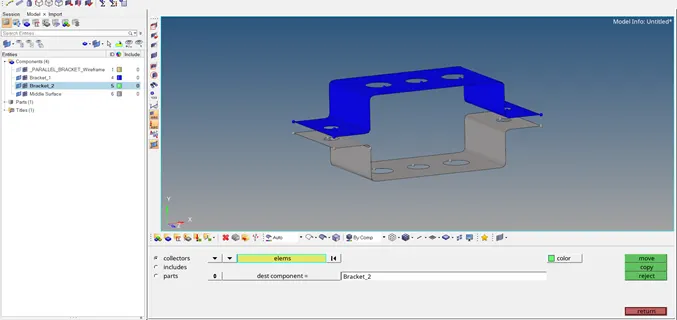
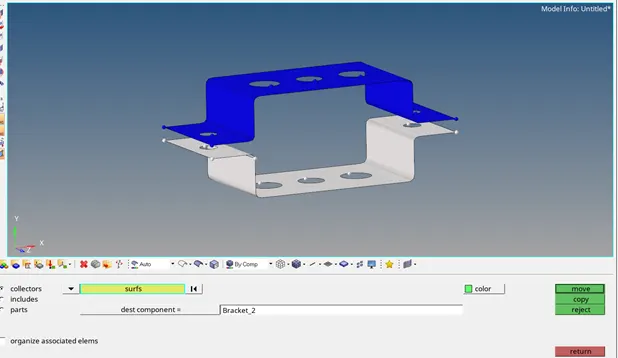
- Then create the Property to the two brackets, assign the Card image as P-Shell and Thickness 2.0mm Card image as P-Shell and Thickness 2.5mm with respective to the bracket.
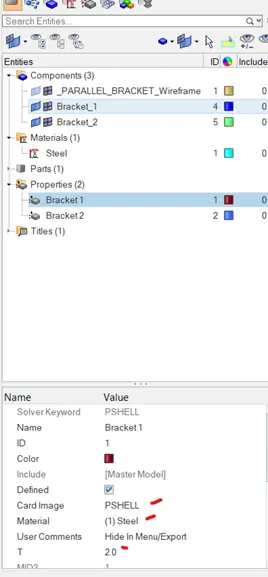
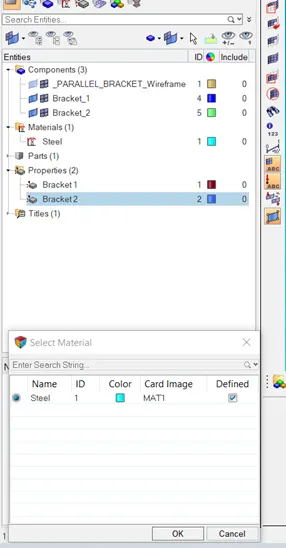
- Then create the Material to the two brackets and assign the Steel for both.
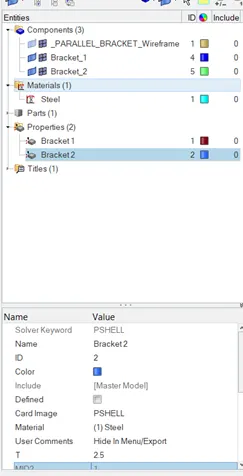
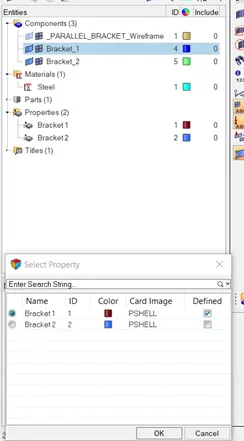
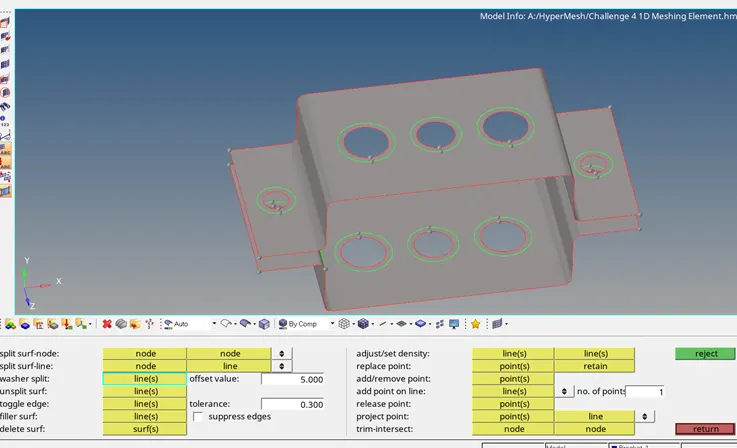
- Once material and properties are assigned to the respective brackets create a washer split for the holes with 5mm offset.
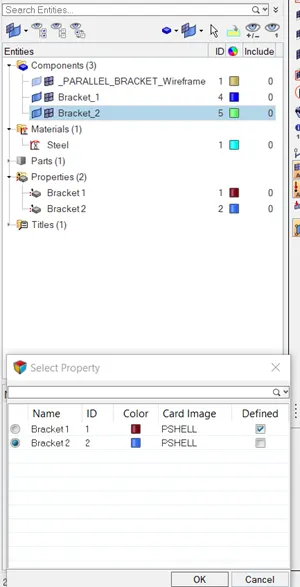
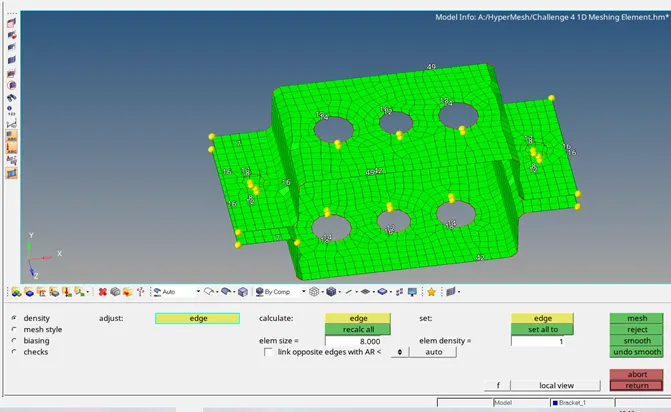
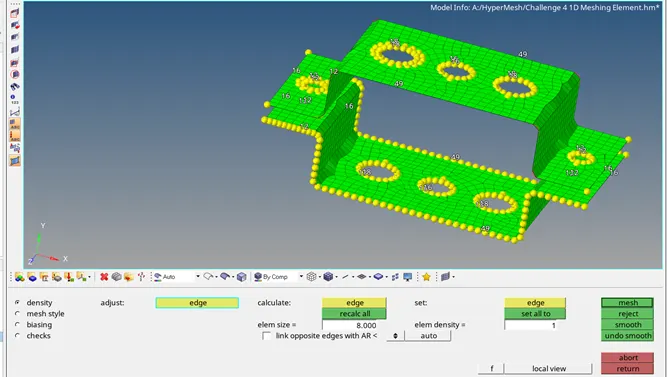
- After that do the meshing to the component by using an auto mesh in 2D and target element length should be 8mm.
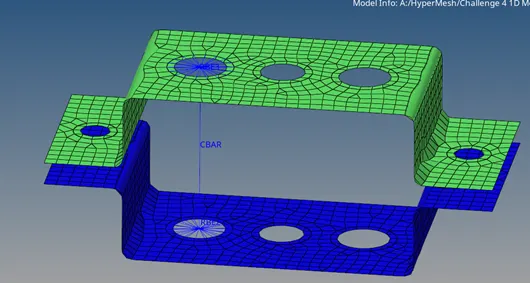
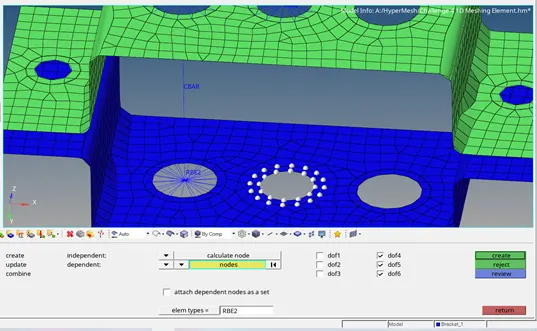
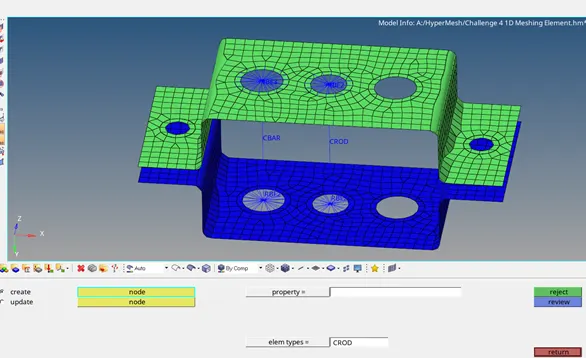
- Create the RBE2 elements to the holes of the upper bracket using rigids in 1D module by restricting the element translation DOF in X, Y, and Z-axis with respectively.
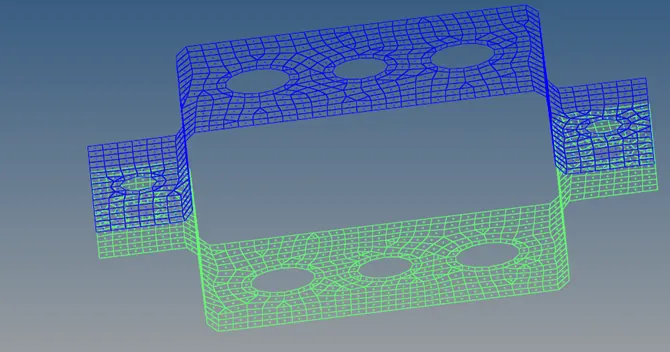
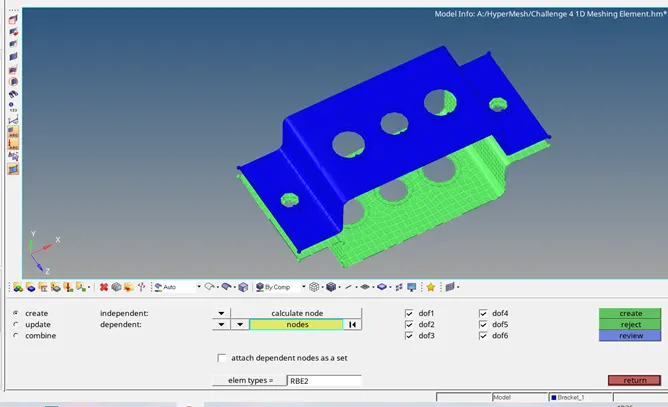
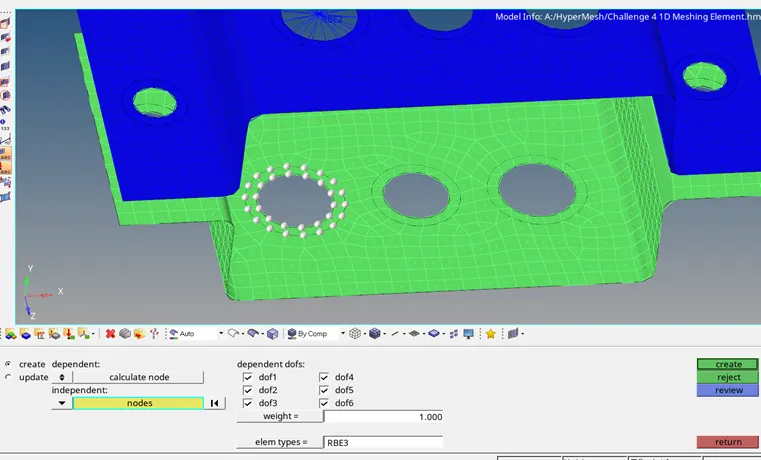
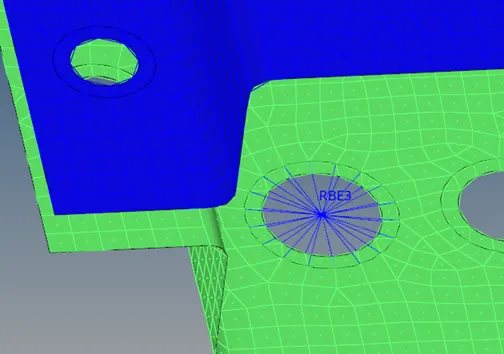
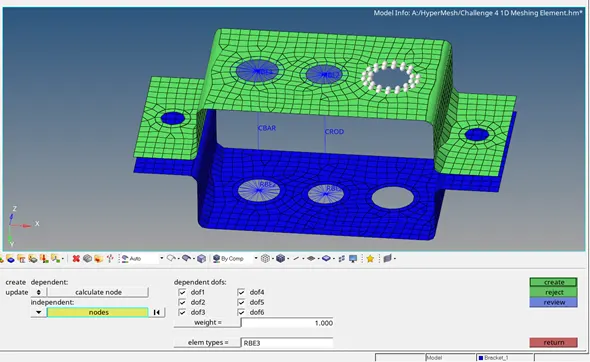
- Create the RBE3 elements to the holes of the lower bracket bars in 1D module by restricting the DOF in X, Y, and Z-axis with respectively.
- For Bar element constrain only X and Y DOF with RBE3 link.
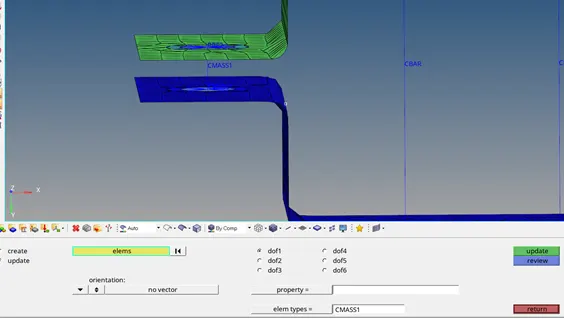
- After creating the RBE2 and RBE3 elements create the mass with magnitude of 10mm and type of mass should be given as CMASS1.
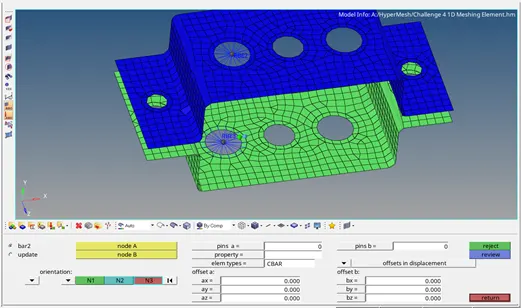
- After creating the mass create the hyper beam for rods, bar and beams.
- Create the cross-sections for this rod, bar, and beam.
- Create the cross-section for the rod in the form of thin wall box which has been given for the first case.
- Create the cross-section for the beam in the form of I-section which has been given for the second case.
- Create the cross-section for the bar in the form of Cross-section which has been given for the third case.
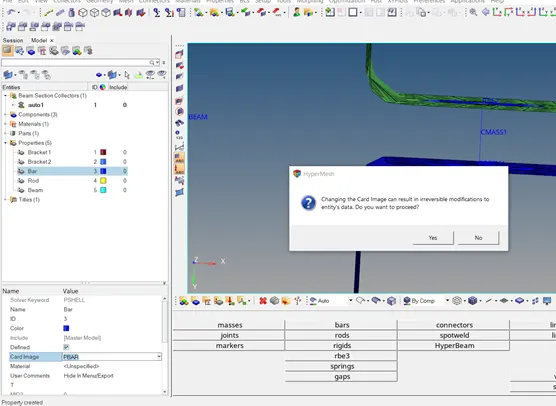
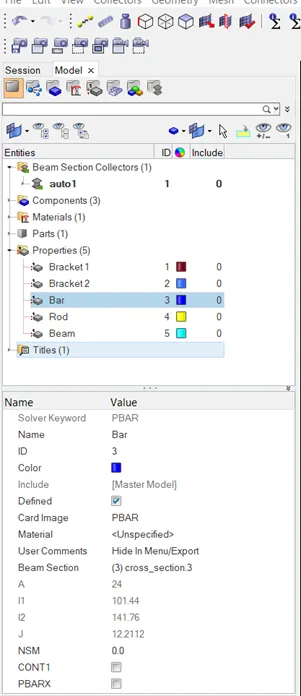
- After creating the cross-sections need to create the property for the rod, bar, and beam with property cards such as PROD, PBEAM, and PBAR with respectively.
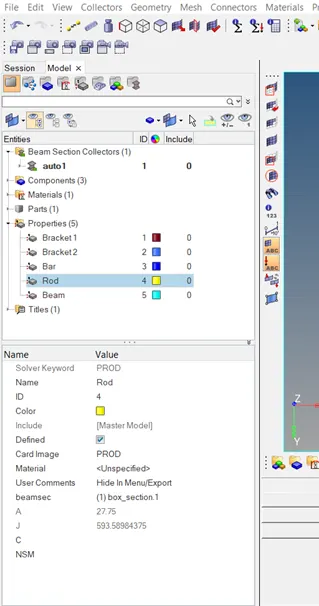
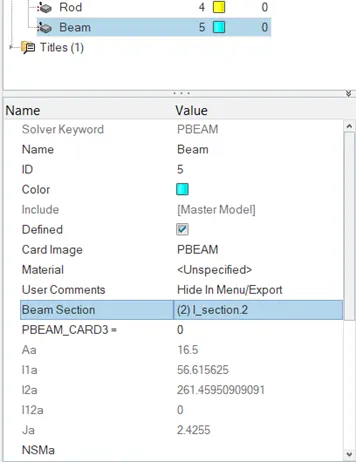
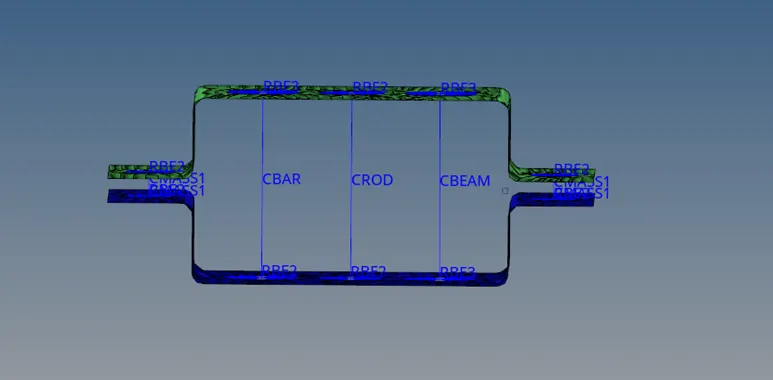
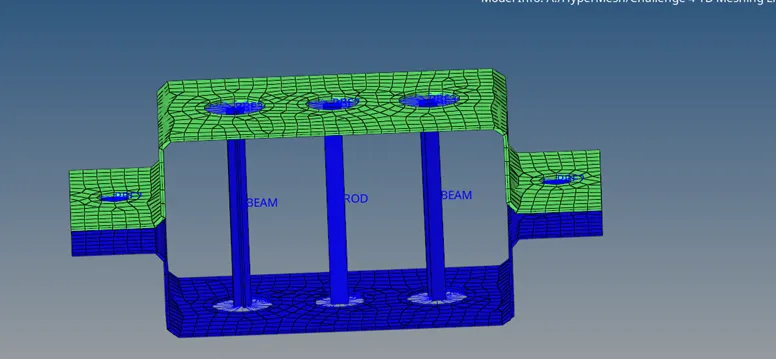
- Apply the mass with the magnitude of 10 at RBE2 element and spring elements are joined as mentioned below.
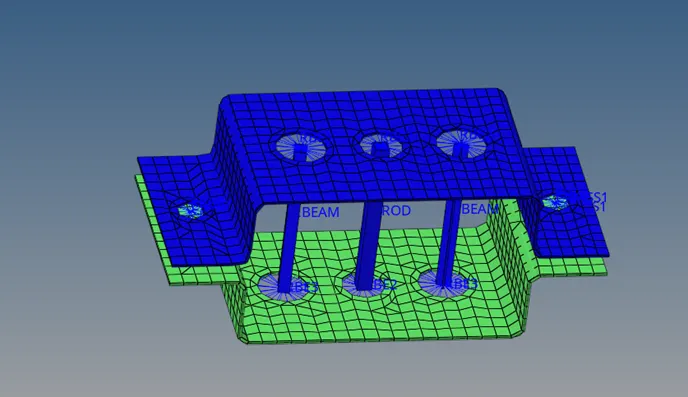
Conclusion:
- The model has been imported and created a mid-surface for that material and property has been assigned to the mid surfaces like card image, thickness and material.
- Created a Washer split to the holes and done meshing to the mid surface and holes has been connected with RBE2 and RBE3 elements.
- Created CROD, CBEAM, CBAR 1D elements and constrained DOF as per the given data.
- Created Cross-sections for Rod, Bar, and Beam and property cards has been assigned for PROD, PBAR, and PBEAM.
- The mass has been applied with magnitude of 10 on RBE2 and joined with spring element.