Week 4-1D Element Creation Challenge
AIM
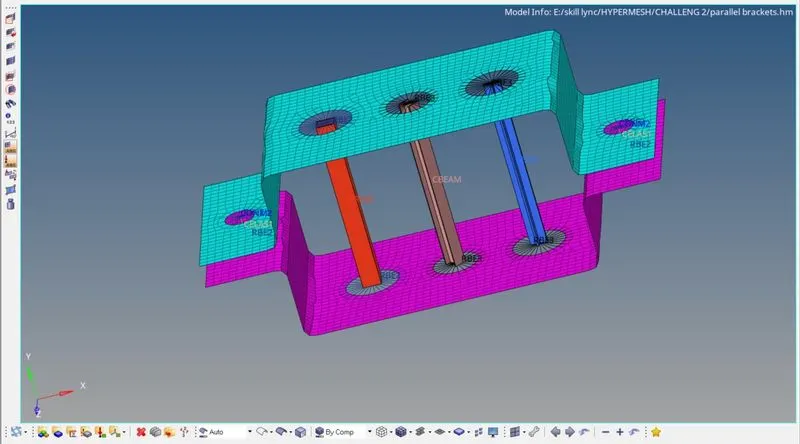
Mesh the Given component with the Size of 5 Units. Create 1D elements on the following component with given cross-section and DOF
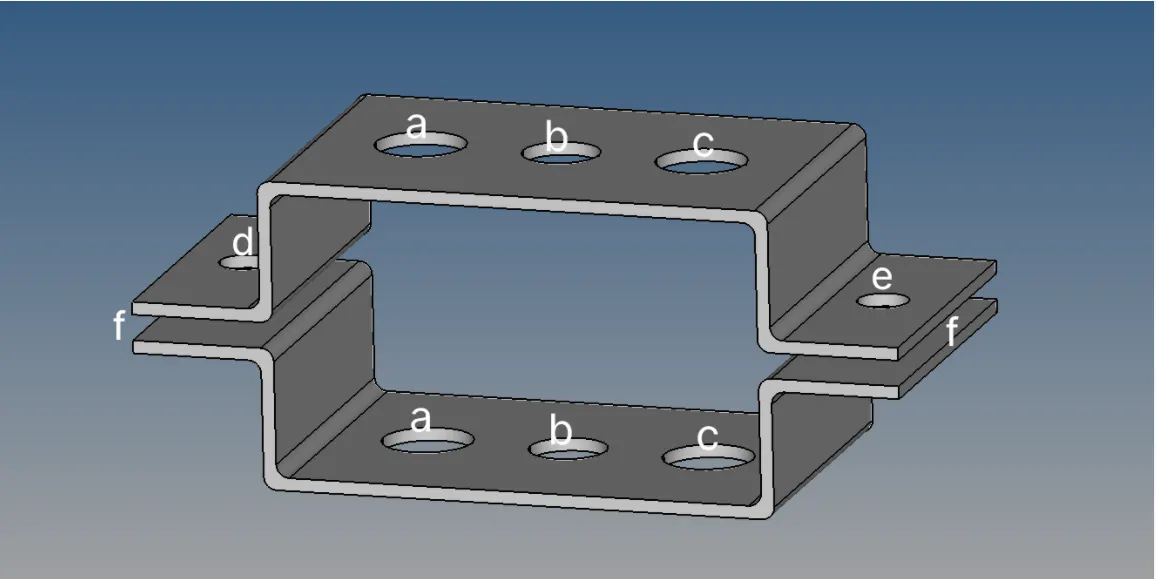
- At a-a create rod element with box cross-section translation DOF constrained with RBE2
- At b-b create beam element with I cross-section all DOF constrained with RBE3
- At c-c create beam element with x cross-section X and Y DOF constrained with RBE3
- At d-f create spring element
- At e-f create spring element
- At d create mass of magnitude 10
- At e create mass of magnitude 10
PROCEDURE
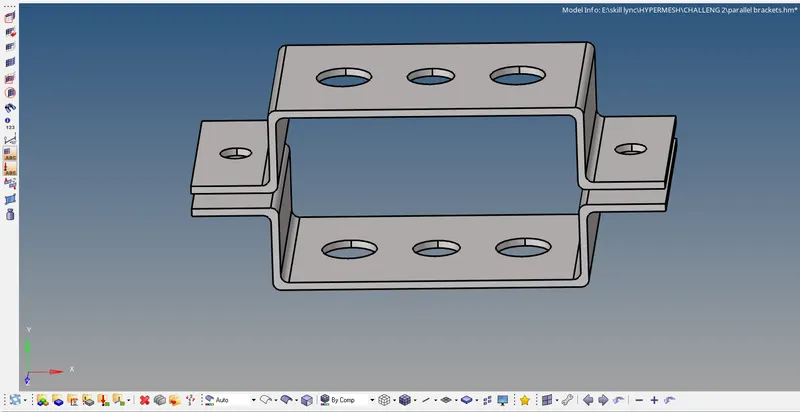
Import the given cad file in to hypermesh gui by using import tool as given model is .iges i used import geometry tool pesent in hypermesh
IMPORT GEOMETRY-->IGES-->CAD-->IMPORT
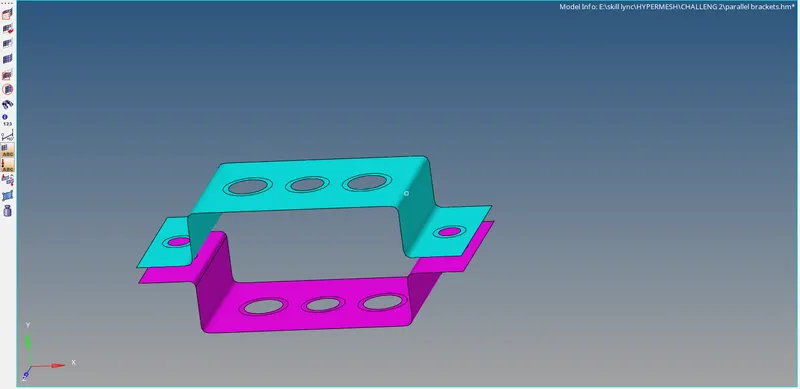
Initially model is like this
MID-SURFACE
Now I created the mid surfaces for the two parallel brackets using auto mid-surface tool
GEOM(geometry)-->AUTO MIDSURFACE-->SURFACES-->EXTRACT
Now i given the washer split of radius 5mm
GEOM-->QUICK EDIT-->WASHER SPLIT-->OFFSET VALUE-->LINE-->CREATE
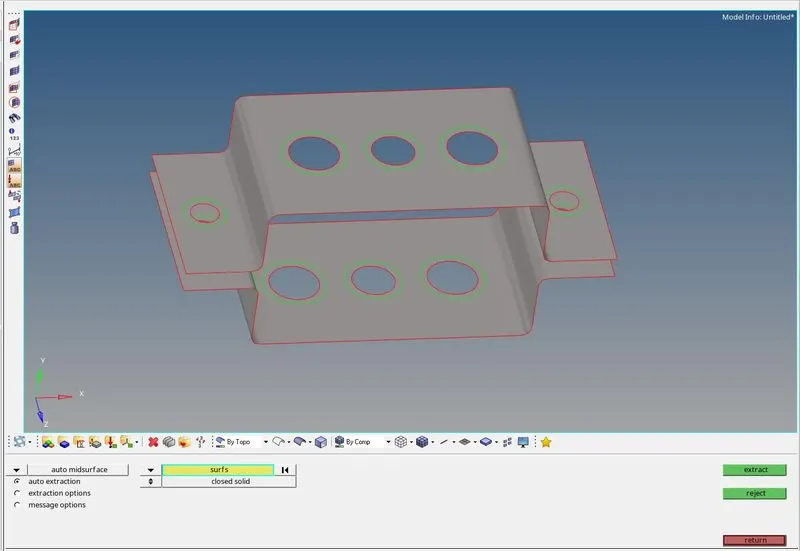
I Assigned two diferent components for two bracktes
MESHING
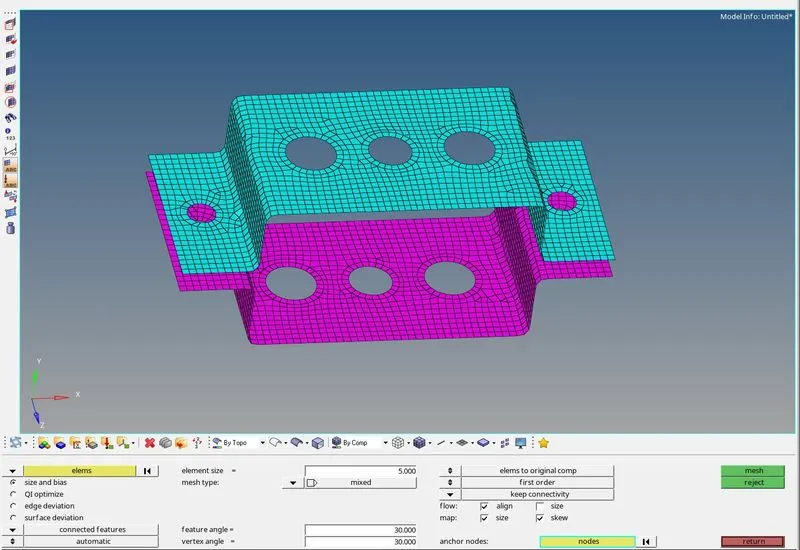
I do the meshing by using automesh to create shell elements for the given bracket with element size 5
I used mixed elements to create mesh
2D-->AUTO MESH-->ELEMENT SIZE-->ELEMENT TYPE-->SURFACES-->MESH
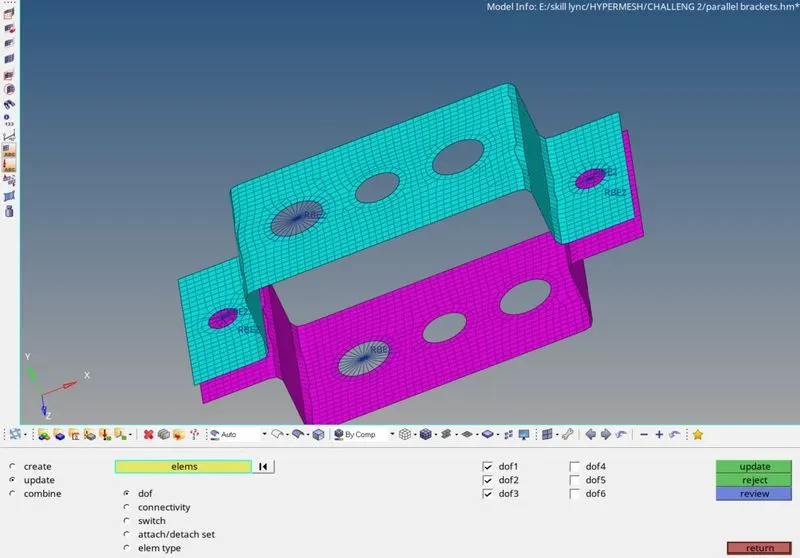
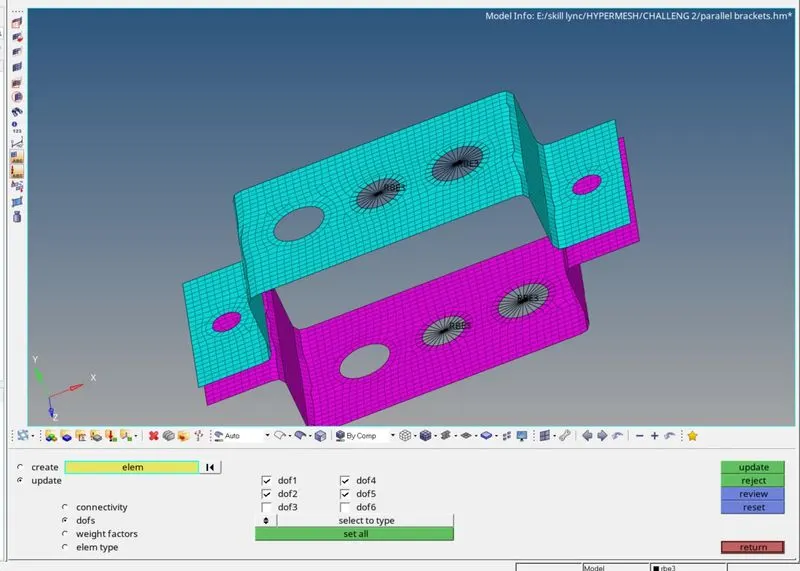
Now i created rigid elements & RBE3 elements at holes
and DOF's for rigid elements are constrained as per the question
1D-->RIGIDS-->MULTIPLE NODES-->CREATE
I created cross-sections as mentioned in the hyperbeam tool for rod,beam,bar
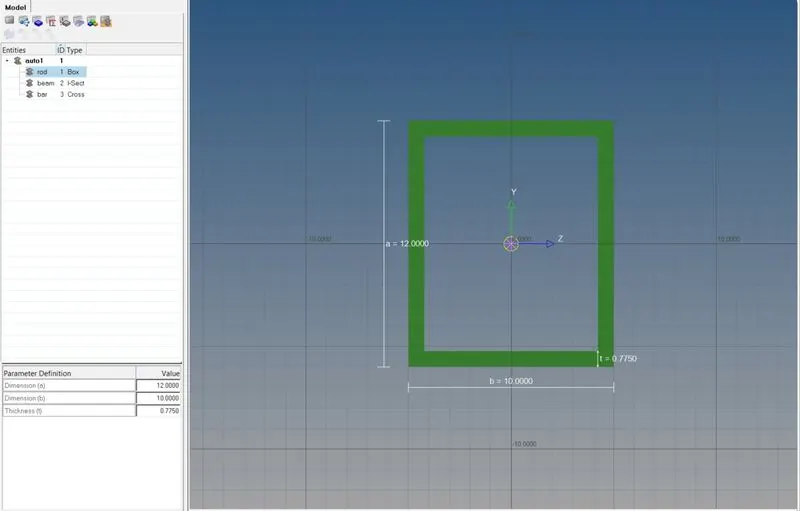
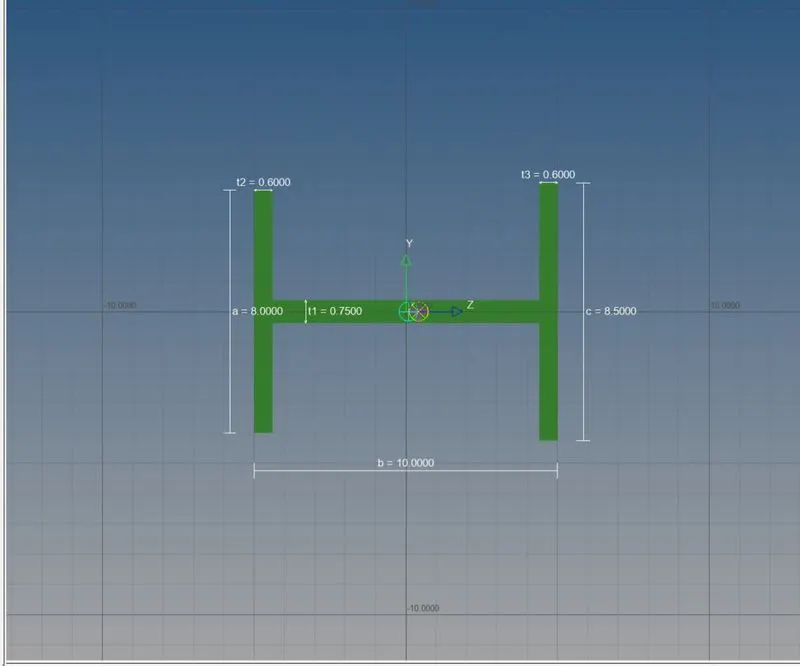
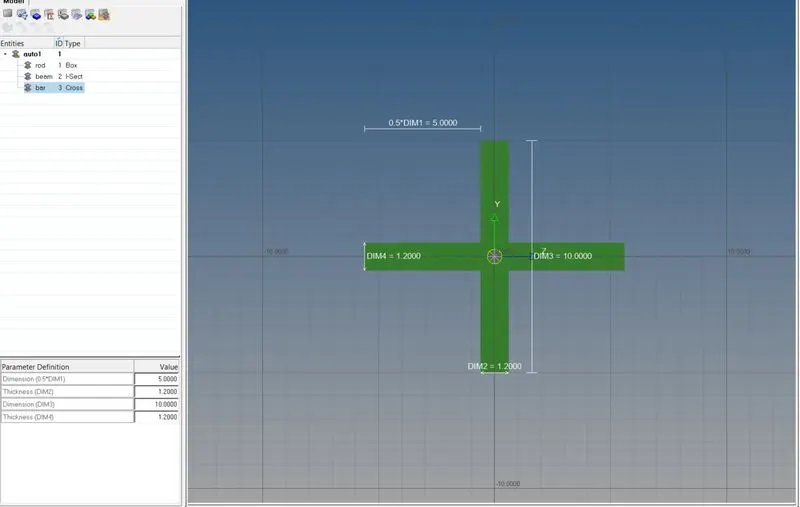
ROD CROSS-SECTION BEAM CROSS-SECTION BAR CROSS-SECTION
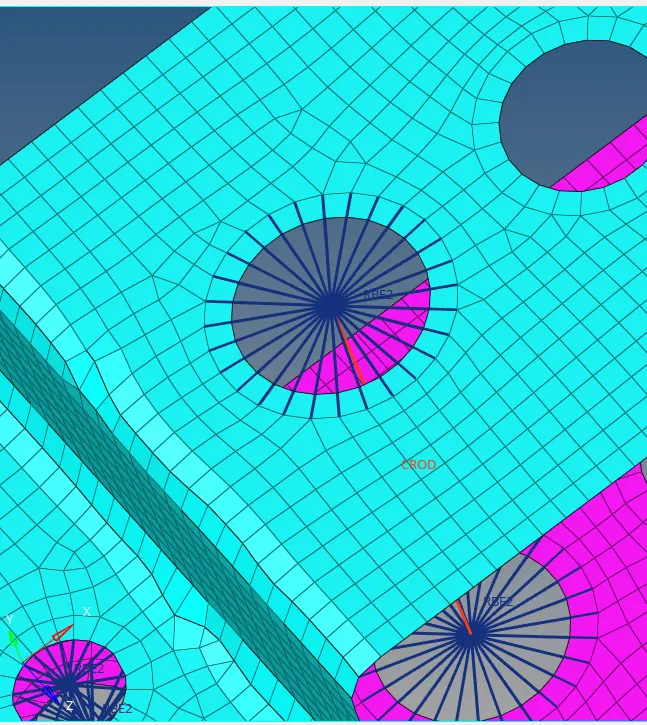
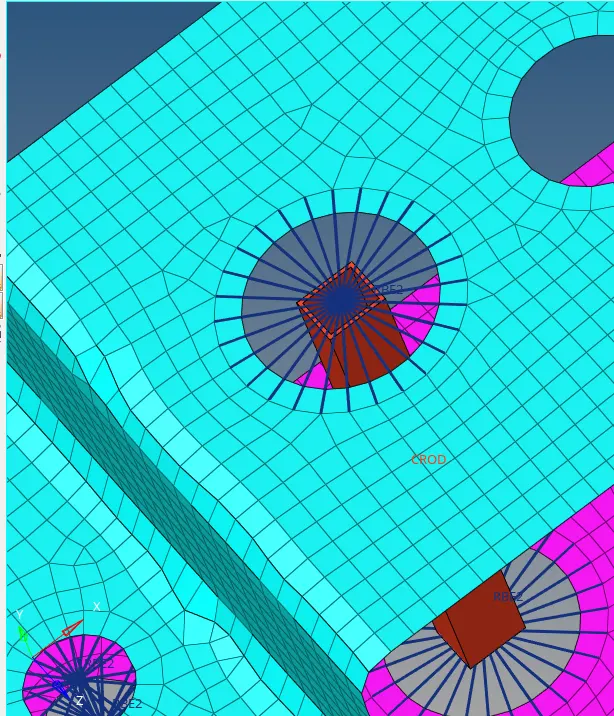
ROD ELEMENT(a-a)
Rod element is created using Rods tool present in 1D module in hypermesh
1D-->RODS-->NODES-->CREATE
as the cross-section of rod is box i assigned it in the property of rod
I created the property for the rod element in properties and assingned the property for rod element
BEAM ELEMENT(b-b)
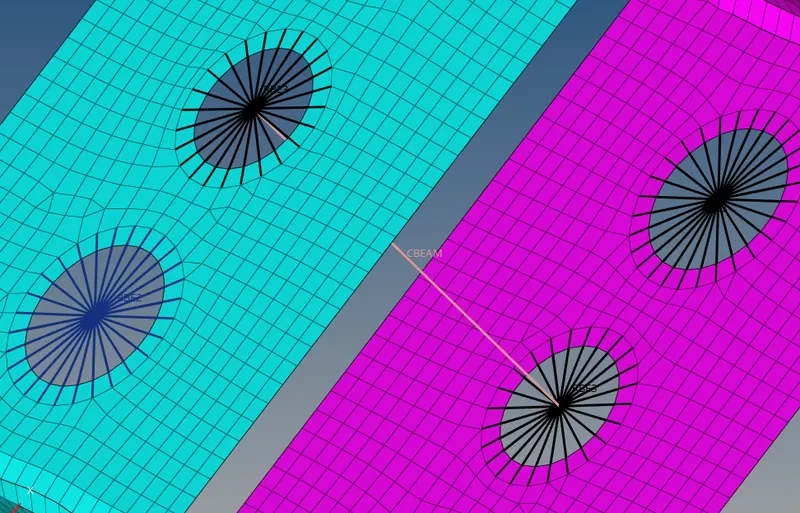
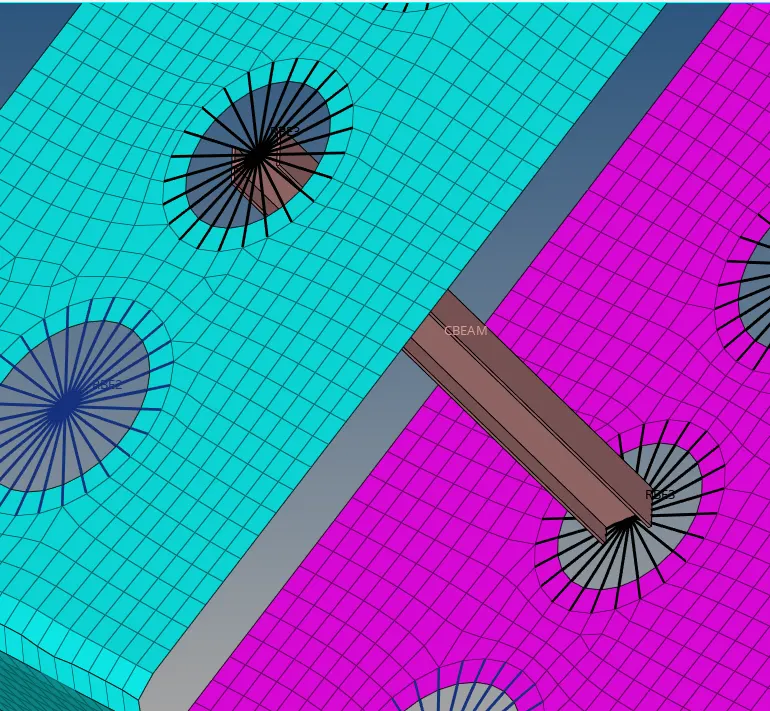
Beam element is created using bars tool present in 1D module in hypermesh
1D-->BARS-->ELEMENT TYPE-->NODES-->ORIENTATION-->CREATE
For beam element element type should be cbeam
I created the property for the beam element in properties and assingned the property for beam element
as the cross-section of beam is I i assigned it in the property of beam
BAR ELEMENT(c-c)
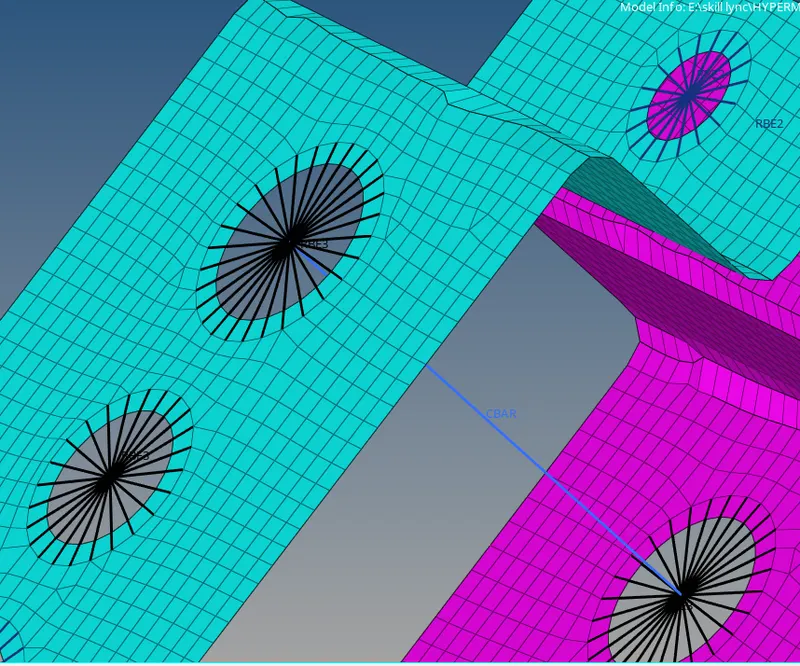
Bar element is created using bars tool present in 1D module in hypermesh
1D-->BARS-->ELEMENT TYPE-->NODES-->ORIENTATION-->CREATE
For beam element element type should be cbar
I created the property for the beam element in properties and assingned the property for beam element
as the cross-section of beam is X i assigned it in the property of beam
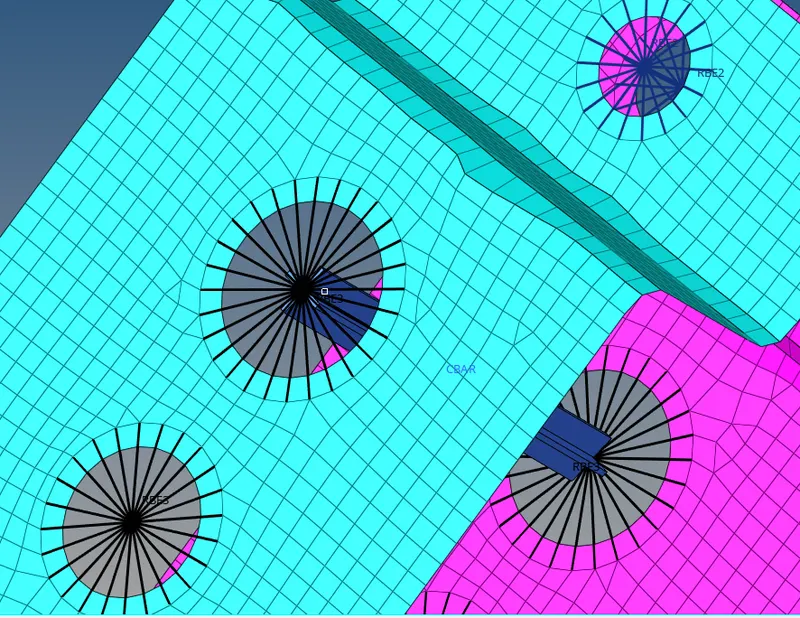
I applied masses at points d & e with magnitude of 10
1D-->MASSES-->NODE-->CREATE
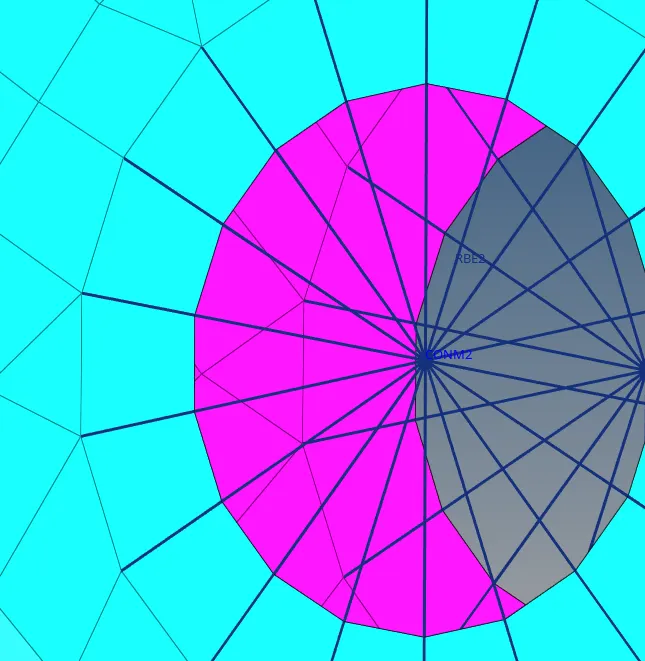
SPRING ELEMENTS
I created dpring elements at d-f and e-f by using springs option in 1D module
1D-->SPRINGS-->NODES-->CREATE
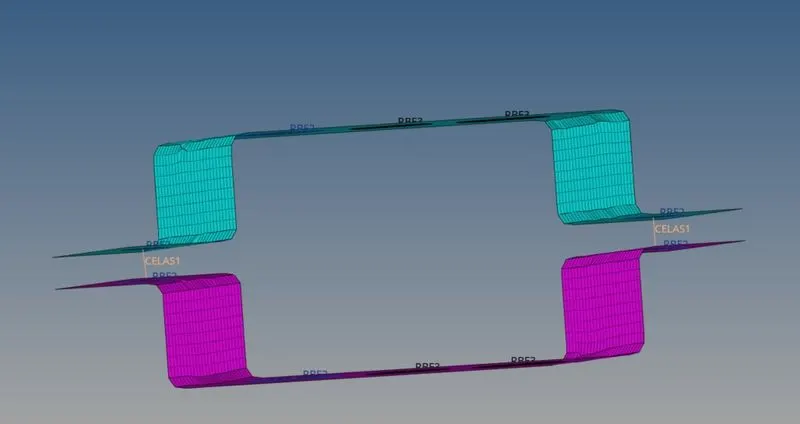
I meshed and created all the 1D elements mentioned
LEARNING OUTCOMES
In this challeng i learnt creating mid surfaces for uniform thickness bodies
creating 1D elements and applying masses
creating and assigning material properties components and cross-sections to the elements
RESULT