Week 4-1D Element Creation Challenge
Aim: To mesh the given component with the Size of 5 Units .And to Create 1D elements of Rod,Beam ,Bar elements.
Objective : To mesh the given component ,apply the mass of magnitude 10 with the RBE2 link and to Join the two components with Spring elements .And to Create 1D elements of Rod element,Beam element,Bar element.
* The given cross section are listed below :
1. Rod element:- Translational DOF should be Constrained with RBE2 link
Cross-Section: BOX- Dimension a= 12 mm
dimension b=10 mm
Thickness t= 0.75 mm
2. Beam element:- All DOF should be constrained with RBE3 link
Cross-Section: I Section- Dimension a= 8 mm
Dimension b= 10 mm
Dimension c= 8.5 mm
Thickness t1= 0.75 mm
Thickness t2= .6 mm
Thickness t3= .6 mm
3. Bar element:- Constrain only x and y DOFs With RBE3 link
Cross-section: X section- Dimension DIM1= 5 mm
Thickness DIM2= 1.2 mm
Dimension DIM3= 10 mm
Thickness DIM4= 1.2mm
* Importing the model into hypermesh i,e image are shown:
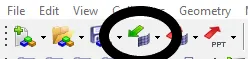
using above option click 'Import geometry' , select the type of model and click import.
* cleaning the geometry using autocleanup .
* click to geometry ,select autoclean and select the required geometry to cleanup i,e image are shown:

1.creating the component before extracting i,e image are shown:
* Click tool and select organize option ,select elements or surface as rquired click move i,e image are shown: 
* next

* move to appropriate bar,rod or beam.
*specify the material and beam section .
* right click to components and click create ,the component are created .
* keep the component as empty and later shloud be organized to created middle surface .
* Extracting the middle surface from model.
* click the geometry and select middle surface moreover slect the surface and click extract i,e image are shown:


*meshing the model
*select the 2D option and click automesh give the units to 5,select the type of mesh further click mesh i,e image are shown:


* Creating the constrains as mention above
* select 1D and select as required rigids or rbe3 .select the nodes to be constrained .In rod element they ask to constraine only in translational DoF so marking only the dof1,dof2 and dof3.unmark the remaining .i,e image are shown: 

select the options as shown above for rod ,beam and bar.
* Constrain the e as mention above .Apply mass of 10 magnitude on both sides .
* Joiningthe two components with Spring elements .
*selecting the nodes by clicking to springs and click ok i,e image are shown: 
*click 1D and select the spring further,selecting the nodes by clicking to springs and click create.
Conclusion : The given model can be meshed as above and file are attached .