Week 4
Study -
For the given component, check for the geometrical errors and mesh with the given element Quality criteria. After meshing the component the thickness has to be assigned.
Write a detailed report on your meshing process and also mention which method you used to extract the mid-surface along with the reason.
|
S.No |
Quality Criteria |
Value |
|
1 |
Target/Average length |
1 |
|
2 |
Minimum Length |
0.5 |
|
3 |
Maximum Length |
3 |
|
4 |
Aspect |
3 |
|
5 |
Warpage |
15 |
|
6 |
Skewness |
45 |
|
7 |
Jacobian |
0.7 |
|
8 |
Minimum Quad Angle |
45 |
|
9 |
Maximum Quad Angle |
135 |
|
10 |
Minimum Tria Angle |
30 |
|
11 |
Maximum Tria Angle |
120 |
|
10 |
Tria Percentage |
15 |
1. Title – Mid surfacing and quality mesh generation of given CAD model.
2. Objective –
- To import CAD file, check and fix geometrical errors.
- To mid surface component and mesh the imported component, according to quality criteria.
- To improve mesh using ANSA features and assign thickness.
3. Procedure –
ANSA is a multidisciplinary tool to prepare CAD model for solver, so basically it is a preprocessor. ANSA is a single solution to CAE means it deals with various fields like CFD, FEA etc. We need to follow a procedure to build solver ready model. The procedure begins with geometry clean up then mid surface generation and finally mesh generation with specific quality. ANSA provides various commands to prepare model. The following steps to be followed –
1. Start with importing geometry. ANSA will covert CAD file to its suitable format which has .ANSA extension.
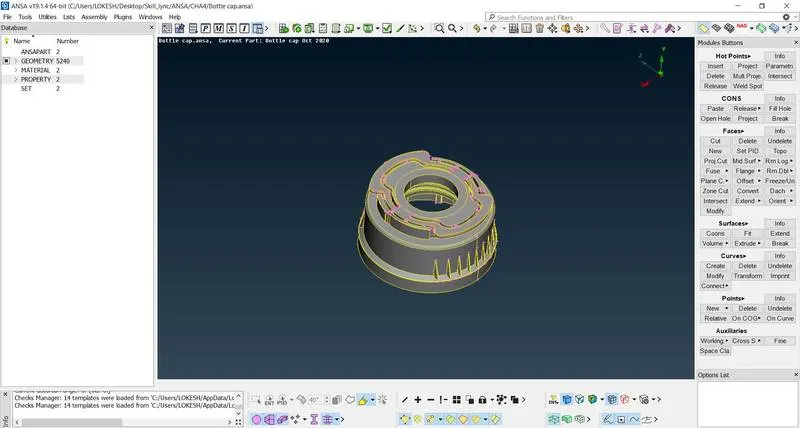
Fig - Imported CAD Model
2. After importing geometry first perform topo and then run check geometry command and look for cracks, overlapping faces, triple cons etc.
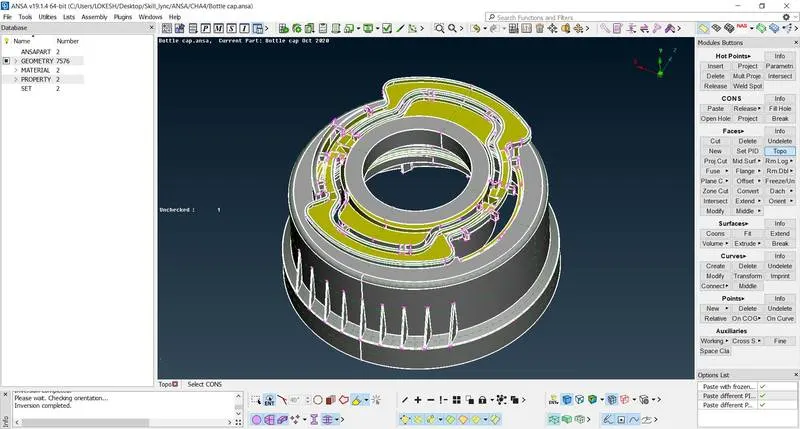
Fig - Topo option
3. ANSA fixes most of the faults automatically, but some of the faults needs to be solved by user itself. In this study we got no faults after fixing.
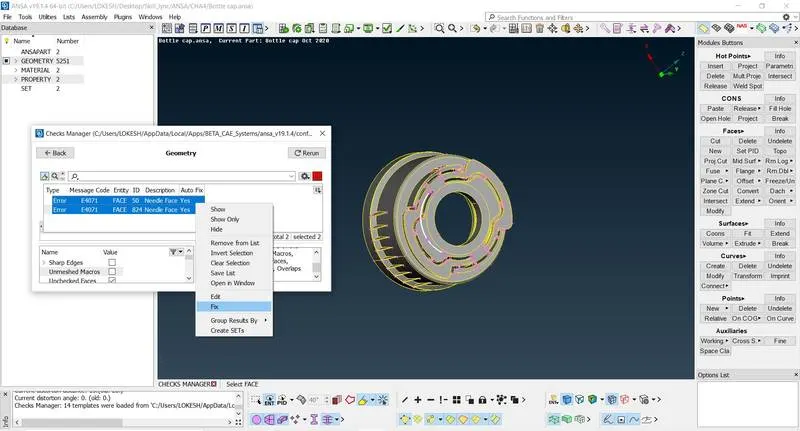
Fig - Fault fixing
4. Run check geometry option again, if we are getting green line, then we can move for the next step which is mid surface generation.
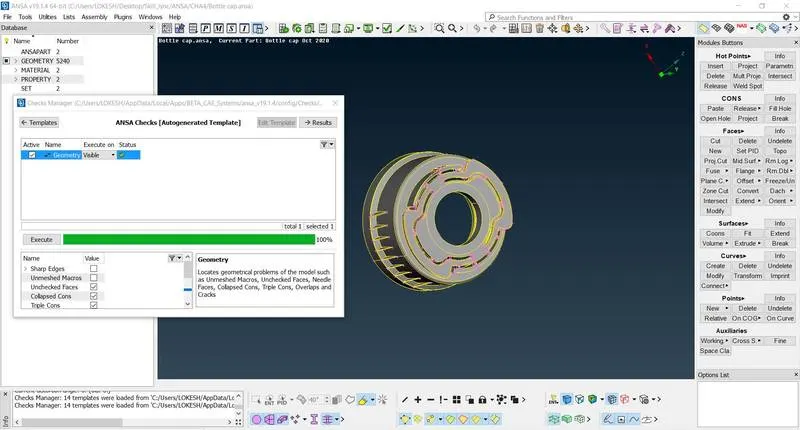
Fig - Geometry check
5. ANSA provides many options for mid surface like auto mid generation, offsetting existing surface at mid and middle option which allows us to choose single or multi surfaces as well.
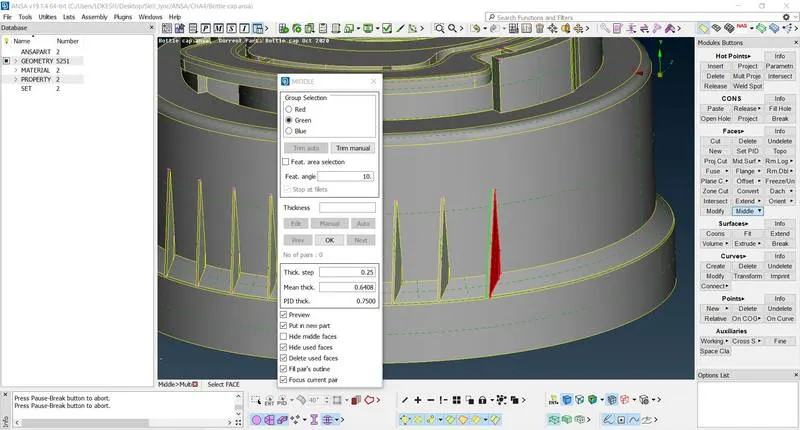
Fig - Mid surface generation using middle(Multi) option
6. We used auto mid generation option but it is giving bad surface at complex areas, So we proceeded with remaining options.
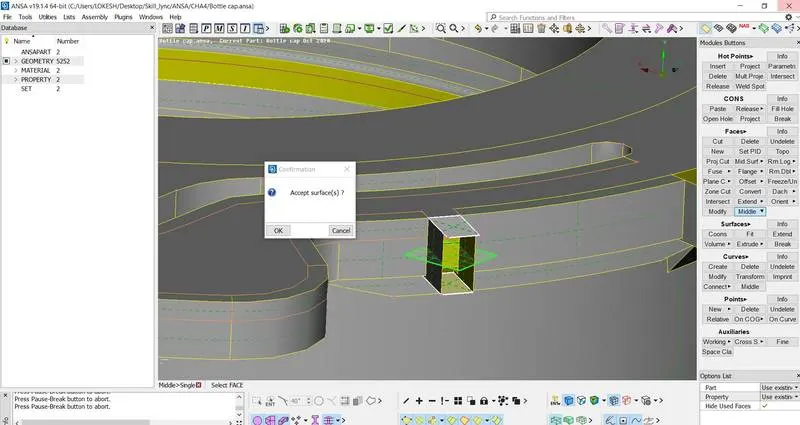
Fig - Mid surface generation using middle(Single) option
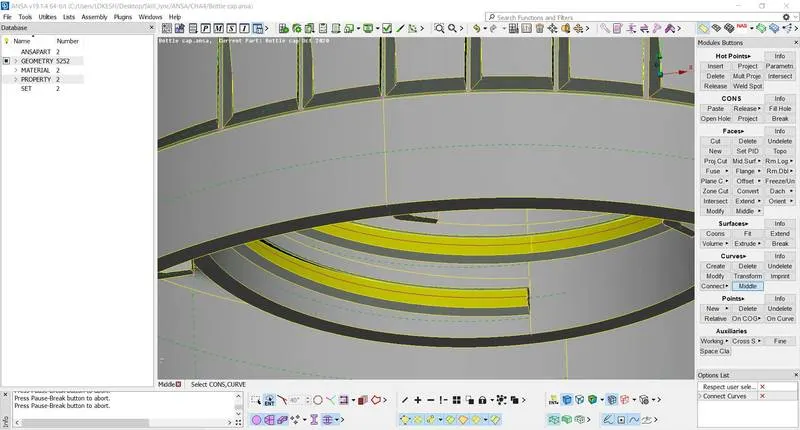
Fig - Referance curve generation for new faces
7. After mid surface, we have to connect surface which are suspended in air, without any contact. For this one can use features of curve, to make outline and then new face option can be used.
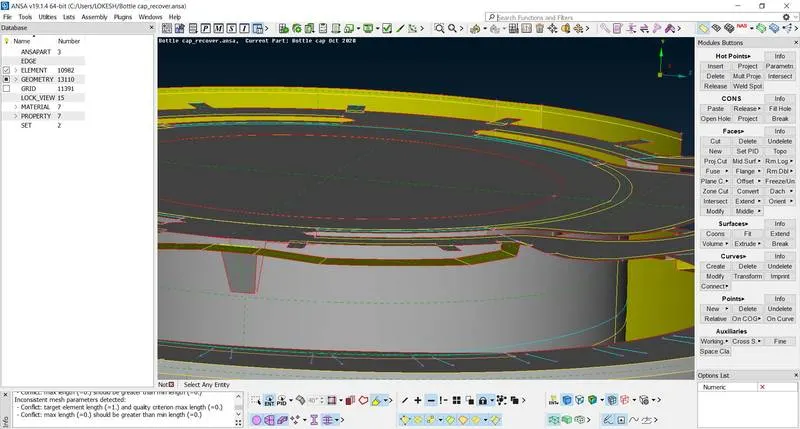
Fig - Connecting free surfaces
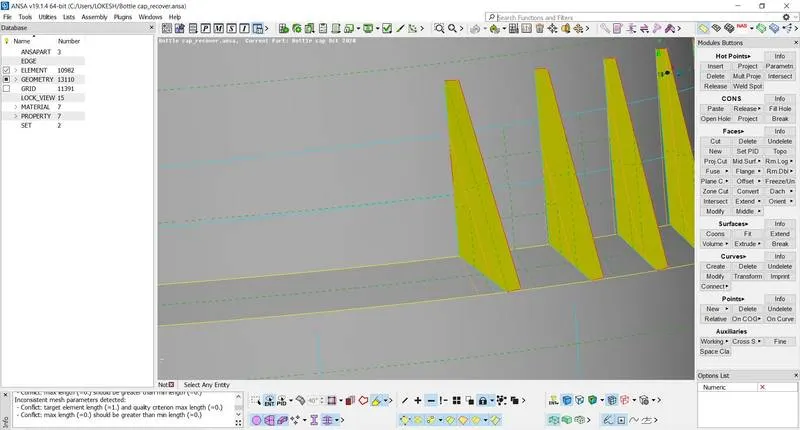
Fig - Connecting free surfaces
8. Assign single property id for whole part.
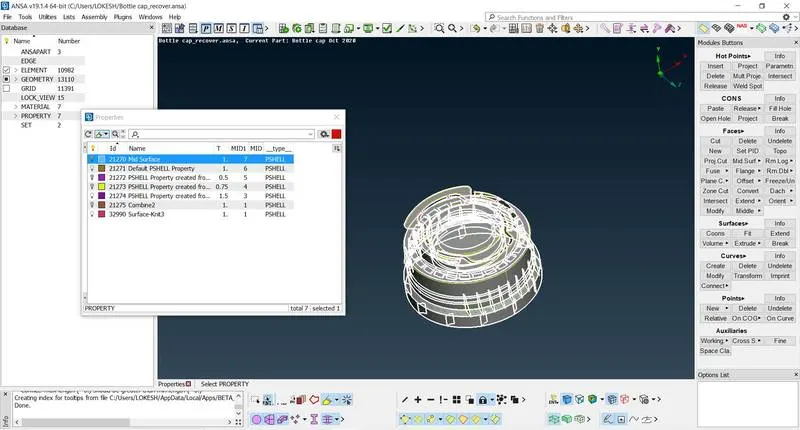
Fig - Property ID assignment
9. Now set quality criteria and mesh parameters like target length 1, minimum and maximum length 0.5, 3 respectively.
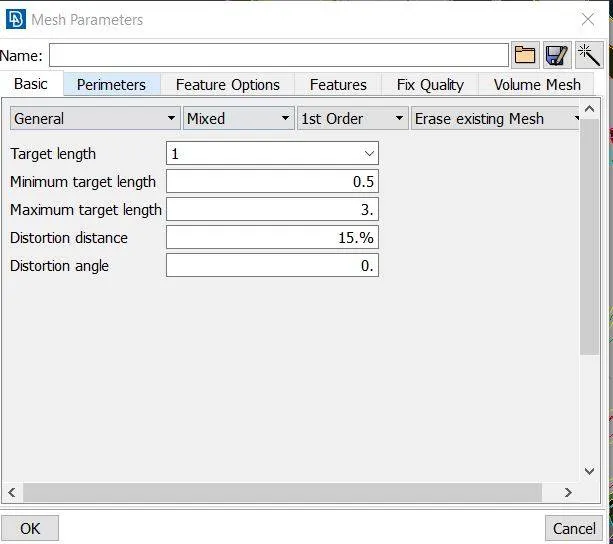
Fig - Mesh parameters
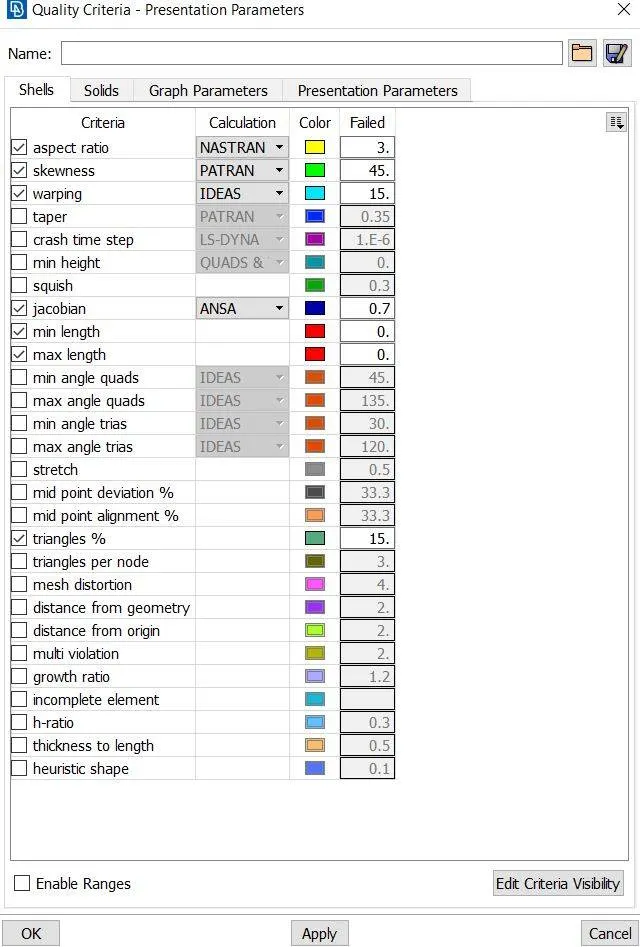
Fig - Quality criteria
10. Use option length to give uniform length of 1 between all the hot points.
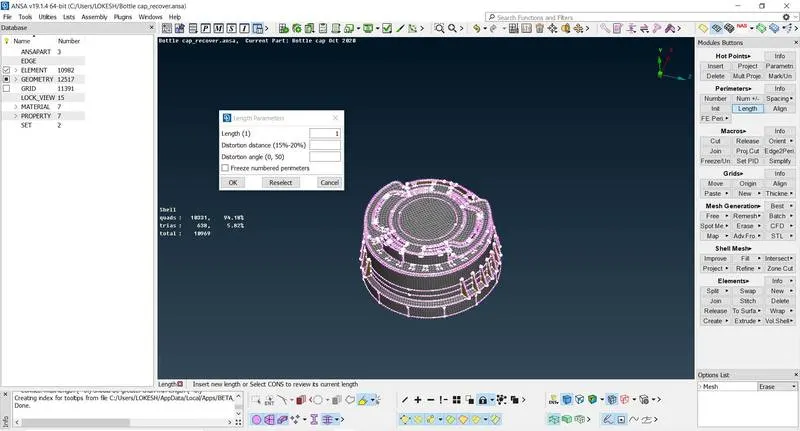
Fig - Assign length
11. In complex area some of the areas can be separated using cut option of faces, to get better mesh. These areas can be joined together later using join option of faces.
12. Use option best to generate mesh.
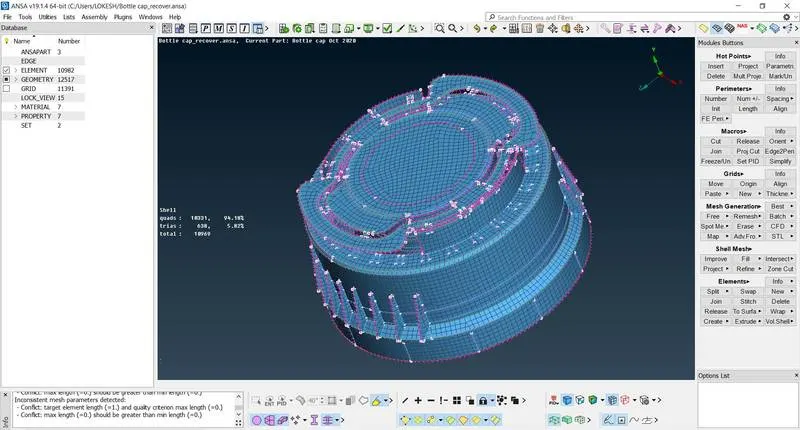
Fig - generated mesh
13. Now use option reconstruction or improve option to reduce number of trias and to get under quality criteria.
14. Now assign thickness, in property. This will convert 2D part into 3D, like we have imported. Enable draw shell as solid to see solid part from mid surface.
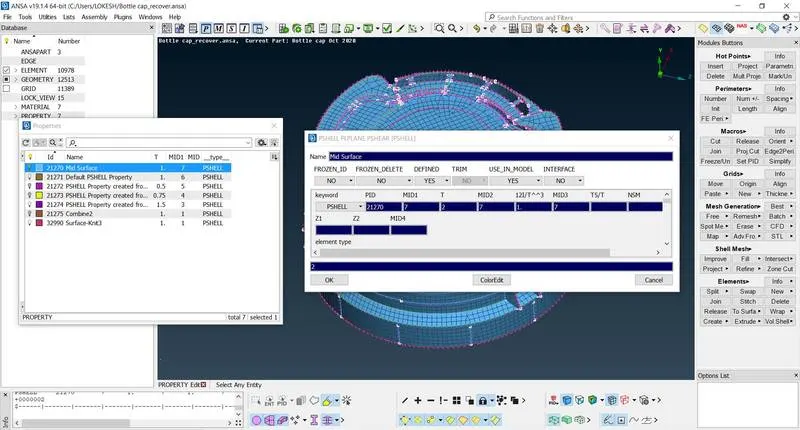
Fig - Thickness assignment
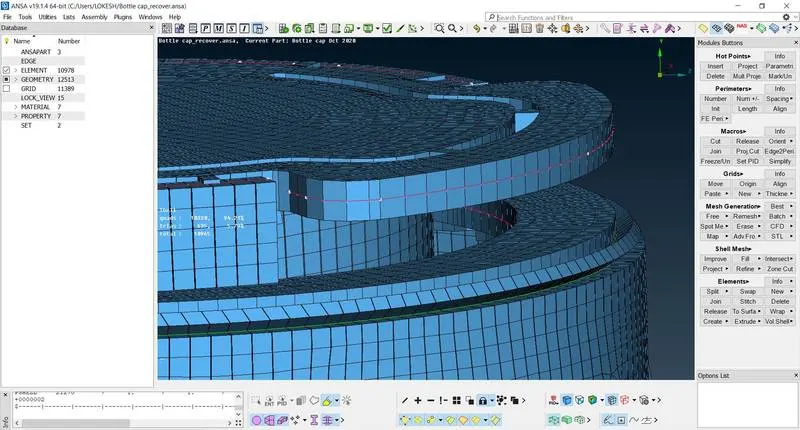
Fig - Model with thickness
4. Conclusion
ANSA is a very important tool in CAE domain, because it is easy to use and simple to update.We worked on bottle cap geometry, which had some complex areas but some beautiful option ANSA made the task easy. We followed the rigid procedure from geometry check to thickness assignment. In simple areas auto mid generation option can be used it will save a lot of time. We came across some important quality criteria and learned how to maintain best mesh for the imported model.