Week 4.1 - Genetic Algorithm
Stalagmite function
%Stalagmite function or formula
function [fmax] = stalagmite(input_vector)

f1x = (sin((5.1*pi*input_vector(1)) + 0.5))^6;
f1y = (sin((5.1*pi*input_vector(2)) + 0.5))^6;
f2x = exp(-4 * log(2) * (((input_vector(1)-0.0667).^2)/0.64));
f2y = exp(-4 * log(2) * (((input_vector(2)-0.0667).^2)/0.64));
fmax = -(f1x*f2x*f1y*f2y);

end
Genetic algorithm main program
%Stalagmite mathematical problem

clear all
close all
clc

%Defining search space
x = linspace(0,0.6,150);
y = linspace(0,0.6,150);

%Creating a 2D dimensional mesh
[xx, yy] = meshgrid(x,y);

%Evaluating the stalagmite function
for i = 1: length(xx)
    for j = 1 : length(yy)
        input_vector(1) = xx(i,j);
        input_vector(2) = yy(i,j);
        fmax(i,j) = stalagmite(input_vector);
    end
end

%%
%Study 1 Standard GA without limits

[inputs, fval] = ga(@stalagmite,2);
%Plot
figure(1)
surf(xx,yy,-fmax)
title('Study 1')
xlabel('F max')
ylabel('Iterations')
hold on
plot3(inputs(1),inputs(2),-fval,'marker','o','markersize',5,'markerfacecolor','r');

%%
%Study 2 GA with limits or bonds

[inputs, fval] = ga(@stalagmite,2,[],[],[],[],[0;0],[0.5;0.5]);
%Plot
figure(2)
surf(xx,yy,-fmax)
title('Study 2')
xlabel('F max')
ylabel('Iterations')
hold on
plot3(inputs(1),inputs(2),-fval,'marker','o','markersize',5,'markerfacecolor','r');

%%
%Study 3 GA with limits or bonds and setting up the GA code
options = optimoptions('ga');
options = optimoptions(options,'Populationsize',150);
[inputs, fval] = ga(@stalagmite,2,[],[],[],[],[0;0],[0.2;0.2]);
%Plot
figure(3)
surf(xx,yy,-fmax)
title('Study 3')
xlabel('F max')
ylabel('Iterations')
hold on
plot3(inputs(1),inputs(2),-fval,'marker','o','markersize',5,'markerfacecolor','r');
GENETIC ALGORITHM
A genetic algorithm (GA) is a method for solving both constrained and unconstrained optimization problems based on a natural selection process that mimics biological evolution. The algorithm repeatedly modifies a population of individual solutions. At each step, the genetic algorithm randomly selects individuals from the current population and uses them as parents to produce the children for the next generation. Over successive generations, the population "evolves" toward an optimal solution.
SYNTAX FOR GA
x = ga(fun,nvars) finds a local unconstrained minimum, x, to the objective function, fun. nvars is the dimension (number of design variables) of fun.
x = ga(fun,nvars,A,b) finds a local minimum x to fun, subject to the linear inequalities A*x ≤ b. ga evaluates the matrix product A*x as if x is transposed (A*x').
x = ga(fun,nvars,A,b,Aeq,beq) finds a local minimum x to fun, subject to the linear equalities Aeq*x = beq and A*x ≤ b. (Set A=[] and b=[] if no linear inequalities exist.) ga evaluates the matrix product Aeq*x as if x is transposed (Aeq*x').
x = ga(fun,nvars,A,b,Aeq,beq,lb,ub) defines a set of lower and upper bounds on the design variables, x, so that a solution is found in the range lb ≤ x ≤ ub. (Set Aeq=[] and beq=[] if no linear equalities exist.)
x = ga(fun,nvars,A,b,Aeq,beq,lb,ub,nonlcon,options) minimizes with the default optimization parameters replaced by values in options. (Set nonlcon=[] if no nonlinear constraints exist.) Create options using optimoptions.
x = ga(fun,nvars,A,b,Aeq,beq,lb,ub,nonlcon,intcon) or x = ga(fun,nvars,A,b,Aeq,beq,lb,ub,nonlcon,intcon,options)intcon take integer values.
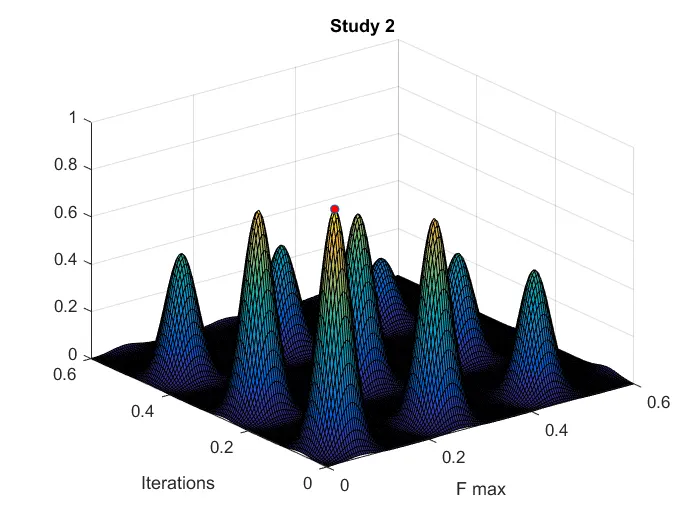
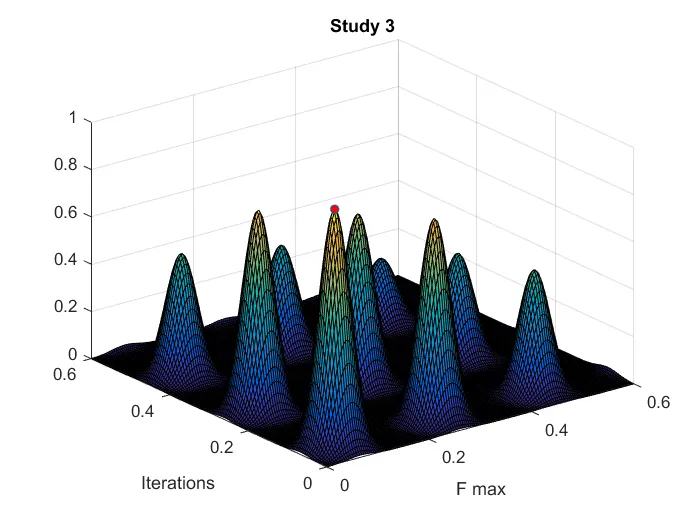
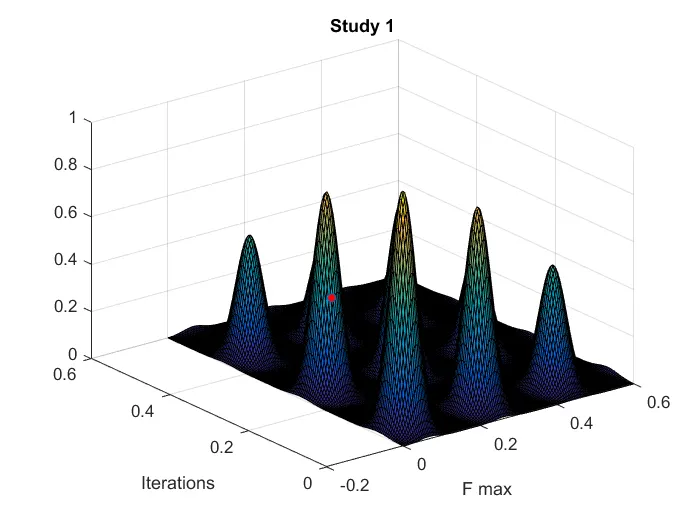
Screenshots showing errors thrown in command window.
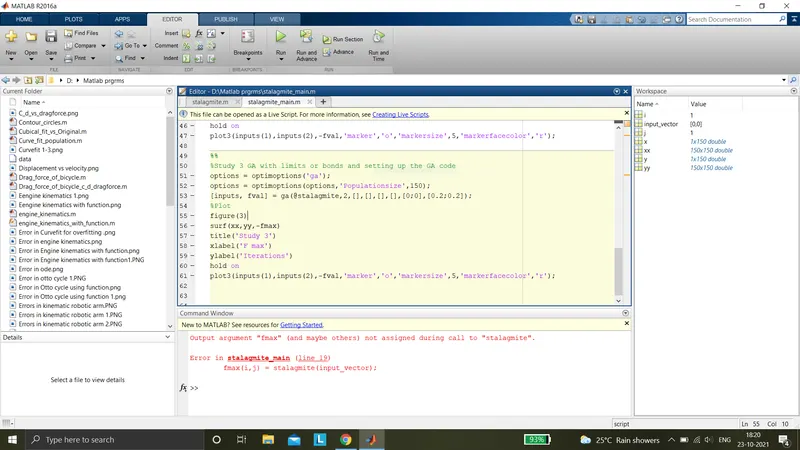
Step-wise explanation of code.
1) Basic commands (clear all, close all, clc)
2) In stalagmite function the formulas are written
3) In GA program Inputs for defining the search space
4) Creating 2D dimensional array using meshgrid command
5) Creating for loop for the function to run the iterations and fmax
6) Using ga inbuilt command evaluating the answers in all 3 study cases
7) Plotting the graph (surfc) command individually and marking the max value in the graph using marker in all 3 study cases
Mention the errors while programming.
1) Missed input data
2) Correct use of formulas
3) Missed inputs in ga command
4)Missed operators sometime
Steps taken to overcome those errors.
1) Re-wrtten whole program to avoid errors
2) Gave correct input names and formulas
References
Google.com
skill-lync.com
mathworks.in