Week 3 - Solving second order ODEs
Solving second order ODEs
Aim:
To write a program that solves the given ODE which represents the equation of motion of a simple pendulum and to create an animation of the pendulum as per the formula of the ODE.
Introduction:
In Engineering, ODE is used to describe the transient behavior of a system. A simple example is a pendulum. The way the pendulum moves depends on the Newtons second law. When this law is written down, we get a second order Ordinary Differential Equation that describes the position of the "ball" w.r.t time.
A simple pendulum has a small-diameter bob and a string that has a very small mass but is strong enough not to stretch appreciably. The linear displacement from equilibrium is s, the length of the arc. Also shown are the forces on the bob, which result in a net force of −mg sinθ toward the equilibrium position that is, a restoring force.
The given governing equation is
Procedure:
1. First create an ODE function for the given governing equation. Provide the inputs for `theta1` and `theta 2` and define the formula in the program as shown below.
function[dtheta_dt]=ode_func(t,theta,b,g,L,m)
theta1 = theta(1);
theta2 = theta(2);
dtheta1_dt = theta2;
dtheta2_dt = -(b/m)*theta2-(g/1)*sin(theta1);
dtheta_dt = [dtheta1_dt; dtheta2_dt];
end
2. Now write the main program by starting with the given inputs.
L=1 metre,
m=1 kg,
b=0.05.
g=9.81 m/s2
where,
g = gravity in m/s2,
L = length of the pendulum in m,
m = mass of the ball in kg,
b=damping coefficient.
3. Now for simulating the pendulum enter the initial condition for theta and the time span for the movement of the pendulum as shown in the program.
4. Enter the solver for the program, call the ode 45 function as shown in the program and insert the first ode function. Mention the time span and the theta value in the solver.
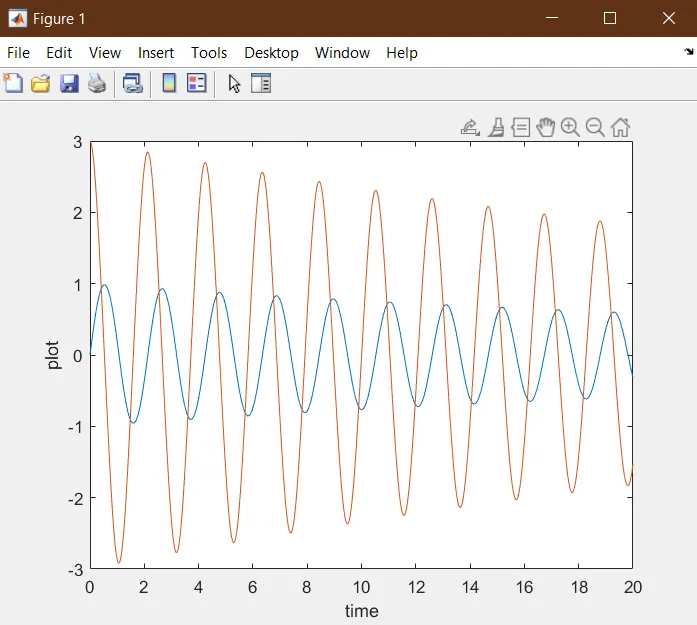
5. Now plot the graph for the motion of the pendulum as shown in figure 1 and run the program. The graph will be plotted as shown below.
6. Now write a program for animating the pendulum as shown in the program below. Create a video of the animation.
The program created and the outputs are as shown below.
Program:
clear all
close all
clc

L = 1;
m = 1;
b = 0.05;
g = 9.81;

%initial condition
theta_0 = [0;3];

%time
t_span = linspace(0,20,500);


%solver
[t, results]=ode45(@(t,theta) ode_func(t,theta,b,g,L,m),t_span,theta_0);

figure(1)
plot(t,results(:,1))
hold on
plot(t,results(:,2))
xlabel('time')
ylabel('plot')
%pause(0.03)

ct = 1;
for i=1:length(t_span)
    THETA1=results(i,1);

        x0=0;
        y0=0;
        x=L*sin(THETA1);
        y=-L*cos(THETA1);

figure(2)
plot([-3 3],[0 0],'linewidth',3)
hold on
plot([0 x],[0  y],'linewidth',3)
plot(x,y,'o','markersize',10)
axis([-1 1 -1.5 1.5])
hold off
pause(0.03)
M(ct)=getframe(gcf);
ct=ct+1;

end

movie(M)
videofile = VideoWriter('forward_kinematics.avi','Uncompressed AVI');
open(videofile)
writeVideo(videofile,M)
close(videofile)
Outputs:
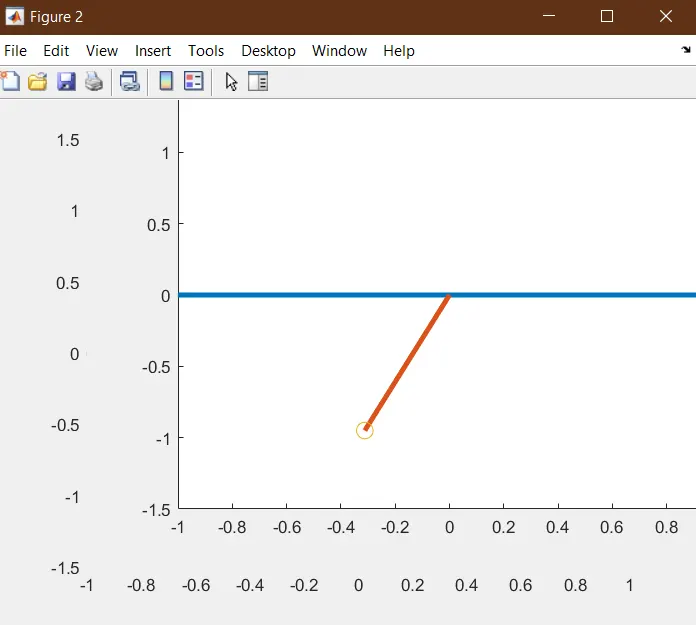
Errors:
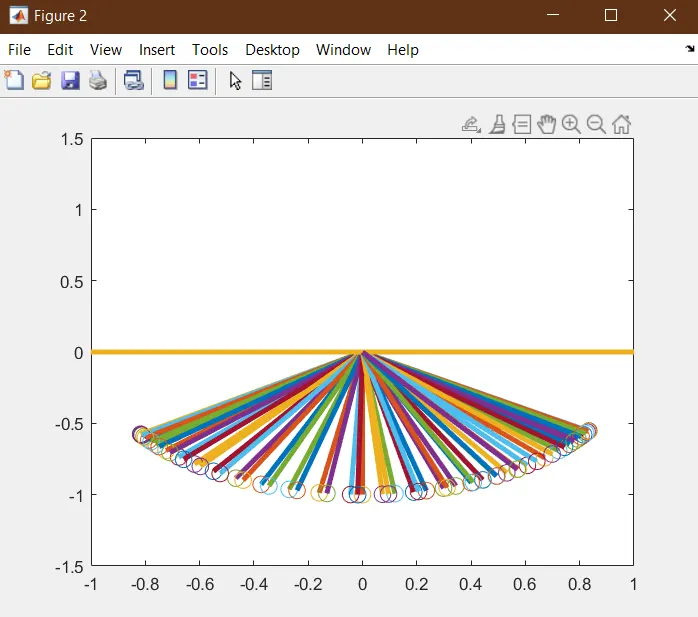
While writing the program for animating the pendulum, mention the command 'hold off' after mentioning the axis of the pendulam. Or else the software holds on to the positions of the pendulum while animation.
Result:
Thus writing a program that solves the given ODE problem for the pendulam and animating the pendulam is completed.
Youtube link of the animation.