Week 3 - Solving second order ODEs
AIM :-
To write a program and to stimulate the motion of simple pendulum.
Program-
function [dtheta_dt]=ode_func(t, theta,b,g,l,m)

theta1 = theta(1)
theta2 = theta(2)
dtheta1_dt = theta2;
dtheta2_dt = -(b/m)*theta2-(g/l)*sin(theta1);
dtheta_dt = [dtheta1_dt;dtheta2_dt];
end
clear all
close all
clc

%inputs
b = 0.05;
g = 9.81;
l =1;
m = 1;


%intial condition
theta_0 = [0;3];


%time points

t_span = linspace(0,20,500);

%solve ode
[t, results] = ode45(@(t,theta) ode_func(t, theta, b, g, l, m), t_span, theta_0);

figure(1)
plot(t,results(:,1))
hold on
plot(t,results(:,2))
xlabel('time')
ylabel('angular displacement and angular velocity')

%creating an animation for simple pendulum


figure(2)
ct = 1;

for i= 1:length(t_span)

    x0= 0
    y0=0

    x1= l*sind(results(i,1));
    y1= -l*cosd(results(i,1));


    plot([x0 x1], [y0 y1],[-0.2 0.2],[0,0],  'linewidth',3)
    hold on
    plot(x1, y1, 'marker','o','markersize',30,'markerfacecolor','g')
    hold off
    axis([ -0.2 0.2 -1.1 0 ])
    pause(0.03)

    M(ct)= getframe(gcf);

    ct= ct+1;

end

movie(M)
videofile = VideoWriter('ode_function.avi','Uncompressed AVI')
open(videofile)
writeVideo(videofile,M)
close(videofile)
PLOT-
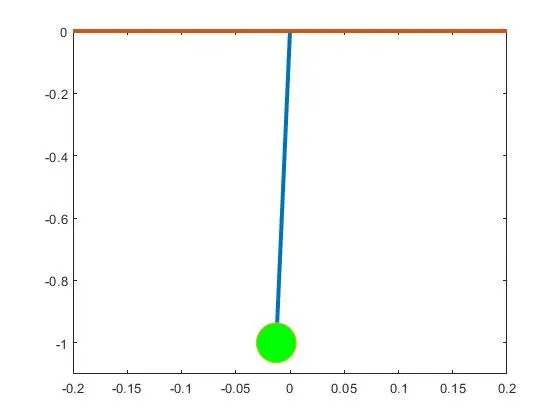
Youtube link-
https://www.youtube.com/watch?v=2vGycBJmGUk
Step wise explanation of the code-
intial inputs are given to the program.
ode45
This functon is used to solve the first order differential equation, so first thing is to convert 2nd order differential equation to first order.
syntax of ode45- @(t,theta)- this indicates what is dependent and independent variable.
ode_func is the function which have been written in new window and this is input from there.
t_span is indicating how far the integration is to be done.
theta_0[0;5] this is indicating the intial conditions of displacement and velocity.
And later results are plotted for given time array for given values of displacement and velocity.
Animation of simple pendulum
for loop
This is used for animating the pendulum to see that how displacement and velocity are changing with a given time condition which have been given.
length of pendulum is defined with the help of x0 y0 x1 y1, and they are plotted using plot command.
hold on command is used so that previous plot dosent't get deleted, and bob of the simple pendulum is plotted.
hold off command is used because so that previous plots dosen't get repeated. not using of this command will lead to blinking of simple pendulum, which is indicating that previous plot are getting repeated.
limits of the plot is defined using axis command.
And the pause command is used so that there is gap of 0.03 second after each frame is being executed.
getframe command is used to get all the frames.
And then movie command is to make the movie out of all the frames.
VideoWriter is being make to avi file.
open command is used to open the videofile
writeVideo is used for writing the videofile and all the array captured in M.
close command is used for closing the videofile.
Errors faced whle writing a program-
used small 'm' in m(ct) as m was aleady defined it was showing an error
and in defining intial displacement and velocity used row matrix instead of column matrix.
Steps to overcome the errors
changed m to M
and converted row matrix to column matrix