Week 3 - Solving second order ODEs
AIM: to write a program to solve 2nd order ODE using the pendulum oscillation.
CODE 1:
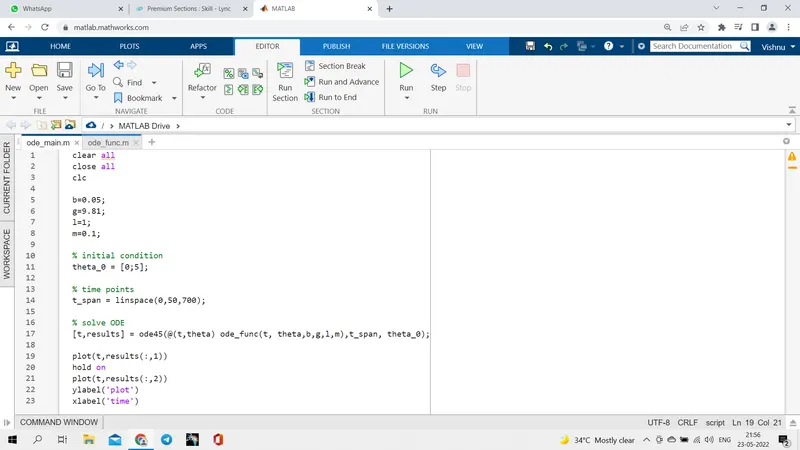
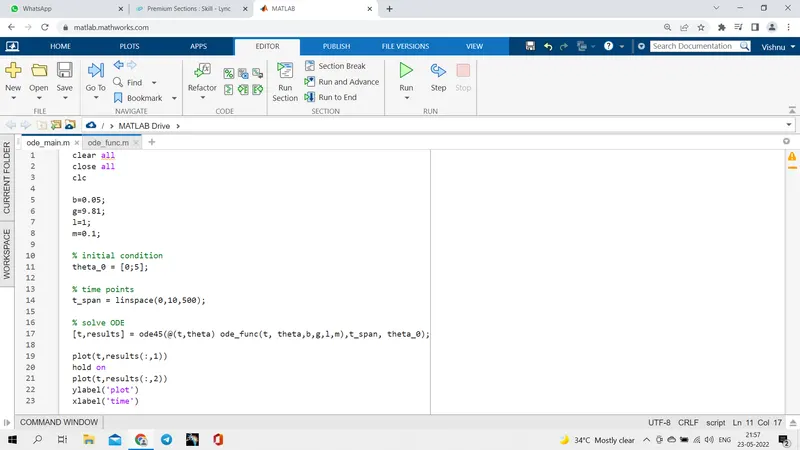
b=0.05; % damping coefficient
g=9.81;% gravity (m/s^2)
l=1; % length of the spring (m)
m=0.1; % mass of the bob (kg)
% initial condition
theta_0 = [0;5];
% time points
t_span = linspace(0,10,500);
% solve ODE
[t,results] = ode45(@(t,theta) ode_func(t, theta,b,g,l,m),t_span, theta_0);
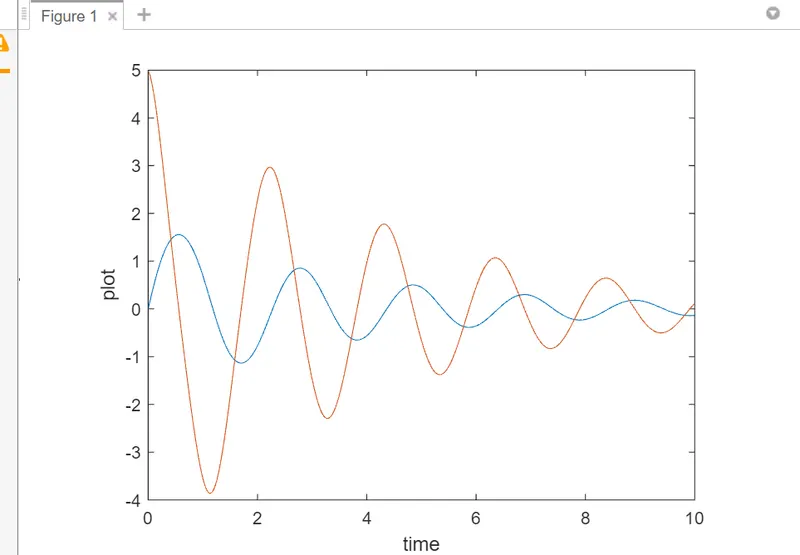
plot(t,results(:,1))
hold on
plot(t,results(:,2))
ylabel('plot')
xlabel('time')
CODE EXPLANATION:
- first we are assigning the values of b,g,l,m.
- then we are initialising the theta values.
- then we are setting the time span of the pendulum ie the range of the pendulum.
- then we are using ode45 command to solve the 2nd order ode.
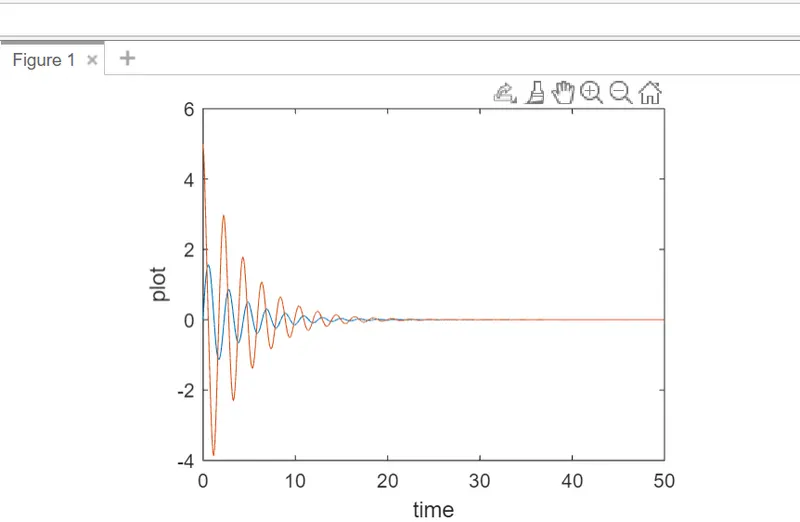
- then we are plotting the results vs t.
- then we are labeling the axis with names.
CODE 2:
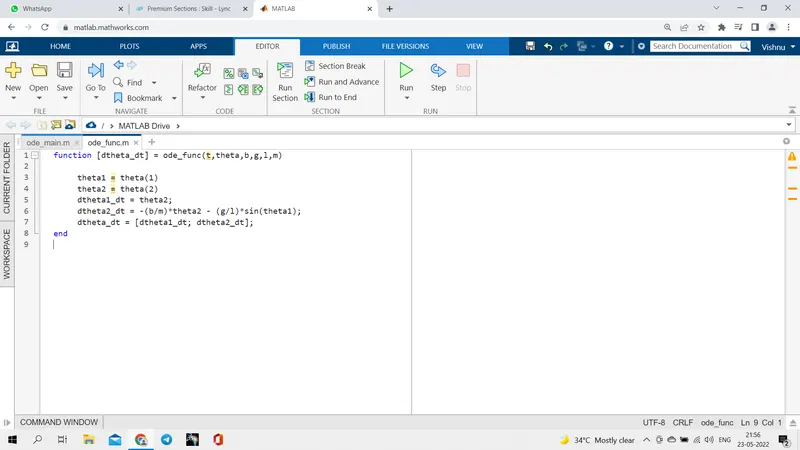
function [dtheta_dt] = ode_func(t,theta,b,g,l,m)
theta1 = theta(1)
theta2 = theta(2)
dtheta1_dt = theta2;
dtheta2_dt = -(b/m)*theta2 - (g/l)*sin(theta1);
dtheta_dt = [dtheta1_dt; dtheta2_dt];
end
CODE 2 EXPLANATION:
- then we are calling the function dtheta_dt to assign the values.
- then we are assigning dtheta1_dt = theta2 and dtheta2_dt = -(b/m)*theta2 - (g/l)*sin(theta1) according to formula.
- then we are assigning theta1 as theta(1) and theta2 as theta(2).
- then we are creating the animation of the pendulum using for loop.
- and using the ct function we are getting all the frames.
- then we are storing it as avi file.
- then we are writing the videofile.
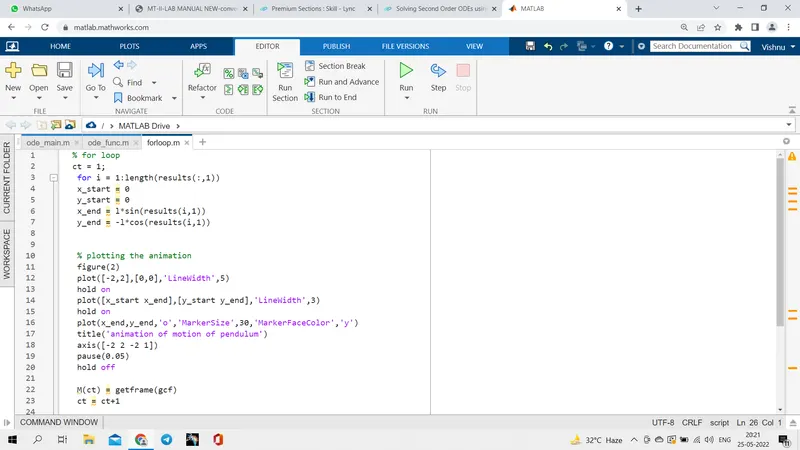
 % for loop
ct = 1;
for i = 1:length(results(:,1))
x_start = 0
y_start = 0
x_end = l*sin(results(i,1))
y_end = -l*cos(results(i,1))
% plotting the animation
figure(2)
plot([-2,2],[0,0],'LineWidth',5)
hold on
plot([x_start x_end],[y_start y_end],'LineWidth',3)
hold on
plot(x_end,y_end,'o','MarkerSize',30,'MarkerFaceColor','y')
title('animation of motion of pendulum')
axis([-2 2 -2 1])
pause(0.05)
hold off
M(ct) = getframe(gcf)
ct = ct+1
end
% animation of pendulum
movie(M)
videofile = VideoWriter('pendulum animation.avi', 'Uncompressed AVI')
open(videofile)
writevideo(videofile,M)
close(videofile)
 t
t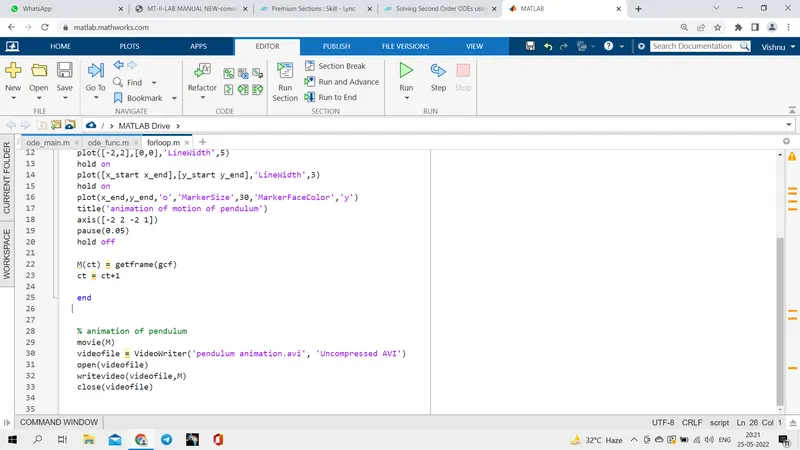
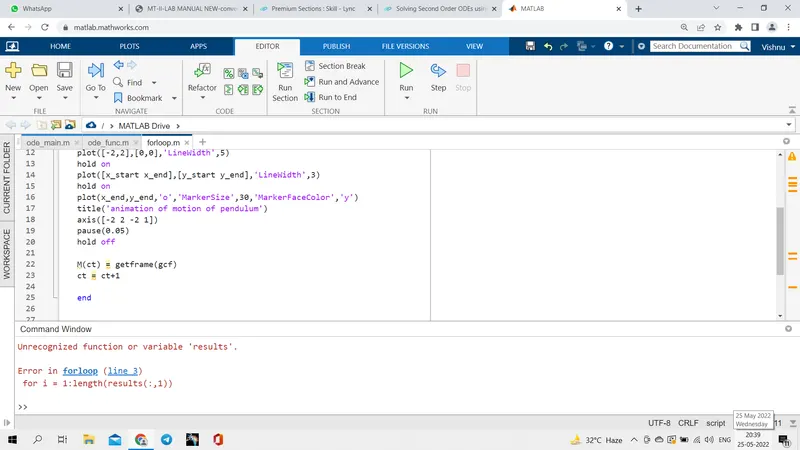
the error faced during the coding is posted below
LINK FOR THE ANIMATION: