Week 3 - Solving second order ODEs
Aim :- To write a program that solves the following ODE. This ODE represents the equation of motion of a simple pendulum with damping.
ORDINARY DIFFERENTIAL EQUATION (ODE) :-
An ordinary differential equation (also abbreviated as ODE), in Mathematics, is an equation which consists of one or more functions of one independent variable along with their derivatives.
In Engineering, ODE is used to describe the transient behavior of a system. A simple example is a pendulum
The way the pendulum moves depends on the Newton's second law. When this law is written down, we get a second order Ordinary Differential Equation that describes the position of the "ball" w.r.t time.
Similarly, there are hundreds of ODEs that describe key phenomena and if you have the ability to solve these equations then you will be able to simulate any of these systems.
The second-order ODE for simple pendulum is represented as,
`{∂2θ}/{ ∂t2} +( b/ m )⋅ {∂θ}/{ ∂t} + g/ l ⋅sinθ=0`
where; b = damping coefficient = 0.05,
m = mass of ball = 1 kg,
g = acceleration due to gravity = 9.81 m/s^2,
l = length of the string = 1 metre.
we are converting the second-order ODE into two first-order ODEs
let's take θ=θ1θ=θ1
so,`∂θ∂t=∂θ1∂t=θ2∂θ∂t=∂θ1∂t=θ2 ----->[1]`
now , `∂2θ∂t2=∂2θ1∂t2=∂∂t∂θ1∂t=∂θ2∂t−−−→[2]∂2θ∂t2=∂2θ1∂t2=∂∂t∂θ1∂t=∂θ2∂t---→[2]`
Now 2nd order ODE becomes, ( By applying equation 1 & 2 )
`∂θ2∂t+(bm)⋅∂θ1∂t+gl⋅sinθ1=0∂θ2∂t+(bm)⋅∂θ1∂t+gl⋅sinθ1=0`
`∂θ2∂t+(bm)⋅(θ2)+gl⋅sinθ1=0∂θ2∂t+(bm)⋅(θ2)+gl⋅sinθ1=0`
`∂θ2∂t∂θ2∂t = −(bm)⋅(θ2)−gl⋅sinθ1-(bm)⋅(θ2)-gl⋅sinθ1`
so we split the second-order ODE of motion of simple pendulum into two first-order ODEs as mentioned below,
`∂θ1∂t=θ2∂θ1∂t=θ2 ----> (first ODE )`
`∂θ2∂t=−bmθ2−glsinθ1∂θ2∂t=-bmθ2-glsinθ1 ---> (second ODE )`
Now we solve these ODEs using 'ode45' function in matlab.
Ode45 is a function in matlab that solves ordinary or partial differential equations using a numerical method. The numerical method in question here is the 4th order Runge Kutta method.
How ode45 works:-
The function ode45 takes 3 inputs. The 3 inputs are the function to be integrated, the time span and the initial conditions.
Syntax
where`tspan = [t0 tf]`, integrates the system of differential equations`y′=f(t,y)`from t0 to tf with initial conditions . Each row in the solution array y corresponds to a value returned in column vector `t`.
so we have to create an ode function ('ode_fun') separately and call it during the run of 'ode45' function in the main program.
CODES/Program for the 'ode_function' :-
function [dtheta_dt] = ode_func(t,theta,b,g,l,m)

theta1 = theta(1)
theta2 = theta(2)
dtheta1_dt = theta2;
dtheta2_dt = -(b/m)*theta2 - (g/1)*sin(theta1);
dtheta_dt = [dtheta1_dt; dtheta2_dt];
end
CODES/Program to solve Second order ODE of motion of simple pendulum using MATLAB, also to create a simulation showing the motion of simple pendulum:-
close all
clear all
clc

%inputs
b = 0.05;
g = 9.81;
l = 1;
m = 1;

% Initial conditions
theta_0 = [0;4];

%time points
t_span = linspace(0,25,550);

% solve ODE
[t, results] = ode45(@(t,theta) ode_func(t, theta, b,g,l,m),t_span, theta_0);

figure(1)
plot(t,results(:,1),"Color",'b');
hold on
plot(t,results(:,2),'Color','y');
xlabel('Time');
ylabel('Displacement/Velocity');
legend('Displacement','Velocity');

%store amplitude values in separate matrix for loop
amplitude=results(:,1);
 ct=1;
for i= 1:length(amplitude)
     angle=amplitude(i);
      figure(2)
    title('Simple Pendulum')


  x0=0;
  y0=0;

  % Calculating the ode
  x1=l*sin(angle);
  y1=-l*cos(angle);


  %Ploting
  plot([-1.1 1.1],[0 0],'linewidth',8)
  hold on
  plot([x0 x1],[y0 y1],'color','g','linewidth',2)% pendulum string
  plot(x1,y1,'o','markers',20,'markerfacecolor','k') % mass ball
  hold off
  grid on
  axis([-1.5 1.5 -1.5 0.5])
  pause(0.05)

  % Capturing the current plot to combine later
  M(ct)=getframe(gcf);

  % Incrementing ct so that each frame is captured in M
  ct=ct+1;

end


%making movie
movie(M)
videofile = VideoWriter('simple_pendulum.avi','uncompressed avi');
open(videofile)
writeVideo(videofile,M)
close(videofile)
Procedure :-
- I started the program with ' clear all', 'close all', 'clc' functions
"clear" function removes items ( variables, scripts and functions, class definition etc. ) from workspace and freeing up system memory.
"close all" closes all figures whose handles are visible. A figure handle is hidden if the HandleVisibility property is set to 'callback' or 'off
"clc" clears all the text from the Command Window, resulting in a clear screen.
- Then I define input values
b=0.05; % Damping Coefficient
g=9.81; % acceleration due to gravity, m/s^2
l=1; % length of the pendulum , m
m=1 ; %mass of ball, kg
- then I define initial condition and time span
Initial condition for displacement and angular velocity
theta_0=[0;4]; % angular displacement=0,angular velocity= 3 rad/sec at time t=0
time span
t_span = linspace(0,25,550); % pendulum moves from 0 to 25 sec with 550 equal intervals
- Then I have to solve the ODEs using "ode45" function, by calling the "ode_function" we created before.
[t,result]=ode45(@(t,theta)ode_fun(t,theta,b,g,l,m),t_span,theta_0);
results will be stored in [t,results] matrix.
- Now I began to plotting displacement and angular velocity values obtained by solving ODEs, using plotting command
figure(1)
plot(t,result(:,1)) % Plotting displacement values in a column matrix
hold on
plot(t,result(:,2)) % plotting angular velocity valuesin a column matrix
title('For Simple Pendulum')
xlabel('Time in sec')
ylabel('Angular Velocity(rad/s) / Displacement(rad)')
legend('Displacement','Angular velocity')
- In the next step in order to simulate the motion of simple pendulum we are using ''For loop" and we are creating lines between fixed position of pendulum and each position of displacement values obtained in the result. and saved in another figure.
amplitude=result(:,1); %store amplitude values in separate matrix for loop
ct=1;
for i=1:length(amplitude)
angle=amplitude(i);
figure(2)
title('Simple Pendulum')
%fix point of pendulum
x0=0;
y0=0;
%another end of pendulum/cordinate of mass ball
x1=l*sin(angle);
y1=-l*cos(angle);
% plot
plot([-1.1 1.1],[0 0],'linewidth',8); %ceiling line
hold on
plot([x0 x1],[y0 y1],'color','g','linewidth',2)% pendulum string
plot(x1,y1,'o','markers',20,'markerfacecolor','k') % mass ball --> in this step we are creating circle in order to represent mass ball, by using "markers" command
hold off %removing previous position
grid on
axis([-1.5 1.5 -1.5 0.5])
pause(0.05)
M(ct) = getframe(gcf);
ct = ct+1;
end
- Finally creating movie from all the frames collected in 'M', using "VideoWriter" function
movie(M)
videofile = VideoWriter('simple_pendulum.avi','uncompressed avi');
open(videofile)
writeVideo(videofile,M)
close(videofile)
Errors :-
I wrote {amplitude=result(:,1)}; {for amplitude=results(:,1); }
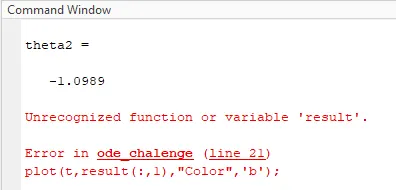
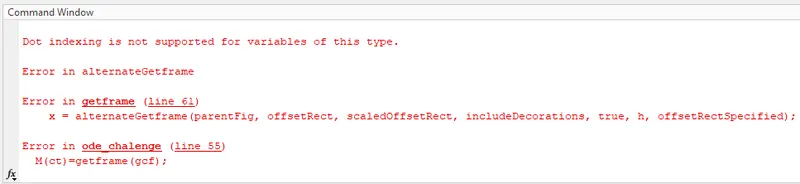
I did not get the video because i closed the window before all readings where ploted
I wrote {axis([1 2 1 2])} i didnot get any pendulam video then i gave negative values {axis([-1.5 1.5 -1.5 0.5])}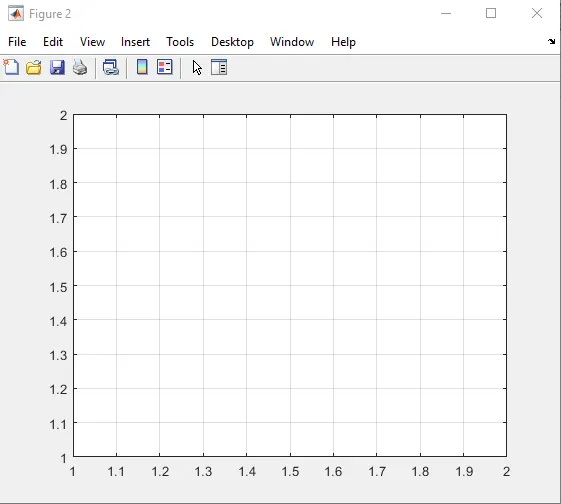
Command window :-
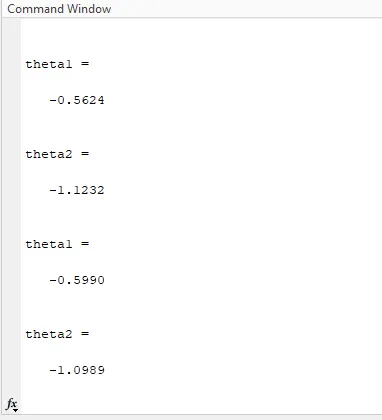
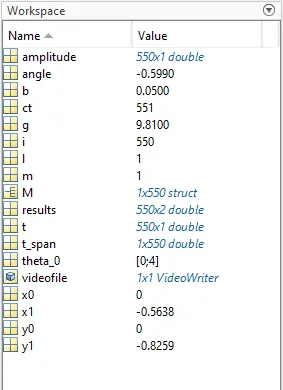
Workspace window:-
Results:-
Graph:-
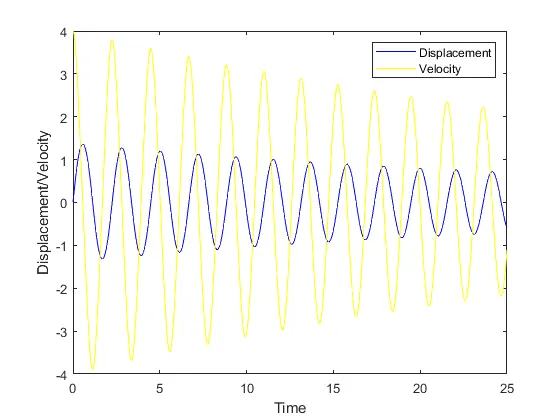
Solved 2nd order ODE for the motion of simple pendulum and displacement and angular velocty values obtained during the time span is plotted and simulation showing motion of simple pendulum is shown below:-
https://drive.google.com/file/d/1PwjcPwngVYO-5rrR6D2w53u1O-qz0qSy/view?usp=shari
https://drive.google.com/file/d/1PwjcPwngVYO-5rrR6D2w53u1O-qz0qSy/view?usp=sharing