Week 3 - Solving second order ODEs
Objective
write a program that solves the given ODE, this ODE represents the equation of motion of a simple pendulum with damping
code
-
% solve the ODE that represents the equation of motion of a simple pendulum with damping
close all
clear all
clc

% inputs

L = 1;    % L = length of the pendulum in m
m = 1;    % m = mass of the ball in kg
b = 0.05; % b=damping coefficient
g = 9.81; % g = gravity in m/s2

% inetial displacement and initial time
theta_o = [0;3];

% time array
t_span = linspace(0,20,1000);

% integration of ode
[t,result] = ode45(@(time,theta) pendulum_function(theta,b,g,L,m), t_span, theta_o);


subplot(5,6,[19,20,21,25,26,27])

plot(t,result(:,1), 'r')
hold on
plot(t,result(:,2), 'b')
axis([0 20 -5 15]);
xlabel('time');
ylabel('y axis');
legend('angular displacement','angular velocity')
title('Damping penedulum');


subplot(5,6,[23,24,29,30])

plot(result(:,1), result(:,2))
xlabel('angular displacement');
ylabel('angular velocity');


 ct = 1;
for i = 1 :  length(result(:,1))

    X0 = 0;
    Y0 = 0;


    X = L*sin(result(i,1));
    Y = -L*cos(result(i,1));

     subplot(5,6,[3,4,9,10])

        plot([-1.5 1.5], [0 0]);
        hold on
        line([X0 X],[Y0 Y]);
        plot(X,Y, '.r','markersize', 50 );
        axis([-1.5 1.5 -1.5 0]);
        hold off

    f(ct) = getframe;
    ct = ct+1;


end

movie(f)
videofile = VideoWriter('damping_pandulum_a.avi');
open(videofile)
writeVideo(videofile,f)
close(videofile)
Code Explanation
- first inetial condetions applied
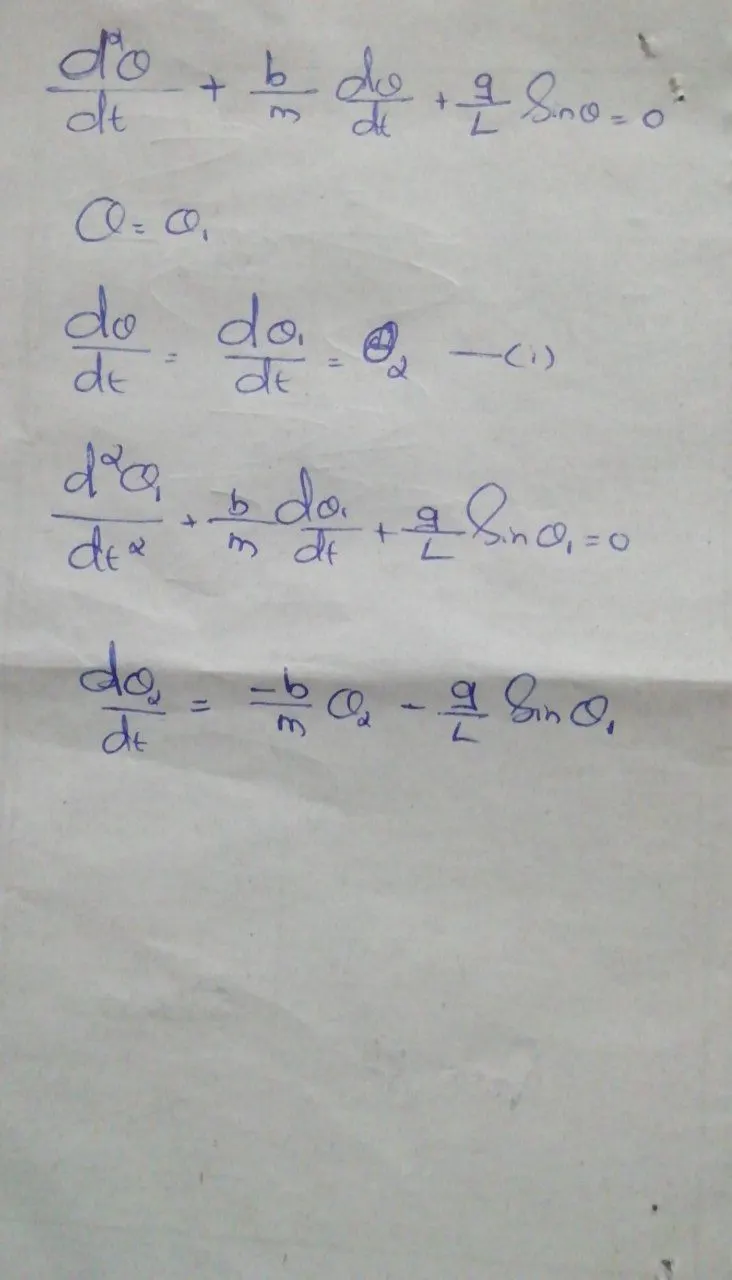
- split second order ode into two first order ordinary differential equations and created a function
-
function [dtheta_dt] = pendulum_function(theta,b,g,L,m) theta1 = theta(1); theta2 = theta(2); dtheta1_dt = theta2; dtheta2_dt = -(b/m)*theta2-(g/L)*sin(theta1); dtheta_dt = [dtheta1_dt; dtheta2_dt]; end - then using ode45 first order equations are integrated
- making animation of pendulum we required (X0,Y0) and (X,Y)
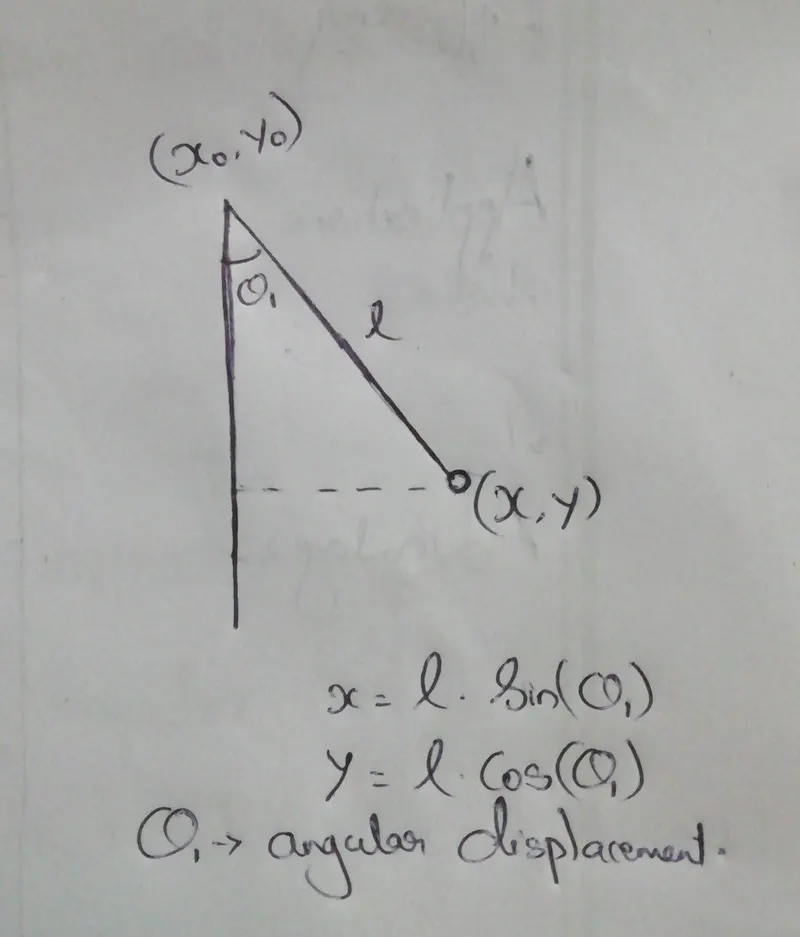
- then using "getframe" created animation
Error faced
- stucked at this animatio theoary (instructor sir. jithin help me to overcome that)
Output
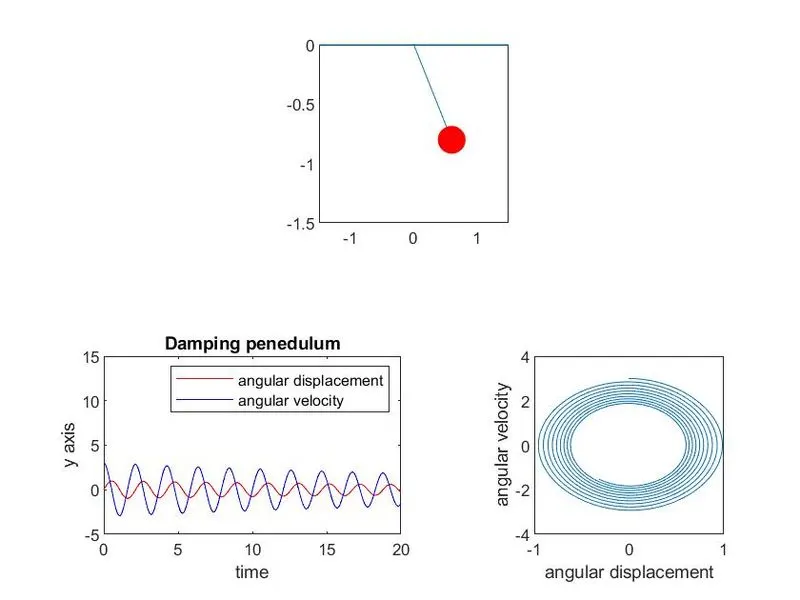
Output explanation
- created graphs using subplots and then save it
- video save as avi and then compress it using VLC player and then save it as mp4 file