Week 3 Sheet metal Bending challenge
SHEET METAL BENDING CHALLENGE
Objective:-
To Simulate sheet metal bending challenge with three different materials
(Aluminium Alloy 1199, Copper Alloy NL & Magnesium Alloy NL) and find out Equivalent
Stress, Equivalent Elastic Strain & Total Deformation
Geometry:
Static structural:
selection of the step as follows
- Material selection
- Geometry
- Model
- Setup
- Solution
- Result
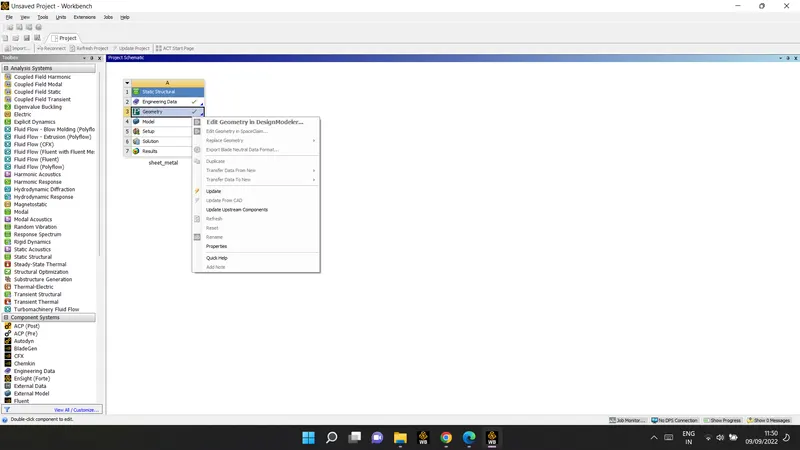
For Aluminium Alloy 1199:
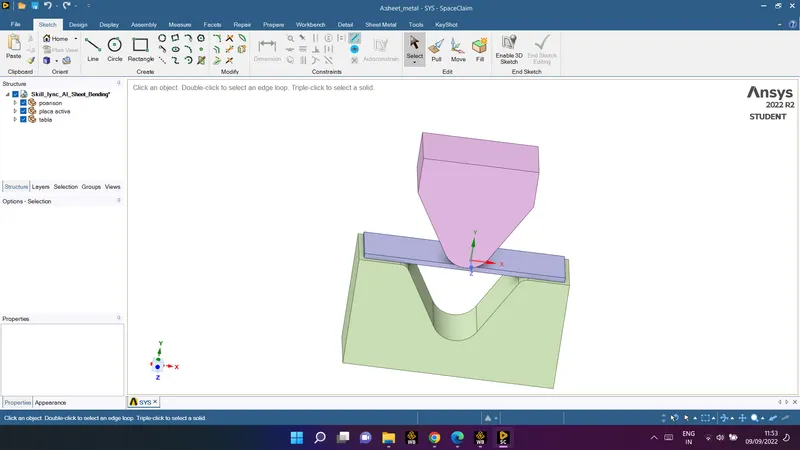
First to import the given model and select the material one by one. Image of the 3D model
given below:
edit in space claim to check the or any correction in geometry :
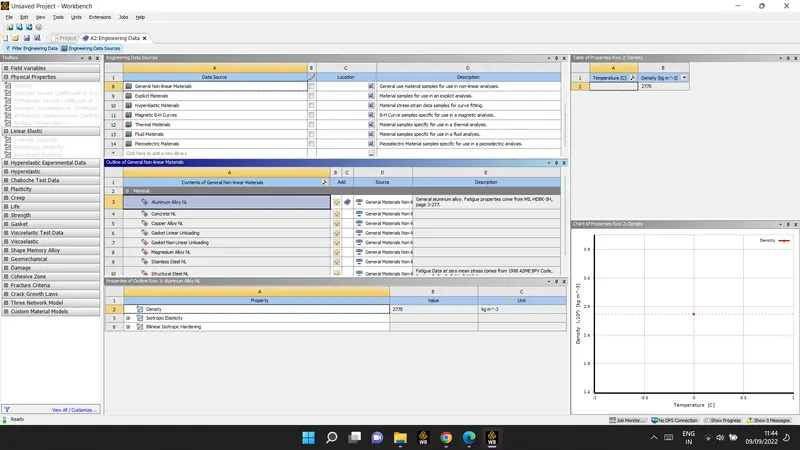
After that select material from the Library for Sheet and for Punch and Die I select
Structural Steel. Properties of materials given below:
Aluminum Alloy NL as material selection:
- Model:
update the model
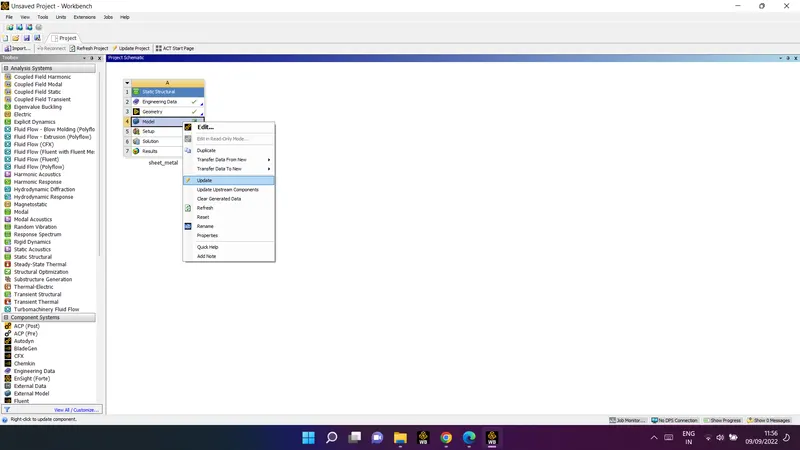
after update the model
image will be shown as :
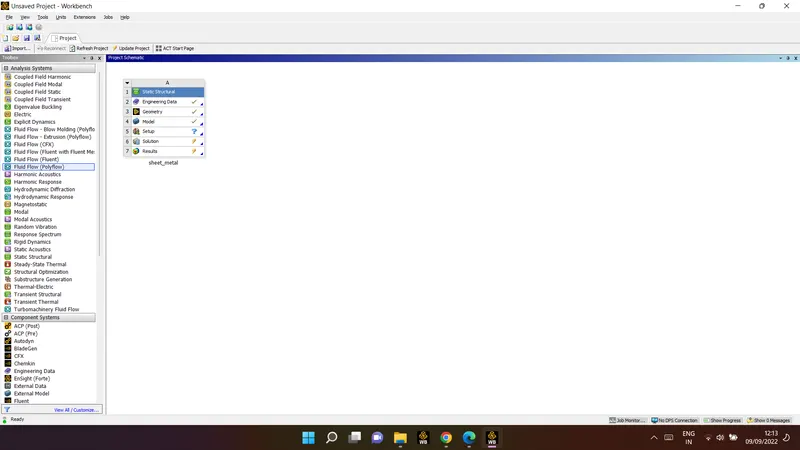
after this edit the model :
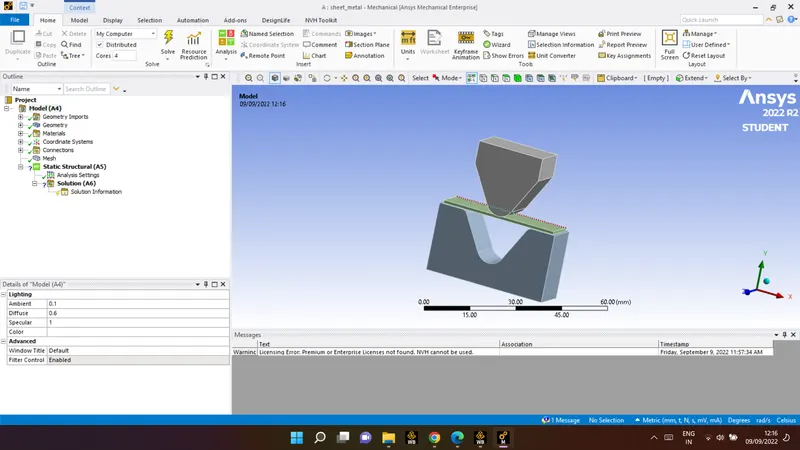
change the name of the part through geometry :
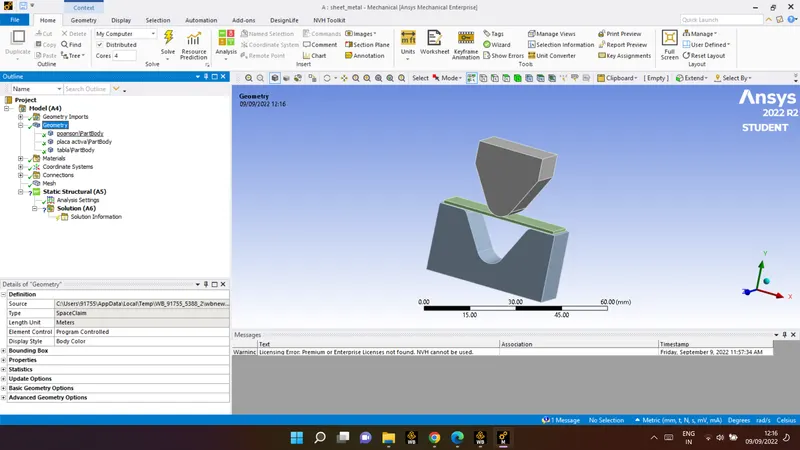
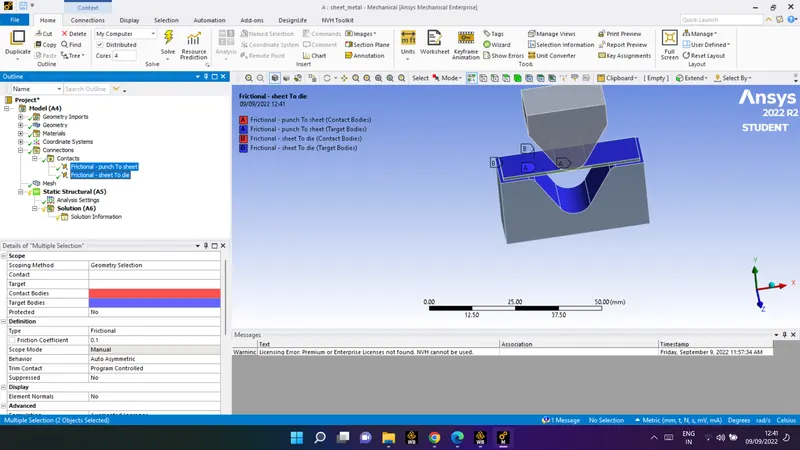
after this apply connection :
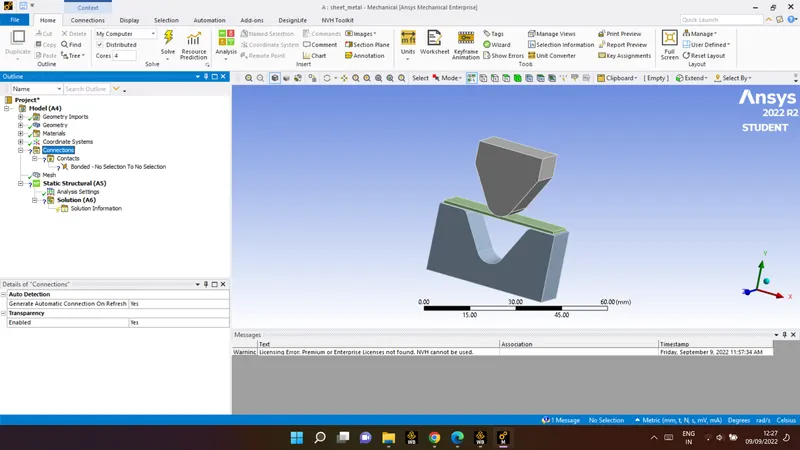
connection :
information need to fill in the given condition :
1 ) punch to sheet
2) sheet to die
| connection type | contact |
| type | frictional |
| frictional coefficient | 0.1 |
| behaviour | Auto Assymetric |
| formulation | Augmented Lagrange |
Mesh:
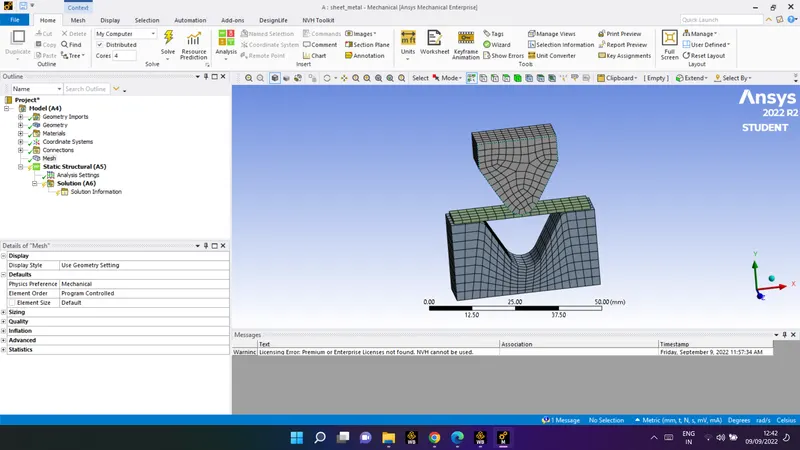
apply the finer mesh sizing for more accurate result :
insert sizing by using solid filter :
element size: 4mm
select geometry for the punch and die :
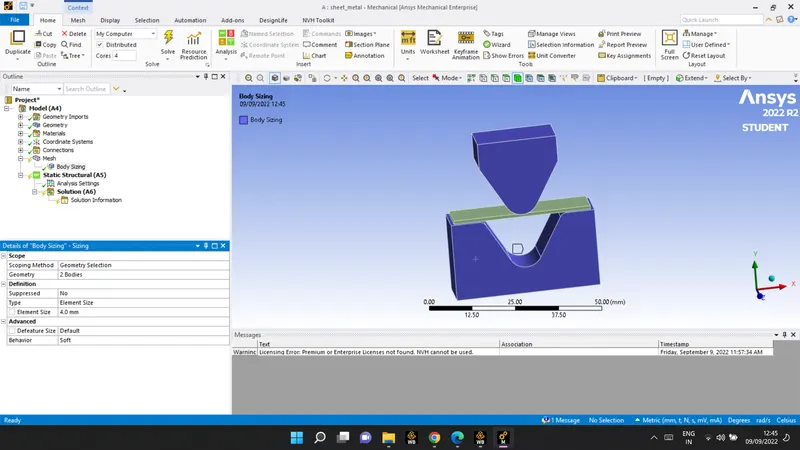
insert sizing by using solid filter :
element size: 1mm
select geometry for the sheet :
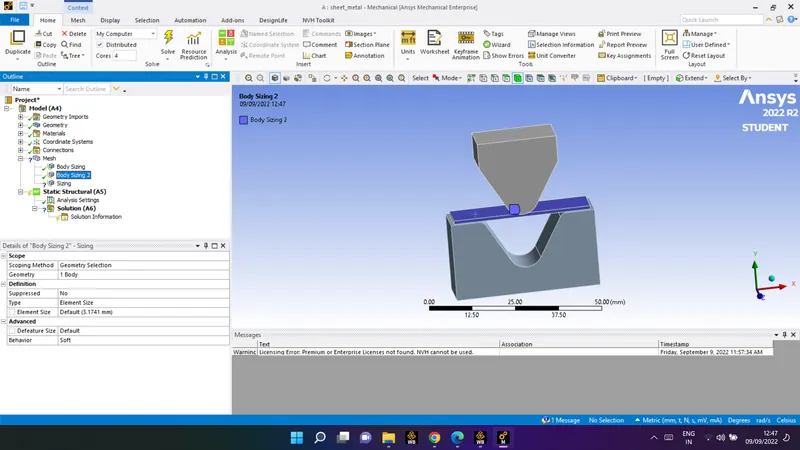
insert sizing by using solid filter :
element size: 1mm
select geometry for the faces that are in contact while analysis :
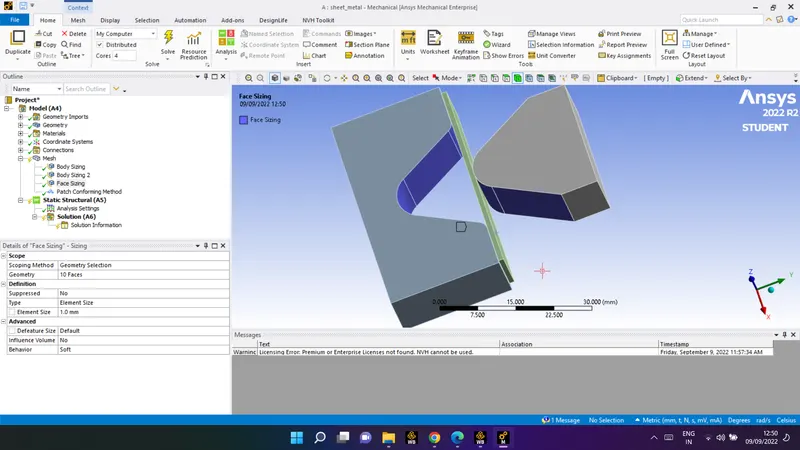
insert method by using solid filter :
element :tetrahedrons
select geometry for the sheet :
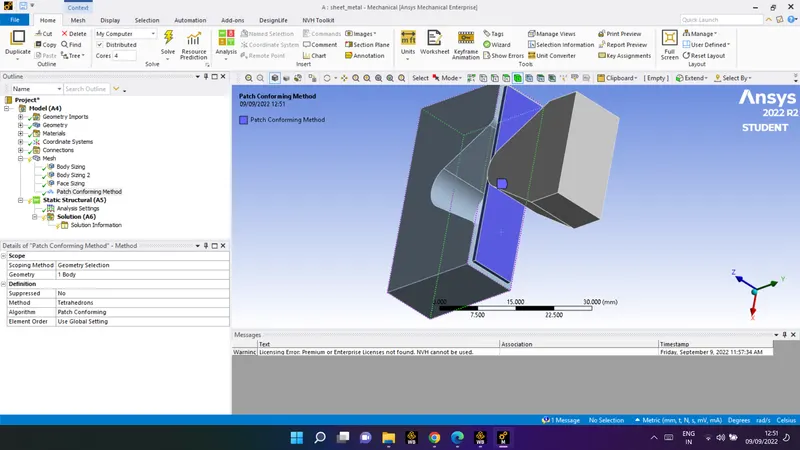
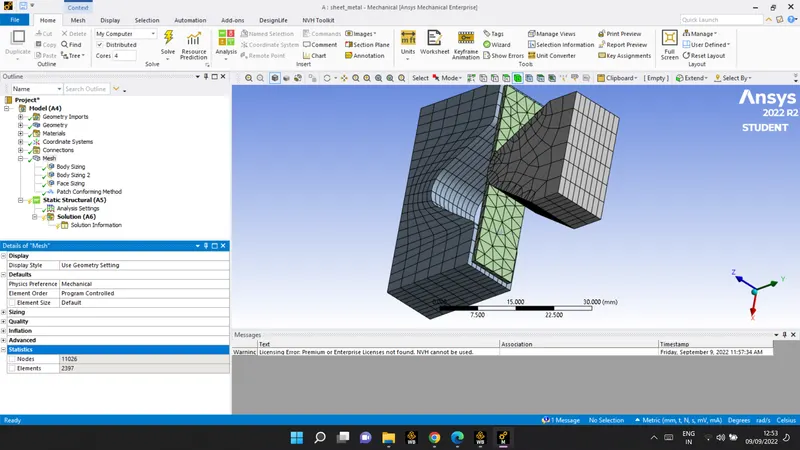
now generaet the mesh :
ckeck for the number of node that it should not exceed limit :
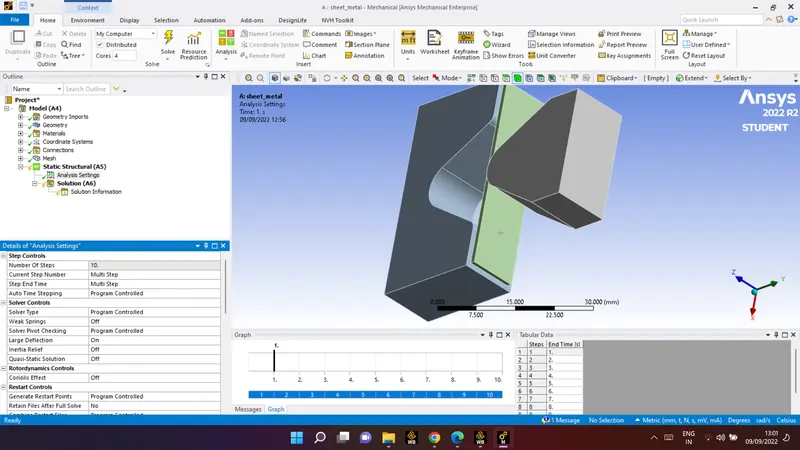
static shructural :
analysis settings:
| number of step | 10 |
| current step | 10 (select all) |
| Large deflection | on |
| stabilisation | constant |
| energy desipation | 0.1 |
all other displacement in static structural are :
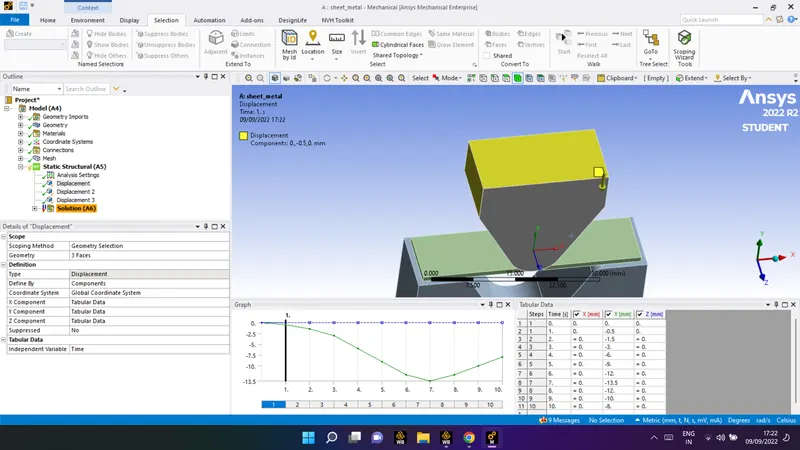
1) Displacement
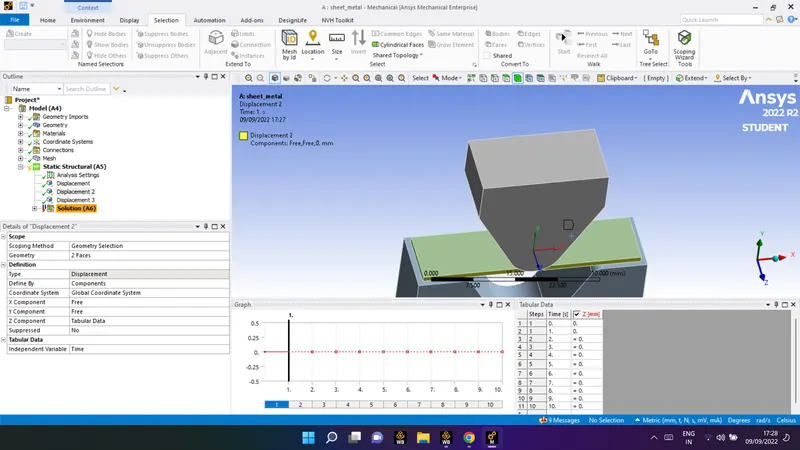
2) Displacement 2
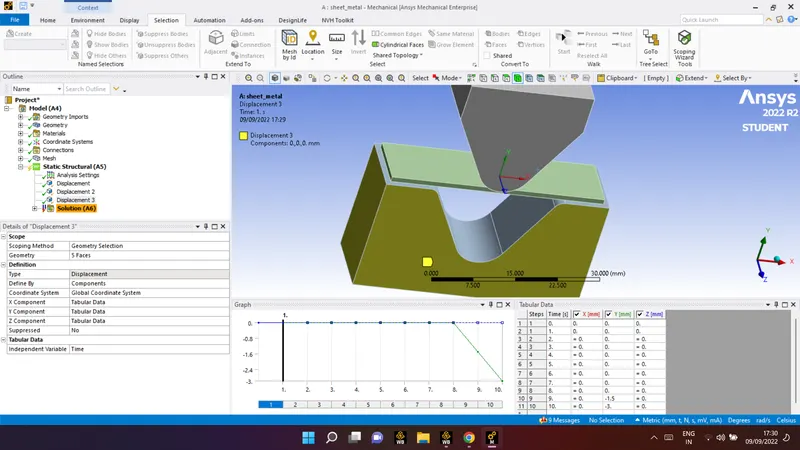
3) Displacement 3
input for all the displacement given above is :
1) Displacement
analysis settings:
| Scoping method | geometry selection |
| geometry | 3 faces |
| Type | displacement |
| X component | tabular data |
| Y component | tabular data |
| Z component | tabular data |
for 2) Displacement 2
| Scoping method | geometry selection |
| geometry | 2 faces |
| Type | displacement |
| X component | free |
| Y component | free |
| Z component | tabular data |
3) Displacement
| Scoping method | geometry selection |
| geometry | 5 faces |
| Type | displacement |
| X component | tabular data |
| Y component | tabular data |
| Z component | tabular data |
To calculate the solution equation here are some input parameter are given which have to insert :
- Equivalent stress
- Equivalent elastic strain
- Directional deformation
- Equivalent stress 2
- Contact tool-
-Pressure
- Frictional stress
6.Contact tool-
-
-Pressure
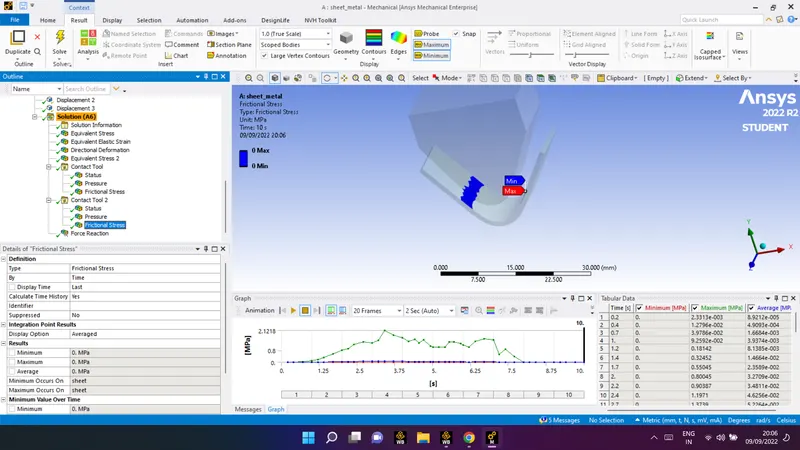
- Frictional stress
7. Force reacton-
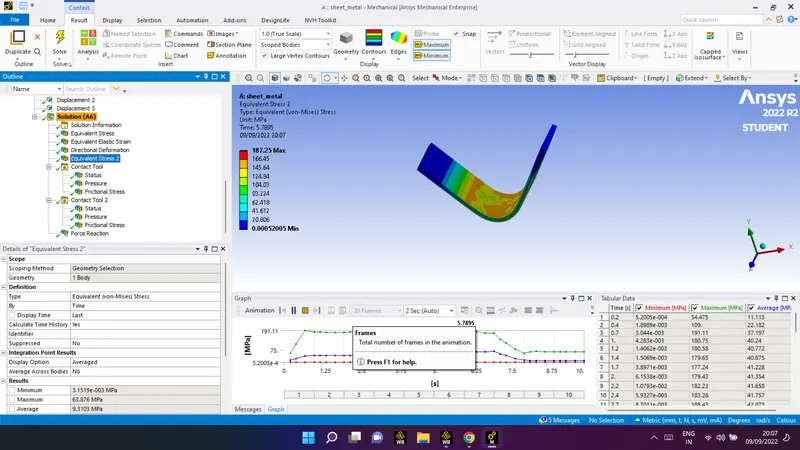
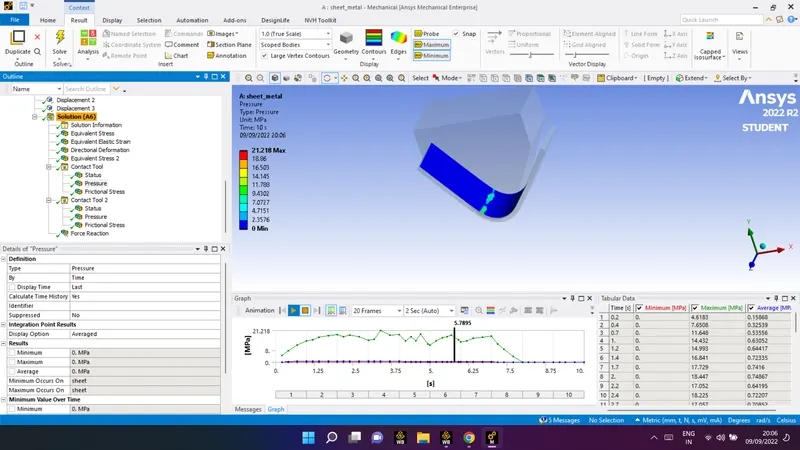
Result for the Aluminium Alloy 1199:
- Equivalent stress
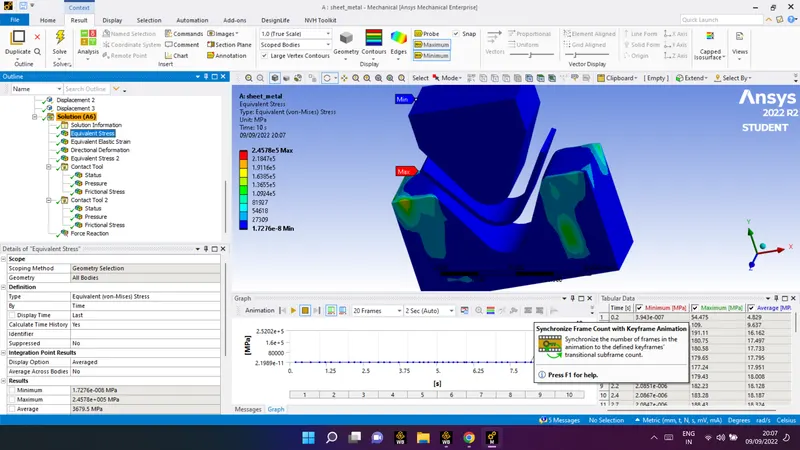
- Equivalent elastic strain
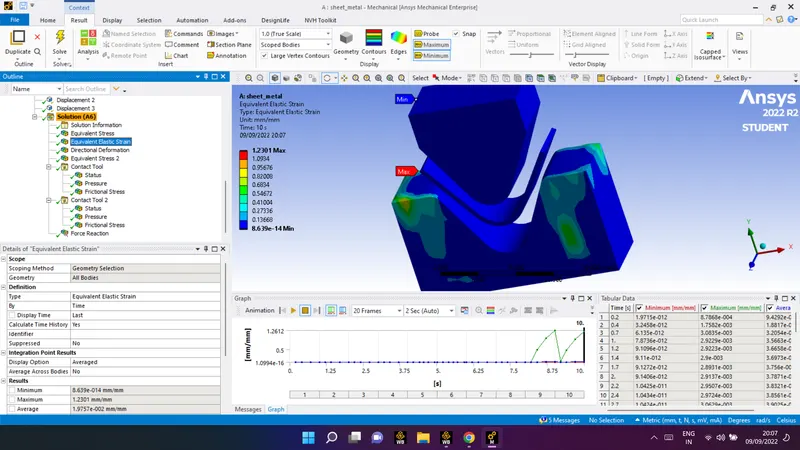
- Directional deformation
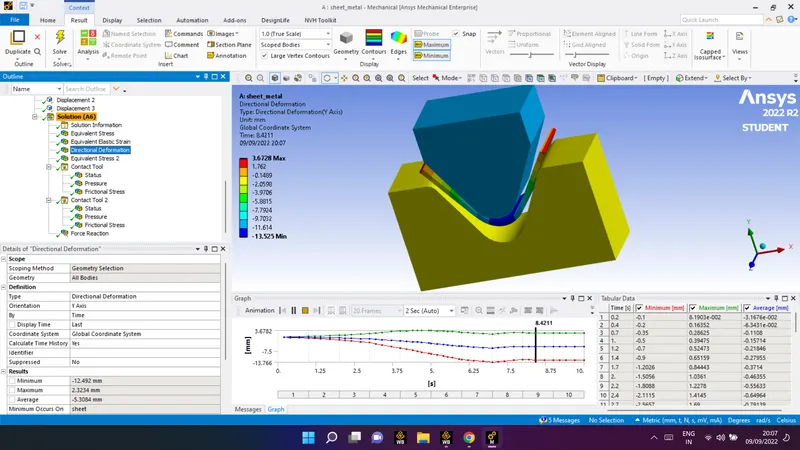
- Equivalent stress 2
- Contact tool-
-Pressure
- Frictional stress
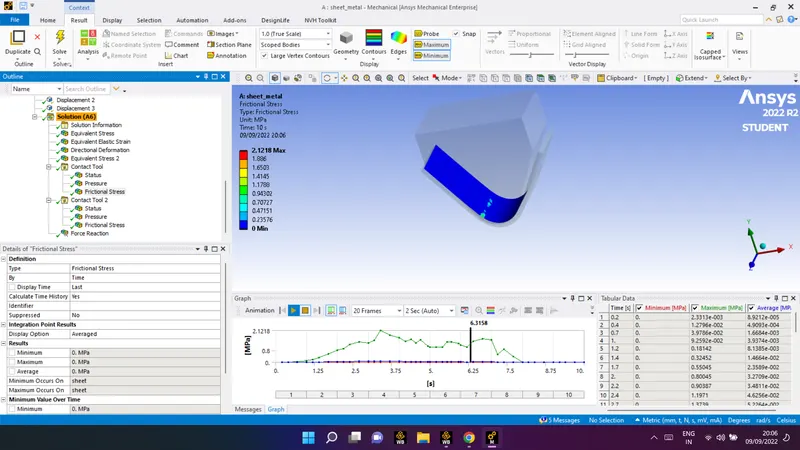
6.Contact tool-
-
-Pressure
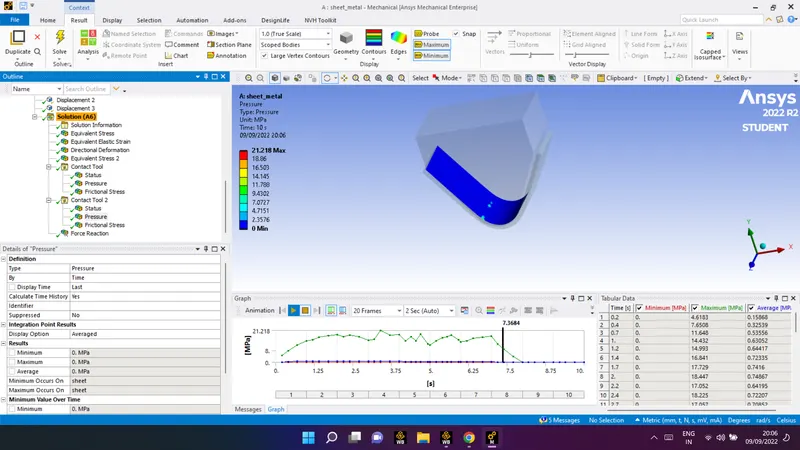
-
- Frictional stress
7. Force reacton-
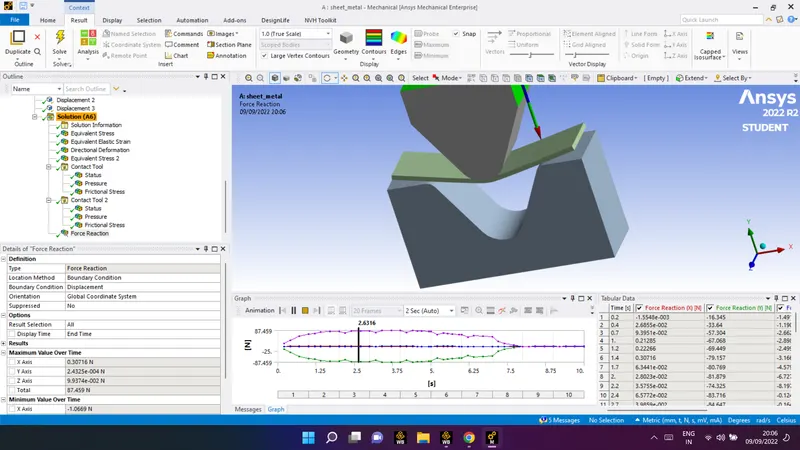
case 1 result in tabular data
compare the results for the three materials.
| Material | Aluminium Alloy 1199 | , Copper Alloy NL | Magnesium Alloy NL |
| Equivalent stress | 4.829MPa | 4.829MPa | 3.5461MPa |
| Equivalent elastic strain | 9.4292e-005 | 9.4292e-005 | 9.5327e-005 |
| and Total Deformation | -3.1676e-002mm | -3.1676e-002mm | -3.1663e-002mm |
NOTE:
for other material followed the same process as as done above i have attached the file for other material with this report
Case 2:
With the material as Aluminium Alloy, change the friction coefficient to 0.19 and run the analysis as mentioned in Case 1. Compare the results with that in case 1
procedure for case 2
as to change the frictional coeffient 0.19
for both contact friction coefficient to 0.19
model edit> connection>contact> frictional >0.19>
- punch to sheet
- sheet to die
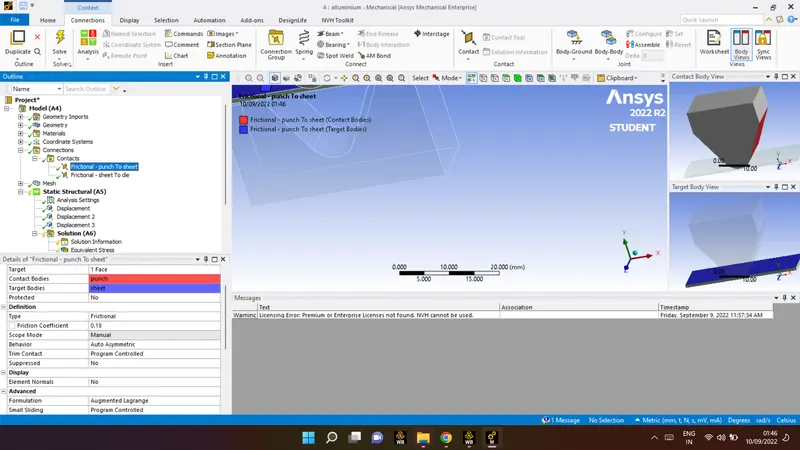
result for the case 2 study :
| Material |
Aluminium Alloy 1199 frictional coefficient = 0.1 |
Aluminium Alloy 1199 frictional coefficient = 0.19 |
| Equivalent stress | 4.829MPa | 4.8246MPa |
| Equivalent elastic strain | 9.4292e-005 | 9.4204e-005 |
| and Total Deformation | -3.1676e-002mm | -3.168e-002mm |
Case 3:
Refine the mesh on the plate such that it doesn't cross the academic limit. With Aluminium alloy as material, run the analysis as in Case 1 and compare the results.
prcedure as same which we followed for mesh above for change the el
- body sizing
- body sizing
- 2face sizing
give the proper value for the finer mesh and as shown in table result are shown :
Aluminium Alloy 1199
mesh size 1 and 4 mm
statics : 6229
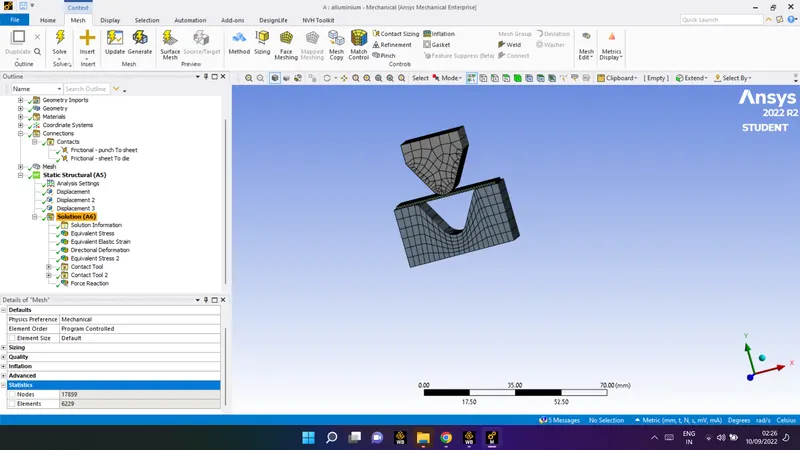
for finer mesh :
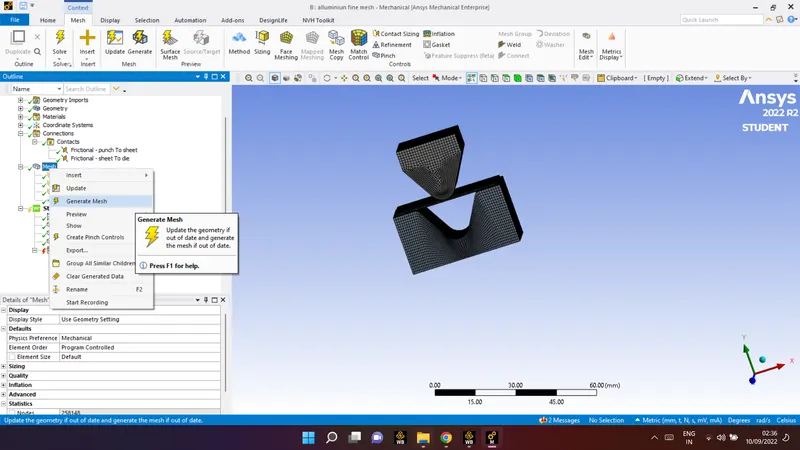
Result for the case three:
| Material |
Aluminium Alloy 1199 mesh size 1 and 4 mm |
Aluminium Alloy 1199 mesh size 0.75 and 2 mm |
| Equivalent stress | 4.829MPa | 2.7722MPa |
| Equivalent elastic strain | 9.4292e-005 | 4.7309e-005 |
| and Total Deformation | -3.1676e-002mm | -3.2993e-002mm |
Conclusion :
Case 1:
Aluminium Alloy 1199, Copper Alloy NL, and Magnesium Alloy NL. Equivalent stress, Equivalent elastic strain, and Total Deformation in the Y direction and comparision for results for the three materials is done.
Case 2:
With the material as Aluminium Alloy, change the friction coefficient to 0.19 and run the analysis as mentioned in Case 1. Compare the results with that in case 1 is done.
Case 3:
Refine the mesh on the plate such that it doesn't cross the academic limit. With Aluminium alloy as material, run the analysis as in Case 1 and compare the results is done.